

Make the Switch to Dacast.
Save up to $500 & get One Month of Free Service to Help with the Move





Your Pricing and Support Could Change
Overnight
Support may vanish when you need it most.
When your stream goes live, waiting hours for a response isn’t an option.
Confusing plans and hidden fees create surprises.
Complex tiers and unclear billing make it hard to know what you’re really paying for.
Losing control over your video data is now a real risk.
With new ownership and shifting policies, it’s no longer clear where your content lives or how it’s used.

Do you want to Stay in control with Stable and
Reliable Streaming?

We Help You Move Without Disrupting Your Streams
Move everything from Vimeo or Brightcove quickly and safely. Our migration specialists handle the setup so you can keep streaming without interruptions.
24/7 Human Support When Your Streams Go Live
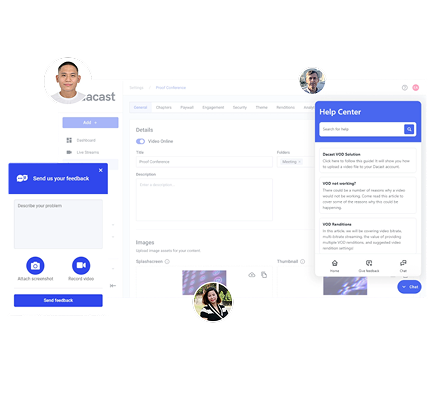
You’ll always reach a real person, not an automated reply. Our support team is available around the clock to help before, during, and after your broadcasts.
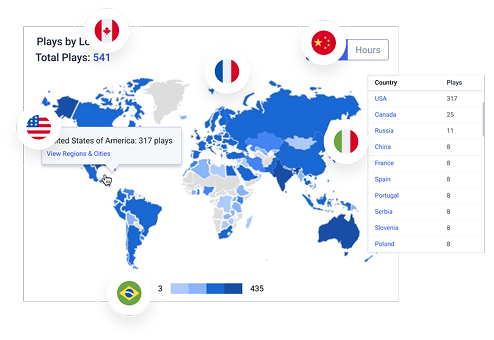
Global Delivery, Including Mainland China
Stream anywhere in the world with high-performance CDN delivery. From classrooms to live sports, your audience enjoys a smooth viewing experience everywhere.
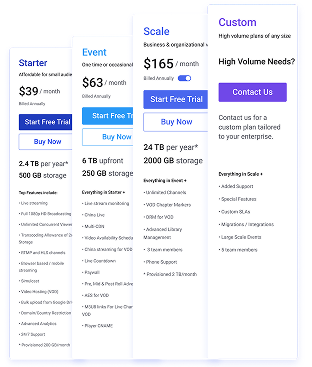
Predictable, Transparent Pricing for Growing Teams
No hidden fees or surprise renewals. Just clear plans that scale with your needs so you always know what you’re paying for.
Build Your Audience Without Worrying
About Your Platform
Secure Video Hosting
Secure video hosting with an all-in-one streaming platform
Video Monetization
Boost your revenue by leveraging Dacast’s native PPV
Stream Live Events
Reliable, flawless live event streaming with top-tier CDNs
VOD Management
Integrate live video & VODS with our APIs with no difficulty
OTT Platform
OTT solutions to broadcast content across all devices
Analytics
Gather information on customers with Audience and Engagement insights
Switch Safely, Stream Worry-Free
- Live Streaming
- Simulcast
- Video Hosting (VOD)
- VOD to Live
- Bulk upload from Google Drive
- Domain/Country Restriction
- Advanced Analytics
- & More..
- Everything in Starter +
- China Live
- Multi-CDN
- Video Availability Scheduling
- Live Countdown
- Paywall
- Pre, Mid & Post Roll Advertising
- & More..
- Everything in Event +
- Unlimited Channels
- VOD Chapter Markers
- DRM for VOD
- AES for VOD
- Player CNAME
- 3 team members
- & More..









Your Stream. Your Rules. Just 1 Click Away.
Take the Deal
- Sign up to Dacast
- Share your library
- We guide you step-by-step
Migrate Safely
- Our team will support you 24/7
- We migrate your live content
- We migrate you VOD
Stream Worry-Free
- Go live with confidence
- Share & embed your content
- Enjoy all the features
We've Been In the Market 16+ Years Helping Companies Just Like Yours

Imperial College London Hosted a Virtual Graduation for 50,000+ Guests
- +290 Videos
- 153 Audience Locations by countries
- 12,334 Engagement by hours


Established as an indispensable resource in finance education.
- +3,200 Videos
- 3 Audience Locations by countries
- +582 Plays time
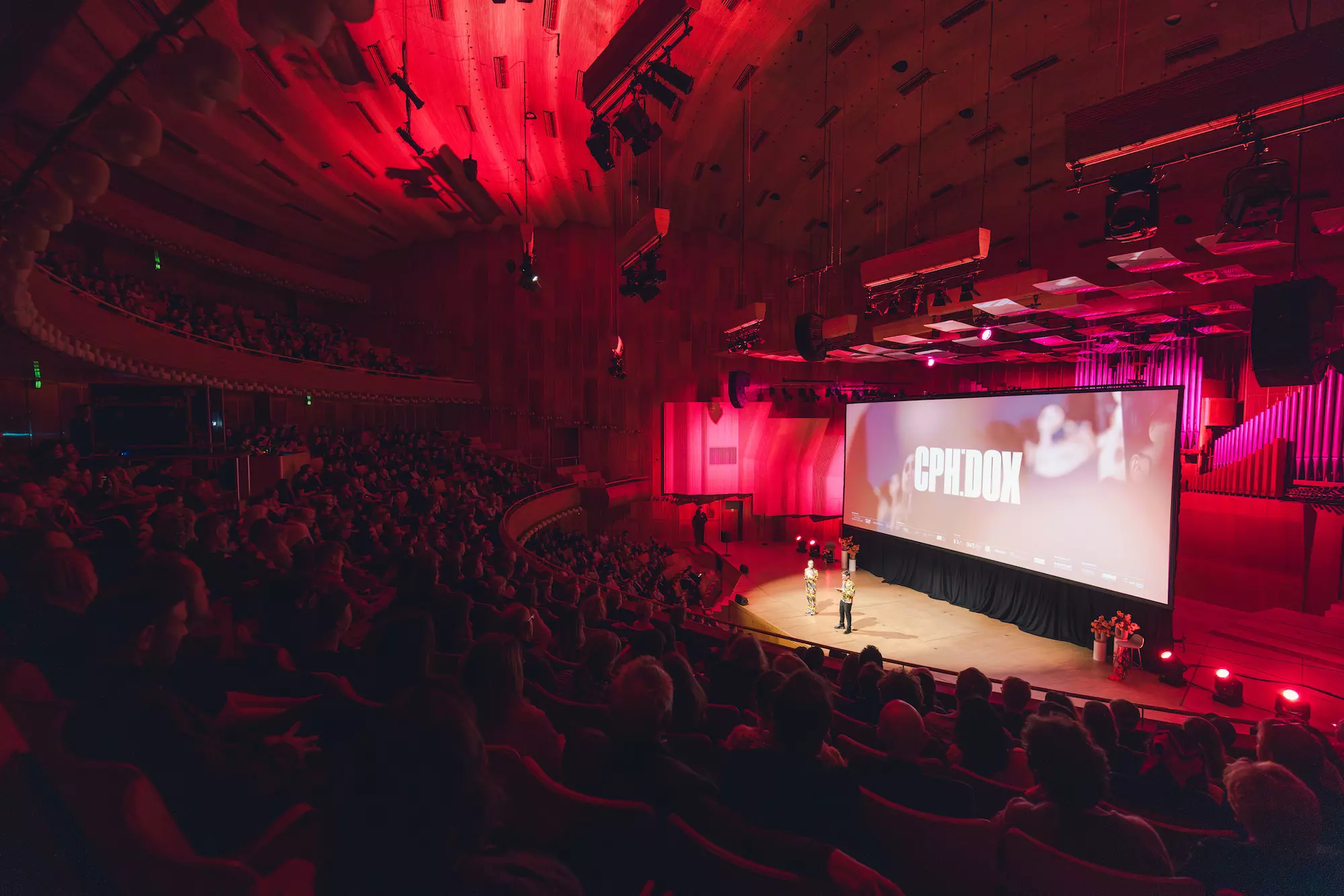
Empowered to promote documentary films to a wider audience.
- +30,000 Plays time
- 60 Audience Locations by countries
- +13,000 Engagement by hours
Questions About Switching?
- Will my existing Vimeo embeds and links break? How do we preserve SEO (redirects, sitemaps) during the switch?Your Vimeo videos will keep playing while your Vimeo account is active; if it’s turned off, those embeds stop. We import your library into Dacast as new assets, and the URLs aren’t auto-linked. For SEO, links that point to vimeo.com can’t be redirected to Dacast—the practical fix is updating your site’s pages/templates with the new embeds. If links live on your own domain, your developer (or agency) can add 301s and refresh the sitemap; we’ll provide a simple checklist and coordinate with your team. We can also recommend easy tools to spot and clean up any 404s after cutover.
- What does your guided migration from Vimeo Enterprise include (videos, captions, thumbnails, chapters, metadata)? Is there bulk import?Today we move the highest-quality video file plus its title and description into Dacast. If you need captions, thumbnails, chapters, or other metadata, we’ll review your library and scope options to bring these over. For bulk moves, we can import an entire Vimeo Showcase or your whole Vimeo library via API. If you want to migrate a specific set by video IDs, we currently process those one at a time, and we can discuss a simple list-based import if that suits your project.
- How long do typical migrations take for small/medium/large libraries-and what factors can extend timelines?Most mid-size moves (around 250-500 videos) complete in about 24-48 hours. Smaller libraries often finish faster; very large or complex setups can take longer, depending on approvals and how content is organized.
Timelines are mainly influenced by access to the source account, naming/organization of your videos, and a few edge cases that may need extra attention near the end. - Can I migrate my subscribers/PPV buyers and their entitlements? Are coupons, taxes, and currencies supported?Direct migration of subscriber/PPV records and entitlements isn’t available today. We’ll help you relaunch your paywall on Dacast to re-onboard your audience.
- What reliability guarantees and SLAs do you offer vs. Vimeo Enterprise? Is 24/7 human, event-day support included?Dacast offers 24/7 live, human support from in-house experts-never outsourced to third-party call centers. We commit to 99.9% monthly availability, up to 4 hours/month of scheduled maintenance, service credits (10% / 25% / 50%), timely incident notifications, and a termination right if availability drops below 98% for three consecutive months. By comparison, Vimeo Enterprise states 99.90% uptime with 10% / 25% credits and credits as the sole remedy.
- Data residency & compliance: What do you mean by “keeping video data in North America”? How do you handle GDPR and audit logging?If your team is in North America, we keep your video and account data on North American infrastructure by default so content stays close to your operations. Other regions can be discussed if your policy requires them.
We support GDPR standards and maintain activity logs of key actions in your account (e.g., uploads, modifications, restriction changes). If you need a specific compliance review, just reach out and we’ll align the setup to your requirements. - Global delivery & scale: which CDNs do you use, and do you provide worldwide delivery?Yes. Dacast delivers video worldwide through top-tier global CDNs. We also offer a China Delivery Feature for reliable playback inside Mainland China via an ICP-licensed.
- Live specifics: ingest, DVR, live-to-VOD, simulcast, backup/failover workflows-what’s supported out of the box?You can go live with standard RTMP encoders, offer DVR so viewers can pause/rewind, auto-record events to publish as VOD right after, simulcast to YouTube, Facebook, Twitch (or any RTMP destination), and set a backup stream URL so you can switch quickly if the primary has issues-all built in.
- Developer experience: APIs, webhooks, SDKs-what tools do you offer to developers?You can build and automate with our REST Video API, Player API, and documented SDKs. You’ll find guides for content management, player control, and mobile app integration (iOS/Android), plus docs on embedding via our Node/PHP SDKs. Last but not least, you can also ask about our upcoming MCP Server for live streaming that exposes Dacast’s docs, API reference, and SDK recipes via the Model Context Protocol so LLMs can pull authoritative answers for tasks like creating live streams, add simulcast destinations, or creating/updating a playlist amongst other features.
- Analytics: will I keep historical data? Can I export raw/viewer-level data?You can select the metrics you need from your historical Vimeo analytics and receive them as a CSV by email. We don’t currently offer an automatic import into Dacast, but if this matters to you, reach out and we’ll support the best practical path to keep those records alongside your new reporting. To complement that, we’re expanding Dacast analytics to focus on playback quality, engagement, audience breakdowns, and live concurrency so you can quickly understand viewing behavior and spot issues.
- Contracts & onboarding: month-to-month vs. annual, cancellation terms, and what if I’m mid-contract with Vimeo?We offer monthly and annual plans - choose month-to-month for flexibility or a single annual payment for best value. Monthly plans can be canceled after the first 90 days; annual plans follow the commitment term shown at signup (ask us for details). If you’re mid-contract with Vimeo, our team can facilitate the transition between contracts so you don’t pay twice or lose continuity. We can also set you up with a smaller plan during the onboarding phase and upgrade your account when it’s ready for regular use. Talk to an expert today, and we’ll map the cleanest path.
- What’s the switcher incentive (1 month free + $100-$500 coupon)?Eligible Vimeo switchers get a $100-$500 coupon at checkout on your first year subscription, plus one month free added to your subscription to give you the extra time to migrate and set up your account. The coupon value depends on the plan level, can’t be combined with other promos, and is time-limited. Have a Vimeo account and moving over? Claim your code at signup - we’ll apply the free month once your plan is active.
- Who’s eligible to use the switcher incentive?The switcher incentive (1 month free + $100–$500 coupon on your first year subscription) is designed for Vimeo customers who are moving their video workflow over to Dacast and don’t yet have a paid Dacast subscription. If you’re new to Dacast or currently on a free trial, you can use the coupon when you pick your first paid plan.
Existing paying Dacast customers aren’t eligible for this promo, and the incentive can’t be combined with other discounts or offers. If you’re not sure whether you qualify, reach out to our team and we’ll help you check. - How do I redeem my switcher coupon?If you qualify for the Vimeo switcher incentive, start on our dedicated landing page and click on the “Claim My Switch Offer” button to get started. You’ll be taken to our pricing page, where you choose the plan you want for your first-year subscription and create your Dacast account. At checkout, enter your switcher coupon code in the “Add coupon code” field (switch100 / switch150 / switch500). The $100–$500 discount (depending on your plan level) will be applied to your first-year subscription total, as described in the switcher incentive above.
- When will my free month be applied, and why don’t I see it at checkout?The $100–$500 coupon appears directly at checkout on your first-year subscription total, but the extra free month from the switcher incentive does not show as a separate line item there. First, complete your signup and apply your switcher coupon as usual.
Once your plan is active, your Customer Success agent will add the additional free month on our side, extending your next billing date by one month. This gives you extra time to migrate from Vimeo and set up your account without paying again sooner. If you want confirmation, just ask support to verify your adjusted renewal date after activation.
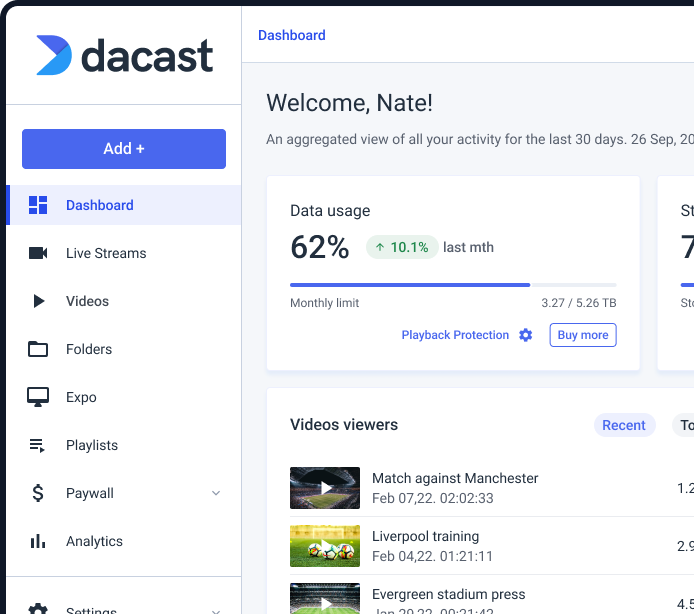
Prefer stability over “wait and see”? Start Today. Dacast is the answer
- 1 free month + $100-$500 off for switchers
- 24/7 human support
- 16+ years in the market


