



Best Church Livestreaming Platform Comparison (2026): Dacast, Subsplash, BoxCast, and ChurchStreaming

By Jon Whitehead, Chief Operating Officer at Dacast — Updated March 2026. This article reflects the latest features, pricing, and comparisons of church livestreaming platforms, which may change over time.
For most churches looking for full branding control and scalable video hosting, Dacast is the top choice. Subsplash is ideal for churches seeking an all-in-one engagement platform. BoxCast offers a simple turnkey streaming setup, while ChurchStreaming.tv provides a guided, church-focused livestream solution. If your church is ready to choose a livestreaming platform for weekly services, the decision goes beyond simply pressing “Go Live.”
The platform you choose will affect:
- Sunday service reliability
- Viewer experience for online congregants
- Branding and website integration
- Long-term scalability of your sermon video library
Churches we work with often manage 250+ sermon recordings, making video migration, storage, and playback quality key decision factors.
This church livestreaming platform comparison examines four widely used solutions:
- Dacast
- Subsplash
- BoxCast
- ChurchStreaming.tv
Each platform serves churches differently. Some focus on professional streaming infrastructure, while others prioritize church engagement ecosystems or turnkey streaming setups.
This guide will help your team determine which platform best supports your ministry’s livestream strategy.
TL;DR:
Choose Dacast for white-label livestreaming, embed-anywhere video players, and bulk migration for large sermon libraries.
Choose Subsplash for a complete church engagement ecosystem with streaming integrated into apps, giving, and messaging.
Choose BoxCast for a simple turnkey streaming setup with hardware and software designed specifically for churches.
Choose ChurchStreaming.tv for a guided, church-focused streaming service with integrated media hosting and simplified live broadcasting.
Table of Contents
- Church Livestreaming Platform Comparison (2026)
- Live Streaming Capabilities
- Video Library & Sermon Archive Management
- Embed Options & White-Label Branding
- Pricing Transparency
- Support & Reliability
- Monetization Options for Churches
- Real-World Use Case: Migrating 250+ Sermon Videos
- How to Choose the Best Church Livestreaming Platform
- FAQs: Choosing a Church Livestreaming Platform
- Final Thoughts: Choosing the Right Platform for Your Church
Church Livestreaming Platform Comparison (2026)
Below is a practical comparison of the most important features churches evaluate when selecting a streaming solution. For a broader overview of live streaming solutions, see our Top 10 Live Streaming Solutions for Church Services.
Live Streaming Capabilities
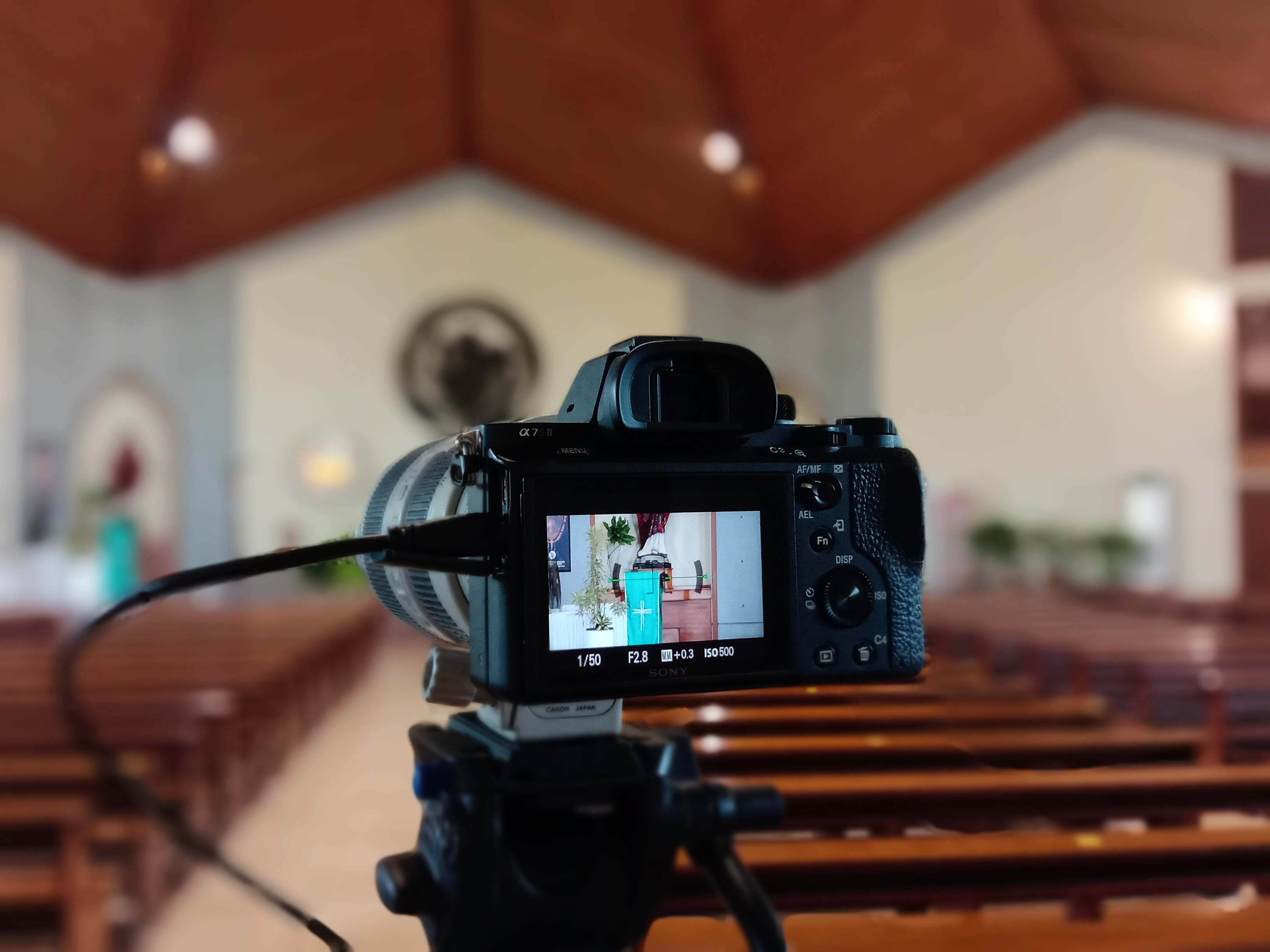
Reliable livestream delivery is critical for weekly Sunday services, conferences, and online ministry events.
| Feature | Dacast | Subsplash | BoxCast | ChurchStreaming.tv |
|---|---|---|---|---|
| Streaming protocols | RTMP + SRT | RTMP-based | RTMP | RTMP |
| Encoder compatibility | OBS, vMix, hardware encoders | Limited flexibility | BoxCast encoder ecosystem | OBS + supported encoders |
| Adaptive bitrate streaming | Yes | Yes | Yes | Yes |
| Global CDN delivery | Yes | Yes | Yes | Yes |
Key takeaway: Dacast offers the most flexible streaming infrastructure, supporting both RTMP and SRT, which improves reliability in unstable network conditions.
Platforms like BoxCast and ChurchStreaming focus more on simplified church broadcasting setups, often paired with recommended hardware.
If your team is new to livestreaming, this church livestreaming guide explains how to set up cameras, encoders, and streaming software for weekly services.
Video Library & Sermon Archive Management
Many churches already have hundreds of sermon recordings they want to preserve and organize online. The ability to bulk migrate and manage video libraries becomes critical during a platform transition. Churches increasingly maintain large sermon archives; see our Church Live Streaming Trends & Data for statistics on video adoption.
| Feature | Dacast | Subsplash | BoxCast | ChurchStreaming.tv |
|---|---|---|---|---|
| Bulk video upload | Yes | Limited | Limited | Available |
| API access | Yes | Limited | No | Limited |
| Video count limits | Unlimited | Not disclosed | Platform dependent | Plan dependent |
| Adaptive VOD transcoding | Yes | Yes | Yes | Yes |
Key takeaway: If your church is migrating 250+ sermon videos, platforms with bulk upload and API tools significantly simplify the process.
Embed Options & White-Label Branding
For many churches, maintaining a consistent church brand and website experience is important.
| Feature | Dacast | Subsplash | BoxCast | ChurchStreaming.tv |
|---|---|---|---|---|
| Embed on any website | Yes | Mostly inside Subsplash ecosystem | Yes | Yes |
| White-label player | Yes | Limited | Limited | Limited |
| Custom domain options | Yes | Limited | Limited | Limited |
| Third-party branding | None | Subsplash ecosystem branding | Platform branding | Platform branding |
Key takeaway: Dacast provides the highest level of branding control, allowing churches to fully white-label their livestream player and embed it anywhere online.
Pricing Transparency
Budget predictability is an important factor for churches planning long-term streaming infrastructure.
| Platform | Pricing Model | Starting Price |
|---|---|---|
| Dacast | Transparent tiered pricing | $39/month Dacast Pricing |
| Subsplash | Quote-based bundle | Custom Subsplash pricing |
| BoxCast | Subscription tiers | ~$109/month BoxCast pricing |
| ChurchStreaming.tv | Subscription tiers | ~$79/month ChurchStreaming.tv info & partner sources |
Prices verified March 2026. See BoxCast pricing and ChurchStreaming pricing pages for the most up-to-date information.
Key takeaway: Platforms vary significantly in how they structure pricing. Some services bundle streaming with broader church tools, while others offer standalone video streaming infrastructure.
Support & Reliability
Livestreaming reliability matters most during live worship services, where downtime can disrupt the congregation’s experience.
| Feature | Dacast | Subsplash | BoxCast | ChurchStreaming.tv |
|---|---|---|---|---|
| Support availability | 24/7 phone, chat, email | Ticket/email | Email + support | Email + support |
| Platform focus | Streaming infrastructure | Church engagement suite | Church streaming | Church streaming |
| Uptime focus | Enterprise CDN | Platform-based | CDN delivery | CDN delivery |
Key takeaway: Platforms focused specifically on video infrastructure tend to prioritize scalability and broadcast reliability.
Monetization Options for Churches
While many churches stream services freely, some ministries monetize conferences, special teaching series, and training programs.
| Feature | Dacast | Subsplash | BoxCast | ChurchStreaming.tv |
|---|---|---|---|---|
| Pay-per-view | Yes | No | No | No |
| Subscriptions | Yes | No | No | No |
| Donations | External integrations | Built-in giving | External | External |
Only some platforms offer built-in video monetization tools, which can be useful for ministries hosting paid digital events.
Real-World Use Case: Migrating 250+ Sermon Videos
Consider a church planning to move its livestreaming infrastructure and migrate a large sermon archive.
Typical requirements include:
- Bulk upload capabilities
- Reliable Sunday livestream delivery
- A scalable video library
- The ability to embed sermons on the church website
A common migration approach is:
- Upload the sermon archive through bulk upload tools or API
- Test livestream reliability during a trial period
- Gradually transition weekly services to the new platform
Platforms that support automated transcoding and adaptive streaming make this process significantly easier. Planning to switch platforms? Follow our detailed guide to migrate your church sermon library efficiently and without downtime.
How to Choose the Best Church Livestreaming Platform
If your top priority is streaming reliability, choose Dacast for professional-grade livestream protocols and adaptive bitrate delivery. For churches with large sermon archives, Dacast simplifies bulk uploads and scalable storage. If website embedding is critical, Dacast or BoxCast offer easy integration. For full branding control, Dacast provides a white-label experience. For predictable budgeting, Dacast publishes clear pricing, while Subsplash uses custom quotes.
For step-by-step instructions on setting up your church livestream, see How to Live Stream Church Services.
FAQs: Choosing a Church Livestreaming Platform
What is the best livestreaming platform for churches?
The best church livestreaming platform depends on your ministry’s needs. Dacast is best for churches that want professional streaming infrastructure, white-label embedding, and scalable video hosting. Subsplash is ideal for churches looking for an all-in-one engagement platform. BoxCast is designed for churches that want a simple turnkey streaming setup. ChurchStreaming.tv offers a church-focused streaming solution with guided setup and media hosting.
What features should a church livestreaming platform include?
A reliable church streaming platform should support RTMP or SRT livestreaming protocols, compatibility with popular encoders like OBS or vMix, adaptive bitrate streaming, a VOD library for sermon archives, embed options for church websites, and reliable technical support for Sunday services.
How do churches migrate large sermon video libraries?
A typical migration process includes uploading videos through bulk upload tools or automated APIs, transcoding videos into adaptive streaming formats, organizing sermons into playlists or series, and embedding videos on the church website.
Can churches stream services directly on their website?
Yes. Most church livestreaming platforms allow churches to embed their livestream player directly on their website, offering a consistent church-branded experience, better integration with sermon archives, and control over the viewer journey.
What equipment do churches need for livestreaming?
A typical setup includes a camera or camcorder, a capture card or encoder, streaming software such as OBS or vMix, a stable internet connection, and a livestreaming platform. More advanced setups may include hardware encoders, multi-camera switching, and professional audio mixing.
How much does church livestreaming typically cost?
Entry-level platforms typically cost $30-$100 per month. Mid-tier streaming platforms run $100-$300 per month. Enterprise solutions use custom pricing. Some platforms bundle streaming with church engagement tools, while others focus purely on video streaming infrastructure.
Can churches monetize livestreams or online events?
Some livestreaming platforms allow churches to monetize content through pay-per-view events, subscription-based video libraries, or ticketed conferences. Many churches primarily use livestreaming for free Sunday services, while relying on separate donation platforms for giving.
What should churches prioritize when choosing a streaming platform?
Church leadership teams typically evaluate: livestream reliability for weekly services, ease of use for volunteers and staff, video library management and sermon archives, branding and website integration, and transparent pricing and long-term scalability.
Final Thoughts: Choosing the Right Platform for Your Church
Each platform in this comparison serves a slightly different type of ministry. Dacast is best suited for churches seeking flexible, professional streaming infrastructure with full branding control. Subsplash works well for churches wanting a single platform for apps, giving, messaging, and streaming. BoxCast offers a simple turnkey livestreaming setup. ChurchStreaming.tv provides a church-focused streaming solution with simplified setup and media hosting.
Many churches begin by testing a platform with a trial livestream before committing to a full migration. Taking time to evaluate these factors will help ensure your church selects a platform that supports both current services and future digital ministry growth.
Churches can also test the platform by starting a 14-day free trial before migrating their livestreams and sermon archive.
On that note, why not start today with the Dacast 14-day free trial? Sign up today to begin streaming live in a matter of minutes. No credit card is required.
Get Started For Free
Do you have questions or feedback about live streaming platforms or video broadcasting in general? Send a message to our 24/7 technical support team, and we will get back to you. For regular tips and exclusive offers, you can join our LinkedIn group.
