



Online Video In Education: The Benefits of Streaming Video for eLearning

By Dacast Editorial Team | Reviewed by Jon Whitehead, COO at Dacast | Updated August 2026
Online video in education isn’t “nice to have” anymore, it’s the format learners expect for everything from lecture capture and tutoring to workforce training and paid eLearning programs. The difference in 2026 is quality and delivery: students want shorter, searchable lessons, live sessions that feel interactive (not passive), and an experience that works flawlessly on any device, complete with captions, transcripts, and secure access.
In this guide, you’ll learn how to use online video in education strategically: which formats work best (live vs VOD vs simulated live), how to build a repeatable production workflow, what accessibility + privacy requirements matter most, and how to choose a platform that supports engagement, analytics, and monetization.
TL;DR:
- Best mix for 2026: VOD for core lessons + live for interaction + “simulated live” for cohorts at scale.
- Make videos searchable: add chapters + transcripts + clear titles so learners can rewatch and find answers fast.
- Keep lessons tight: aim for 5–12 minute micro-lessons for concepts; use longer sessions for deep dives with chapters.
- Accessibility is mandatory: publish captions + transcripts by default (it helps everyone, not just compliance).
- Security matters in education: use domain restrictions, tokenized access, SSO, and privacy controls where needed.
- Use analytics monthly: improve completion by fixing drop-off points, splitting long videos, and updating your top 10 lessons.
- Monetize if relevant: common models are SVOD, PPV/TVOD, bundles, and institutional licensing, price around outcomes, not hours.
Table of Contents
- The 2026 reality: why online video in education keeps growing
- Benefits of online video in education (specific, measurable)
- Live vs VOD vs “simulated live”: what to use when
- How to use video in education (7-step implementation framework)
- The flipped classroom (what works in 2026)
- Accessibility, privacy, and security requirements (non-negotiables)
- Monetizing educational video (SVOD, PPV, licensing, cohorts)
- The 10 best platforms for hosting online video for education (2026)
- Case study: Imperial College London
- FAQs
- Conclusion + next steps
The 2026 reality: online video in education keeps growing
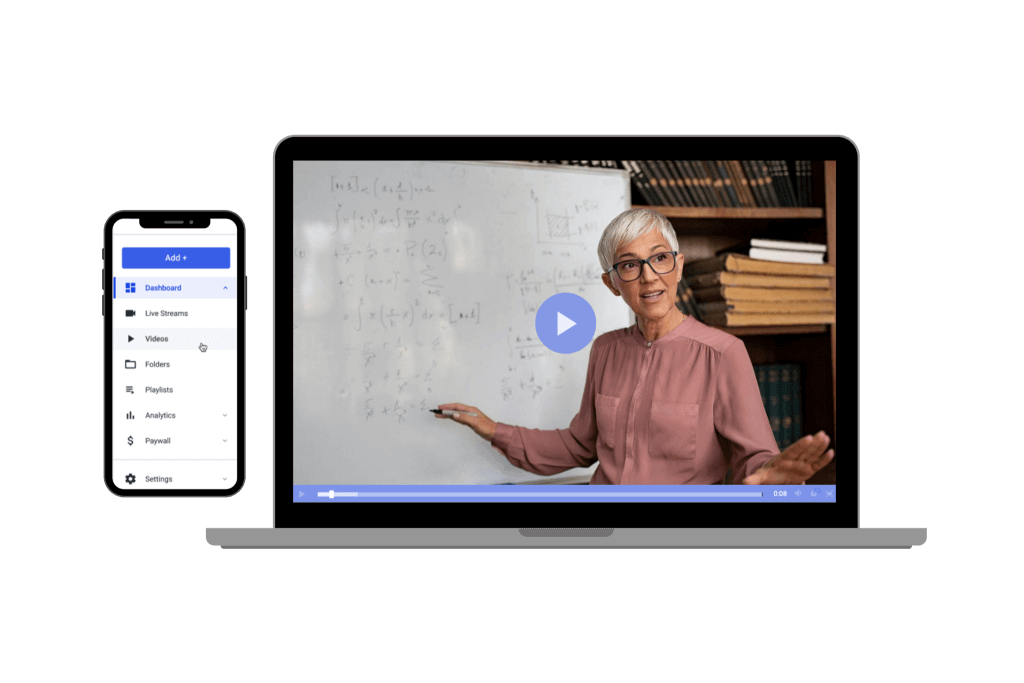
eLearning continues to expand across higher ed, workforce training, and professional upskilling, market forecasts still show strong growth through the next several years.
But what’s changed most since the early-2020s “remote learning rush” is expectation:
- Learners expect searchable video libraries (chapters, transcripts, in-video search)
- Institutions expect standards-based integrations (LMS + SSO)
- Everyone expects accessibility by default (captions, transcripts, keyboard support)
- Video teams are adopting AI-assisted workflows (auto-captioning, summaries, clipping). K-12 schools have their own specific needs here too, including privacy, budget, and ease of use, covered in our guide to the best live streaming providers for schools.
Benefits of using online video in education (the specifics that matter)
Better comprehension and retention
Video can improve learning outcomes when it’s created with cognitive load, engagement, and active learning in mind (clear structure, tight pacing, purposeful visuals).
Practical takeaway: Don’t just “record a lecture.” Design for video: chapters, examples, pauses for retrieval practice, and short segments.
Video drives active engagement, not just passive viewing
Video enhances education by turning passive viewing into active learning, but only when it’s structured the right way. Active viewing strategies move students from passive watchers to active participants: pausing to answer a guiding question, taking notes on a key moment, or completing a quick check between segments.
Length matters more than most teams assume. Videos under 6 minutes see nearly 100% engagement, while engagement drops to just 20% for videos over 40 minutes, a strong argument for the 5-12 minute micro-lesson format recommended throughout this guide. Chunking information into shorter segments minimizes cognitive overload and keeps student attention where it belongs: on the material.
- Guiding questions during videos enhance student test scores, especially when asked at natural pause points.
- Asking students to think actively during videos, rather than simply watching, improves test performance.
- Conversational narration increases student engagement significantly compared to a flat, lecture-style delivery.
- Having students produce their own short videos can help them organize and explain their knowledge, turning video from a consumption format into a demonstration format.
Practical takeaway: Don’t just optimize for watch time. Optimize for the moments where a student has to do something: answer, pause, reflect, or respond.
Supports multi-modal learning
Online video combines visuals + audio + text (captions, key terms), which helps reach more learning preferences, especially when paired with transcripts and downloadable resources. Multimodal engagement improves long-term memory retention for diverse learners, and higher engagement occurs when videos combine sight, sound, and motion rather than relying on a single format.
Scales instruction without scaling cost linearly
A well-built video library reduces repeated delivery work (onboarding, compliance training, common intro modules). Video also enables year-round enrollment models for some programs.
Makes learning searchable and repeatable
Students don’t just “watch once”, they rewatch for revision and skill practice. One student survey found 82% watch course-related videos at least weekly, and many watch multiple times per week. Asynchronous flexibility allows students to pause, rewind, and rewatch recorded lectures, which supports different learning paces and revision styles that a live-only format can’t accommodate.
Improves accessibility
Captions and transcripts support deaf/hard-of-hearing learners, multilingual learners, and anyone studying in noisy environments. Captions are a core accessibility requirement in WCAG guidance.
Can deliver strong ROI in enterprise learning
For large organizations, moving training and knowledge-sharing into structured video libraries can reduce travel and repeated instructor time. Microsoft has publicly cited significant cost avoidance and ROI tied to video learning operations. If you’re building this out for corporate L&D specifically, our comparison of the best video training platforms for enterprise teams covers the HR and onboarding use case in more depth.
Live vs VOD vs “simulated live”: what to use when
Live streaming (real-time): best for discussion, Q&A, guest speakers, cohort moments, labs with live supervision. For the full technical setup, see our step-by-step guide to live streaming a classroom online.
On-demand (VOD): best for core curriculum, fundamentals, repeatable modules, onboarding, revision content
Simulated live: best for running scheduled cohorts using pre-recorded sessions + live chat/Q&A, without the risk of live production
Rule of thumb for 2026:
- Put “explain once, replay often” content into VOD
- Put “interaction and community” content into live
- Use simulated live when you need scheduling + scale without live production risk
That said, video isn’t the right tool for everything. Some concepts are best learned through direct, hands-on interaction rather than video alone, labs, certain skills-based training, and highly discussion-driven topics often still benefit from real-time human facilitation without a screen in between.
How to use video in education (7-step implementation framework)
Step 1: Define the job-to-be-done + KPIs
Pick 1–2 primary outcomes:
- Improve completion rates
- Reduce drop-off in Week 1
- Increase assessment scores
- Reduce support tickets (“how do I…?”)
- Increase enrollment conversion (for eLearning businesses)
Minimum video KPIs to track: plays, completion rate, average watch time, drop-off points, rewatch rate, and top search terms (if your platform supports it).
Step 2: Choose a content model that matches real learner behavior
In 2026, most programs do better with hybrid libraries, for example:
- 5–12 minute micro-lessons (concepts + demos)
- 20–40 minute “deep dive” sessions (case studies, worked examples)
- Live office hours (weekly/biweekly)
- Assessments + worksheets + practice prompts
Step 3: Build a repeatable production workflow (not a one-off project)
Minimum viable setup: Good audio (lav mic or USB/XLR mic), Simple lighting, Screen recording + camera (picture-in-picture), A template for intros/outros and on-screen titles. If you’re teaching live rather than pre-recording, see our guide to live broadcast software for teaching online classes for encoder and mixing software options.
Workflow checklist
Script outline → record → quick edit → captions → chapters → upload → QA → publish → measure
Before you record, design around the outcome, not just the topic. Video is most effective when it’s built around a clear learning objective and a moment of active participation, not just information delivery. Use visual cues (arrows, highlights, on-screen text) to direct students’ attention to the most important information in each segment. And since content ages and gets reused across cohorts, vetting content is necessary to ensure it stays age-appropriate and factually accurate before every re-publish.
Step 4: Make every video accessible (baseline requirements)
At minimum:
- Captions for recorded video
- Transcripts for search + study
- Clear audio, readable on-screen text, and logical headings
WCAG remains the most-referenced accessibility standard, and its guidance covers captions and other requirements for time-based media.
Step 5: Secure access and protect learner data
For education, security isn’t optional. Look for:
- Password protection / tokenized access
- Domain restrictions (embed only on your LMS/site)
- Geo/IP restrictions (if needed)
- SSO options (SAML/OIDC) for institutions
- DRM (if you sell premium content)
Step 6: Integrate video into your LMS the “standard” way
Most institutions want plug-and-play integration patterns:
- LTI 1.3 / LTI Advantage (secure LMS tool integration)
- Simple embed workflows (if LTI isn’t available)
- API-based automation for advanced teams (enrollment sync, analytics exports)
Step 7: Optimize with analytics (every month)
A simple monthly routine:
- Identify top drop-off timestamps → tighten or split videos
- Turn high-traffic support questions into short modules
- Add chapters where rewatch spikes happen
- Refresh the top 10 videos each semester/quarter
The flipped classroom in 2026 (what actually works)
The flipped classroom can be effective, but the impact depends heavily on execution. Research summaries and meta-analyses show mixed results, with some indicating modest gains relative to lecture-only approaches.
What makes it work in 2026:
- Pre-class videos are short, structured, and include quick checks (1–3 questions); for programs recording live lectures to reuse this way, see our guide to lecture capture and streaming solutions.
- In-class time is used for practice, feedback, and discussion (not re-teaching)
- Videos have chapters + transcripts so students can review precisely
Accessibility, privacy, and security requirements (non-negotiables)
Accessibility
- Captions (recorded; and live captions if you do live teaching)
- Transcripts for search and study support
- Keyboard-accessible players and clear navigation
WCAG guidance specifically addresses captions for prerecorded media and other time-based media requirements.
Privacy and compliance (depends on region and learner age)
Most education organizations need to consider frameworks like FERPA (US education records), GDPR (EU), and other local privacy rules. Even if you’re not “regulated,” learners expect responsible handling of personal data and viewing analytics.
Security best practices
- Use tokenized access / signed playback where possible
- Restrict embedding to approved domains
- Separate public marketing videos from authenticated course libraries
- Keep admin permissions tight (role-based access)
Monetizing video in education (modern models)
If you’re an eLearning business (or offering paid programs), the most common monetization models are:
- SVOD (subscriptions) : access to an ongoing library
- TVOD / PPV : pay per course, cohort, or event
- Bundles : pathways (Beginner → Intermediate → Advanced)
- Institutional licensing : seat-based or cohort-based contracts
- Hybrid : subscription for fundamentals + PPV for live intensives
2026 tip: Price around outcomes (certifications, skills, access to instructors), not just “hours of video.” If you’re building a paid course business rather than an institutional program, see our step-by-step guide to building a video subscription platform.
The 10 best platforms for hosting online video in education (2026 shortlist)
Below is a practical shortlist. Pricing and packaging change often, use these as “best fit” starting points. For a deeper side-by-side comparison of features and pricing, see our full breakdown of the best online learning class platforms.
| Platform | Best for | Standout strengths | Watch-outs |
|---|---|---|---|
| Dacast | Schools + training + paid programs | Secure streaming, monetization, API, global delivery | LMS integration depends on your setup |
| Panopto | Higher ed lecture capture | Capture + library management + search | Pricing varies by institution |
| Kaltura | Large institutions needing customization | Flexible platform + integrations | Complexity/cost can rise |
| YuJa | Campus-wide video + lecture capture | Capture tooling + LMS connectors | Enterprise buying motion |
| Echo360 | Active learning + lecture capture | Engagement + classroom tools | Often higher-ed focused |
| Brightcove | Enterprise video at scale | Robust OVP capabilities | Typically enterprise pricing; recent ownership change |
| Vimeo (Enterprise/OTT) | Branded portals + distribution | Ease of use + polished experience | Features vary by tier |
| IBM Video Streaming | Enterprise streaming + AI features | Watson-powered captions/search positioning | Product fit varies by education use case |
| Muvi | OTT-style education businesses | App-centric OTT tooling | More OTT than LMS-native |
| Zype | OTT + platform building | Streaming platform + CMS/CRM positioning | Cost ramps with apps/ops |
1. Dacast (education-friendly OVP)
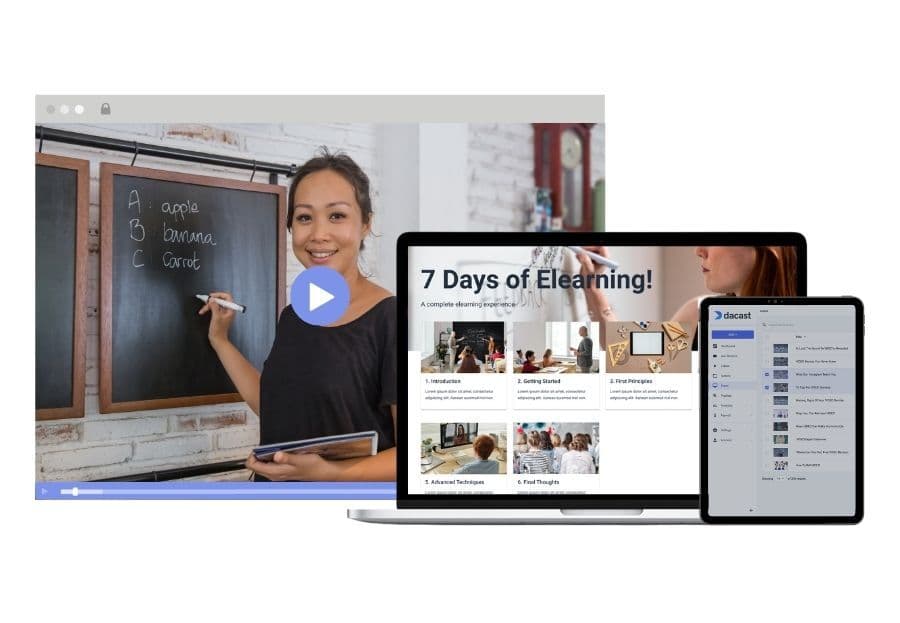
Platform Overview:
Dacast delivers live + VOD with professional controls that matter for education programs: secure delivery, paywall monetization, analytics, and API-driven workflows. Dacast also offers a free trial.
Best for: universities, training teams, and eLearning businesses that need control (security, branding, monetization, data).
2. Panopto
Panopto is widely used in higher education for lecture capture and searchable video libraries, with strong “find what I need fast” capabilities.
Notable data point: Panopto/partner research highlights frequent student rewatch behavior.
3. Kaltura
Kaltura is known for flexibility and integrations, often selected by large institutions that need custom workflows.
4. YuJa
YuJa positions strongly around lecture capture + institutional deployments.
5. Echo360
Echo360 is commonly used for lecture capture and active learning workflows (especially higher ed).
6. Brightcove
Brightcove remains a major enterprise video platform; it was acquired by Bending Spoons.
7. Vimeo (Enterprise / OTT)
Vimeo is often chosen for simplicity and polished playback experiences, especially for branded portals and distribution.
8. IBM Video Streaming
IBM positions this product around privacy/reliability and Watson AI features such as automated captions and search.
9. Muvi
Muvi is a strong OTT-style option for education businesses that want apps and subscription-style experiences.
10. Zype
Zype positions as a streaming platform with add-ons for apps and OTT operations; public pricing for entry tiers is available.
Video and Education Case Study: Imperial College London
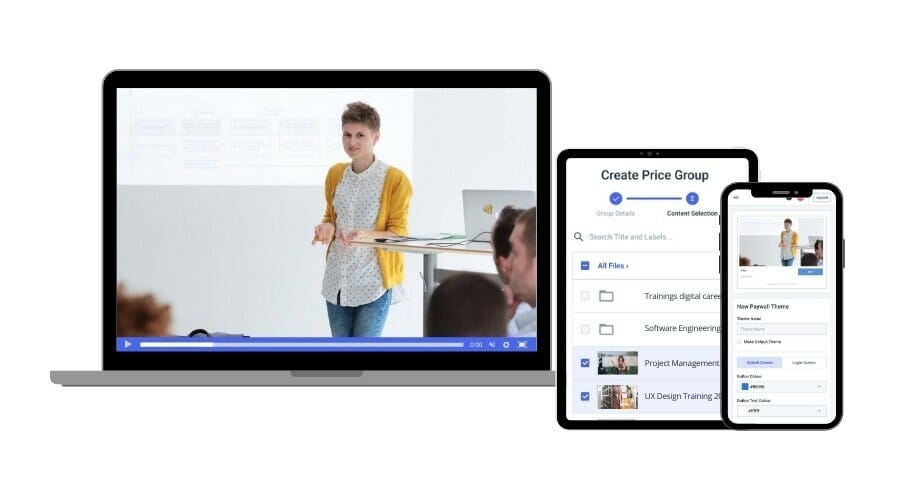
Imperial College London moved its graduation ceremony online with capacity for 50,000+ guests, using Dacast’s video hosting and delivery to publish a seamless ceremony experience with videos submitted by departments. The event reached a global audience, including significant viewership in China, showing how higher-ed teams can run large, high-stakes streams when reliability and global delivery matter.
Key takeaway for education teams (2026): For milestone events and campus-wide programs, prioritize a platform that supports secure delivery, high concurrency, and global playback performance, then build a repeatable upload/QC workflow so multiple departments can contribute content without breaking the experience. University IT and AV teams evaluating a platform for broader course delivery, not just one-off events, can also see our dedicated guide to streaming solutions for university courses.
FAQs
What is an educational video?
An educational video is any video designed to teach a concept or skill – lectures, demos, worked examples, tutorials, simulations, or live sessions – ideally with captions, chapters, and supporting materials.
How long should educational videos be in 2026?
For most topics: 5–12 minutes for concepts, 15–40 minutes for deep dives. Use chapters for anything longer.
Is live streaming or on-demand better for eLearning?
Use on-demand for core lessons and revision. Use live for interaction (Q&A, feedback, cohort moments). The best programs combine both.
What do I need for accessibility compliance?
At minimum: captions + transcripts, readable visuals, and a player experience that supports accessible navigation. WCAG guidance explicitly covers captions and other time-based media requirements.
How do I integrate video into an LMS?
Common options: LTI 1.3 tools, embeds, or API-based workflows; LTI 1.3 is widely referenced for secure LMS integrations.
Can I monetize educational video?
Yes. Common models are subscriptions (SVOD), pay-per-view/course (TVOD/PPV), bundles, and institutional licensing.
Conclusion
Online video in education works best in 2026 when it’s treated as a system: designed for learning, delivered with accessibility and security, integrated into the LMS, and improved using analytics.
Dacast is a popular video platform in the educational market. We offer an online video education platform with all of the professional features that you need to make your educational video streaming a success.
Recommended next steps:
- Audit your current videos (captions, chapters, drop-offs)
- Build a “core library” of micro-lessons (5–12 minutes)
- Add a live layer (office hours, Q&A, cohort sessions)
- Choose a platform that matches your security + integration needs
If you’re interested in giving Dacast a try, we offer a 14-day, risk-free trial. Create an account today to get started, No credit card is required.
