



Unlocking the Power of 4K Video Resolution for Live Streaming in 2026

Not so long ago, HD was the gold standard in video quality. Everyone was clamoring to get the latest HD television or smartphone with an HD screen and camera. Then came full HD, and creators upgraded their recording setup to pump out videos at 1080p, but soon, even that wasn’t enough.
Sharp images weren’t enough for audiences. They wanted crystal clear, almost lifelike images, so the norm has shifted again, and today, viewers expect their content to be in 4K video resolution. Consumers are always ahead of the curve, so a recent report shows that 80% of Americans owned a 4K TV in 2024. Ultra-high definition is no longer a luxury – it’s the expectation. Why would anyone watch lower-resolution videos when other creators currently use 4K video for live broadcasting and other types of content?
4K streaming is no longer just for high-end studios or specialty productions. Everyone can do it – so why wouldn’t you? Join us as we explain what 4K is and what it will take for you to start 4K live streaming and broadcasting online as well!
Table of Contents
- What is 4K Video Resolution?
- Key Features of 4K Video Resolution
- HD vs Full HD vs 4K – Understanding Resolution and Pixels
- Technical Requirements for Streaming in 4K
- Best Practices for 4K Video Streaming
- 2026 Trends in 4K Video Streaming
- How AI Improves 4K Video Quality For Streaming
- Why Dacast is Your Go-To Platform for 4K & HD Streaming
- FAQs
- Future-Proof Your Broadcasts with 4K and Dacast
What is 4K Video Resolution?

Before getting into the benefits of 4K for creators and audiences, let’s cover the basics first. Why don’t we start by explaining what video resolution is: Resolution is the number of pixels the image on the screen has.
Ok, then what are pixels? They are tiny squares of illumination that, when grouped together, make up a picture. The more pixels in that picture, the clearer and more detailed it is. To figure out how many pixels an image has, we must look at its width and height. This is known as the aspect ratio. For example:
- Full HD: 1920×1080 (around two million pixels);
- 4K: 3840×2160 (over eight million pixels);
As you can see, 4K resolution has four times the pixels of full HD resolution and nine times more than standard HD, which is only 1280×720. The significant increase in pixel density results in greater clarity, even on large-format displays such as big screens or stadiums, even during close-up shots in live events.
It also eliminates the dreaded “screen door effect” that sometimes happens with lower resolutions. A video with good resolutions has:
- Sharpness and Clarity: High pixel density provides more details and well-defined images.
- Color Accuracy: High-resolution images and videos have vivid and accurate colors.
- Better Viewing Experience: Higher resolution creates immersive and lifelike content, especially on large screens.
Bitrate Requirements for Streaming In 4K
Because 4K produces such high-resolution images and videos, live streaming in 4K is a bit more resource-heavy. So, how much bandwidth do you need to stream 4K live?
You’ll need an upload speed of at least 25 Mbps, and the recommended bitrate for 4K live streaming is between 13-34 Mbps, depending on the frame rate and content complexity. For a 30 fps stream, the bitrate can range from 13–19 Mbps. For 60 fps, it can go from 20–34 Mbps.
But what if you, as a streamer, have a slow connection? Can you live stream in 4K with low bandwidth? Unfortunately, the answer is no. You need a high-speed connection with a high data rate to transmit the amount of visual information that 4K produces. There might be a few workarounds, like aggressive video compression, but that will affect the quality.
Besides the bandwidth and upload speed, to stream videos in ultra-high definition, you’ll need a 4K streaming platform that can handle the high demands of such content. For example, Dacast’s live streaming platform with adaptive bitrate streaming lets you upload and stream in 4K while adjusting the video quality to the viewer’s internet connection.
Key Features of 4K Video Resolution
So, what makes 4K so special? Once you’re used to it, it’s immediately noticeable when something isn’t in 4K. The jump in video quality is significant, and audiences expect nothing less from their favorite content. Here are some key features that make it the perfect choice for live streaming:
- Greater Pixel Depth and Image Sharpness: The ultra-high-definition resolution gives sharper image details and textures. Whether you’re broadcasting a concert, sports event, or corporate seminar, doing it in 4K guarantees that every detail is crisp and visible.
- Wider Dynamic Range and Color Accuracy: 4K offers superior color accuracy, making visuals more vibrant and true to life. Coupled with technologies like HDR, 4K improves visual depth and contrast for a more engaging viewer experience. Colors pop, skin tones look more natural, and the highlights and shadows of the image are more balanced.
- Better Viewer Experience on Large Displays: The higher resolution is particularly noticeable on large-screen TVs, where content streaming in HD may appear pixelated. 4K delivers a cleaner, more immersive experience, even on screens as large as 75 inches or more.
Future-proofing Your Content With 4K Libraries
Even if, statistically, most of your audience still watches your content in 1080p, they will upgrade sooner rather than later. The global 4K display market is projected to exceed $800 billion by 2034. It’s better to switch to 4K now to keep your content relevant and compatible with future technologies, including 8K displays.
Besides, converting 4K resolution into 1080p is much easier than doing it the other way around; downscaling from a higher resolution to a lower one (like 4K to 1080p) results in a better-looking image than upscaling from a lower resolution to a higher one (like 1080p to 4K). Your audience won’t have any issues watching your live streams and broadcasts, even in 4K.
HD vs Full HD vs 4K – Understanding Resolution and Pixels
So, is 4K better than 1080p for live video? While video quality in 4K is much better than in 1080p, the streaming requirements are also greater. A higher resolution requires more bandwidth to transmit because of larger file sizes.
It demands more bandwidth, which might be a challenge for viewers using slower internet connections. On the other side, broadcasters need higher encoding settings, like the H.265 (HEVC) or H.264 video codec, and more powerful hardware to deliver 4K content smoothly. Here is a quick video resolution comparison of the most used resolutions:
| Resolution | WidthxHeight | Pixels | Average Bitrate | Recommended Frame Rate | Ideal For |
| HD (720p) | 1280×720 | 921,600 | 1.5 – 4 Mbps | 30 – 60 fps | Mobile; Casual Streaming; Small screens; Low-budget productions. |
| Full HD (1080p) | 1920×1080 | 2,073,600 | 3.5 – 6 Mbps | 30 – 60 fps | It’s the standard for most online content. |
| 4K (2160p) | 3840×2160 | 8,294,400 | 13 – 34 Mbps | 30 – 60 fps | High-quality broadcasts; Premium content; Large screens; Cinematic streaming. |
While 4K streaming delivers superior image quality, it is more demanding on your hardware and network resources. So, even if you stream your content in 4K, you must make it accessible by providing lower-resolution options for users with bandwidth constraints.
That said, audiences appreciate seeing more details during a stream, especially when watching sporting events or concerts or following a business conference. Whether it’s the crisp detail of a soccer match, the tiny details of a singer’s outfit, or the facial expressions of a keynote speaker, 4K resolution makes it possible for viewers to notice it all. Similarly, enterprise and corporate broadcasters can use 4K to present clear, professional-grade visuals in meetings, training, and presentations.
Technical Requirements for Streaming in 4K
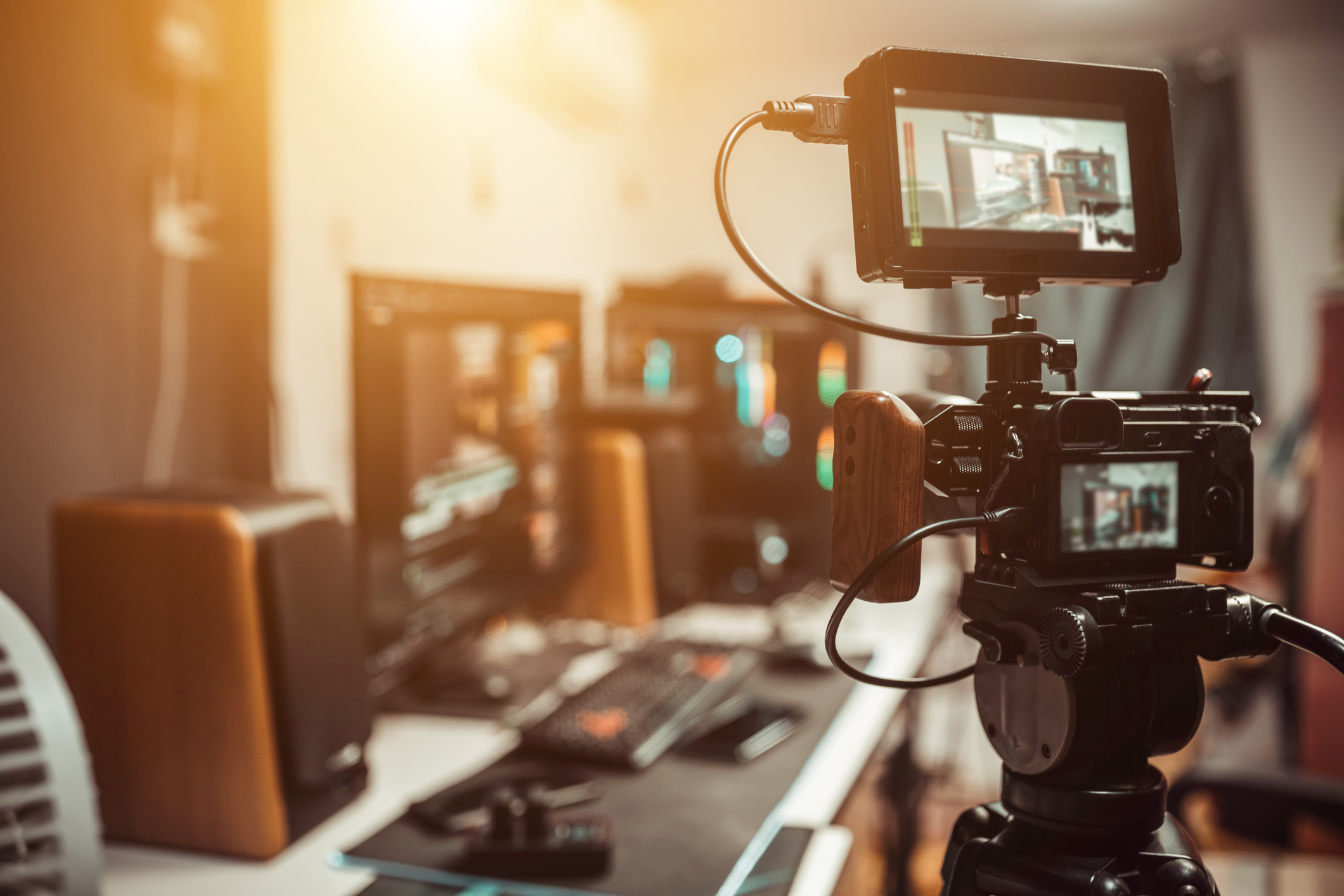
Now that we know what 4K is, let’s see what is needed for 4K live video streaming. To stream in 4K, broadcasters must meet specific technical requirements, including internet speed, encoding settings, and hardware setup. These are the best 4K video resolution settings for live streaming:
- Required Internet Speed and Bitrate for the Resolution:
| Streaming Quality | Minimal Internet Speed | Recommended Internet Speed | Ideal Internet Speed |
| 4K (30fps) | 15 Mbps | 25 Mbps | 50 Mbps |
| 4K (60fps) | 25 Mbps | 35 Mbps | 60 Mbps |
- Recommended 4K Encoder Configuration:
| Setting | Recommendation | Note |
| Video Codec | H.264 or H.265 | H.265 offers better compression for the same quality compared to H.264. |
| Bitrate | 13-34 Mbps | A higher bitrate is better for more complex content like fast action scenes. |
| Frame Rate | 30-60 fps | 60 fps is ideal for smoother motion, especially for gaming or fast-paced video. |
| Audio Codec | AAC | Most streaming platforms support the AAC codec. |
| Audio Bitrate | 128–320 kbps | 320 kbps provides higher audio quality, especially for music. |
| Keyframe Interval | 2–4 seconds | A lower keyframe interval can improve stream stability. |
| Profile | High (H.264) or Main/Main10 (H.265) | Use High profile for H.264 and Main10 for H.265 for better quality. |
| GOP Length | 2–4 seconds | Similar to keyframe intervals, it helps with live stream quality and consistency. |
| Color Space | BT.709 (for SDR) or BT.2020 (for HDR) | BT.2020 is needed for HDR content, while BT.709 is standard for SDR. |
Hardware and Camera Setup Suggestions
Streaming in UHD involves more than a 4K camera. Broadcasters need the correct audio equipment, capture cards, etc. Our setup recommendations for creating the best professional 4K live streaming setup are:
Cameras
To capture high-quality 4K footage, you’ll need cameras capable of outputting 4K resolution with high frame rates, good low-light performance, and reliable connectivity. Our suggestions are:
Sony Alpha a7S III:
- 4K recording at up to 120fps.
- Excellent low-light performance and image quality.
- HDMI output for live streaming.
- Great autofocus and color science.
Canon EOS R5:
- 8K recording with a strong 4K output.
- An excellent dynamic range and autofocus capabilities.
- Reliable for both streaming and recording.
- HDMI output for streaming.
Blackmagic URSA Mini Pro 12K:
- It has a 12K resolution but can shoot in 4K.
- Excellent color grading options, designed for professional-level production.
- HDMI and SDI outputs.
Sony PXW-FX9:
- 4K Super 35mm sensor with fantastic autofocus.
- Dual card slots and SDI output for broadcast use.
- Robust build and great color science for live production.
Capture Cards/Interfaces
You’ll also need a reliable capture device to stream or record the footage from your camera to your computer or streaming platform. You can try:
Elgato Cam Link 4K:
- Budget-friendly, plug-and-play USB capture card.
- Supports up to 4K at 30fps.
Blackmagic Design DeckLink 8K Pro:
- Professional-grade capture card with support for 4K and 8K.
- Includes SDI and HDMI inputs for flexible connection options.
AJA KONA 5:
- High-quality capture card supporting 4K/UltraHD.
- Excellent for professional live production with HDMI and SDI support.
Microphone
Good audio quality is as important as video for live capture. Here are some microphones and audio interfaces that support 4K:
Rode NTG3 Shotgun Microphone:
- High-quality shotgun microphone for capturing directional audio.
- Great for video shoots or live events.
Audio-Technica AT2020:
- Budget-friendly condenser microphone with great sound for live capture.
- Ideal for interviews or talk-show setups.
Focusrite Scarlett 2i2 (3rd Gen) Audio Interface:
- An excellent audio interface for connecting microphones to your computer.
- High-quality preamps and an easy-to-use interface.
How to Stream In 4K Resolution Live
Once you have all the necessary equipment, it’s time to set up and start your 4K live stream. To go live, follow these steps:
- Connect Your Camera and Capture Card: Set your camera to 4K resolution and connect it to your computer via an HDMI or 6G or 12G SDI cable. Use a high-quality capture card for a stable video feed.
- Choose the Right Streaming Platform: Check if your streaming platform supports 4K. Popular platforms and services like Dacast, YouTube, and Twitch support 4K streaming, but confirming their settings and requirements is important.
- Set Encoder Settings: Configure your encoder settings using streaming software like OBS to match the specifications mentioned earlier. Select the appropriate video codec, frame rate, and bitrate.
- Test Your Setup: Before going live, do a test stream to check the video and audio quality. Adjust your settings as necessary.
Best Practices for 4K Video Streaming
Once again, a good quality stream depends on more than just your equipment. To give your audience the best experience each time they watch your content, try following these best practices for 4K streaming on a professional platform:
- Start with HD, Scale Up to 4K: If you’re new to 4K, start with full HD and gradually scale to 4K as your audience grows and your bandwidth improves.
- Use Multi-Bitrate Encoding: Adaptive bitrate streaming guarantees smooth playback on devices with varying network conditions.
- Optimize for Mobile and Smart TV: To maximize your reach, your streams should look good on all devices.
- Test and Monitor: Test your 4K streams before going live to check for any potential resolution or audio issues.
- Embed an HTML5 video player for 4K: Dacast’s white-label HTML5 player provides seamless playback across devices, including support for 4K resolution. It’s hands-down one of the best HTML5 player for 4K live streaming.
2026 Trends in 4K Video Streaming
So, is 4K worth it for live video streaming? In short, yes. The more time passes, the more obvious it becomes that consuming entertainment is completely moving from TV to the Internet. Live-stream viewing in Q1 2024 was 61% higher than in 2020 and 128% higher than in 2019.
All those viewers are transitioning from watching content in full HD to 4K. Over half of global consumers will buy a device capable of 4K resolution in the next decade, and they will demand streams and VODs in ultra-high definition. They expect the best resolution, especially for live events like sports games, concerts, conferences, and even lectures.
Manufacturers are also hopping onto this trend, and phasing out full-HD devices and moving to entirely 4K, and sometimes even 8K products. By 2026, 70–75% of new TVs shipped worldwide are 4K models, with 1080p mostly in low-end sets. By 2026, most mid-range and nearly all flagship smartphones support 4K (or 4K60) recording, and many support 4K live streaming.
Another notable trend is using AI tools for 4K video enhancement in live streams. Broadcasters can use AI-powered systems to adjust the video quality of their content based on the viewer’s network conditions.
How AI Improves 4K Video Quality For Streaming

The usefulness of AI doesn’t stop there. These tools are also capable of real-time AI upscaling from HD to 4K when necessary. They can do this automatically, without much manual input from the creator, even when the source footage isn’t initially in 4K. Sure, the quality won’t be as good as native 4K, but if you have an archive of past videos, this is a fast way to upgrade them into UHD.
Another issue for which AI can be the answer is reducing the bandwidth 4K streaming requires. The AI algorithm is capable of dynamic encoding, which adjusts the compression levels based on the content. The result is content with optimal quality without excessive bandwidth usage, making 4K streams more efficient, with reduced latency and buffering.
You can also do live video streaming with AI. AI-powered cameras can now capture footage in 4K. They also have advanced features such as auto-focus, predictive focusing, subject tracking, and exposure adjustments. They can even change the lighting, as well as the pan, tilt, and zoom for a better quality stream in dynamic environments like sports events or live concerts.
Why Dacast is Your Go-To Platform for 4K & HD Streaming
Thanks to our guide, you now know all the basics about 4K resolution and 4K streaming. You also know which equipment you need, so all that’s left is finding professional live streaming platforms that offer 4K live video hosting for broadcasters. Luckily, you’re at the right place. Dacast is an OTT streaming platform with adaptive bitrate and 4K support.
Dacast not only hosts your streams and other video content but also provides ABR for smooth streaming, several monetization options, and 4K live streaming with analytics and CDN delivery. Here is why Dacast is the best choice for professional streamers and businesses:
- Fully 4K-Compatible Infrastructure: Dacast is 4K streaming and broadcasting focused. It has a robust infrastructure that easily handles high bandwidth, providing your audience with ultra-high-definition streams without interruptions or buffering. This infrastructure supports the seamless delivery of 4K video with superior resolution and depth. The platform allows flawless integration with various viewing and streaming devices for greater flexibility and scalability.
- Built-in Adaptive Bitrate Streaming: Dacast’s ABR technology considers the audience’s internet speeds and device capabilities and provides them with the best quality stream based on their specification. By adjusting the bitrate automatically, Dacast delivers live content in the highest possible quality based on available bandwidth. This technology minimizes buffering even on fluctuating network connections.
- White-label HTML5 Player: Our HTML5 player supports 4K playback on any device. You can use our fully customizable white-label player to keep your brand front and center while delivering high-quality streams and broadcasts. Dacast’s HTML5 player adapts to all screen sizes, including desktop, mobile, tablet, or smart TVs, without compromising visual quality. You can easily integrate this player into your website or app. It has a responsive, sleek interface that maximizes user engagement and minimizes distractions for a more professional appearance.
- Global CDN Delivery: No matter where your audience is, Dacast will use its powerful CDN to help you deliver your content to them. Dacast has a vast network of strategically positioned servers, which minimize latency and deliver crisp video and audio without interruptions. It doesn’t matter if your viewers are across the globe or just a few miles away – they will all experience the same low-latency streaming and consistent quality. With server locations worldwide, Dacast can guarantee that geographic area will not affect the stream’s performance and quality.
- Real-time Analytics and Monetization: Dacast offers a full suite of back-end tools for real-time streaming analytics and monetization. The advanced analytics dashboard helps you to track the stream’s performance with detailed insights, including viewer count, engagement rates, and geographic information. You can effectively generate income from your content with integrated monetization features such as pay-per-view, subscriptions, and advertising tools. This combination of analytics and monetization allows broadcasters to continuously improve their content strategy, increase engagement, and maximize streaming revenue potential.
- Broadcaster-friendly Interface: Dacast’s user interface is designed with broadcasters in mind. It’s simple to learn and makes managing and customizing your streams easy. The intuitive dashboard lets you control every broadcast aspect, from stream setup to content management. The platform supports many tools, including multi-streaming capabilities and extensive customization options. You can focus more on creating engaging content while Dacast handles the technical details.
- 24/7 Customer Support: With Dacast, help is always available whenever you need it. Whether you’re dealing with a technical issue, looking for advice, or need assistance with platform features, Dacast’s support team is available around the clock. It offers live chat, email, and phone support, with experts available at all hours.
FAQs
How to embed a 4K video player on your website?
To embed a 4K video player on your website, use a streaming platform like Dacast that provides an HTML5 video player. Simply copy the embed code from your Dacast account and paste it into the HTML of your web page. Confirm that your platform supports 4K streaming and has sufficient bandwidth for smooth playback.
HD vs 4K live streaming: which is better?
4K live streaming offers superior resolution and image quality compared to HD, making it ideal for high-impact events, such as sports or concerts. However, HD is more bandwidth-efficient and suitable for smaller screens or limited bandwidth environments. Choose 4K for a premium viewing experience, but consider your audience’s device and network capabilities.
Can I live stream in 4K with Dacast?
Absolutely. Dacast fully supports 4K resolution streaming via our HTML5 player. With Dacast, you can stream 4K content seamlessly, providing your audience with a superior quality experience, whether on large-screen TVs, desktops, or mobile devices. Our platform has all the tools to manage and optimize your 4K streams.
What is the best bitrate for 4K live streaming?
The best bitrate for 4K live streaming typically ranges between 13 and 34 Mbps. The exact bitrate depends on factors like frame rate, content complexity, and the level of detail in the video. You need sufficient upload bandwidth for optimal performance to avoid buffering and maintain smooth playback during the live stream.
Is 4K live streaming viable over mobile networks?
Yes, especially now with the advent of 5G technology, which provides faster and more stable connections. However, we recommend using stable Wi-Fi or wired connections for a more reliable experience, specifically in areas with less stable coverage, to minimize buffering.
Do viewers need special devices to watch 4K content?
No, viewers don’t need special devices to watch 4K content with Dacast. The platform uses adaptive bitrate streaming, automatically adjusting video quality based on the viewer’s device and available bandwidth. You can stream 4K content on any device, like a 4K TV, smartphone, or standard laptop.
Does 4K require a lot of storage for video on demand?
Yes, 4K content requires more storage than lower resolutions due to its larger file sizes. However, Dacast offers scalable cloud storage solutions to handle long-form 4K content efficiently. You can store and deliver high-quality 4K video on demand without worrying about storage limitations.
Future-Proof Your Broadcasts with 4K and Dacast
Streaming and consuming content in 4K is no longer something we expect to happen in the distant future. Watching cinema-quality videos and streams in our homes is very much part of the present, and creators and broadcasters that still aren’t ready to embrace 4K will get left behind.
Your audience expects 4K resolution, and Dacast is here to help you deliver with each stream. It’s one of the best 4K streaming solutions available on the market, and for good reason. Not only does Dacast support 4K live streaming in several formats, but it also gives you the opportunity to monetize your content.
Unlocking professional-grade streaming in 4K and beyond is as easy as partnering with Dacast today. You can try Dacast’s professional hosting and broadcasting feature for a full 14 days – all for free.
Sign up and create your own Dacast account – no credit card is needed!
For more streaming information and the latest developments in 4K technology, join our LinkedIn group.
