



How to Stream Live with DJI Drones: Professional Tips for Event Organizers and Broadcasters

Drone live streaming has gone vertical, and it’s now a practical production tool, not a novelty. From festival flyovers to sports tracking shots, DJI drones give event organizers and broadcasters a cinematic angle that adds context, scale, and energy in real time.
This guide covers DJI drone live streaming in 2026: how to choose the right DJI drone for your event, set up a stable live feed, pick the right network, follow safety and privacy rules, and deliver your stream through a professional platform like Dacast.
You’ll also get a real-world workflow decision (DJI Fly RTMP direct vs external encoder), plus settings and checklists you can use on show day, whether you’re streaming a marathon, a concert, or a corporate launch.
What you’ll learn:
- The 2 most common DJI live streaming workflows (fast setup vs pro reliability)
- Practical bitrate + resolution targets for unstable uplinks
- How to avoid the most common failure points (network, audio, RTMP errors)
- How to deliver drone footage as a broadcast-ready stream with adaptive playback
TL;DR :
- Two ways to stream: DJI Fly RTMP direct (fastest) or DJI → external encoder → RTMP (most reliable).
- Best pro workflow: RTMP ingest → Dacast → HLS + Adaptive Bitrate (ABR) playback for smooth viewing.
- Dacast ingest defaults: H.264 + AAC, CBR, 2s keyframes (avoid H.265 for live compatibility).
- Starting bitrate targets: 720p30: 2.5–4 Mbps | 1080p30: 4.5–6 Mbps (drop to 720p if uplink is unstable).
- Network > everything: Prefer 5G/4G; avoid congested Wi-Fi; use redundancy (backup hotspot/encoder) for critical events.
- Do this every time: run a 10–20s test stream, confirm audio, and follow local flight + privacy rules.
Table of Contents
- Why Drone Live Streaming Is Transforming Events in 2026
- 3 Ways to Live Stream From a DJI Drone
- Choosing the Right DJI Drone for Live Streaming
- Technical Setup and Connectivity: Getting Your DJI Drone Live
- Legal, Safety & Permissions for Drone Live Streaming
- Best Practices for Professional Drone Live Streaming
- Integrating DJI Drones with a Professional Streaming Platform
- FAQs
- Conclusion
Why Drone Live Streaming Is Transforming Events in 2026
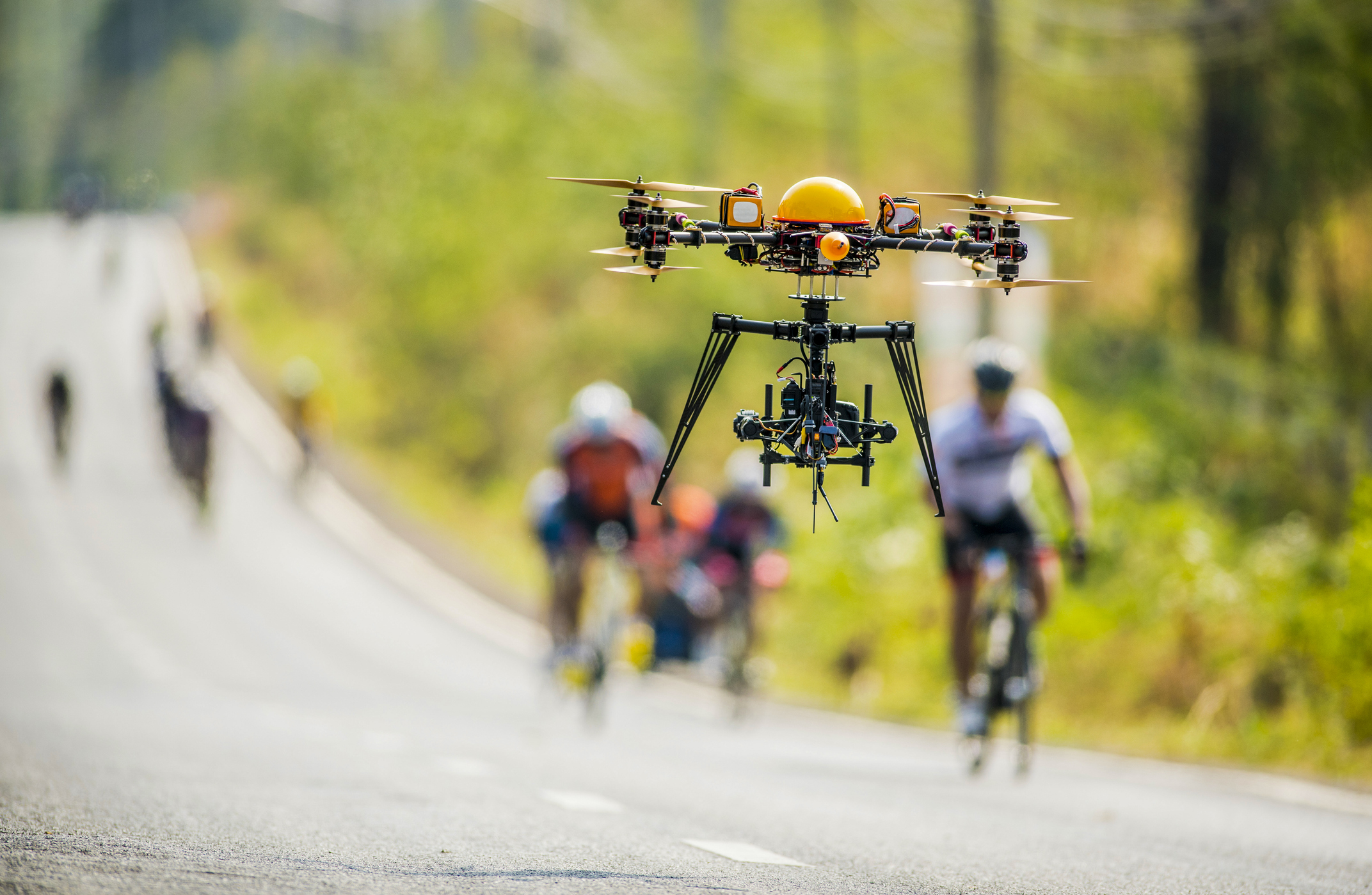
Drone live streaming is now a planned camera angle in professional event production. Aerial shots add scale, motion, and context that ground cameras can’t capture safely or consistently, especially for festivals, sports, races, and large outdoor activations. In 2026, success depends less on the drone model and more on three factors: choosing the right streaming workflow, securing a stable uplink (5G/4G over congested Wi-Fi), and delivering the feed with broadcast-ready playback (adaptive bitrate, security, and reliable CDN distribution).
The Surge in Drone Live Broadcasts
Drone video is becoming standard in professional coverage because the commercial drone market continues to expand and production teams are building repeatable aerial workflows. Recent industry forecasts put the global drone market in the tens of billions by 2030, driven largely by commercial use cases. For live events, the takeaway is practical: expect tighter venue rules, higher reliability requirements, and more demand for broadcast-ready delivery (stable ingest + adaptive playback).
This surge reflects a broader shift in content expectations: audiences now crave dynamic, immersive experiences that traditional static cameras can’t provide. FPV drone streaming and real-time aerial feeds give events a cinematic edge that keeps viewers engaged, whether they’re tuning in from home or on-site.
Benefits for Event Organizers and Broadcasters
When used intentionally, drone live streaming helps you:
- Boost production value fast: Aerial angles instantly make events feel bigger and more professional.
- Show context that sells the story: Course layout, crowd density, venue scale, entrances/exits, and movement.
- Create better live pacing: Drone shots are perfect for transitions, reveals, and “moment” coverage.
- Improve remote viewer experience: Aerial context helps home viewers follow what’s happening.
Why This Matters for Professional Drone Streaming
If you’re exploring how to stream live from a DJI drone, focus on stability first. The best results come from pairing reliable camera settings with a strong uplink and a professional delivery chain (RTMP ingest → adaptive playback → secure player embed). This is how you turn drone footage into a stream that looks and feels broadcast-ready.
3 Ways to Live Stream From a DJI Drone
Before touching settings, choose the workflow that matches your event’s risk level and production complexity:
Option 1: DJI Fly RTMP Direct (Fastest Setup)
Best for: quick deployments, smaller events, lightweight productions.
– Minimal gear (drone + controller + DJI Fly)
– RTMP URL + stream key pasted into DJI Fly
– Less control over encoding, monitoring, and redundancy
Option 2: DJI → External Encoder → RTMP (Most Reliable)
Best for: paid events, high-stakes broadcasts, long runtimes.
– More stable ingest, better monitoring, and redundancy options
– Lets you target consistent broadcast encoder settings
– Common tools: Teradek, LiveU, bonded cellular solutions
Option 3: DJI → Switcher/OBS → Program Feed (Best for Multi-Cam)
Best for: professional shows with multiple cameras and graphics.
– Drone becomes one camera input
– You stream the **program output** (with titles, replays, switching)
– Ideal for simulcasting and recording a clean “show cut”
Choosing the Right DJI Drone for Live Streaming
Selecting the right drone is a crucial first step in delivering a successful drone live event coverage. The drone you choose impacts everything from video quality and transmission stability to flight duration and audience experience. Understanding the key factors that make a drone suitable for professional live streaming is essential for event organizers and media producers.
Key Factors for Professional Live Use
When evaluating DJI drones for live broadcasts, consider these professional criteria:
- Transmission Range and Stability: A reliable signal is the backbone of any DJI live stream setup. Look for drones with advanced DJI transmission systems like O3+, O4, or Lightbridge to maintain consistent video feeds across wide areas.
- Camera Sensor Quality: High-quality live footage starts with the sensor. For professional applications, drones with at least a 1-inch CMOS sensor deliver crisp, detailed images suitable for live events.
- Built-in RTMP/RTSP Capabilities: Direct streaming support simplifies your workflow, letting you push live feeds to a drone streaming platform without relying solely on external encoders.
- Battery Life and Swap Ease: Long events demand extended flight times. Choose drones with swappable batteries to avoid interruptions during live coverage.
These factors ensure smooth aerial live streaming, whether you’re covering a marathon, a concert, or a corporate launch.
Live streaming features and options can vary by DJI model, controller, and firmware. Always verify live streaming availability on your exact setup during a test run before show day.
Practical DJI Picks by Use Case (2026)
Here are some of the best drones for live streaming events, selected for their reliability, video quality, and live streaming features:
- Best for wide outdoor coverage (festivals, races, stadium exteriors): DJI Mavic class / Enterprise variants (depending on compliance needs)
Recommended workflow: Encoder → RTMP for stability - Best for compact venues and fast deployment: DJI Air / Mini class
Recommended workflow: DJI Fly RTMP direct (if supported) or encoder when reliability is critical - Best for high-end cinematic event production: DJI Inspire 3
Recommended workflow: Switcher/OBS program feed for multi-cam shows - Best for immersive “moment” shots (short segments): DJI Avata class (FPV)
Recommended workflow: Use as a secondary angle, not the continuous main feed
| DJI Drone Model | Camera Specs | Max Resolution / Frame Rate | Transmission System | Battery Life | Ideal Use Case |
| Mavic 3 Pro / Enterprise | Triple-camera system, 1-inch CMOS | 5.1K / 50fps | O3+ | ~45 min | Outdoor events, wide coverage, professional drone broadcasting solution |
| Air 3 / Mini 4 Pro | Dual-camera (wide & tele), 1/2″ CMOS | 4K / 60fps | O3 / Lightbridge | ~34 min | Smaller venues, dynamic shots, live aerial broadcast |
| Inspire 3 | Full-frame 4/3 CMOS, interchangeable lenses | 5.1K / 60fps | O4 | ~35 min | Cinematic live broadcasts, high-end event coverage |
| Avata 2 (FPV) | 1/1.7″ CMOS, FPV lens | 4K / 60fps | O3+ FPV | ~18 min | Immersive, fast-action footage, FPV drone streaming |
Quick Tips:
- Choose a drone based on the type of event and the required drone event coverage.
- Consider both camera quality and transmission stability for reliable live drone footage.
- Battery swaps and spare units are recommended for longer events.
Technical Setup and Connectivity: Getting Your DJI Drone Live
Setting up a DJI drone live broadcast may seem complex at first, but it becomes straightforward with a clear workflow and the right tools. Proper setup ensures stable video, minimal interruptions, and professional-grade live drone footage for your event.
Step-by-Step Live Streaming Setup
Use this workflow when you need speed and simplicity. Menu labels may vary slightly by device/controller, but the process is consistent.
What you need before you go live:
- RTMP ingest URL + stream key from your streaming platform
- A tested uplink (prefer 5G/4G over venue Wi-Fi)
- An audio plan (what audio source viewers should hear)
- A 10–20 second private test stream window
Step-by-step setup:
- Power on the drone and controller, then open DJI Fly (or DJI GO 4 for legacy models).
- Connect and confirm you have a stable uplink on the controller/phone.
- Open Live Streaming (or the RTMP streaming option) and select RTMP.
- Paste your RTMP URL and stream key from your platform (example formats vary).
- Set resolution/bitrate options available on your setup.
- Start streaming and verify playback on a second device (not the controller device).
Pro tip:
Run a 10–20 second test stream on-location to confirm video stability, audio presence, and that the RTMP link works end-to-end.
Best Settings in 2026: DJI Fly Limits vs External Encoder Targets
Your “best settings” depend on whether DJI Fly is streaming directly or an encoder is streaming on your behalf.
If streaming directly from DJI Fly (RTMP direct):
- Prioritize stability over sharpness (720p is often more reliable than 1080p in real venues)
- Keep bitrate conservative to reduce dropouts and buffering
- Lock exposure/white balance when possible to prevent mid-shot shifts
If streaming via an external encoder (recommended for pro events):
- Use these safe ingest defaults for Dacast:
- Video: H.264
- Rate control: CBR
- Keyframes: every 2 seconds
- Audio: AAC (48 kHz recommended)
- Starting bitrate targets (practical, event-friendly):
- 720p30: 2.5–4 Mbps
- 1080p30: 4.5–6 Mbps
- 1080p60: 6–9 Mbps (only with a strong, stable uplink)
Fast troubleshooting rule:
If you see dropouts or buffering complaints → lower bitrate first, then drop to 720p, then change networks (Wi-Fi → 5G/4G), then add redundancy.
Connectivity & Latency: Wi-Fi vs 5G/4G vs Bonded Cellular
Drone live streams succeed or fail on uplink quality. Treat connectivity like core production gear.
- Wi-Fi (only for controlled environments)
Best for: indoor venues or private networks you control.
Main risks: congestion, interference, unpredictable upload speeds. - 5G/4G hotspot or dongle (default for outdoor events)
Best for: festivals, races, sports fields, and remote coverage.
Tips:- Test upload speed at the exact launch location
- Bring backup power and a second hotspot if the stream matters
- Bonded cellular / professional field encoder (for “cannot fail” streams)
Best for: paid events, sponsor obligations, broadcast coverage.
Advantages: redundancy across carriers/SIMs, smoother performance, better monitoring.
Optional: Use SRT for More Reliable Drone Streaming (RTMP vs SRT)
In 2026, Dacast supports SRT ingest alongside RTMP, giving professional crews a more resilient option when streaming over congested venue networks, mobile hotspots, or long-distance contribution links.
When SRT is worth it (best-fit scenarios)
Use SRT if any of these are true:
- You’re streaming from a crowded venue where packet loss and jitter are likely
- You’re relying on cellular uplinks (4G/5G hotspots) and want better stability
- The event is paid, sponsored, or “can’t fail” and you need more resilient contribution
- You’re using a bonded cellular encoder or pro field transmitter
When RTMP is still the right choice
Use RTMP when:
- You’re streaming directly from DJI Fly (DJI’s livestream workflow is RTMP-based)
- You want the simplest setup and can tolerate lower resilience on unstable networks
Practical workflow (how SRT fits into drone production)
Drone → Encoder / Switcher → SRT ingest to Dacast → HLS playback + ABR to viewers
This keeps your viewer experience unchanged (adaptive playback still handles audience variability) while improving the uplink/contribution path.
Quick note to avoid confusion: DJI also uses “.SRT” files for subtitles/telemetry in recordings, this is not the same thing as the SRT streaming protocol.
Legal, Safety & Permissions for Drone Live Streaming
DJI drone live streaming isn’t just about signal and camera work. For events, reliability also depends on permissions, safety planning, and privacy compliance. Skipping these steps can shut down your stream—or your entire event.
Know the Local Drone Regulations
Before you send a drone into the air for a live event, confirm what rules apply in your region.
- U.S. (FAA): Ensure the pilot holds the proper credentials, Part 107 for commercial work, and that the drone is registered. Many live events qualify as “operations over people,” which may require a waiver or category-compliant aircraft.
- EU (EASA): Check whether the event falls under the Open, Specific, or Certified category. Many large, crowded gatherings fall under the “Specific” category and require an operations authorization.
- Other regions: Local civil aviation authorities often require registration, pilot licensing, and special permissions for flying over crowds.
Regardless of location, most regulators require visual line-of-sight (VLOS) and prohibit flying directly over dense crowds unless you have explicit approval or compliant equipment. For concerts, marathons, or festivals, event organizers may also need to provide written permission or coordinate with authorities and security teams.
Event permissions
Even if flight is legal in the area, venues often require:
- Written approval and defined flight zones
- Coordination with security and event operations
- A takeoff/landing zone plan
- A spotter plan for crowd-heavy environments
Privacy and Content Rights
A live aerial broadcast captures more things beyond the event, such as private property, faces, license plates, and other personal data. Event organizers should:
- Obtain consent when filming in areas where individuals have a reasonable expectation of privacy.
- Respect venue rules and any no-filming zones.
- Follow international privacy laws if your broadcast is global.
- GDPR: Applies to audiences or subjects in the EU.
- CCPA: Covers viewers or subjects from California.
These laws may affect how you store stream recordings, handle viewer data, or manage user comments and interactions.
Drone Flight Checklist (Practical & Event-Friendly)
Running through a standardized checklist before going live dramatically reduces risk and prevents last-minute technical issues. Here’s a concise version tailored for live broadcasting:
Permits & Documentation
- Licenses, registration, and event-specific flying permissions
- Insurance documentation
- Waivers for operations over people (if applicable)
Safety & Equipment
- Confirm VLOS viability and pilot/spotter positioning
- Battery levels checked; backups ready
- SD card inserted and formatted (even for live streams, you’ll want recordings)
- Propellers inspected for cracks or wear
- Obstacle sensors and RTH settings tested
Streaming Readiness
- RTMP/SRT link tested in advance
- Network connection confirmed (Wi-Fi, hotspot, or encoder)
- Camera exposure, focus, and gimbal calibration finalized
- Short 10–20 second test stream to verify audio/video stability
A simple checklist like this ensures your drone live broadcast is compliant, smooth, and professional, even in high-pressure event environments.
Best Practices for Professional Drone Live Streaming
Delivering a smooth, broadcast-quality stream requires more than a good drone and a solid signal. These best practices help ensure your aerial footage looks intentional, cinematic, and reliable throughout the entire event.
Capture Quality and Stability
The technical foundation of a great live drone shot starts with stable exposure and smooth movement.
- Use ND Filters: Bright outdoor scenes can blow out highlights or force shutter speeds that create jittery footage. ND filters keep your shutter in the ideal range and help maintain natural motion.
- Lock in Manual Exposure & White Balance: Auto settings shift mid-shot, creating flicker or color jumps. Set them manually to maintain consistency throughout the live broadcast.
- Rely on Gimbal Stabilization: Even with excellent onboard stabilization, pilot technique matters. Use slow, deliberate stick inputs and avoid sudden altitude or yaw changes that can distract viewers.
Creative Framing & Audience Experience
Drone event coverage is big on storytelling. Aerial footage should complement the broader event, not merely show the crowd from above.
- Blend Aerial and Ground Feeds: Switching between drone shots and handheld/ground cameras creates a more polished, TV-like experience. It also prevents fatigue from long static aerial angles.
- Use Consistent, Predictable Framing: Keep horizon levels steady, avoid jerky pans, and maintain framing that highlights the event rather than the pilot’s maneuvers.
- Pre-Test Flight Paths: Rehearse common moves, like flyovers, arcs, and reveals, before going live. This ensures you know your clearances, timing, and the safest approach routes during the actual broadcast.
Redundancy & Monitoring
Professional live streamers always assume something may fail and prepare for it.
- Monitor Stream Health: Use Dacast’s real-time analytics to check bitrate stability, dropped frames, and viewer feedback. Early warnings can prevent a stream collapse.
- Prepare Backup Power & Connectivity: Bring extra drone batteries, controller power banks, and at least one alternative network source (5G hotspot, secondary encoder, etc.).
- Assign a Second Operator or Spotter: One person can focus on flying while the second monitors airspace, obstacles, or takes over in case of an emergency landing. This is essential for crowded or dynamic events.
Integrating DJI Drones with a Professional Streaming Platform

Connecting a drone to a professional DJI drone streaming workflow becomes extremely efficient when paired with a platform designed for reliability and high-quality delivery. With Dacast’s RTMP ingest, your drone can push a live feed directly from the DJI Fly app or through an external encoder, allowing you to go live in just a few steps. Enter your RTMP URL and stream key, and the platform handles the rest, from transcoding to global distribution.
Why Pair DJI Drones with a Professional Platform?
Build a Professional Drone Broadcast With Dacast (Ingest → Playback → Security → Multi-Cam)
A professional platform turns drone footage into a viewer-ready live broadcast: reliable delivery, adaptive playback, and control over where and how the stream can be watched.
Ingest the drone feed (RTMP)
- Stream directly from DJI Fly via RTMP, or send the drone feed through an encoder/switcher workflow
- Use your RTMP ingest URL + stream key and confirm with a short test stream before show time
Deliver to viewers with HLS + Adaptive Bitrate (ABR)
RTMP is designed for ingest. Viewers typically watch via HLS playback, where ABR automatically adjusts quality to match each viewer’s connection—especially important when drone connectivity fluctuates during flight.
Secure the stream for event rights
For public events and sponsor obligations, access control matters:
- Domain restrictions (only playable on your site)
- Geo restrictions (regional availability)
- Tokenized access (helps prevent link sharing)
Embed a white-label player on your event site
A white-label HTML5 player keeps branding consistent and avoids third-party logos that can distract from the event experience.
Add multi-camera switching when needed
If the drone is one angle in a professional show, route it into OBS or a switcher and stream the program output. This unlocks graphics, titles, smoother pacing, and a true broadcast workflow.
FAQs
Can you stream directly from a DJI drone to YouTube or Facebook Live?
Yes, most recent DJI models allow direct RTMP streaming from the DJI Fly app or DJI GO 4 app. You simply paste the platform’s RTMP URL and stream key, and the feed goes live without additional hardware.
What bitrate is best for drone live streaming?
For most events, 1080p at around 4 Mbps provides a strong balance between clarity and stability. If bandwidth is limited, dropping to 2.5 Mbps at 720p helps prevent buffering.
Which DJI drones support RTMP live streaming?
Popular models like the Mavic 3 series, Air 3, Mini 4 Pro, Inspire 3, and many enterprise units support RTMP push via the DJI Fly app. Always check your specific model’s firmware version to confirm.
Do you need an encoder to stream from DJI drones?
Not necessarily. Many DJI drones can stream directly through the app. However, using a dedicated encoder (Teradek, LiveU, etc.) adds redundancy, more stable connections, and advanced monitoring, which is helpful for professional events.
How do you prevent stream dropouts during drone broadcasts?
Use a strong 4G/5G connection, keep the controller within clear line-of-sight, avoid congested Wi-Fi environments, and test your upload speed before the event. Redundant SIM cards or a bonded encoder further reduce risk.
Is it legal to live-stream drone footage at public events?
Yes, provided you follow local regulations. In most regions, you must maintain visual line-of-sight, register the drone if required, and secure permissions for crowded events or restricted areas. Privacy laws also apply when capturing identifiable individuals or private spaces.
Should I use RTMP or SRT for drone live streaming?
Use RTMP if you’re streaming directly from DJI Fly, since DJI’s built-in livestream workflow is typically RTMP-based and is the fastest way to go live. Use SRT if you’re routing the drone through an external encoder, bonded cellular unit, or switcher and you need a more resilient contribution link on unstable networks (crowded venues, mobile hotspots, long-distance uplinks).
Conclusion
Live drones have become one of the most effective ways to elevate storytelling, boost audience engagement, and bring a cinematic layer to modern productions. Whether it’s a sports event, a festival, or a corporate showcase, aerial angles add context and energy that ground cameras can’t match. It’s no surprise that so many teams were asking for this professional drone streaming setup guide 2026 while planning their next big broadcast.
Pairing DJI drone live streaming with a professional platform like Dacast gives you the reliability and control needed to deliver that experience consistently. From stable RTMP ingest to multi-CDN delivery, adaptive bitrate, security options, and multi-camera integration, an OVP removes friction so you can focus on the story your drone is capturing, instead of the tech that keeps it online.
Ready to enhance your live events with aerial broadcasts? Start your next drone-powered live stream with Dacast today.
For regular tips and exclusive offers for live streaming, feel free to join our LinkedIn group. Thanks for reading and happy broadcasting!
