



The 25 Best Live Streaming Solutions – Everything You Need to Know in 2026

With professionals relying on online video more than ever, live streaming solutions are now essential for corporate communications, video marketing, sales enablement, events, training, and community building. As remote and hybrid work continue to be normal, reliable live streaming is how teams stay visible, connected, and credible.
At the same time, the market is expanding fast. Depending on how it’s defined, recent industry reports estimate the video streaming market at roughly $213B in 2026 with continued growth into the next decade.
TL;DR:
If your business needs a secure, scalable, and revenue-ready live streaming solution in 2026, Dacast is built for you.
Choose Dacast if you need to:
- Host professional live events (webinars, conferences, corporate broadcasts) with global delivery
- Monetize your streams with pay-per-view, subscriptions, or ads — built-in paywall included
- Protect your content with password protection, AES encryption, domain restrictions, and secure delivery
- Maintain full brand control with a white-label video player (no third-party logos)
- Reach global audiences, including China
- Turn live streams into VOD automatically to build a content library
- Access APIs and advanced workflows to integrate with your CMS, CRM, or apps
- Get reliable support when your event truly matters
Dacast gives you the control, security, monetization, and scalability that businesses require — without enterprise-level complexity or inflated pricing.
Platforms and pricing change frequently. This article reflects the most verifiable info we could confirm as of March 2026.
Table of Contents:
- What is a Live Streaming Solution?
- 2026 Streaming Trends That Actually Matter
- Free Live Streaming Services vs. Professional Solutions
- What to Look for in a Streaming Solution
- The 25 Best Live Video Streaming Solutions in 2026
- Social Platforms: Where They Fit in a Professional Strategy
- Live Streaming Tech Stack (2026): Encoder, Protocols, Latency
- FAQs
- Conclusion
Our aim here is to help you narrow in on the best streaming solutions for you. Let’s begin!
What is a Live Streaming Solution?
A live streaming solution is a platform that lets you broadcast video in real time, usually with professional features like:
- Reliable global delivery (CDN + adaptive bitrate)
- VOD hosting (record, republish, build a library)
- White-label players and embedding
- Security (tokens, geo/domain restrictions, encryption, DRM options)
- Monetization (pay-per-view, subscriptions, ads)
- Analytics (engagement, drop-off, conversion/lead capture)
Compared to social platforms, professional solutions are built for control (branding, ownership, data, access) and repeatable business outcomes (leads, revenue, training completion, event attendance).
2026 Streaming Trends That Actually Matter
Here are the biggest shifts we see in 2026 that should influence your platform choice:
AI is now table stakes
Many vendors now push AI for:
- auto-captions, translation, chaptering
- highlight detection / clip generation
- content tagging and search
Low-latency is becoming “expected”
If your use case includes auctions, betting, interactive classes, live shopping, or high-stakes Q&A, look for:
- LL-HLS (low-latency HLS)
- WebRTC (ultra-low latency, more complex)
- SRT (often used for contribution/ingest, not always playback)
AV1 is moving from “nice-to-have” to “serious savings”
Codec efficiency is a cost lever. AV1 adoption continues to expand, with major streaming players reporting meaningful usage at scale.
Even if you don’t stream AV1 live today, choose a platform that won’t trap you in yesterday’s encoding choices.
Security is shifting from “password” to layered protection
For paid or internal streams, modern security typically combines:
- tokenized URLs / signed playback
- DRM (where needed)
- forensic watermarking (for piracy tracing)
- fraud monitoring and CDN-level controls
Free Live Streaming Services vs. Professional Solutions

Most teams should use both, but for different jobs.
Social platforms are great for:
- discovery and reach (top-of-funnel)
- community engagement
- fast testing (no procurement)
Professional live streaming solutions are best for:
- lead capture and sales enablement
- private/internal streams (HR, training, investor updates)
- brand control + clean viewer experience
- monetization and paid access
- reliable support when events matter
A practical approach in 2026: host on a professional platform, then multistream selected portions to social for reach.
What to Look for in a Streaming Solution
Use this checklist to avoid buying the wrong tool:
Delivery & reliability
- Multi-CDN options or strong CDN partners
- Adaptive bitrate streaming (ABR)
- Stream redundancy (backup ingest, failover)
Latency & protocols
- HLS for broad compatibility
- LL-HLS / WebRTC if you truly need low latency
Security
- Domain/geo restrictions
- Token-based access / signed URLs
- Encryption, optional DRM for premium content
Monetization (if revenue matters)
- TVOD (pay-per-view), SVOD (subscriptions), AVOD (ads)
- Coupons, bundles, access windows (nice-to-have)
Workflow & growth
- Recording → VOD publishing
- Analytics that map to business outcomes
- API access / integrations (CRM, marketing automation, SSO)
Support
- Live event support options
- SLA/response times for mission-critical use
The 25 Best Live Video Streaming Solutions
Each streaming solution comes with unique sets of key features, basic functionalities, and pricing. No corporate streaming solution is perfect, but there is one out there that’s right for your business, and now is the time to find it.
Consider all of this while we compare the top 25 live video streaming solutions for 2026 and beyond.
1. Dacast

Overview and Company History:
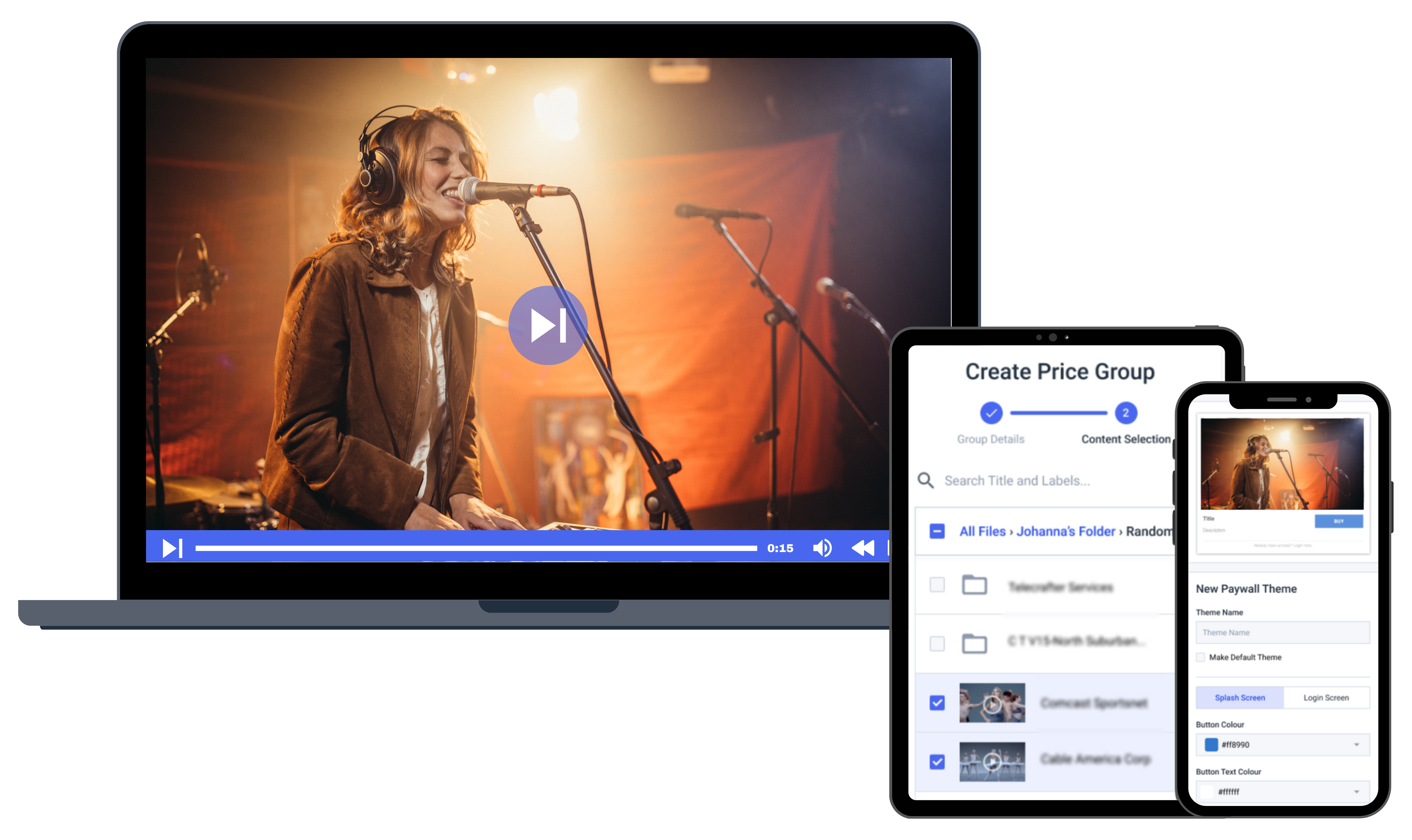
Dacast delivers secure, white-label live streaming and VOD hosting with global CDN delivery, built-in monetization (SVOD, TVOD, AVOD), advanced security controls, real-time analytics, API access, and 24/7 support — all in a scalable, business-ready platform. Dacast has earned the Streaming Media Readers’ Choice Award for Best Small/Medium Business Video Platform and Runner-Up for Best Education Video Platform. In 2019,
Best for: Businesses that need secure, white-label live streaming + monetization without enterprise-only pricing.
Why it stands out: Strong pro feature mix (paywall, security, API, global delivery, China delivery options) and clear packaging. It’s consistently listed among leading pro platforms for 2026.
Watch-outs: As with most pro platforms, advanced workflows have a learning curve.
Pricing:
Dacast has multiple live streaming pricing plans. Here is a quick summary of all plans:
- Starter plan: ideal for newcomers with 2.4 TB of bandwidth and 500 GB of storage per month, at just $39 per month billed annually.
- Event plan: for organizations who’d rather not sign a contract and want to purchase bandwidth separately to live stream an event. It offers 6 TB of bandwidth upfront, 250 GB of storage, and costs just $63 per month (or $750/year). Additional data and storage can be added as needed.
- Scale plan: includes 24 TB of bandwidth per year, with 2000 GB of storage for $165 per month billed annually. These Scale pricing plans add phone support, monetization paywall, an M3U8 online player for live channels, ad insertion, white-label C names, and video API access.
- Custom plan: if your enterprise business has high-volume streaming needs, you can contact Dacast for a custom plan tailored to your needs.
Broadcasters can contact Dacast directly to learn more about custom-priced high-volume plans.
Dacast is one of the top live-streaming solutions you can work with to host your video content. Dacast offers the features of a top-level professional video hosting service at prices every business can afford.
2. StreamYard
Overview and Company History:
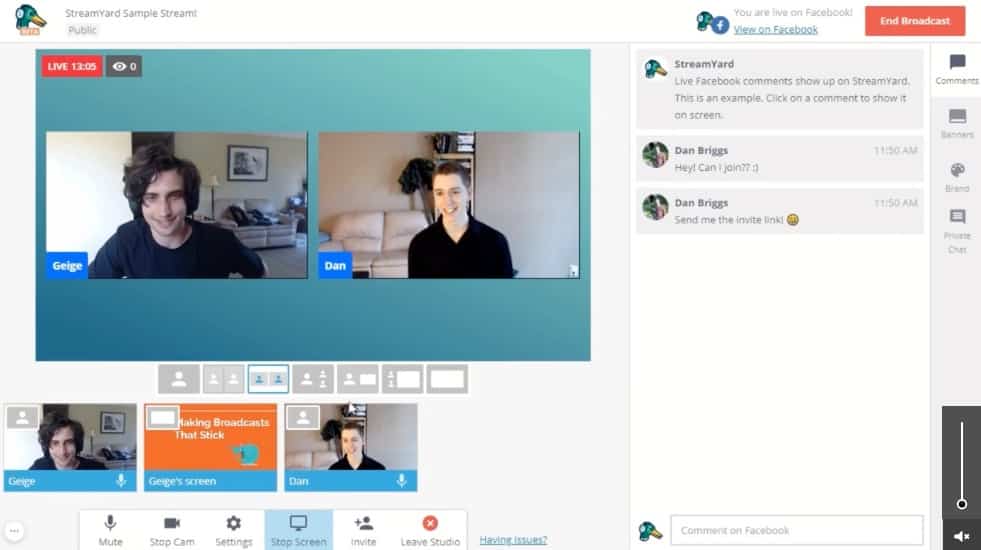
StreamYard is a basic live streaming solution that is totally in-browser. Even though it is basic, it will get the job done for broadcasters with minimal live-streaming needs.
Since this platform is pretty simple, it is a great option for new broadcasters who are looking to pick up live streaming pretty quickly. This solution doesn’t support VOD hosting.
Best for: Browser-based live shows, interviews, webinars, and simple multistreaming.
Strengths: No-install studio, on-screen guests, overlays, and easy distribution. StreamYard now publishes pricing again (Free + paid tiers).
Watch-outs: Primarily a production/studio tool; it’s not designed as a deep VOD/OTT library platform.
Pricing:
StreamYard is a great online live-streaming solution for businesses and an easy-to-use tool for live streaming. However, due to a recent acquisition of StreamYard by Bending Spoons, the company removed its pricing from the website after a rather unpopular pricing hike around September 11, 2024.
For these reasons, we are removing any pricing information from this section until the company republishes new plans and their prices on their website.
3. Restream
Overview and Company History:
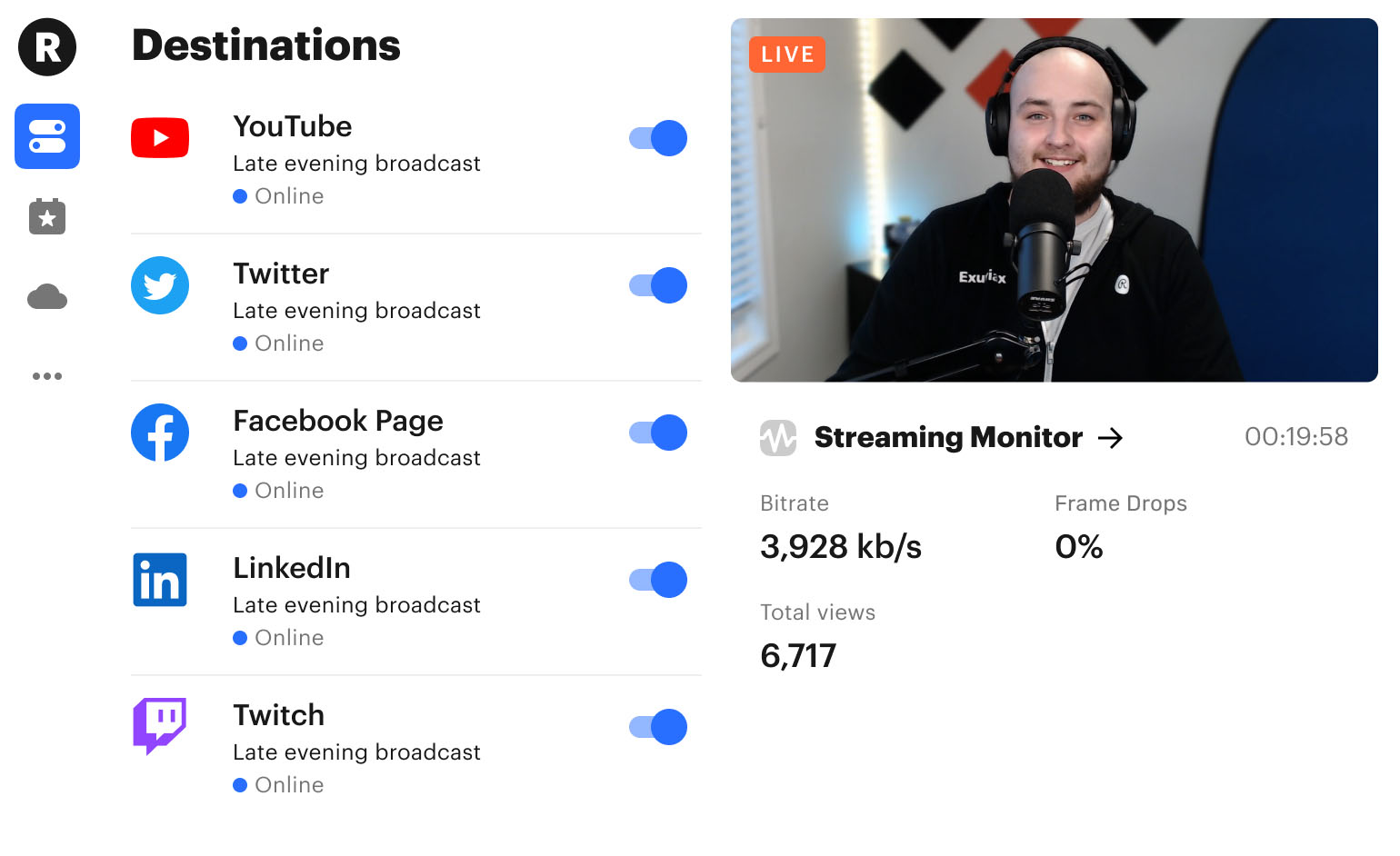
Restream is a live-streaming solution that specializes in streaming to multiple destinations at once. However, the platform does support some other streaming products, including Restream Studio, which is their offering for in-browser live streaming.
Restream Studio offers live streaming capabilities that are designed to increase brand exposure to increase sales. This solution is relatively simple, so it is good for beginners.
Best for: Multistreaming to multiple destinations with scheduling and lightweight studio tools.
Strengths: Clear pricing page and multichannel focus.
Watch-outs: It’s strongest as a distribution layer; you may still want a dedicated hosting/monetization platform behind it.
Pricing:
Restream has several pricing plans for both individuals and businesses. These include :
- Free: $0/month (for individuals) with 2-channel multistreaming
- Standard: $16/month (for individuals) with 3-channel multistreaming
- Professional: $39/month (for individuals) with 5-channel multistreaming
- Business: $199/month (for businesses) with 8-channel multistreaming
- Enterprise: Custom pricing and solutions for media and corporate teams
These prices reflect monthly rates when paid monthly, but discounts are available when you pay a full year in advance.
If you need to stream to numerous destinations at once, Restream is a good video streaming solution.
4. Resi
Overview and Company History:
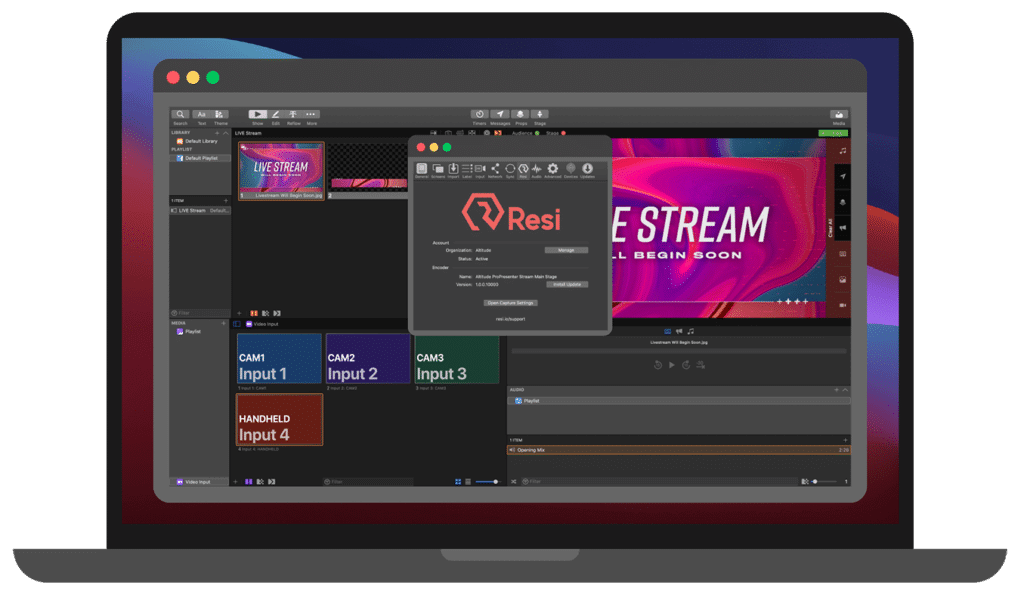
Founded in 2014, Resi is an end-to-end live-streaming solution that is equipped with a variety of streaming tools. This company offers all of the tools that broadcasters need to get started with live streaming. In addition to live streaming services, Resi sells hardware for encoding and other related live streaming functions.
Resi is branded as an “affordable” solution, but the company does not list prices on its website.
Best for: End-to-end event streaming workflows (often used by churches, events, and large productions).
Strengths: Integrated approach (including hardware options) and reliability focus.
Watch-outs: Pricing is typically quote-based and workflows can feel dated depending on your team.
Pricing:
Interested broadcasters must fill out an inquiry form to get information on Resi’s pricing.
Resi is a solid solution if you need a live streaming solution that offers live streaming and other software solutions to help with your broadcasting needs.
5. Brightcove
Overview and Company History:
Boston-based Brightcove was founded in 2004. It is one of the oldest online video platforms offering cloud encoding, live streaming, and VOD (video on demand) hosting. Last year, Brightcove acquired streaming platform Ooyala, known for its cloud video technology. Since the acquisition, Brightcove has announced end-of-life plans for the Ooyala OVP.
Best for: Enterprise teams that care about video marketing performance, analytics, integrations, and scale.
Strengths: Enterprise-grade platform positioning with AI workflow features emphasized publicly.
Watch-outs: Pricing is usually custom/enterprise-led; expect a sales process.
Pricing:
Brightcove’s pricing is no longer posted, but plans include basic video marketing tools and analytics with SD streaming quality for unlimited viewers. However, larger users will prefer the Enterprise communications plan, which is custom-priced. Those plans add advanced security tools, HD-quality streaming, and phone support (30-minute response time).
Marketing Studio
- Starter: Up to 10 users, CMS integrations, 12 social destinations, basic analytics, no interactivity, and Silver support.
- Essential: Adds lead form interactivity, basic encryption, e-commerce and MAP/CRM integrations, with continued Silver support.
- Premium: All Essential features plus full interactivity, Segment Sync, Tier I playback restrictions, and Gold support.
Communications Studio
- Essential: Supports multiple accounts, includes basic encryption, Silver support, standard analytics, and lead form interactivity.
- Premium: Adds full interactivity, engagement insights, Segment Sync, a Virtual Event Gallery template, and Gold support.
Media Studio
- Essential: Includes playback restrictions (geo/IP/domain/proxy/DRM), essential analytics, and SDKs for smart TVs and mobile apps.
- Premium: Adds ad insights, audience sync, offline playback, Segment Sync, interactive tools, and delivery rules.
6. StreamShark
Overview and Company History:
StreamShark StreamShark is one of the top live-streaming video solutions for businesses. It was founded in 2011 and provides multi-faceted online video functionality.
Best for: Corporate events and organizations that want structured event workflows.
Strengths: Multi-CDN approach and enterprise features.
Watch-outs: Verify support level and analytics depth for your needs.
Pricing:
Monthly live streaming plans with StreamShark begin at $199 per month and include the following:
- Standard: $199/month; includes 1,000 GB of bandwidth; overage charges of $0.10/GB
- Team: $499/month; includes 4,000 GB of bandwidth; overage charges of $0.09/GB
- Business: $999/month; includes 9,000 GB of bandwidth; overage charges of $0.08/GB
- Enterprise: Please contact StreamShark for their custom enterprise solutions and plans
StreamShark has both consumer-grade and enterprise-grade platform offerings, allowing your business to grow with access to more advanced tools when you need them.
7. IBM Cloud Video (formerly UStream)
Overview and Company History:
Next in our live video streaming solutions review, IBM Cloud Video is the platform formerly known as UStream. This platform offers video hosting and cloud video streaming solutions, as well as a variety of features. Founded in 2007 to connect military service members with family, IBM purchased UStream in 2016.
Best for: Organizations already aligned with IBM’s ecosystem and compliance expectations.
Strengths: IBM continues to operate an enterprise video streaming platform and publishes a service status page.
Watch-outs: Plan capabilities and packaging can be complex; confirm captioning, resolution, and pricing in your region.
Pricing:
The pricing plans for the IBM Cloud Video include:
- Start Trial – Video Streaming: Give it a free test drive for 30 days
- Silver: Affordable Essentials, 100 viewer hours, 5 channels, 1 TB video storage, starting at $145/month
- Gold: Standard business features, 2,000 viewer hours, 10 channels, 2 TB video storage, starting at $729/month
- Platinum: Premium Volume scale, 5,000 viewer hours, 20 channels, 5 TB video storage, starting at $1,460/month
- Custom: Please contact IBM Cloud video for custom plan pricing as well as payment plans
IBM Video Streaming also offers an SaaS streaming service with AI-driven deep search for security-rich video communications. Here are the IBM Enterprise Video Streaming pricing plans:
- Enterprise Silver: $847/month
- Enterprise Gold: $2,120/month
- Enterprise Platinum: $5,300/month
- Custom: Contact the sales team
30-day free trials are available for test-driving both the IBM Video Streaming and the IBM Enterprise Video Streaming services.
8. Cincopa
Overview and Company History:
Cincopa is a multimedia hosting platform that large organizations use to store their content. In addition to media hosting, Cincopa offers all of the tools that broadcasters need to host high-quality live streams.
Cincopa offers plans for different budgets. The range of pricing offerings paired with the flexible functionality of this platform makes it a great tool for many different kinds of broadcasters.
Best for: Teams that need multimedia hosting (video + audio + other assets) plus live streaming.
Strengths: Flexible media library use case with live streaming included.
Watch-outs: Live streaming isn’t always the “center” of the product, so validate event-specific needs.
Pricing:
Cincopa offers four pricing plans for multimedia hosting:
- Plus: $25/month; 50 videos, 75 audio/podcast files, 1 TB monthly traffic
- Corporate: $99/month; 250 videos, 300 audio/podcast files, 2 TB monthly traffic
- Enterprise: $350/month; unlimited videos, audio/podcast files, and monthly traffic
- Custom Enterprise: Custom pricing; dedicated account manager, SSO
Please check out Cincopa’s pricing page for a further breakdown of storage and capabilities that come with each plan. You can start with a 30-day Corporate plan trial anytime.
Cincopa is a professional-grade live streaming solution that allows for monetization, as well as storage for audio and visual files.
9. JW Player
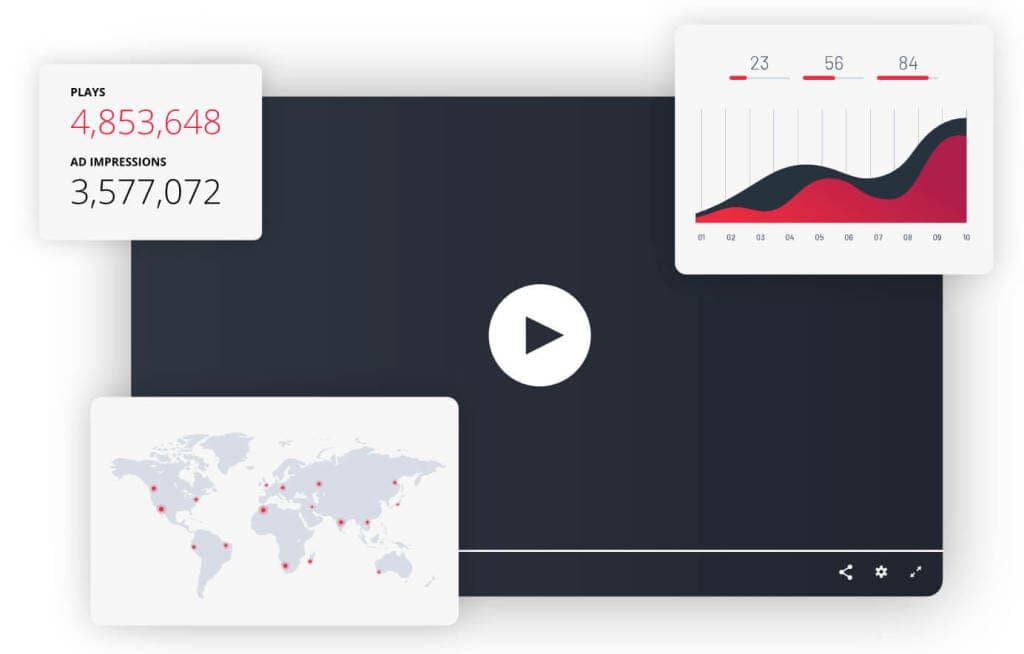
Overview and Company History:
The JW Player project (as the name suggests) began as a video player. This now streaming solution was founded in 2005 as part of a student project. Today, this service offers video hosting services and live streaming.
Best for: Publishers and teams focused on playback experience + advertising workflows.
Strengths: Player heritage, monetization via ads, and publisher tooling.
Watch-outs: DRM/advanced security often sits behind enterprise packages; confirm what you need.
Pricing:
JWPlayer pricing is custom. The pricing details are not available and you need to get in touch with their team with your requirements to get a customized quote.
JW Player is a simple live-streaming solution platform that is easy to use if you are a beginning broadcaster or are not that much of a techie.
10. Kaltura
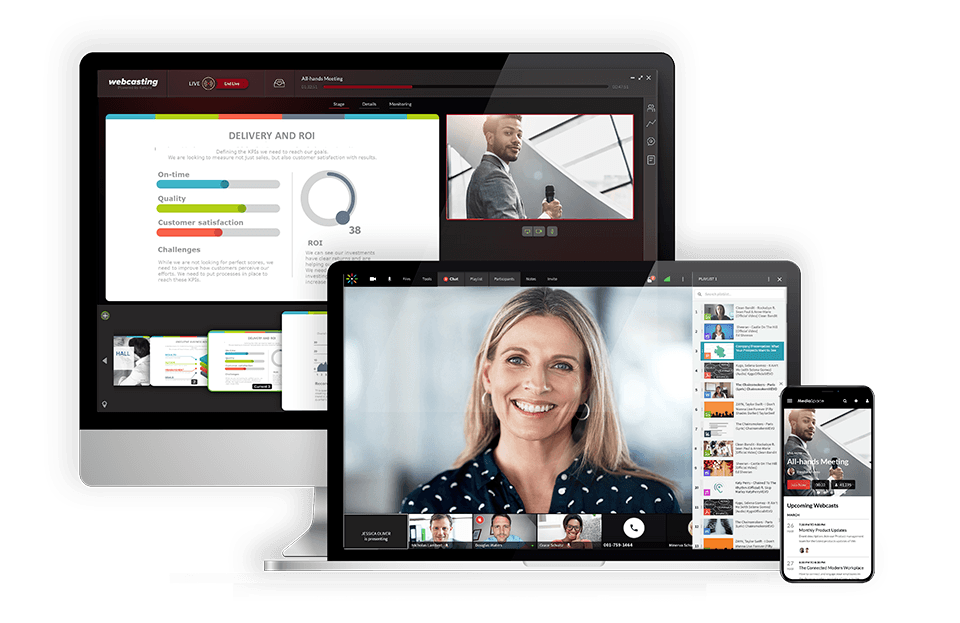
Overview and Company History:
The Kaltura online video platform targets large institutions. In particular, Kaltura focuses on four markets: video services for educational institutions, enterprises, media companies, and OTT video services. Historically, this company has worked most extensively with educational institutions.
Best for: Education, enterprises, and teams that need deep customization and integrations.
Strengths: Broad product suite; webinars pricing is published (starting “from $150/month” on the webinar page).
Watch-outs: Complexity—Kaltura can be powerful but heavy.
Pricing:
Prices are based on the solutions you’re looking for. These billed monthly plans include:
- Business: $199/month (or $150/month when billed annually)
- Enterprise: Custom pricing
- Free trial: 14 days;
- Basic: $19/month (or $17/month when billed annually); up to 8 participants per session and 8 hrs of cloud recording
- Pro: $55/month (or $50/month when billed annually); up to 25 participants per session and 15 hrs of cloud recording
- Business: $125/month (or $115/month when billed annually); up to 100 participants per session and up to 25 hrs of cloud recording
- Business Plus: Custom pricing for up to 300 participants per session, unlimited sessions and custom storage needs
- Annual discounts: Discounted pricing packages available for any scale and use-case, enterprise SLA, and developer support
- Limited trial account: $1 for $100 worth of credits for 30 days for testing and experimentation, with no commitments
- Pay as you go – You pay only for what you use at these credit levels:
- Base plan: $20 one-time annual fee + monthly usage fees
Other services include virtual events, video portal town halls, video messaging, meetings, and more.
11. Muvi
Overview and Company History:
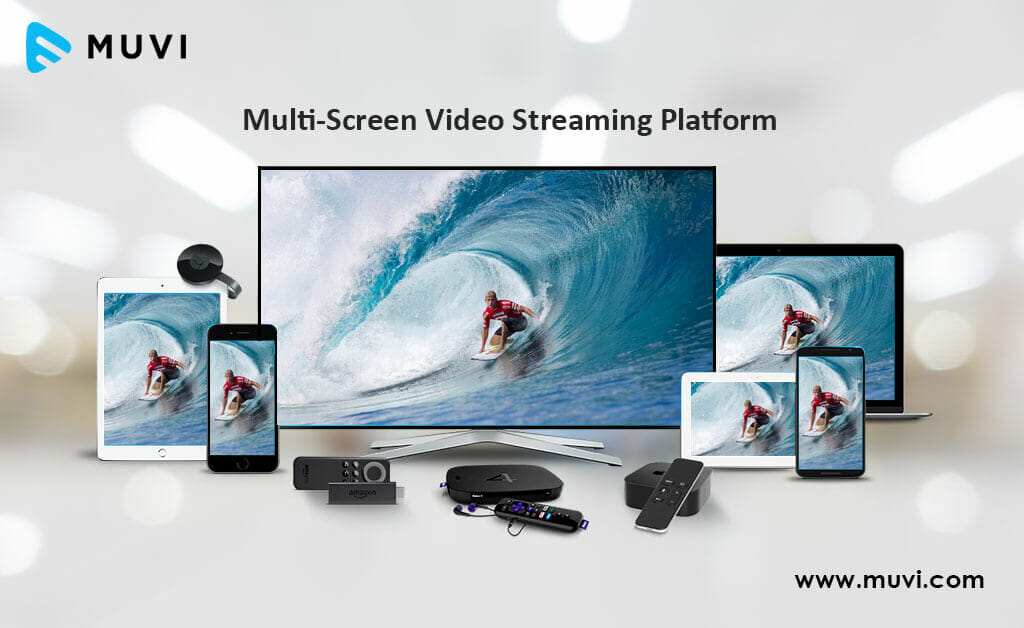
Moving along in our live video streaming solutions review, let’s consider Muvi. This corporate video streaming solution centers on OTT media businesses. Overall, Muvi aims to provide a “turnkey” service to broadcasters.
In short, Muvi focuses on OTT services that are quick to get up and running. They say their model empowers users to launch their own video or audio strategy quickly and easily.
Best for: Launching a managed OTT service quickly with monetization options.
Strengths: “Turnkey” OTT approach across devices.
Watch-outs: Costs can rise with add-ons; confirm total cost of ownership.
Pricing:
Muvi has a very wide spectrum of pricing plans divided in 7 categories, namely One, Live, Flex, Player SDK, Playout, TV, and Alie.
The pricing for the Muvi One category includes the following plans:
- Standard: $399/month
- Professional: $1,499/month
- Enterprise: $3,900/month
- Ultimate: Contact sales for price
Each plan has different features, such as the number of concurrent users, hosting options, and add-ons like the Alie recommendation engine.
The pricing breakdown for the Muvi Live plans is as followed:
- Standard: $99/month
- Professional: $299/month
- Enterprise: $799/month
If you need to quickly set up a video hosting service, Muvi is designed to provide you with a turn-key streaming solution.
12. Panopto
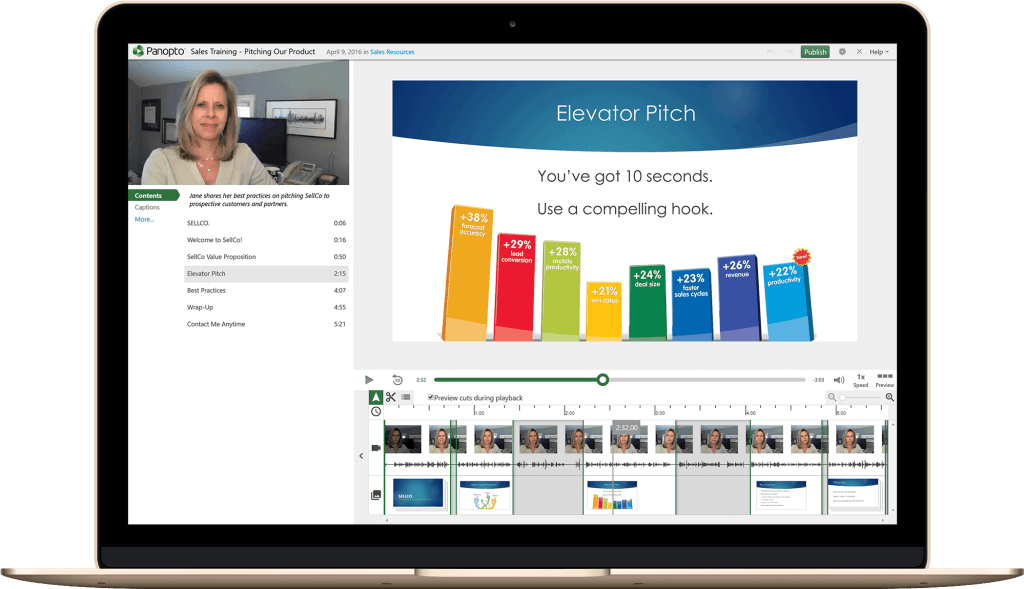
Overview and Company History:
Company Background:
Panopto is one of the live video streaming solutions aimed at educational and institutional users. This platform aims to deliver an “internal YouTube” experience for training and more. It was founded in 2007 in Pittsburg at Carnegie Mellon University as a tech project. This online video streaming solution enables streaming, sharing, recording, and managing of video content.
Panopto has more than 100 employees in 6 offices around the world. This streaming solution serves an audience of over 5 million end-users in the e-learning space.
Best for: Internal training, education, searchable video libraries (“internal YouTube”).
Strengths: Strong for capture + searchable knowledge repositories.
Watch-outs: Not ideal if your primary goal is paid public events.
Pricing:
Panopto recently simplified its pricing packages and it offers a free demo and trial of these packages. However, for pricing details, you need to get in touch with their team with your requirements.
Panopto is a great video streaming solution for those in the educational sector. It is a simpler solution for educational enterprises.
13. Vimeo

Overview and Company History:
Vimeo is a popular video hosting and live streaming platform launched in 2004. Initially focused on creative professionals, Vimeo has evolved into a comprehensive tool for video hosting, editing, and live streaming.
Best for: Professional video hosting plus live events/webinars on higher plans.
Strengths: Vimeo’s plan structure continues to emphasize Advanced/Enterprise for hosted live events (per its plan pages/help center).
Watch-outs: Vimeo packaging and limits can change—confirm bandwidth/event constraints before committing.
Pricing:
Vimeo offers basic video hosting plans that are suitable for content creators and startups. Pricing if billed monthly, is as follows:
- Free: $0/month; 1 GB storage, creation and editing, screen recording
- Starter: $20/month; 100 GB storage, auto closed captioning, custom URLs and video player, privacy tools
- Standard: $41/month; 2 TB storage, engagement and social analytics, AI script generator, teleprompter, brand kit
- Advanced: $125/month; 7 TB storage, stream to multiple destinations, host live broadcasts and webinars, AI-generated chapters and text summaries
- Enterprise: Custom pricing; more storage and bandwidth, advanced AI capabilities, quality events, dedicated support
Vimeo is great if you want to maximize the usage of your content by turning your live streams into VOD content.
Vimeo OTT Pricing:
Vimeo’s OTT solution is priced separately from the regular Vimeo packages. There are two plans: Starter and Enterprise.
- Starter Pricing: $1/subscriber per month (or 10% of one-time purchases)
- Enterprise Pricing: Contact sales
This OTT-specific pricing package comes with the Vimeo.com relationship. These plans include all the basics for starting your web-based OTT channel, as well as growing your OTT business online.
For more details, check out our comprehensive guide to Vimeo Livestream pricing.
If you need a video streaming solution that supports large viewership, Vimeo is a great option.
14. Wowza
Overview and Company History:
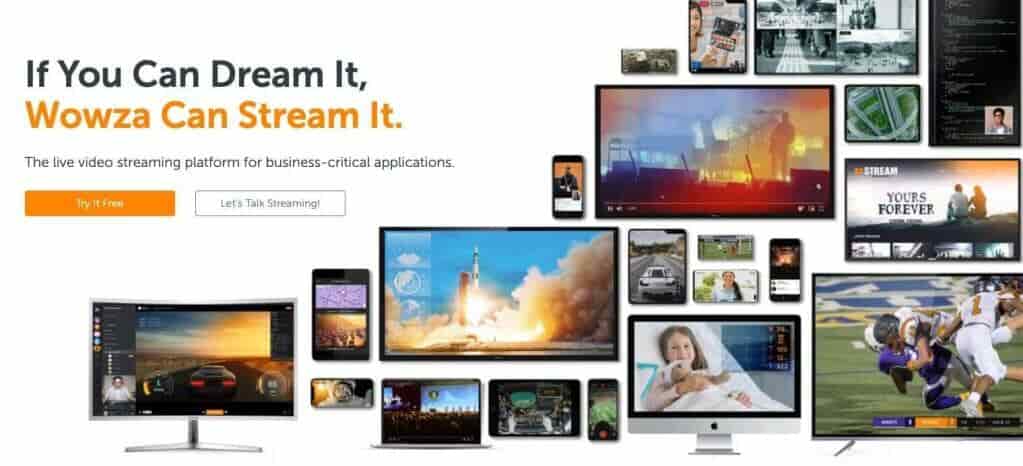
The next live video streaming solution that we will review here is Wowza Streaming Cloud. Wowza is feature-rich and provides a customizable platform for broadcasters of all sorts. It was founded in 2005 by David Stubenvoll and Charlie Good. Wowza is a bootstrap start-up with live and on-demand live-streaming capabilities.
Best for: Teams that want more control over streaming workflows (especially developer-led orgs).
Strengths: Wowza maintains distinct offerings and pricing pages for its products.
Watch-outs: Often requires more technical ownership than “all-in-one” business platforms.
Pricing:
Wowza recently overhauled its pricing plans and added several options. These are split into 2 main tiers: Wowza Video and Wowza Streaming Engine
The Wowza Video Cloud Streaming offers four distinct pricing plans and services.
- One Month of Streaming: $149 one-time purchase; includes 15 hours of live streaming and 500 viewing hours
- Pay as you go: $0/month; $2.50/hour of streaming, all usage billed separately
- Enterprise: Annual plans built for your needs; contact sales for custom pricing
The Wowza Streaming Engine has its own pricing plan packages. These professional-grade streaming plans are billed annually and include:
- One Month of Streaming: $295/month one-time purchase
- Basic monthly: $195 per month
- Enterprise: Please contact Wowza directly for access to their custom-tailored high-volume enterprise solutions
Check out Wowza’s pricing page for alternative plans and packages.
If you need a budget-friendly video hosting platform with streaming security, try Wowza.
15. Vidyard

Overview and Company History:
Vidyard is a video hosting and live-streaming platform designed primarily for businesses. Founded in 2010, the platform is known for its focus on marketing, sales, and corporate communications. It provides tools that enable businesses to create, manage, and analyze video content while integrating with various CRM and marketing automation tools.
Best for: Sales and marketing teams that treat video as a pipeline tool (personalization + analytics).
Strengths: CRM/MAP integrations and strong business-video positioning.
Watch-outs: Live streaming may be plan-dependent; confirm before you design your workflow around it.
Pricing:
Vidyard offers multiple pricing tiers:
- Free Plan: $0
- Starter: $59/month; team performance analytics, password-protected videos, and customizable branding
- Teams: $99/month; everything in Starter + CRM/MAP integrations for seamless workflows, folder management, video captions, and advanced analytics
- Enterprise: Custom pricing; AI avatars, SSO user management and secure playback, unlimited integrations, custom permissions and security options
Vidyard is an excellent solution for businesses looking for an integrated live streaming and video marketing tool.
16. VPlayed

Overview and Company History:
VPlayed is a fully customizable, white-label OTT streaming platform designed for businesses, broadcasters, and content creators. Developed by Contus, this platform offers secure live streaming and VOD hosting with monetization features.
Best for: Enterprises that need a highly customizable white-label OTT platform.
Strengths: Monetization models + customization-first approach.
Watch-outs: Quote-based pricing; implementation effort is typically higher.
Pricing:
VPlayed follows a custom pricing model based on features and business needs. Interested users must contact their sales team for a quote.
VPlayed is a great option for businesses and broadcasters looking for a fully customizable, enterprise-grade streaming solution.
Top Social Streaming Solutions
Social media streaming apps like YouTube Live and Facebook Live are not capable of video hosting on a professional level. However, they are useful for promoting content on your website, connecting with your audience, and building a loyal following for your brand.
Here are a few of the top social media platforms for live streaming and video sharing.
17. LinkedIn Live

Overview and Company History:
LinkedIn is a popular social media platform that was designed for professionals to network and connect. This platform recently rolled out LinkedIn Live, a premier business offering that helps brands connect with professionals through live-streamed content. This feature is accessible on an application basis.
LinkedIn Live requires the support of a custom RTMP stream setup (self-hosted) or the support of a third-party streaming platform (like Dacast and many of the other tools we’ve mentioned above).
The value of streaming with LinkedIn Live is that it is possible to target a very specific audience: professionals in your industry. That said, this platform is best-suited for broadcasters with the goal of connecting with a niche audience.
Best for: B2B thought leadership, employer brand, and professional audiences.
Use it when: You already have a LinkedIn presence and want reach + credibility.
Pro tip: Host the “official” stream on your pro platform, then simulcast to LinkedIn for discovery.
Pricing:
LinkedIn Live is free to use as long as LinkedIn accepts your application. LinkedIn Live is a good way to reach a professional audience.
18. Twitch

Overview and Company History:
Twitch is a very popular application in the world of video gaming. Streamers set up channels where viewers and supporters can follow them.
This site is pretty niche, but it is a great streaming platform if you are trying to reach an audience in the gaming, fantasy, or tech industry.
Best for: Gaming, tech culture, creator-driven communities.
Use it when: Audience-first engagement matters more than brand control.
Pricing:
Twitch is free to use.
Twitch is a great video streaming solution, especially if you are in the gaming industry.
19. YouTube Live
Overview and Company History:
YouTube YouTube was one of the first websites that made online video streaming so popular. It has grown exponentially in the past decade. This Google-owned platform is designed for consumers and independent content creators, but many businesses use it while they are getting into broadcasting since it is free and easy to use.
YouTube is not ideal for business use since the site has strict limitations on the type of content that you can post. Additionally, there is limited access to monetization and other professional tools.
One of the biggest turn-offs for professional broadcasters is that YouTube requires users to give up partial ownership of their content when they upload it to the platform.
Best for: Massive reach, SEO discovery, and audience familiarity.
Use it when: You want top-of-funnel growth and don’t need strict control.
Pricing:
YouTube is free to use. YouTube can be a great way to reach a large audience, however the ability to control and customize your content is greatly lacking.
20. Facebook Live
Overview and Company History:
When it comes to video hosting, Facebook offers both “Live” and “Watch” which allows businesses and organizations to host on-demand content or broadcast live content.
Facebook Live streams can be hosted on personal profiles, pages, and groups, and on-demand “Facebook Watch” content can only be published by Facebook Pages.
Facebook is commonly used by businesses and organizations that are just dipping their toes in the world of live broadcasting. Since it is a free platform, Facebook poses many challenges related to video ownership, time limits on videos, monetization, and more. Aside from those few technical restrictions, live streaming with Facebook Live is valuable for connecting with existing audiences.
Best for: Existing community engagement (groups/pages) and local audiences.
Use it when: Your audience already lives on Facebook.
Pricing:
Facebook is free to use. You can simultaneously stream on both your website and Facebook Live.
21. Instagram

Overview and Company History:
Instagram is a popular social media app with various video-sharing features. This app is unsuitable for video hosting, but it is a great video-sharing option.
Best for: Mobile-first engagement and brand intimacy.
Use it when: You’re driving attention to launches, behind-the-scenes, or short live moments.
Pricing:
Instagram is free to use. Instagram is a great way to connect with your social media followers.
22. TikTok

Overview and Company History:
TikTok is a video-sharing app whose algorithm is geared towards growth. That means that it’s relatively easy to have content go viral and build a following on this app.
TikTok is a social media platform through and through, but when businesses use it strategically, they can lead viewers to their websites for their intended conversion.
Best for: Viral reach and younger demographics, especially product-driven brands.
Use it when: You can commit to the platform’s content style and pace.
Pricing:
TikTok is free to use. It primarily focuses on short-form videos, but it also offers live streaming. However, it lacks some advanced features found in dedicated live-streaming solutions.
23. X (formerly Twitter) Live

Overview and Company History:
X Live, previously known as Twitter Live, is the live streaming feature of X (formerly Twitter). It allows users to broadcast live content directly on their profiles, engage with followers in real time, and enhance their content strategy.
Best for: Real-time commentary, news-adjacent streams, live conversation.
Use it when: You want engagement around timely topics rather than controlled experiences.
Pricing:
X Live is free to use, but advanced features may require additional tools or software. For real-time engagement, X Live is a great social streaming solution.
24. Kick

Overview and Company History:
Kick is a relatively new live-streaming platform launched in 2022. It was created to offer streamers a better revenue-sharing model compared to Twitch. With a strong focus on gaming and entertainment, Kick has quickly grown in popularity.
Best for: Creators who want a newer platform alternative (especially gaming/IRL).
Use it when: You’re experimenting with creator monetization models and platform diversification.
Pricing:
Kick is free to use, but revenue is generated through subscriptions, donations, and ad-sharing programs.
Kick is a solid choice for streamers looking for an alternative to Twitch with better monetization options.
25. “Browser studio + repurposing” category
If your team’s bottleneck is production speed, prioritize tools that do:
- multitrack recording
- automatic clip generation
- fast distribution workflows
StreamYard is explicitly positioning into this “bundle” category in 2026 comparisons.
Social Platforms: Where They Fit in a Professional Strategy
A clean 2026 strategy looks like this:
- Host securely on a professional platform (branding, access control, analytics).
- Simulcast to 1–3 social networks for reach.
- Drive viewers back to your site for conversion (email capture, paid access, product demos).
- Repurpose the recording into clips, chapters, and follow-up assets.
This approach improves reach and keeps control where it matters.
Live Streaming Tech Stack (2026): Encoder, Protocols, Latency
Even the best platform can’t fix a bad setup. In 2026, think in these building blocks:
Capture
- Camera, audio interface/mic, lighting (audio is usually the #1 quality lever).
Encode / Produce
- Software encoders: OBS, vMix (Windows), Wirecast, etc.
- Browser studios: StreamYard-style tools for speed
Ingest protocol (what you send to the platform)
- RTMP is still widely used for ingest
- SRT is increasingly used for resilient contribution workflows (where supported)
Playback protocol (what viewers watch)
- HLS is still the compatibility king
- LL-HLS / WebRTC are for low-latency needs
If you’re rebuilding your workflow, prioritize a platform that supports modern protocol options and can evolve with you. (HLS vs LL-HLS vs WebRTC comparisons are now common in 2026 guides.)
FAQs
1. What is the best platform for live streaming?
It depends on the job:
- Business + monetization + control: Dacast
- Enterprise marketing + analytics: Brightcove
- Browser-based show production: StreamYard
- Multistream distribution: Restream
2. What is the most popular video streaming service?
Some of the most popular video streaming services are social media platforms owing to their massive reach and free access to livestreams. The top ones are YouTube Live, Twitch, Facebook Live, Instagram Live, TikTok, X, and Kick. LinkedIn also provides live streaming features to a selected number of users.
3. What is the #1 best streaming service?
The top streaming service out there for enterprise users is Dacast. It enables you to easily live stream your videos to viewers all around the globe, including China. Setting up your live streams is easy and you also get features like adaptive bitrate streaming that can help elevate the quality of your viewing experience.
4. Which server is best for live streaming?
The best sort of servers for live streaming are Nginx web servers. They can run on all major operating systems like Windows, Linux, and Mac. You can easily integrate them with HLS and RTMP for enabling live streaming with ease. This flexibility makes them the top servers to opt for when you want to do live streaming.
5. How do I set up a professional live stream?
Setting up a professional live stream is pretty straightforward. Here are the steps you can follow for the same:
- Select a professional live streaming service based on your requirements and budget.
- Purchase and set up equipment for the livestream.
- Choose the right settings for your livestream.
- Do a trial run to see if the stream is functioning well without any issues.
- Share the URL of the livestream with your audience in advance.
- Start streaming.
Conclusion
There is certainly a wide range of options available when it comes to professional streaming solutions. We hope that this article has helped you to understand the top online streaming solutions that are available today.
We believe that when assessing features and pricing, Dacast is the best live streaming platform for professionals. However, our goal is to provide the most up-to-date information possible to our readers.
If you haven’t decided firmly on which platform is for you, why not try our live streaming solutions for yourself? We offer a 14-day free trial, with no credit card required. Click here to sign up for our free trial and start streaming live today:
If you have any comments, let us know what you think! We love to hear from our readers. For regular tips on live streaming and exclusive offers, feel free to join our LinkedIn group.
