



Live Streaming for Corporate Communications: Town Halls, Training, and All-Hands (2026)

By Dacast Editorial Team | Reviewed by Jon Whitehead, COO at Dacast | Updated July 2026
Internal corporate communications has a reach problem. A town hall recorded and emailed as a video file gets watched by some employees, skimmed by others, and ignored by many. A slide deck sent with meeting notes loses the voice, the tone, and the moment. Live streaming solves the reach problem by delivering the same message, at the same time, to every employee simultaneously, regardless of location, time zone, or device.
In 2026, live streaming is the standard format for town halls, all-hands meetings, employee training, and executive updates at organizations of every size. This guide covers how to set up and run each of these three formats effectively, what platform features matter for internal use, and how to measure whether your streams are actually working.
TL;DR : Live Streaming for Corporate Communications in 2026:
- Live streaming has become the standard delivery format for internal corporate communications: town halls, all-hands meetings, L&D sessions, and executive updates reach global teams simultaneously without the cost or friction of in-person logistics.
- The three formats covered in this guide each have distinct technical and engagement requirements: town halls need live Q&A and high concurrent viewer capacity, training sessions need LMS integration and completion tracking, and executive updates need secure gated access and automatic archiving.
- Security is non-negotiable for internal streams: employees should authenticate via SSO or password before accessing any internal broadcast. Do not use public YouTube or social platforms for internal corporate content.
- Measuring success requires format-specific KPIs: live attendance rate and Q&A participation for town halls, completion rate and assessment scores for training, watch-through rate and replay views for executive updates.
- Dacast supports all three formats from one platform: SSO-gated access, live recording, LMS-compatible embeds, and analytics dashboards without requiring IT infrastructure investment.
Table of Contents
- Why Internal Corporate Communications Needs Live Streaming in 2026
- Town Halls and All-Hands Meetings
- Employee Training and Learning & Development
- Executive Updates and Leadership Communications
- Security and Access Control for Internal Streams
- KPIs for Internal Live Streaming
- How Dacast Supports Corporate Live Streaming
- FAQs on Live Streaming for Corporate Communications
- Conclusion
Why Internal Corporate Communications Needs Live Streaming in 2026
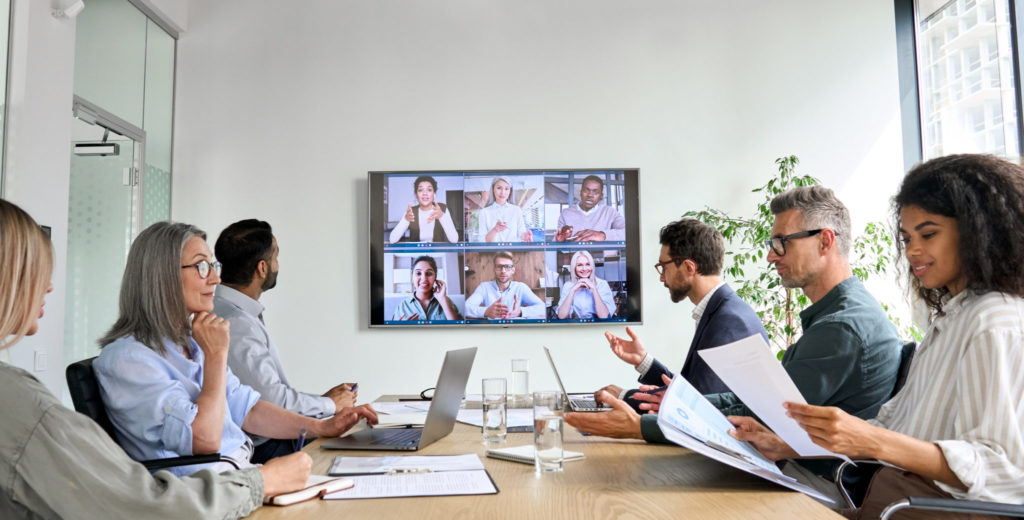
The way companies communicate internally has shifted permanently. In 2026, a multinational workforce expects the same quality of experience from an internal town hall as from a Netflix stream: clear video, no buffering, accessible on any device, and available on demand after the fact.
Live streaming solves a problem that email, slide decks, and recorded videos cannot: real-time connection at scale. A town hall streamed live to 2,000 employees in 14 countries creates a shared moment: executives speak, employees respond, questions are answered in real time, and the organization moves together.
The business case is concrete. According to Gallup’s State of the Global Workplace, companies with high employee engagement are 23% more profitable and 18% more productive. Regular, transparent communication from leadership is one of the strongest drivers of engagement and live streaming is the most scalable way to deliver it.
This guide covers the three internal communication formats where live streaming delivers the most value: town halls and all-hands meetings, employee training and L&D, and executive updates and leadership communications. For each format, we cover the technical setup, engagement best practices, security requirements, and KPIs that matter.
Town Halls and All-Hands Meetings
A live-streamed town hall is the closest a distributed company can get to gathering everyone in the same room. Done well, it creates alignment, transparency, and trust. Done poorly, it becomes a one-way broadcast that employees tune out.
What Makes a Town Hall Different from Other Internal Streams
Town halls require higher concurrent viewer capacity than most internal events: an all-hands for a 5,000-person company needs a platform that can handle thousands of simultaneous streams without quality degradation. They also require robust live engagement tools: Q&A, live polling, and moderated chat are not optional features for this format.
Unlike training sessions, town halls are not primarily about information transfer, they are about culture, alignment, and two-way communication. The engagement layer matters as much as the production quality.
Technical Setup for a Town Hall
- Camera and audio: a single presenter setup requires a camera, a dedicated microphone (lavalier or USB condenser), and a clean background. Multi-speaker panels need individual microphone inputs and a mixer or audio interface.
- Encoder: use a hardware encoder or professional software like OBS Studio for reliability. For town halls with multiple speakers in different locations, a cloud-based studio tool that supports multi-guest video inputs works well.
- Internet: wired ethernet connection at the broadcast location, minimum 10 Mbps upload for 1080p. For redundancy, configure a backup cellular connection via SRT ingest.
- Platform: choose a platform that supports concurrent viewer counts matching your employee headcount, SSO or password-gated access, and live Q&A moderation tools.
Engagement Best Practices for Town Halls
- Collect questions in advance via a survey or submission form, pre-screened questions keep the Q&A focused and reduce dead air.
- Use a dedicated moderator who is separate from the presenter. The moderator manages the live chat, selects questions, and monitors technical issues while the presenter focuses on content.
- Post a replay within 24 hours with chapters and a searchable transcript. Employees in different time zones expect asynchronous access.
- Run a short post-event survey (3-5 questions) immediately after the stream ends while the experience is fresh.
- Set a live attendance target and share it with leadership before the event. It creates accountability and helps benchmark future town halls.
Town Hall Checklist
| Before the stream | During / After |
| Send calendar invite with stream link 5+ days in advance | Archive recording and make available within 24h |
| Collect pre-submitted questions from employees | Send post-event survey within 1h of stream end |
| Test full AV setup at same time of day as event | Share Q&A summary doc with all employees |
| Confirm SSO or password access for all attendees | Review analytics: attendance rate, watch-through, Q&A volume |
| Brief moderator on question selection process | Share key announcements via email for non-viewers |
Employee Training and Learning & Development
Live streaming transforms training from a logistical challenge into a scalable, measurable program. A single live session can train hundreds of employees simultaneously, and the recording becomes a permanent asset in your LMS library.
Live vs. Pre-Recorded Training: When to Use Each
| Live Training | Pre-Recorded Training | |
| Interaction needed | New policy rollouts with Q&A, compliance training with live attestation, onboarding cohorts | Product tutorials, process documentation, evergreen skills training |
| Time sensitivity | Urgent updates requiring immediate reach, crisis communications | Flexible-pace learning, certification programs |
| Cost efficiency | One-time delivery to large groups reduces per-person cost | High production value for frequently watched content |
LMS Integration
For training to be measurable, it needs to connect to your LMS. The two integration approaches are:
- Embed the live stream inside your LMS using an iframe or video player embed code. Completion is tracked when the employee watches the full session. Most LMS platforms support embedded video with xAPI or SCORM completion events.
- Host the recording in Dacast and share a tokenized link with your LMS. Employees access the VOD through the LMS, completion is tracked via watch time analytics, and the content stays behind your SSO authentication layer.
For detailed guidance on building mobile-accessible training content, see our Video Hosting for Mobile Apps guide.
Training Best Practices
- Keep live training sessions to 45-60 minutes maximum: attention drops sharply after 60 minutes for mandatory training content.
- Include a knowledge check at the end of every live session: a 5-question poll or quiz confirms comprehension and creates a completion record.
- Break long training programs into multiple shorter sessions rather than one long stream: completion rates are significantly higher for sessions under 60 minutes.
- Make recordings available in chapters so employees can jump to specific topics: this increases replay value and makes the content useful as a reference resource.
- For compliance training, generate a completion report from your analytics platform and store it for audit purposes.
Executive Updates and Leadership Communications
Not every internal communication needs to be a full town hall. Quarterly business updates, strategy briefings, M&A announcements, and team-specific leadership messages are better served by a shorter, more focused format, a 15-30 minute executive update that employees can watch live or replay on demand.
Why Executive Updates Need a Professional Platform
The stakes are high for executive communications. An earnings update, a reorg announcement, or a CEO message about company direction should not be distributed via a YouTube link or a Zoom recording. These communications require:
- Secure gated access: only employees should be able to watch. SSO authentication or password protection ensures the content does not leak externally.
- Reliable delivery: a buffering executive update during a critical announcement damages credibility. Multi-CDN delivery with adaptive bitrate ensures every employee gets a quality stream regardless of their connection.
- Automatic archiving: the recording should be available immediately after the stream ends, without a manual upload step, for employees who could not watch live.
- Analytics: knowing who watched, for how long, and who did not reach is valuable data for HR and communications teams.
Production Tips for Executive Updates
- Invest in audio first: a clear, well-mixed audio track matters more than camera quality for executive credibility. A $150 USB condenser microphone makes a measurable difference.
- Use a teleprompter app for longer scripted segments, it keeps delivery natural and reduces the number of retakes needed for recorded segments.
- For multi-location leadership teams, use a cloud-based production tool to combine video inputs from multiple executives in different offices.
- Keep the format consistent, employees who know what to expect from an executive update format engage more reliably than with one-off productions.
Security and Access Control for Internal Streams

All three formats covered in this guide involve confidential internal content. Using a public platform like YouTube Live or Facebook Live for internal corporate communications is a security risk. Content can be shared publicly, indexed by search engines, and accessed by anyone with the link.
The minimum security requirements for internal corporate streaming are:
- SSO or password authentication: employees must log in before accessing the stream.
- Domain restrictions: the player only loads on your internal portal or LMS, not embeddable anywhere else.
- Tokenized URLs: stream links expire and cannot be shared or reused outside the authorized session.
- AES encryption: video content is encrypted in transit and at rest.
For a detailed guide to enterprise security features including DRM, GDPR compliance, and SSO integration, see: Secure Streaming for Internal Communications.
KPIs for Internal Live Streaming
Measuring the success of internal live streaming requires format-specific metrics. Tracking the same KPIs across all formats creates misleading benchmarks. A 50% completion rate for a 90-minute training session means something very different from a 50% completion rate for a 10-minute executive update.
| Format | Primary KPI | Secondary KPI | Success Benchmark |
| Town Hall / All-Hands | Live attendance rate | Q&A participation rate | 70%+ attendance, 20%+ Q&A participation |
| Employee Training | Completion rate | Assessment pass rate | 80%+ completion, 75%+ assessment pass |
| Executive Update | Watch-through rate | Replay views (48h post) | 65%+ watch-through, 30%+ replay within 48h |
| Product / Strategy Briefing | Unique viewers | Post-event survey score | 90%+ of target audience reached |
All four KPIs above are available from Dacast’s analytics dashboard without additional tooling. Export the data after each session and store it with your communications archive.
How Dacast Supports Corporate Live Streaming
Dacast is a professional live streaming and VOD hosting platform used by corporate communications, HR, and L&D teams worldwide. It supports all three internal communication formats covered in this guide from a single dashboard.
Key Features for Corporate Use
- SSO and password-gated access
- AES encryption and tokenized URLs
- Live stream recording with automatic VOD archiving
- SRT ingest for reliable streaming over unstable connections
- WHIP/WebRTC ingest for browser-based low-latency streaming
- Simulcast to external platforms when needed
- Dacast MCP Server for AI-powered workflow integrations
- Real-time analytics: attendance, watch time, device, geography
- White-label player: your branding, no Dacast watermarks
- China delivery for global teams with mainland China employees
Pricing
- Starter: $39/month billed annually, live streaming and VOD, 2.4 TB bandwidth, 500 GB storage
- Event: $63/month billed annually, includes paywall, 6 TB bandwidth, 250 GB storage
- Scale: $165/month billed annually, 24 TB bandwidth, 2 TB storage, phone support
- Custom plans available for higher bandwidth requirements
Visit pricing page.
For a full comparison of enterprise video platforms, see: 12 Best Enterprise Video Platforms for Business in 2026
FAQs on Live Streaming for Corporate Communications
What is the best platform for live streaming corporate town halls?
A professional streaming platform with SSO or password-gated access, high concurrent viewer capacity, and built-in Q&A moderation tools is required for corporate town halls. Dacast supports town halls for teams of any size with secure authentication, live recording, and real-time analytics. For a full platform comparison, see our guide to the 12 best enterprise video platforms.
Can I use YouTube Live for internal corporate communications?
YouTube Live is not suitable for internal corporate communications. Content on YouTube is public by default and can be indexed by search engines even if set to ‘unlisted’. There is no SSO integration, no domain restriction, and no enterprise analytics. For any confidential internal content, use a professional platform with authenticated access.
How do I track employee attendance at a live-streamed town hall?
Professional streaming platforms like Dacast provide real-time and post-event analytics showing unique viewers, watch time per viewer, geographic distribution, and device breakdown. For compliance-grade attendance tracking, use an authenticated access setup where each employee logs in via SSO, this creates an individual viewing record rather than an aggregate count.
What internet speed do I need for a corporate live stream?
A minimum of 5 Mbps upload speed is required for a 720p stream. For 1080p at professional quality, plan for 10-15 Mbps upload. Always use a wired ethernet connection at the broadcast location rather than Wi-Fi, and configure a backup cellular connection via SRT ingest for redundancy. Your viewers’ download speed is handled by the platform’s CDN and is not a concern for the broadcaster.
How do I make a live training session available on demand after the broadcast?
Enable live stream recording on your platform before the session starts. On Dacast, the recording is automatically saved to your VOD library when the stream ends, no manual upload required. You can then embed the recording in your LMS, share a tokenized link with employees, or add chapters for navigation. Most platforms save the recording in the same quality as the original stream.
Conclusion
Live streaming has moved from a nice-to-have to a core tool for internal corporate communications. Town halls, employee training, and executive updates are more effective, more scalable, and more measurable when delivered via live streaming than through any alternative format.
The key is choosing the right platform and applying the right setup for each format. A town hall needs Q&A tools and high concurrent capacity. A training session needs LMS integration and completion tracking. An executive update needs secure authenticated access and automatic archiving. One platform that handles all three removes the operational complexity of managing multiple tools.
For a broader overview of enterprise and government live streaming strategy, see: Enterprise & Government Live Streaming in 2026.
For secure streaming setup and enterprise security features in detail, see: Secure Streaming for Internal Communications.
Ready to get started? Try Dacast free for 14 days. No credit card required.
Get Started For Free
