



Pay-Per-View Video Streaming: What It Is and How It Works [2025 Update]

Pay-per-view, or transactional video on demand, is an effective way to broadcast and monetize your content. With pay-per-view (PPV), your viewers get the option to sample your content without commitment. This alone is a powerful and enticing method to gain new viewers.
In 2025, PPV is surging in popularity as creators seek more control over pricing, bigger revenue from live events, and flexibility to combine PPV with other streaming models. For viewers, it’s a simple way to access exactly the content they want.
- PPV (TVOD): Pay for one video or event
- SVOD: Pay monthly or yearly for full access
- ACOD: Free content with ads
Major platforms like YouTube only offer PPV to select partners, which is why professional broadcasters and OTT teams rely on leading online video platforms such as Dacast to run secure, reliable pay-per-view events at scale.
In this article, we’ll walk you through how PPV streaming and hosting work in 2025, what you need to set up successful pay-per-view streaming, and how to avoid the operational, security, and compliance pitfalls that many PPV platform guides overlook, like taxes and SCA at checkout, in-app billing rules, low-latency delivery, and anti-piracy controls required for professional paid events.
Please note that pay-per-view streaming platform technology changes regularly. This guide has been fully reviewed and updated for December 2025.
TL;DR (Pay-Per-View Streaming in 2025):
- Pay-per-view (PPV / TVOD) is a leading video monetization model in 2025, especially for live events, sports, concerts, virtual conferences, and premium on-demand content.
- Successful PPV streaming depends less on video quality and more on secure checkout, entitlement logic, payment compliance (VAT, OSS, SCA), and scalability under traffic spikes.
- Most professional broadcasters use hybrid monetization models, combining PPV for high-intent purchases with SVOD and AVOD to increase lifetime value.
- Choosing the right PPV platform requires evaluating low-latency delivery (LL-HLS), Tier-1 or multi-CDN infrastructure, DRM and anti-piracy protection, and global device support (web, mobile, CTV).
- Unlike consumer platforms with limited PPV access, professional OVPs like Dacast provide integrated paywalls, multi-currency pricing, access controls, and enterprise-grade reliability for paid live and on-demand events.
Table of Contents
- What is PPV (TVOD) in 2025?
- How Pay-Per-View Video Streaming Works End-to-End
- Pricing PPV the Smart Way
- Choosing a PPV Streaming Platform (What to Evaluate)
- Top Pay-Per-View Video Platform Options
- Launching Your PPV (Practical Build Path)
- FAQs
- Conclusion
What is PPV (TVOD) in 2025?
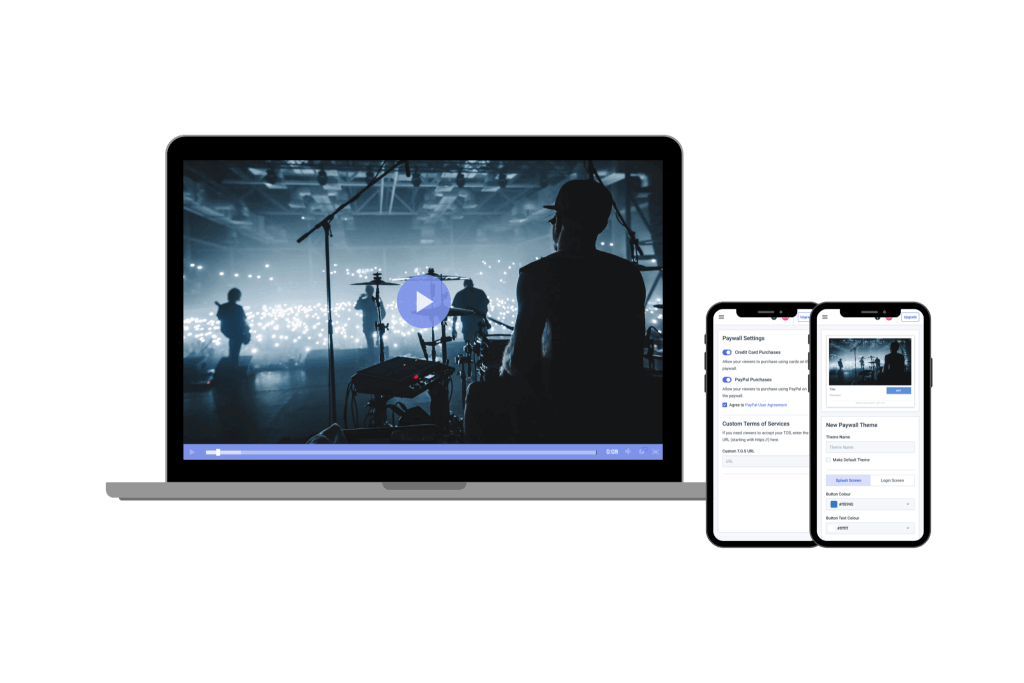
Video monetization is the process of earning revenue from the content you create. In 2025, broadcasters are mixing monetization methods to maximize earnings and give users flexible ways to pay.
Each pay-per-view hosting provider gives content creators a different percentage of revenue generated from their videos. Many of these are specific to OTT, and these numbers can also vary depending on which OTT video monetization models you utilize.
PPV vs SVOD vs ACOD (and Hybrids)
| Model | What it Means | When it Works Best | How Long Viewers Get Access |
| Pay-Per-View | Viewers pay once to get access to a specific video or live-streamed event (no extra payment or long-term commitment). | Ideal for live concerts, sports matches, exclusive drops, or any one-time events. | Usually, a set time window (24-72 hours) or a limited number of views. |
| Subscriptions | Viewers pay a recurring fee to gain access to everything in your library. | Ideal for creators with steady output like series, classes, memberships, or ongoing programming. | Ongoing access for as long as the subscription is active (weekly, monthly, or annually). |
| Advertisements | The content is free for viewers. They “pay” by watching ads before or during your videos. | Ideal when your goal is reach and audience growth over direct purchases. | Unlimited access as long as they are okay with ads. |
| Hybrids | A mix of PPV, subscriptions, and/or ads. Viewers can choose how they engage and pay. | Ideal for when you want to cater to multiple target audiences. This ranges from casual viewers to superfans and subscribers. | Subscribers get full access, casual buyers get PPV windows, and free users get ads. |
Many professional broadcasters use PPV as an entry point rather than a standalone model. A common hybrid strategy is to sell live events or premium releases via PPV, then bundle replays into a subscription library or offer discounted SVOD access to past PPV buyers.
This approach allows creators to capture high-intent, one-time purchases while gradually converting audiences into recurring subscribers, maximizing lifetime value without forcing a single monetization model.
How Pay-Per-View Video Streaming Works End-to-End
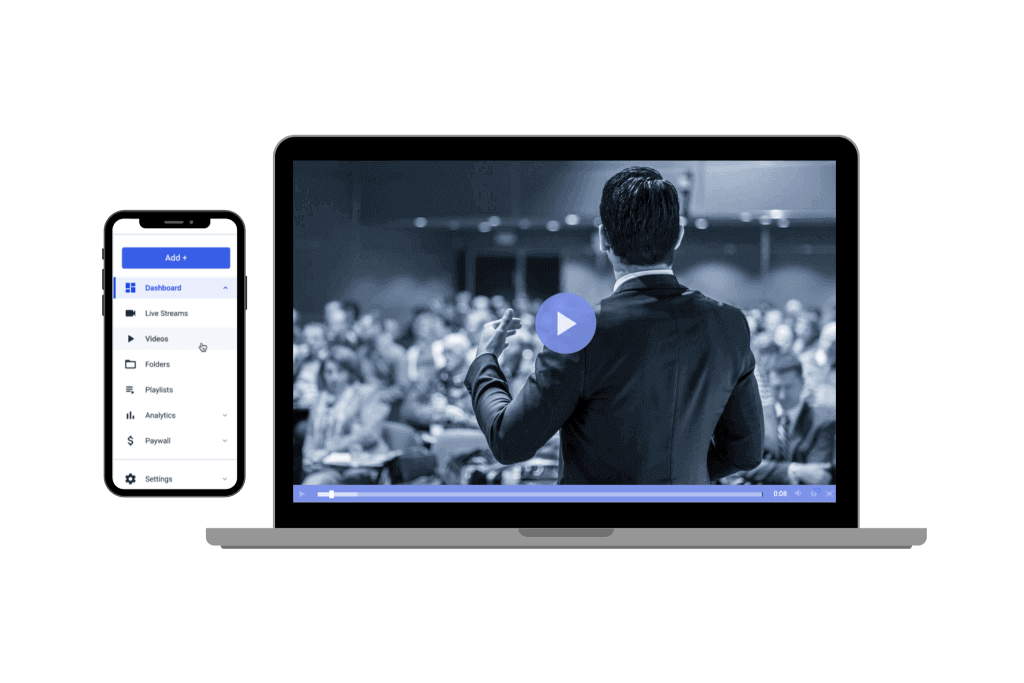
At a high level, pay-per-view streaming is straightforward. In practice, however, most paid events fail not because of video quality, but because of overlooked details like checkout compliance, entitlement logic, access control, and latency under load. This section focuses on the operational mechanics that professional PPV platforms must get right to deliver reliable paid events.
Pay-per-view streaming allows you to make money by charging for access to specific content, giving you a direct monetization model without relying on advertisements
There are multiple ways to charge for pay-per-view content, giving you flexibility to match your audience and the type of content you produce. For example, you can offer a rental model, where viewers can pay for temporary access for a set number of hours, allowing them to watch at their convenience. Or you can provide a purchase model, allowing viewers to buy the content, giving them unlimited access. This works for premium content, courses or exclusive recordings.
With pay-per-view monetization, you don’t have to run advertisements on your content. That allows you greater control over your viewer’s experience. Without ads interrupting playback, you give a seamless, professional presentation that keeps your audience engaged and more likely to return.
With pay-per-view monetization, you use an integrated paywall to collect payment. It is a relatively effortless way to generate revenue.
Entitlements and Payments
Your paywall setup is key to managing access. A hard paywall requires payment before any viewing, which ensures that all content is secured behind a purchase.
A soft paywall offers a preview or teaser before asking for payment. Soft paywall can entice undecided viewers by giving them a taste of the content, potentially boosting conversion rates.
Paywalls work hand-in-hand with entitlements. They are the rules that define what a viewer can access, how many devices they can use simultaneously, and for how long. This ensures that rentals, purchases, or live-event access are controlled to protect content and maximise revenue.
Concurrency limits are a critical part of this entitlement logic. By restricting how many devices can stream simultaneously per purchase – such as one device for standard tickets and two for VIP tiers – broadcasters can significantly reduce account sharing and unauthorized restreaming.
Payments, VAT/OSS and SCA (What to Expect at Checkout)
Behind this checkout flow, most professional PPV platforms rely on established payment gateways such as Stripe and PayPal. These gateways handle card authorization, 3-D Secure authentication, and regional compliance requirements, reducing payment failures and chargebacks during high-volume ticket sales. You should be aware of additional factors such as VAT (Value-Added Tax) for EU customers, OSS (One-Stop Shop) for reporting across countries, and SCA (Strong Customer Authentication) requirements that may appear at checkout.
Most PPV platforms, including Dacast, handle these complexities in the background. By doing so, they ensure compliance while providing a smooth experience for you and your viewers.
Refund and chargebacks are also handled by the platform. Most platforms allow creators to manage refunds while protecting against fraudulent chargebacks. This ensures both compliance and customer trust.
While the technical setup for PPV is straightforward, one of the biggest challenges with pay-per-view video hosting is having a well-developed video monetization strategy and selecting the right video hosting provider for your needs.
This includes defining pricing models, access durations, geographic restrictions, and viewer entitlements. Picking the right provider and your platform’s features directly impacts the audience experience and your earnings potential.
Purchase → Token Issued → Playback Granted → Device/Time Limits Applied
- Purchase: The viewer pays via the integrated paywall.
- Token Issues: The platform generates a secure access token tied to that purchase.
- Playback Granted: The viewer can stream or download the content using the token.
- Device/Time Limits: Access is enforced according to rental windows, number of allowed devices, or other entitlements.
That’s why choosing a professional, reliable PPV platform, like Dacast, ensures your content is delivered securely while maximing your revenue opportunities.
Pricing PPV the Smart Way
Like live-streaming, there are many different ways to charge for pay-per-view video content hosting on a video platform. The type of content can also impact what you charge.
Mini Case Study: Running a High-Demand PPV Event
A professional education broadcaster used Dacast to host a paid virtual conference with live and replay access. By combining early-bird pricing, geo-based ticketing, and device limits, the event handled thousands of concurrent viewers without checkout failures, and continued generating PPV revenue through replays long after the end of the live event.
Rentals vs Purchases vs Event Windows
If you are trying to charge for access to a specific video, you can choose between:
- Rental: Viewers pay for temporary access, typically 24-48 hours. For example, you might charge $2 for one-day access. You can also upsell, offering one-day access for $2 or unlimited access for $8.
- Purchase: Viewers buy the content for unlimited access. This works well for premium content or exclusive recordings. For instance, $8 for unlimited access to a tutorial series.
- Event: If you are charging for a special one-time event, such as a concert live stream, play, or conference typically held in person, you may want to base what you charge on the in-person event’s price. So if you have an in-person event that you are charging $50 for, you would want to charge $25-$30 for virtual access to the event’s live stream.
Geo-pricing, Currency, Coupons, Bundles/Season Passes
Adjust pricing based on geographic location, local currency, and market expectations. This helps make content accessible internationally while optimizing revenue.
Coupons and discount codes allow targeted promotions such as early-bird access, student discounts, or holiday specials.
Bundles and season passes encourage higher spend per customer. For example, offer access to multiple events or course series as a package with a small discount versus buying separately. Pre-sale tickets can further increase revenue by inciting early purchase.
Example Ladders and Fees Math
To help you visualise pricing strategies, here’s an example ladder:
| Model | Example Price | Access/Notes |
| Rental | $4.99 | 24-48h temporary access |
| Purchase | $14.99 | Unlimited on-demand |
| Live PPV | $19.99 | Live event only |
| VIP | $29.99 | Live + replay + bonus content |
Fee math for creators: Always account for gateway and platform fees so you know your net revenue. For instance, on a $19.99 live PPV:
- Payment gateway fee: (Stripe/PayPal) ≈ $0.88
- Platform fees (Dacast ≈ 5%) ≈ $1.00
- Net revenue: $18.11
This example is a good baseline, but treat it as a model, not a guarantee.
General Pricing Guidelines:
You should follow a few general guidelines regarding pricing and access to pay-per-view content.
- Make the access longer than the content: If the content is two hours long, give people at least four hours to view the content. Access should be at least double the run time of the video. That way, if a viewer has technical issues regarding the content or gets interrupted and has to return to the content, the access is long enough to allow for that.
- Be clear about access time: Second, you must be clear about how long someone has access to the content. It should be easy for your viewers to know what they purchase when they can access it and how long that access will last.
- Compare pricing: Third, you should research your competitors and make sure that your pricing is competitive and offers a higher value.
You may have to adjust your pricing, and that is okay. However, you must find the right price for your audience and business. That can take some trial and error.
Choosing a PPV Streaming Platform (What to Evaluate)
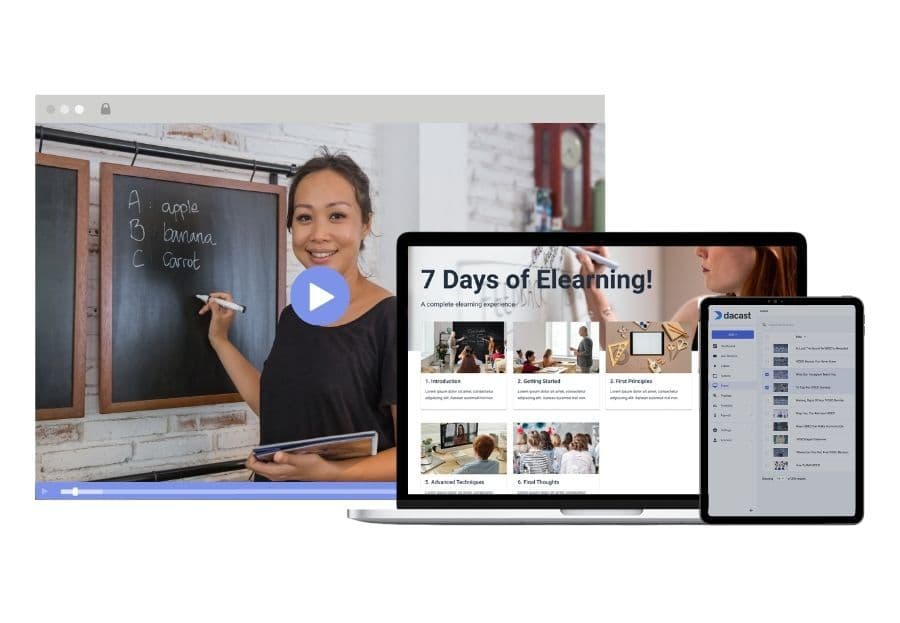
For professional broadcasters, rights-holders, and OTT teams running paid live or on-demand events, choosing a PPV platform is less about basic streaming and more about operational reliability, compliance, and revenue protection at scale
When comparing software options for PPV hosting, several key factors should be considered: the reliability of the software’s CDN, support for mobile streaming, the software’s cost, the content management system used, scalability, privacy, and monetisation capabilities. The right PPV platform will balance streaming quality, ease of use, and strong protections for your premium video content.
1. Content Delivery (Tier-1 CDN / Multi-CDN), LL-HLS
The best pay-per-view hosting and streaming platform enables your content’s smooth, glitch-free delivery to your global audience. Your platform should rely on Tier-1 CDNs or a multi-CDN setup for consistent performance.
CDNs work by routing viewers to the closest available server, improving playback stability and reducing latency. Multi-CDN delivery is ideal for premium events because it automatically shifts traffic between networks if one experiences congestion or downtime.
For ticketed live events, LL-HLS is typically configured to target end-to-end latency in the 2–6 second range. This enables real-time interaction for sports, auctions, and live Q&A, while maintaining the reliability of HTTP-based delivery.
Broadcasters should note that lower latency increases sensitivity to network instability. For high-value events with limited interaction, slightly higher latency (8–12 seconds) may provide a more resilient viewing experience. LL-HLS is most effective when paired with a Tier-1 or multi-CDN setup and pre-event load testing.
Dacast, for example, partners with top-tier live-streaming CDNs, designed to increase the speed of your content delivery, reduce buffering and maximize streaming quality. In addition, when your viewers request content from a globally connected CDN, it automatically routes them to the closest available server. Dacast also includes an integrated, secure paywall, coupons, multi-currency, access controls, LL-HLS, and more.
2. Security and Access Control
Security is one of the most important factors when choosing a PPV streaming platform. When you’re selling access to premium content you need tools that prevent unauthorized sharing, piracy, and link-leaking. A strong platform should offer several layers of protection.
AES-128 Encryption (Baseline Protection)
AES-128 encryption is the industry-standard entry-level protection used in HLS streaming. It scrambles your video segments so only authenticated viewers can decrypt and watch them.
- Works seamlessly with most browsers and mobile devices
- Low overhead, fast to implement
- Good protection for geneal PPV and standard VOD
- Not designed to stop high-effort piracy attempts
AES is a “good default”, but not good enough for high-value content alone
Digital Rights Management
DRM is the strongest form of commercial content protection. If you’re selling high-value content such as sports, concerts, valuable courses, movie rental, DRM offers a higher level of piracy resistance.
Common DRM systems include:
- Google Widevine (Chrome/Android/Smart TVs)
- Apple FairPlay (Safari/iOS/tvOS)
- Microsoft PlayReady (Edge/Windows/Smart TVs)
Benefits of DRM:
- Prevents screen recording
- Enforces device limits
- Blocks unauthorized downloads
- Supports rental windows and timed playback
DRM is more for platforms that expect large audiences, want studio-grade protection, or need licensing compliance.
Forensic watermarking
Even with DRM, someone can still point a camera at the screen. This is why you should implement forensic watermarking.
- Invisible ID is embedded into each stream
- Lets you trace any leaked copt back to the exact user
- Stops paid ticket-holders from redistributing your content
Watermarking is especially useful for high-risk events such as fights, concerts and corporate broadcasts.
It’s important to distinguish between different piracy risks in PPV events. Casual link-sharing usually involves viewers forwarding access URLs or credentials, which can be mitigated with tokenized playback, domain restrictions, and concurrency limits.
Professional restreaming, however, involves capturing the video output and rebroadcasting it publicly. This threat requires stronger deterrents such as DRM combined with forensic watermarking to trace leaks back to individual purchasers and discourage redistribution.
Access controls
A secure platform should give you total control over who can watch and where they can watch. This strops viewers from forwarding paid links to friends or posting them publicly.
Key access control features include:
- Domain Whitelisting/Embed Restrictions: Ensures your video can only play on approved sites like your website or landing page.
- Geo-Blocking and Geo-Allowing: Limits access by region to comply with licensing or territorial rights.
- IP Whitelisting/Blacklisting: Useful for corporate broadcasts or restricting known abusers.
- Tokenized/Signed URLs: Creates time-limited, single-use access links that expire automatically. This is ideal for rentals or event windows.
- Concurrent Device Limits: Prevents users from sharing their login with multiple households. This can be in the manner of “1 device at a time” for basic tickets and “2 devices” for VIP tiers.
- Session Timeout and Re-Authentication: Stops unlimited, perpetual access if a user stays logged in indefinitely.
3. Scale and Spikes
Large PPV events like concerts, sports, and major creator streams generate sharp traffic spikes. This happens especially in two moments:
- When tickets go on sale (thousands of buyers hit checkout at the same time)
- During the 5 to 10 minutes before the live event starts
A professional PPV platform should provide an infrastructure that is engineered to handle this scenario, including:
Virtual waiting rooms
A virtual waiting room is a controlled holding space that is used when demand exceeds real-time capacity. Instead of letting all thousands of users hit the platform at once, the waiting room allows:
- Queue visitors in real time (FIFO or rules-based
- Concurrency control to protect the payment processor
- Lesser “cart crashes” caused by load spikes
- Countdown timers, queue position display, and estimated entry time
- Manageable release of users into checkout or playback
- Protection against bot surges
A proper queueing system gives stability during thousands of simultaneous arrivals and distributes the load so every viewer gets a smooth purchase and playback experience.
Visitor prioritization
For premium events, platforms may allow prioritized access based on criteria like:
- VIP or high-tier ticket holders
- Pre-sale buyers
- Loyalty or subscription members
- Geographic prioritization
- Device prioritization
- Anti-bot filtering
Load rehearsal or stress testing
Before a major PPV event, the platform you chose should offer or support:
- Simulated load testing (thousands hitting login/checkout)
- Playback concurrency testing (CDN capacity validation)
- Payment gateway stress rehearsal (Stripe, PayPal, etc)
- End-to-end flow testing (purchase→ token→ playback → device limits)
The goal of this is to make sure that every component can handle the projected load.
Failure and redundancy
To stay online during unpredictable traffic spikes, the platform should typically include:
- Multi-region failover
- Backup authentication servers
- Redundant CDN entry points
- Real-time autoscaling of APIs
By doing so, you’ll ensure that even during extreme demand, new buyers will get through checkout and authenticated viewers can instantly start playback.
4. Apps and In-App Billing
Many viewers prefer streaming pay-per-view content through mobile devices, smart TVs, or connected TV apps. To meet these expectations, your PPV platform should support native apps on iOS, Android, and major TV operating systems.
And in-app billing is a key part of this ecosystem. Platforms that support Apple App Store and Google Play Store payments provide a seamless experience and increase conversions. For CTV apps, integrated billing or external payment linking ensures your viewers can easily access live events or VOD content.
Other considerations include:
- Device limits: Controlling how many devices can be accessed with a single purchase
- Cross-device entitlements: Guarantee that a purchase made on mobile also works on desktop or TV apps
- Compliance with platform rules: Especially Apple’s and Google’s revenue-sharing policies
A strong, reliable PPV platform with full app support and in-all billing integration maximizes both reach and revenue while giving a smooth experience across all devices.
To balance reach and margins, some OTT teams adopt a hybrid approach: selling PPV tickets through a web checkout while using mobile and CTV apps primarily for authenticated playback. Viewers complete their purchase in the browser, then sign in on their preferred device to watch, preserving margins without sacrificing device reach.
In-App Billing and Its Impact on PPV Margins
When selling pay-per-view access inside native iOS, Android, or CTV apps, Apple and Google generally require the use of their in-app billing systems for digital content. Fees typically range from 15% to 30%, directly affecting PPV margins.
For example, a $19.99 live PPV ticket sold via in-app billing can lose up to $6 per transaction before payment gateway or platform fees are applied. Because of this, many OTT teams prioritize web-based PPV sales for checkout, while using apps primarily for authenticated playback across mobile and TV devices.
6. Accessibility and Compliance
In 2025, accessibility is no longer an optional enhancement for pay-per-view events – it’s a baseline requirement. Just like secure payments and content protection, captions, keyboard navigation, and WCAG 2.2-compliant interfaces are must-haves for professional PPV delivery.
Your PPV platform must support full accessibility and regulatory compliance, ensuring the event is usable by all viewers and legally protected across regions. This matters for inclusivity, for meeting global standards (WCAG, ADA, EU directives) and avoiding friction at checkout.
Accessibility (WCAG 2.2, Captions, Multi-Audio, UI Requirements)
Professional PPV delivery must support accessibility at both the player level and the platform/storefront level:
- Captions and Subtitles (Closed/Open): Essential for deaf or hard-of-hearing viewers. Use platforms that support WebVTT, SRT, and multi-language subtitle tracks. This should also include captions for live streams via real-time captioning integrations.
- Audio Descriptions: Optional but important for events with significant visual elements. This includes sports, performances, and ceremonies.
- Multi-Audio Tracks: Enables multiple languages, dubbed commentary, or accessibility-focused narration.
- Keyboard Navigation and Screen Reader Support: Your paywall, checkout, and player UI should meet WCAG 2.2 AA guidelines. This means that interactive elements are navigable, labeled, and easily discoverable by assistive technologies.
- Color Contrast and Safe UI Layout: These are essential for clarity in countdown timers, ticketing, and error states during high-stress checkout moments.
Platforms that already follow these guidelines save creators from the burden of retrofitting accessibility later.
Regional compliance
As a PPV provider, you should be compliant with global privacy frameworks, especially if you plan on selling worldwide:
- GDPR (EU/EEA user data rights and consent management)
- CPRA/CCPA (California privacy rules)
- Data residency options (EU/UK server routing for sensitive markets)
By doing so, you ensure that user data, tokens, and payment information are handled legally.
Taxes, VAT, OSS and Regulatory Checkout Requirements
When selling PPV or TVOD access globally, creators must comply with local tax and consumer-payment rules. A modern PPV platform should support:
- Automatic VAT/GST calculations. These are essential for EU, UK, AU, and other regions with digital tax requirements.
- OSS (One-Stop Shop) filing compatibility. The EU’s OSS system simplifies tax reporting for digital goods. This includes PPV tickets.
- SCA (Strong Customer Authentication) is required under PSD2 for EU and UK payments. Your checkout must support 2-factor authentication (3D Secure 2) through gateways like Stripe, Adyen, or PayPal.
- Auto-currency detection ensures international viewers see pricing in their local currency.
Without proper VAT/SCA support, creators risk payment failures, legal exposure, and frustrated international viewers.
Content restrictions and broadcast compliance
Depending on the content type, the platform needs to support:
- Age gating/age verification
- Geo-blocking for territorial licensing
- Content labeling such as ratings and parental controls
- Local regulations like DMCA compliance
This is especially relevant for rights-managed events or content syndicated across countries.
Device Reach: Web, Mobile, and Connected TV
For professional PPV events, device reach is not just nice to have, as it directly impacts conversion and retention. A PPV platform should reliably support web browsers, mobile devices, and connected TV platforms such as Roku, Fire TV, Apple TV, and Android TV, while maintaining consistent entitlements and playback rules across devices.
These evaluation criteria, delivery, security, monetization, and scale, are the foundation of any professional PPV workflow. Broadcasters planning to expand beyond one-off events should also evaluate how their PPV platform supports broader live streaming, OTT distribution, video-on-demand libraries, and global delivery through a secure HTML5 player and Tier-1 CDN infrastructure.
Top Pay-Per-View Video Platform Options
Finding an online video streaming platform that supports a secure, integrated paywall can be complex. Some professional video platforms only support ad-based monetization or subscriptions. Other video platforms need monetization support.
Before reviewing professional pay-per-view platforms, it’s important to note that some widely known video sites, such as YouTube, only support PPV through limited, partner-only programs. Most creators and businesses cannot simply access PPV on these platforms. As a result, the platforms below focus on professional OVPs designed to reliably support paid live and on-demand events at scale.
1. Dacast
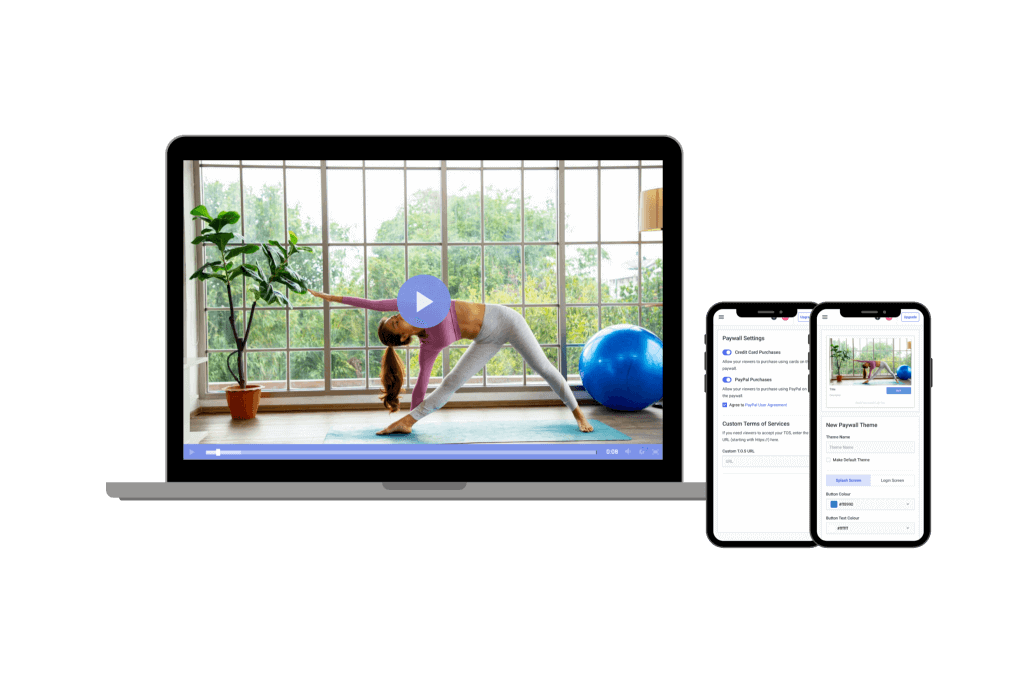
Dacast is an excellent choice for broadcasters looking for a reliable pay-per-view video platform. Our video-hosting platform uses a secure paywall built into the video player. That way, you and your viewers can rest assured that each transaction is safe.
In addition to pay-per-view, the Dacast platform supports ad-based and subscription-based advertising. That gives broadcasters some flexibility in their monetization options. They even have the option to use a hybrid model that uses multiple monetization options in one.
Some other helpful monetization features from Dacast include promo codes, group pricing, and currency conversation, helping broadcasters reach various audiences successfully.
Aside from the monetization skills, Dacast is known for its powerful HTML5 video player that is secure, universal, customizable, and easy to embed in any website, app, or workflow. In addition, Dacast partners with powerful CDNs that you can trust to deliver your content worldwide, even video hosting in China, with our ICP license.
Pricing:
Dacast offers multiple plans for professional broadcasters, including:
- Starter: $39/month billed annually (includes 2.4 TB bandwidth and 500 GB storage)
- Event: $63/month billed annually (includes 6 TB bandwidth and 250 GB storage)
- Scale: $165/month billed annually (includes 24 TB bandwidth and 2 TB storage)
- Custom: contact sales for custom pricing plans
Dacast offers new users 14 days to test drive the software and figure out which service tier meets their needs.
2. Vimeo OTT
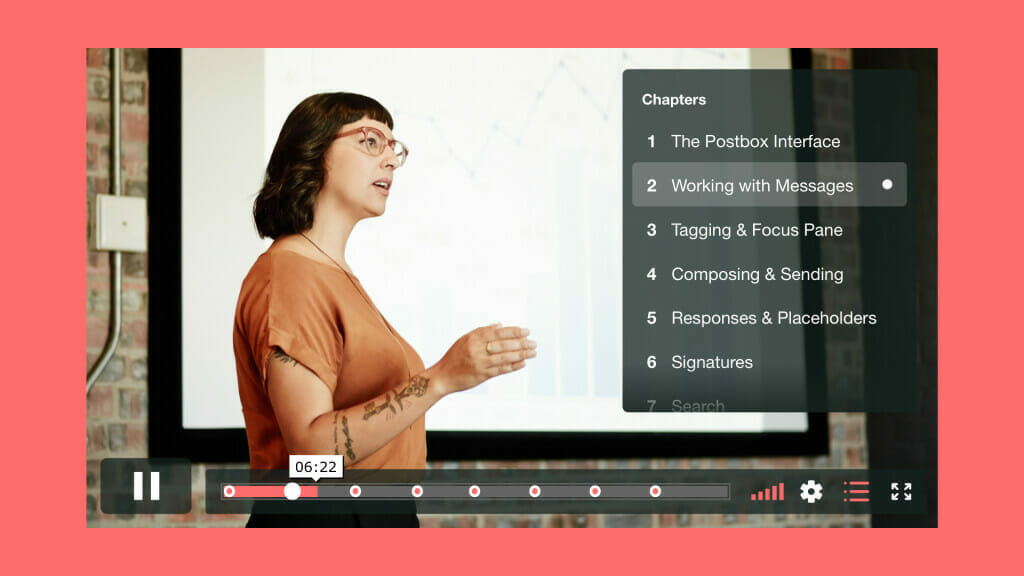
Vimeo is a longtime player in a video streaming game that was originally intended for consumer use. However, Vimeo acquired Livestream in 2017 and now offers premium plans under that branch of the business.
Vimeo OTT has live streaming features that supports PPV monetization. This offering is designed for broadcasters who want to create OTT platforms like Netflix, Hulu, or Disney+.
Their OTT platform uses an HTML5 video player, so it is fully capable of all-device streaming. As for content delivery, Vimeo uses Akamai, CloudFront, and others for a multi-CDN approach.
Pricing:
Vimeo offers basic video hosting plans that are suitable for content creators and startups. These include:
- Free: $0/month; 1 GB storage, creation and editing, screen recording
- Starter: $13/month; 2 TB storage, auto closed captioning, custom URLs and video player, privacy tools
- Standard: $31/month; 4 TB storage, engagement and social analytics, AI script generator, teleprompter, brand kit
- Advanced: $115/month; 7 TB storage, stream to multiple destinations, host live broadcasts and webinars, AI-generated chapters and text summaries
- Enterprise: Custom pricing; more storage and bandwidth, advanced AI capabilities, quality events, dedicated support
Vimeo OTT Pricing:
- Vimeo’s OTT solution is priced separately from the regular Vimeo packages. There are two plans: Starter and Enterprise.
- Starter Pricing: $1/subscriber per month (or 10% of one-time purchases)
- Enterprise Pricing: Contact sales
This OTT-specific pricing package comes with the Vimeo.com relationship. These plans include all the basics for starting your web-based OTT channel, as well as growing your OTT business online.
All plans are billed annually.
Vimeo is great if you want to maximize the usage of your content by turning your live streams into VOD content.
3. Kaltura
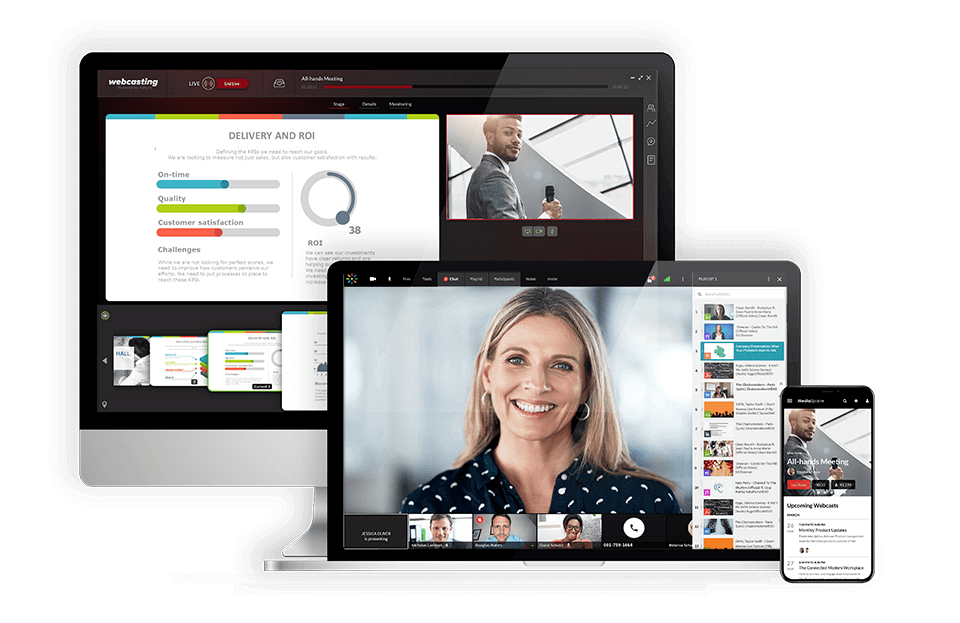
Kaltura is an open-source and customizable video content management platform, meaning users can use APIs to integrate any program they like. That means you can incorporate programs that support pay-per-view and other monetization methods to build a pay-per-view video hosting platform
Kaltura is an excellent option for broadcasters with unique requirements since it has all these customization options.
Like Dacast, Kaltura uses an all-device HTML5 video player. However, users can rely on Kaltura’s many CDN partnerships regarding content delivery.
Pricing:
Prices are based on the solutions you’re looking for. These include but are not limited to:
- Limited Trial: $1 for two webinars
- Business: $199/month (or $150/month when billed annually)
- Enterprise: Custom pricing
- Free trial: 14 days; up to 25 participants per session
- Basic: $19/month (or $17/month when billed annually); up to 8 participants per session and 8 hrs of cloud recording
- Pro: $55/month (or $50/month when billed annually); up to 25 participants per session and 15 hrs of cloud recording
- Business: $125/month (or $115/month when billed annually); up to 100 participants per session and up to 25 hrs of cloud recording
- Business Plus: Custom pricing for up to 300 participants per session, unlimited sessions and custom storage needs
- Annual discounts: Discounted pricing packages available for any scale and use-case, enterprise SLA, and developer support
- Limited trial account: $1 for $100 worth of credits for 30 days for testing and experimentation, with no commitments
- Pay as you go – You pay only for what you use at these credit levels:
- Base plan: $20 one-time annual fee + monthly usage fees
Other services include virtual events, video portal town halls, video messaging, meetings and more.
4. Muvi
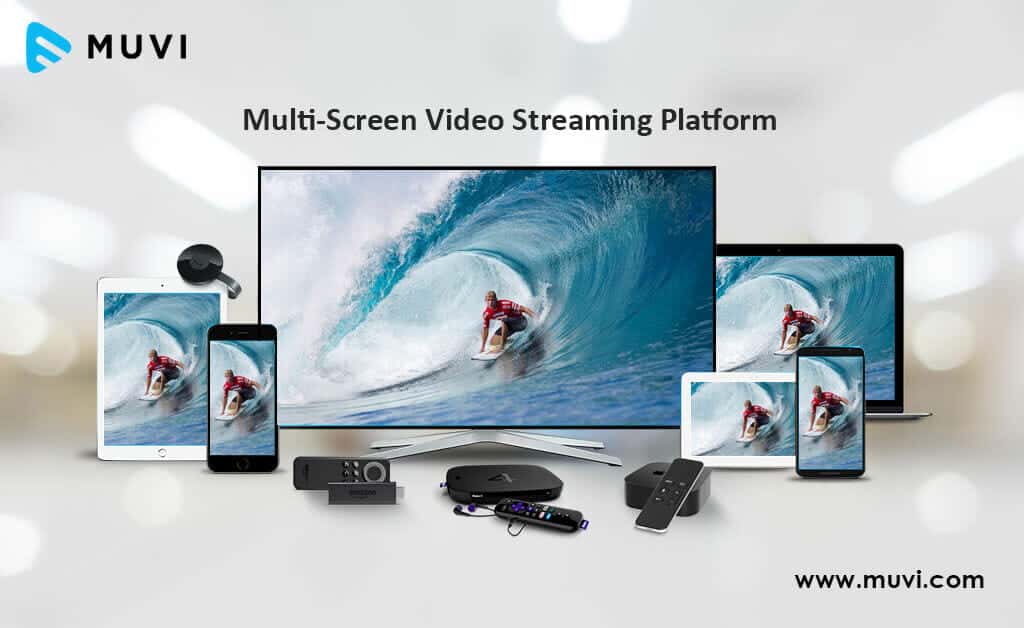
Muvi is an OTT video platform that supports pay-per-view streaming. The main functionality of Muvi is building scalable OTT streaming services, comparable to Hulu or Netflix, relatively quickly.
Muvi uses an HTML5 video player, meaning you can reach your viewers on any device, browser, or operating system.
Pricing:
Muvi has a very wide spectrum of pricing plans divided in 7 categories, namely One, Live, Flex, Player SDK, Playout, TV, and Alie.
The pricing for the Muvi One category includes the following plans:
- Standard: $399/month
- Professional: $1,499/month
- Enterprise: $3,900/month
- Ultimate: Contact sales for price
Each plan has different features, such as the number of concurrent users, hosting options, and add-ons like the Alie recommendation engine.
The pricing breakdown for the Muvi Live plans is as followed:
- Standard: $99/month
- Professional: $299/month
- Enterprise: $799/month
Each plan includes unlimited events and meetings, Ad-free high quality Streaming, enterprise grade security, and custom branding.
Muvi Flex includes the following plans :
- Standard: $199/month
- Professional: $899/month
- Enterprise: $2,899/month
Each plan includes unlimited content and views, with varying features like the number of concurrent users, hosting options, and customization availability.
The Muvi Player SDK pricing includes the following:
- Pay as You Go: $0/month + $0.001 per view (first 100 views are free)
- Enterprise: $499/month + $0.001 per view (first 100,000 views are free each month). You’ll also need to pay $99/month for each additional platform.
Muvi Playout includes the following plans:
- Standard: $199/month
- Professional: $499/month
- Enterprise: $1,999/month
These plans differ in features such as the number of concurrent viewers, channels, and customization options. The Enterprise plan also offers dedicated servers.
The Muvi TV pricing category has only one Standard plan. You’ll have to pay $9/month and an additional 9% flat commission on content sales. This plan supports global distribution, and features include unlimited content, views, and the ability to publish and monetize quickly.
And the seventh and last category is Muvi Alie which includes the following plans:
- Standard: $199/month
- Professional: $899/month
- Enterprise: $1,499/month
These plans differ in features such as ingestion features, training and recommendation requests.
5. Uscreen

Uscreen is another reliable pay-per-view video platform. The platform is known for its wide range of monetization tools. In addition to pay-per-view, Uscreen supports video rentals, subscriptions, free trials, bundles, and lifetime access purchases.
Uscreen’s video player syncs with Stripe, PayPal, and other well-known payment processing tools, making its paywall reliable and trustworthy. Another exciting aspect of Uscreen’s video monetization platform is that it supports affiliate management of paying commissions to people who refer new viewers.
The HTML5 video player on Uscreen is capable of full high-definition streaming, meaning you can deliver high-quality video content to viewers on any device.
As for content delivery, Uscreen uses Akamai primarily but allows users to bring their own CDN.
Pricing:
Uscreen has three different pricing plans for broadcasting. The pricing below reflects rates when billed monthly and include:
- Growth: $199/month
- App Essentials: $499/month
- Build Your Own: Custom pricing
6. Brightcove

Brightcove is one of the best pay-per-view platforms. It offers robust features for businesses and content creators. As a top pay-per-view streaming app, Brightcove enables smooth, high-quality PPV live stream experiences. With its advanced pay-per-view software, it supports secure transactions, customizable event setups, and seamless user experiences. Brightcove is also known for being among the top pay-per-view providers, offering reliable solutions for hosting large-scale events. Compared to other pay-per-view streaming sites, Brightcove stands out with its comprehensive analytics and marketing tools. Its reliable pay-per-view live streaming options make it a top choice for professional events and content monetization.
Pricing:
Brightcove builds custom pricing plans to suit enterprise streaming needs. Here is what we currently know about their pricing structure:
- Basic Plan: Starts at $99 per user per month, which includes core video hosting and management functionalities. This plan is well-suited for businesses with basic video needs, such as small content libraries or internal communications.
- Enterprise-Level Plans: These plans are highly customizable and include advanced features such as live streaming, in-depth analytics, security options, and robust integrations. Pricing is tailored depending on the specific needs of the business, including audience size, storage requirements, and additional services like video monetization and support.
- Customization Costs: Enterprises may face additional expenses for features like platform customization, data migration, employee training, and ongoing maintenance. These costs can range from a few thousand dollars to significantly more, depending on the complexity of the requirements.
- Free Trial: Brightcove offers a free trial for prospective users to test its features before committing to a subscription, which is a helpful option for evaluating its capabilities in real-world scenarios.
Interested broadcasters can contact their sales department to receive a quote or sign up for a 30-day free trial. When you need something simple with complex tools, Brightcove is a good choice.
7. IBM Cloud Video

IBM Video Streaming is one of the best pay-per-view streaming platform because of its reliable pay per view streaming for live events, webinars, and corporate broadcasts. It provides secure and high-quality live streaming channels, making it ideal for businesses and creators looking to monetize their content. As a trusted pay per view website, IBM Video Streaming delivers flexible pay-per-view services with robust analytics, audience management, and global reach. With professional-grade pay-per-view solutions, it’s easy to create and manage paid events. Pay-per-view examples include conferences, live training sessions, and exclusive performances, all with seamless, secure viewing experiences for audiences.
Pricing:
The pricing plans for the IBM Cloud Video include:
- Start Trial – Video Streaming: Give it a free test drive for 30 days
- Silver: Affordable Essentials, 100 viewer hours, 5 channels, 1 TB video storage, starting at $145/month
- Gold: Standard business features, 2,000 viewer hours, 10 channels, 2 TB video storage, starting at $729/month
- Platinum: Premium Volume scale, 5,000 viewer hours, 20 channels, 5 TB video storage, starting at $1,460/month
- Custom: Please contact IBM Cloud video for custom plan pricing as well as payment plans
IBM Video Streaming is a great platform for live streaming content for your business, and turning live streams into VOD. That makes it perfect for OTT service providers who want to host live streams and on-demand videos.
8. YouTube

YouTube is a great pay-per-view streaming platform alternative, offering a user-friendly experience for live events and exclusive content. As a leading PPV platform, YouTube allows creators and businesses to host events like concerts, sports, and special shows, giving viewers the chance to access high-quality content on demand.
One of the key benefits of YouTube as a pay-per-view platform is its vast audience reach and ease of use. As a trusted pay-per-view website, users can conveniently purchase and watch events through seamless transactions. YouTube’s PPV streaming services also support HD video and smooth performance, making it ideal for a high-quality pay-per-view live stream. Whether hosting a pay-per-view online event or browsing through pay-per-view sites, YouTube ensures accessibility and reliable PPV live stream experiences.
Pricing:
YouTube is completely free to use. But for PPV, prices can vary from as little as $4.99 to $64.99, depending on several factors such as the type of event streamed and location.
| Platform | Monetization Types | In-App Billing/ OTT-App Support | DRM Availability | Event Schema | Free Trial | Platform Fees/ Commissions |
| Dacast | PPV / AVOD / SVOD / Hybrid | OTT app support via SDK/API; No built-in Apple/Google IAP | AES DRM | One-time, rental, subscription, event window | 14 days | 9.9% + $0.40 per transaction |
| Vimeo OTT | PPV/SVOD | Native OTT apps (iOS/Android/CTV); Built-in Apple/Google IAP | AES DRM | One-time, subscription | Only Annual Plans Available: Starter and Enterprise | For starter plan: 10% per one-time purchase or $1 per subscriber per month |
| Muvi | PPV / SVOD/ AVOD / Hybrid | OTT apps(mobile, web, CTV) Built-in IAP | AES DRM | One-time, subscription, bundles, VIP tiers | Varies by play | Infrastructure fee + per-usage fee for certain features |
| Uscreen | PPV / SVOD/ AVOD / Hybrid/ Rentals | White-labeled OTP; Built-in Apple/Google IAP | AES DRM | One-time, rental, subscription, bundles | 14 days | 5-10% + gateway fees |
| Kaltura | PPV / SVOD AVOD / Hybrid | OTP app support via SDK/API; No built-in IAP | AES and optional DRM | One-time, subscription, bundles, live events | Varies by plan | Custom, platform- dependent |
| Brightcove | PPV / SVOD / AVOD / Hybrid | OTT apps via SDK; No built-in IAP | AES DRM | One-time, subscription, live events | Custom | Custom, platform- dependent |
Launching Your PPV (Practical Buid Path)
Building your own pay-per-view (PPV) video website can be an empowering way to take full control of your video monetization strategy. A custom PPV platform allows you to scale your offerings, establish a unique brand identity, and maintain greater flexibility compared to third-party hosting services. Below is a full checklist on starting your own PPV website:
Planning & Prep
- Define pricing windows, previews, and access rules
- Confirm tax (VAT/OSS) and SCA readiness at checkout
- Set concurrency limits and device rules
Technical Rehearsal
- End-to-end test (encoder → paywall → playback)
- Prepare a backup encoder and stream key
- Multi-device playback verification (web, mobile, CTV)
Traffic & Support Readiness
- Capacity planning for ticket on-sale spikes
- Virtual waiting room or queue enabled if needed
- Staff live technical and customer support
Post-Event
- Replay window activated
- Follow-up communication sent
- Content repackaged for bundles or SVOD upsells
To get started, here are our recommended steps:
1. Pick the Right Video Provider and Paywall
Start by choosing a professional OVP that fits your needs. Look for providers that offer scalability, robust security features, and transparent pricing. Ensure they support multiple monetization options, such as one-time purchases, rentals, and subscriptions.
Additionally, consider providers that offer white-label customization to maintain your brand identity. Platforms like Dacast, Uscreen, and Maestro provide comprehensive PPV solutions.
2. Set Up Wire Payments
Next, you need to set up payments. Getting paid should be simple for you and your viewers. Start by connecting a secure payment system through your platform. This way each transaction is smooth, professional, and compliant with industry standards.
Your payment systems should be compatible for use from a website, from a mobile, and from a CTV. This way, you’ll give your users the option to choose while also giving a seamless checkout experience.
3. Define Pricing Windows, Coupons, and Previews
Your pricing strategy is one of the biggest levers you have for maximizing PPV revenue. Instead of setting a flat price, think in terms of windows, incentives, and conversion triggers. This way you can guide your audience from interest to purchase.
Start with a pricing window and create clear phases that match how demand usually spikes.
- Early-bird pricing: Reward your earlies buyers with a lower price than normal. You’ll lock in revenue early and gain marketing momentum.
- Standard pricing: This is your main price for your standard services and offers.
- Last-minute pricing: Raise or lower the price for last-minute visitors to your benefit. Many viewers wait until the event goes live to join, so price rises are very common in this phase. Mainly done to offset last-second bandwidth spikes.
- Post-event pricing: Set a different price if you’re offering replay access.
Offer coupons and promotions. Coupons can help you target a specific audience without cheapening your overall value. Make sure that every coupon is strategic and supports a measurable goal.
- Create influencer or affiliate codes.
- Create limited-time discount codes for the holidays.
- Send loyalty coupons to returning viewers.
- Bundle multiple coupons into event passes.
You can also use previews to increase conversions. People buy once they’ve had a little taste. Short previews or teasers improve PPV purchase rates.
- Add a 10 to 30 second open preview before the paywall.
- Offer a free teaser on social media.
- Enable a short “free intro window” for live events before you lock it.
Your OVP or paywall solution should let you set these preview rules however works best for your content. These smart pricing windows capture early revenue, target buyers and give potential viewers enough confidence to click “Buy”.
4. Add Event or Product Schema
Make it easier for people to find you online by adding structured data to your pages. When you add structured data, search engines can display better results like event dates, prices, and even callouts. This will get you more traffic without paying for ads.
The simplest and most reliable way to do this is with JSON-LD. This is a small block of code that you add to your site’s <head> section to describe an event, product or service. You can use it for live PPV events, for PPV rentals, or for purchases.
For live PPV events, you can specify the name, start time, ticket pricing, performer, and a link to purchase access. For PPV rentals or purchases, you can define the title, pricing options, a description, and availability.
Other ways to add product schema are:
- Improve SEO for live streams and on-demand videos.
- Help search engines index your events.
- Boost reach across platforms
5. Lock Down Access Controls, DRM and Payment Safety
Keep your content and payments safe, while giving your paying viewers the access they deserve with:
- Access controls: restrict domains, use geo-blocking, or generate signed URLs.
- DRM/AES encryption: prevent unauthorized distribution.
- Watermarking: prevent piracy and track leaks if they happen.
- Secure payment processing: Ensure that your payment gateway complies with industry security standards to protect user data.
6. Rehearse, Load-Test, and Manage Queues
If you’re running a live PPV event, rehersal is something you should not skip over. Treat it the same way you would a real production.
- Full technical rehearsal: Stream a private test event, verify audio and video quality, confirm your waywall works end-to-end, and check that every major device plays back correctly.
- Load testing under real conditions: Use your OVC or third-party tool to simulate concurrent viewers hitting your site at once. This will help you catch any delays or misconfigurations ahead of time.
- Virtual waiting rooms and queue prioritization: Protect your servers from traffic spikes with a virtual waiting room. You can also prioritize viewers based on a set of rules so your system stays stable under massive demand.
Prepping before a launch means fewer surprises on event day and a smoother experience for paying visitors.
7. Post-Event Replay and Repackaging
Even if your livestream ends, you can still generate revenue. With the right setup, you can keep selling it long after the final frame:
- Instant or timed replays
- Add your event to a series bundle or turn it into a VOD product
- Offer discounts on past events
The work’s not done yet. Once the technical aspects are configured, it’s essential to focus on content creation, user engagement, and security to deliver a professional and reliable experience to your viewers.
With careful planning and execution, your PPV website can serve as a scalable and lucrative solution for monetizing your video content.
FAQs
1. How do I set up pay-per-view video?
To set up pay-per-view video, you need to choose a streaming service that offers pay-per-view or subscription options, such as Dacast. Then, create a new live stream or VOD, enable the paywall or monetization features, and set the duration and price for your content. The exact steps may vary depending on your chosen streaming service.
2. Can I run PPV on YouTube?
While YouTube does offer PPV, it’s only limited to select partners. Most creators don’t have access to full PPV tools. For full PPC control, you’ll need a professional online video platform like Dacast.
3. Does Vimeo offer pay-per-view?
Yes, Vimeo offers pay-per-view as part of their Vimeo OTT service. You can set up a paywall for your videos and charge viewers to watch them. Naturally, you could also consider alternatives such as Dacast, Kaltura, and Muvi to see which one offers the most value.
4. Do I need DRM for PPV?
In short, yes. It’s highly recommended to use DRM to protect your content from piracy and unauthorized redistribution.
5. What is the difference between PPV and VOD?
Pay-per-view (PPV) refers to a model where viewers pay to watch a specific piece of content, such as a live event or one-time release. Meanwhile, video-on-demand (VOD) refers to a model where viewers can access a library of content at any time, usually for a subscription fee.
6. How do Taxes and SCA affect checkouts?
If you’re selling PPV in the EU or UK, VAT and OSS rules apply. SCA mandates additional verification for online payments. Most OVPs handle taxes and SCA automatically at checkout, so you can focus on selling witout worrying about failed payment.
7. What streaming service has pay-per-view?
Dacast, Vimeo, Kaltura, Muvi, Uscreen, and even YouTube offer pay-per-view options.
8. How can I prevent link-sharing and restreaming?
For this, you’ll need multiple layers of security. You can issue tokenized access, so each purchase link is unique, or signed URLs that expire after a set window. Add watermarks and use DRM. You can also set a device limit to prevent content from being shared across multiple screens. By combining all of these measures, you can help protect your content.
9. How do I sell inside iOS, Android, or CTV apps?
Selling PPV inside iOS, Android, or CTV apps requires following their rules for in-app purchases. For Apple and Google, you need to use their payment systems, which typically take a 15-30% commission. CTV apps may vary, and some even allow external billing. Your best choice is to offer both app-based access and web access. When deciding, note that connected TV platforms follow different billing rules than mobile app stores. While some CTV ecosystems support in-app purchases, many broadcasters choose to sell PPV access on the web and authenticate viewers in Roku, Fire TV, or Apple TV apps after purchase. This approach avoids app-store commissions while still delivering a seamless viewing experience on TV devices.
10. How do I create a video paywall?
To create a video paywall, you need to choose a streaming service that offers pay-per-view or subscription options, such as Dacast. Then, you need to create a new live stream or VOD, enable the paywall feature, and set the price for your content. A video paywall can be either hard (requires payment before watching any part of the video) or soft (offers a preview or teaser before asking for payment).
11. What’s a good starting price?
A good starting price depends on the type of content you offer and the audience’s expectations. For a single video rental, $2-$5 is a common range. If you’re offering unlimited access to a video, $10-$15 is a more reasonable price. For live events, you can maybe charge around $15-$30, and VIP experiences can go higher. Experiment with pricing, coupons, and bundlers until you find the sweet spot that brings in revenue without turning viewers away.
Conclusion
Pay-per-view video hosting is an extremely valuable method for monetizing video content without distracting ads that could drive viewers away. With the right platform, streaming video online using the PPV service format is quick, easy and intuitive.
For further information on monetizing using this method, check out our pay-per-view video walkthrough. Furthermore, with a Dacast account, your customers can stream PPV with you in minutes.
If you’re planning to run paid live or on-demand events in 2025, having the right PPV infrastructure in place can be the difference between a smooth launch and a failed checkout under load. Try Dacast’s professional video hosting tools and PPV features with a 14-day free trial to guarantee success with a $9.99 rental, 2-minute preview, and geo-pricing in minutes.
For regular live streaming tips and exclusive offers, you can join our LinkedIn group.
