



Video Encoders for Live Streaming – What Broadcasters Need to Know in 2026

Dacast Editorial Team — reviewed by Dacast’s streaming infrastructure specialists. March 2026
Live video is growing faster than ever. The global streaming market is projected to surpass $225 billion by 2032, growing at an 18.5% CAGR from 2024. Mobile viewing, broadband expansion, AI-powered workflows, and the rise of interactive content are fueling this shift.
Churches, enterprises, educators, and media companies all depend on live streaming, and quality starts with one component: the video encoder. This guide explains what encoders do, how to choose the right one for your use case, and how Dacast supports the full encoding workflow from ingest to delivery.
TL;DR: A video encoder compresses raw camera footage into a streamable format. For most organizations in 2026, OBS Studio (free) or a hardware encoder like Teradek covers the majority of use cases. Your codec choice — H.264 for broad compatibility, H.265 for 4K efficiency, AV1 for bandwidth savings — matters as much as the encoder itself. Pair any encoder with a platform like Dacast for cloud transcoding, adaptive bitrate delivery, and monetization.
Table of Contents:
- What is A Video Encoder for Live Streaming?
- Software vs. Hardware Encoders
- Encoder Comparison Chart (2026)
- Video Codecs: H.264, H.265, AV1, and VVC
- Streaming Resolution and Format Considerations
- Encoding with Live Streaming and VOD
- Common Use Cases for Encoding and Live Streaming
- Video Services vs Video Solutions – What’s the Difference?
- FAQs
- Conclusion
What is A Video Encoder for Live Streaming?
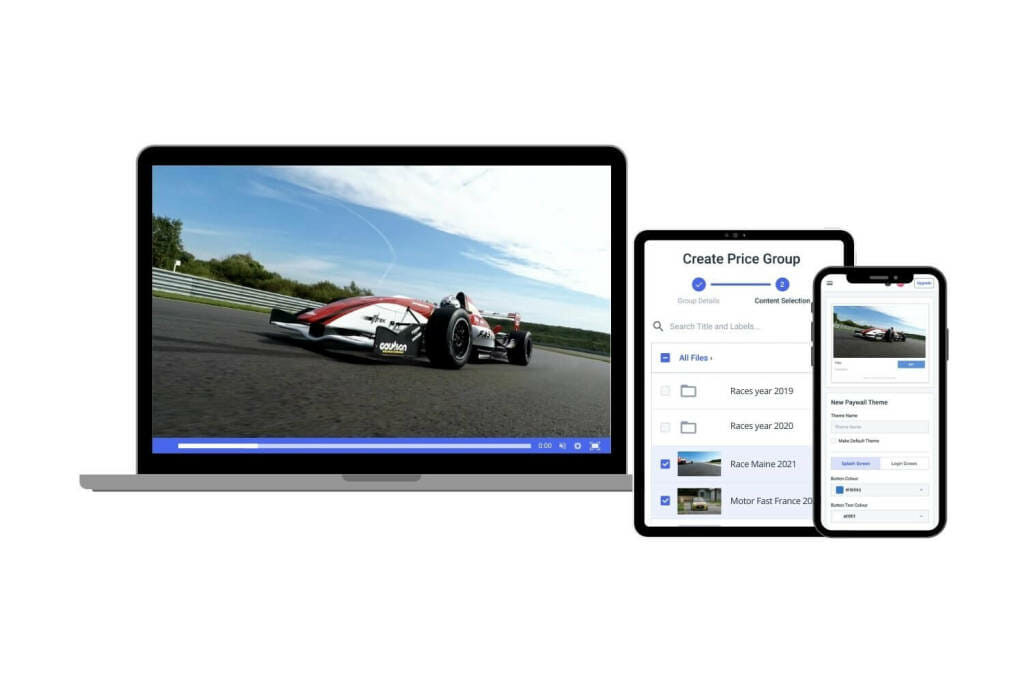
A video encoder converts the raw video signal from your camera into a compressed, streamable format. Without this step, the native output of a video camera is far too large to transmit over the internet reliably.
Real-time encoding means video is compressed and sent almost as soon as it is captured, minimizing the delay (latency) between capture and playback. Lower latency matters most in:
- Live sports, where a multi-second delay can spoil the experience
- Virtual events and webinars, where audience interaction is expected
- Church and worship streaming, where congregants expect a real-time connection
A live stream encoder typically outputs a compressed format—H.264 or H.265—wrapped in a delivery protocol such as RTMP, HLS, SRT, or WebRTC. The right codec and protocol combination affects video quality, buffering behavior, and latency.
The Encoding Workflow
Camera / Video Source → Encoder (hardware or software) → Protocol (RTMP / HLS / SRT / WebRTC) → Streaming Server / CDN → Viewer
Dacast simplifies this workflow by integrating with a wide range of encoders and automatically transcoding your stream into multiple formats and bitrates for smooth delivery to any device.
Cloud and Edge Encoding
More broadcasters now use cloud or edge encoding setups that process video closer to the source or in the cloud, offering:
- Reduced latency by shortening the path between encoder and viewer
- Elastic scalability for events with unpredictable traffic spikes
- Remote monitoring and control via web-based dashboards
These approaches are ideal for organizations streaming across multiple locations or managing distributed mobile video teams.
Software vs. Hardware Encoders
Software Encoders for Live Streaming
Software encoders run on a computer and convert video into a streamable format using the host machine’s CPU or GPU. They are popular for their low cost, flexibility, and ease of update.
Leading Software Encoders in 2026
- OBS Studio – Free, open-source, and widely adopted. In 2026, OBS continues to expand support for AV1, low-latency streaming presets, and a rich plugin ecosystem. Fully supported by Dacast.
- vMix – Advanced production tools including live switching, instant replay, NDI support, and 4K streaming. Best for high-quality sports and corporate broadcasts.
- Streamlabs – Built-in engagement tools (alerts, widgets, tipping integrations). Well suited for branded, monetized creator streams.
- XSplit – User-friendly scene switching; reliable for interviews, webinars, and interactive broadcasts.
- Wirecast – Professional-grade output with multi-camera support and remote guest integration.
- Browser-based encoders – On the rise for quick remote setups. Useful for decentralized production but limited in customization and codec support.
Pros of software encoders: lower cost, easy to update, support for modern codecs (H.264, H.265, AV1), ideal for remote and cloud-based workflows.
Cons: performance depends on host hardware; less stable for long or high-intensity streams; may require manual configuration.
Hardware Encoders for Live Streaming
Hardware encoders are dedicated devices built exclusively for encoding and streaming. They do not share resources with other applications, making them faster, more stable, and more reliable for long events or multi-camera setups.
Leading Hardware Encoders in 2026
- Teradek Vidiu and Cube Series – Compact and portable, designed for field use. Bonded networking, low latency, and remote cloud control.
- TriCaster 8000 – Powerful all-in-one encoder and switcher. Ideal for live sports, concerts, and hybrid events.
- LiveU Solo PRO – Cellular bonding for stream stability in the field. A top choice for mobile journalists and remote broadcasters.
- Magewell Ultra Encode AIO – Flexible multi-channel encoder with broad codec support. Frequently used in newsrooms and agency productions.
Pros of hardware encoders: consistent and stable performance, lower latency, built-in support for professional protocols and codecs, rugged portable designs.
Cons: higher upfront cost, limited by firmware update cycles, can become codec-outdated faster than software alternatives.
Dacast supports both hardware and software encoders via RTMP, SRT, and WebRTC. If you are unsure which encoder type fits your workflow, Dacast’s support team can help you configure the right setup.
Encoder Comparison Chart (2026)
The following table compares five widely used encoders across the criteria that matter most for professional live streaming in 2026.
| Feature | OBS Studio | Wirecast | Teradek Prism | LiveU Solo PRO | AWS MediaLive |
|---|---|---|---|---|---|
| Type | Software | Software | Hardware | Hardware | Cloud |
| Best Use Case | Beginners, small orgs | Pro studios, events | Broadcast-quality feeds | Portable / field streaming | Scalable cloud workflows |
| Platform Compat. | YouTube, Facebook, Twitch, Dacast | All major platforms | RTMP, SRT, Zixi, Dacast | YouTube, Facebook, Dacast | Custom OVPs, Dacast |
| Video Quality | Up to 4K, H.264, H.265, AV1 | 4K, H.264, H.265 | 4K HDR, H.264, H.265 | 1080p, H.264 | 4K, H.264, H.265, AV1 |
| Remote Control | No | Yes | Yes (Web UI) | Limited | Yes (AWS Console) |
| AI / Cloud | Limited plugins | Scene switching AI | Edge delivery ready | N/A | AI-assisted, cloud-native |
| Latency | Medium | Low | Very low | Low | Configurable / very low |
| Price (USD) | Free | From $599 | From $2,500 | ~$995 | Pay-as-you-go |
Video Codecs: H.264, H.265, AV1, and VVC
A codec (encoder/decoder) compresses raw video for transmission and decompresses it for playback. The codec you choose affects video quality, bandwidth consumption, device compatibility, and processing cost.
H.264 (AVC)
Still the most widely deployed codec in 2026. H.264 offers broad hardware support across virtually every device and platform. It balances quality and compression effectively and remains the default choice for general live streaming.
H.265 / HEVC
H.265 delivers equivalent quality to H.264 at roughly half the bitrate—ideal for 4K streaming and bandwidth-constrained audiences. Device and encoder support is broad but not yet universal. Dacast supports H.265 and handles transcoding automatically for viewers on older devices.
AV1
AV1 is an open-source, royalty-free codec that outperforms H.265 in compression efficiency. It is increasingly used for VOD and FAST channel delivery. Real-time AV1 encoding requires significant processing power; hardware AV1 encoders (such as the Teradek Prism Flex) are now available for live production.
VVC / H.266
VVC reduces bitrate by up to 50% versus H.265 and supports resolutions from HD to 8K. As of early 2026, adoption remains in early stages, with limited encoder and device support. Monitor this codec if you are planning for 8K or ultra-high-efficiency delivery in the next two to three years.
| Codec | Compression | Latency | Hardware Support | Best For |
|---|---|---|---|---|
| H.264 | Good | Very low | Universal | Events, general streaming |
| H.265 / HEVC | Very good | Low | Broad (not all) | 4K, sports, OTT |
| AV1 | Excellent | Moderate | Growing (GPU-dependent) | VOD, FAST channels, bandwidth savings |
| VVC / H.266 | Best available | Emerging | Experimental | Future 8K, ultra-high-efficiency streaming |
Streaming Resolution and Format Considerations
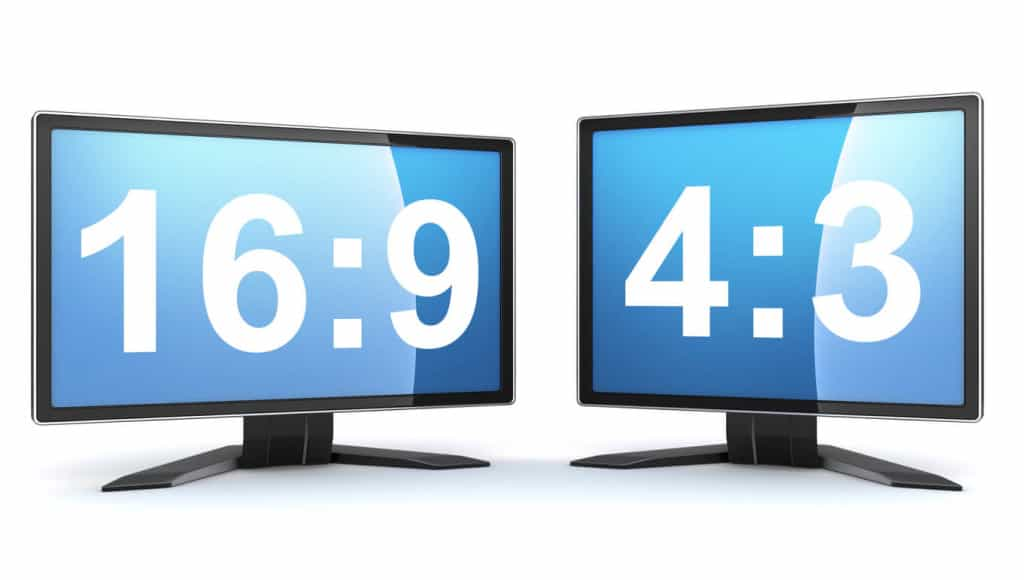
Choosing the correct aspect ratio and resolution ensures your content displays correctly across platforms and devices.
- 4:3 (Standard Definition) – Works well for tight shots and solo presenters. Still used for church streaming and intimate formats.
- 16:9 (Widescreen HD) – The standard for high-definition content. Required for live sports, large events, and OTT delivery.
- 9:16 (Vertical) – Native format for TikTok, Instagram Reels, and YouTube Shorts. Increasingly supported by software encoders and cloud platforms.
- 1:1 (Square) – Useful for social media feeds where square layouts drive higher engagement.
In 2026, many encoders and platforms support adaptive multi-format output, letting you simulcast in different aspect ratios from a single feed. Dacast supports H.264 and H.265 natively and transcodes automatically to match each viewer’s device and connection.
Encoding with Live Streaming and VOD
Live Encoding
For low-latency live streams—sports, worship services, webinars—use short keyframe intervals, fast encoder presets, and low-latency protocols such as SRT or WebRTC. Adaptive bitrate streaming (ABR) is essential: it creates multiple quality renditions so each viewer receives the best experience their bandwidth allows.
Dacast simplifies ABR delivery with a cloud-based transcoding pipeline. You send one high-quality stream; Dacast automatically generates multiple renditions and distributes them via its global CDN.
VOD Encoding
Video on demand encoding prioritizes quality over speed. Slower encoder presets and higher bitrates are acceptable because delivery is asynchronous. VOD also enables content reuse: a recorded live event can be clipped, captioned, and distributed across channels long after the broadcast ends.
VOD is particularly valuable for enterprises (training libraries, internal communications), education providers (on-demand lectures), and marketing teams (product demos, sales enablement content). Dacast includes a built-in video CMS to organize, secure, and monetize your VOD library.
Transcoding
Transcoding converts an encoded stream into multiple output formats and resolutions. It enables adaptive bitrate delivery, ensuring viewers on slow connections still receive a watchable stream. Transcoding can occur on-premise (hardware encoders) or in the cloud. Dacast includes cloud transcoding in all plans at no additional cost.
AI-assisted transcoding is gaining traction in 2026. New tools use AI to optimize compression, detect scene changes, and enable real-time personalization such as adaptive ads and multi-audio tracks.
Common Use Cases for Encoding and Live Streaming
1. Businesses and Enterprise Brands
Virtual events, product launches, training sessions, and global town halls. Reliability and security are non-negotiable.
- Hardware: Epiphan Pearl-2, Teradek Prism
- Software: vMix Pro, Wirecast Pro
- Cloud: Dacast with OBS Studio and cloud transcoding
2. Media Companies and Agencies
Agencies and digital media outlets rely on live video to boost engagement and expand reach. With viewer expectations rising, professional-grade quality is now standard. Remote production is also more common, making flexibility and control essential.
- Hardware: Magewell Ultra Encode AIO, LiveU Solo Pro
- Software: vMix 4K, Wirecast Gear
- Cloud: Dacast with LiveU Studio for remote production
3. Sports Streaming and Esports
From local matches to global esports tournaments, fans expect seamless, real-time access to live sports.
- Hardware: AJA HELO Plus, Kiloview P3
- Software: OBS Studio with SRT support
- Cloud: Dacast with real-time CDN and multi-bitrate encoding
4. Education and E-Learning
Online classrooms, virtual graduations, and training portals. Simplicity and consistency matter as much as quality.
- Hardware: Matrox Monarch HDX, Epiphan Pearl Nano
- Software: OBS Studio, Streamlabs
- Cloud: Dacast with LMS API integration
5. Churches and Houses of Worship
Regular services, weddings, and outreach events. User-friendly, portable setups allow congregations to be reached anywhere.
- Hardware: Teradek Vidiu X, YoloBox Pro
- Software: OBS Studio with Dacast integration
- Cloud: Dacast live streaming with automatic archiving
6. Marketing and Sales
Product launches, customer webinars, and shoppable live content. Video drives higher engagement and conversion than any other format.
- Hardware: Teradek Spark 4K, AJA HELO Plus
- Software: Wirecast Studio, Streamlabs
- Cloud: Dacast with paywall, real-time analytics, and lead capture
7. FAST Channels and OTT Apps
Free ad-supported TV (FAST) and OTT delivery require consistent quality, monetization infrastructure, and format flexibility. AV1 and H.265 are now standard in these ecosystems.
- Hardware: Teradek Prism Flex with AV1 support
- Software: Wowza Streaming Engine with custom profiles
- Cloud: Dacast for OTT delivery, VOD encoding, and monetization
8. Hybrid Events and Remote Production
Simultaneous delivery to in-person and virtual audiences. Remote switching, monitoring, and encoder control are key capabilities.
- Hardware: LiveU Solo Pro, Blackmagic Web Presenter 4K
- Software: vMix Call, Wirecast Rendezvous
- Cloud: Dacast with remote encoder control and multistream support
Video Services vs Video Solutions – What’s the Difference?
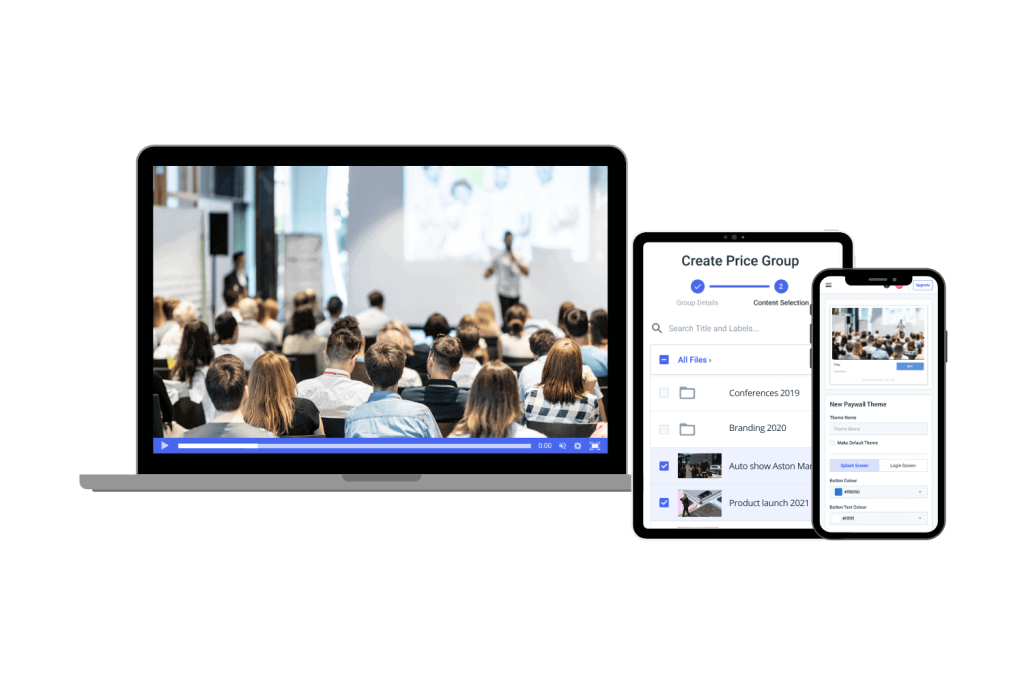
Consumer platforms such as YouTube and Facebook Live offer free distribution, but they come with significant trade-offs: limited branding control, third-party ads, no ownership of audience data, restricted monetization, and basic analytics. These platforms are built for mass content sharing, not professional broadcasting.
Professional video solution providers like Dacast give you control over the entire video stack:
- White-label player with your own branding
- Monetization via paywalls, subscriptions, and ad integration (AVOD/SVOD)
- Real-time detailed analytics—your data, not the platform’s
- Built-in video CMS to organize and manage content
- Stream security: password protection, geo-restrictions, domain locking
- Robust APIs and SDKs for custom integrations
Dacast supports H.265, AV1, and emerging codecs like H.266, and integrates with both hardware and software encoders. You own your content and decide where and how it is distributed.
How to Choose an Encoder
Before selecting an encoder, evaluate these five factors:
- Budget – Software encoders like OBS Studio are free. Professional hardware encoders (e.g., Teradek Prism) start around $2,500. Cloud encoders (e.g., AWS MediaLive) use pay-as-you-go pricing.
- Latency requirements – For sports, worship, and interactive events, low latency is essential. Hardware encoders and SRT/WebRTC protocols consistently outperform software-only setups.
- Portability – For field production, look for compact RTMP hardware encoders with 4G/5G or Wi-Fi bonding support (e.g., LiveU Solo PRO).
- Codec and resolution support – If you are streaming 4K or planning for AV1, confirm your encoder supports it. Check H.264 vs. H.265 trade-offs based on your audience’s devices and bandwidth.
- Platform compatibility – Verify the encoder works with your streaming platform. Dacast supports RTMP, SRT, and HLS from all major hardware and software encoders, plus built-in cloud transcoding.
FAQs
What does an encoder do for live streaming?
An encoder compresses raw video from your camera into a streamable format such as H.264 or H.265. It reduces file size and prepares the video for transmission over the internet via protocols like RTMP, SRT, or HLS.
What is the best encoder for low-latency streaming in 2026?
Hardware encoders like Teradek Prism and cloud encoders configured with SRT or WebRTC deliver the lowest latency. For sub-second latency requirements, WebRTC is the current best option.
Do I need a hardware encoder, or is software enough?
Software encoders work well for smaller productions and flexible workflows. Hardware encoders are better for long-duration, high-quality broadcasts where stability and low latency are critical.
Which encoders work best with Dacast?
Dacast supports OBS Studio, Wirecast, Teradek, LiveU, and most other encoders that output RTMP, SRT, or HLS. See Dacast’s encoder setup guides in the support documentation for step-by-step configuration.
Can I use AI or cloud-based encoding with Dacast?
Yes. Dacast integrates with cloud encoding tools and AI-powered workflows, including auto-captioning, adaptive bitrate transcoding, and stream optimization. Cloud transcoding is included in all Dacast plans.
What are the most important encoder features to evaluate in 2026?
Prioritize: codec support (H.265, AV1), low-latency protocol support (SRT, WebRTC), remote monitoring and control, adaptive bitrate output, and compatibility with your streaming platform and CDN.
Conclusion
In 2026, the question is no longer what an encoder does, it is which encoder gives your organization the best combination of quality, reliability, and workflow efficiency. Whether you are running live webinars, hybrid events, sports broadcasts, or building a VOD library, the right encoder is the foundation of a professional streaming operation.
Consumer-grade tools can help you start, but they rarely scale. Dacast provides a professional, all-in-one platform built for modern encoding formats—H.264, H.265, AV1—alongside cloud transcoding, a global CDN, and monetization tools that put you in control of your content and revenue.
Ready to put it all together? Try Dacast free for 14 days and see how a professional-grade streaming platform can transform your broadcasts. No credit card required.
Thanks for reading. For regular tips on live streaming, join our LinkedIn group.
