



vMix and Wirecast Alternatives: Live Streaming Encoder Software Compared

By Dacast Editorial Team | Reviewed by Jon Whitehead, COO at Dacast | Updated October 2026.
If you’re looking for a vMix alternative, the right choice depends on your operating system, your budget, and how complex your productions are. vMix runs on Windows only and is a paid product, so Mac users and anyone who wants a free option need to look elsewhere. The same questions apply if you want a Wirecast alternative.
In comparing Wirecast vs vMix, Wirecast offers a user-friendly interface and built-in production tools. This makes it ideal for professionals who prioritize ease of use. On the other hand, vMix software is known for its customization options, real-time effects, and multi-camera support. This makes it a strong choice for more complex productions. Then there’s vMix vs OBS, which often comes down to cost since OBS is a free, open-source platform that offers flexibility but requires manual setup.
While software encoding solutions are popular, many streamers also consider hardware encoders for increased reliability and performance. The debate of software vs hardware encoding, such as with OBS, is crucial for streamers who need consistent, high-quality output. If you’re looking for an alternative to vMix, options like XSplit or Ecamm Live provide additional flexibility.
In this post, we compare vMix, Wirecast, and OBS Studio, then cover alternatives such as XSplit, Streamlabs, and Ecamm Live, and finish with hardware encoders. By the end, you’ll be better informed and be able to choose the right encoding software and hardware for you. For full details and pricing on each product, see our live streaming encoder comparison.
TL;DR: Wirecast is a paid alternative to vMix that runs on both Mac and Windows. OBS Studio is the free option and works on Windows, Mac, and Linux. Ecamm Live suits Mac users, XSplit suits beginners, and hardware encoders suit broadcasters who want a dedicated device.
Table of Contents
- What is an Encoder?
- Encoding Software Compared
- Wirecast vs OBS
- vMix Alternatives
- Wirecast Alternatives
- Hardware Encoder Alternatives
- FAQs
- Conclusion
What is an Encoder?
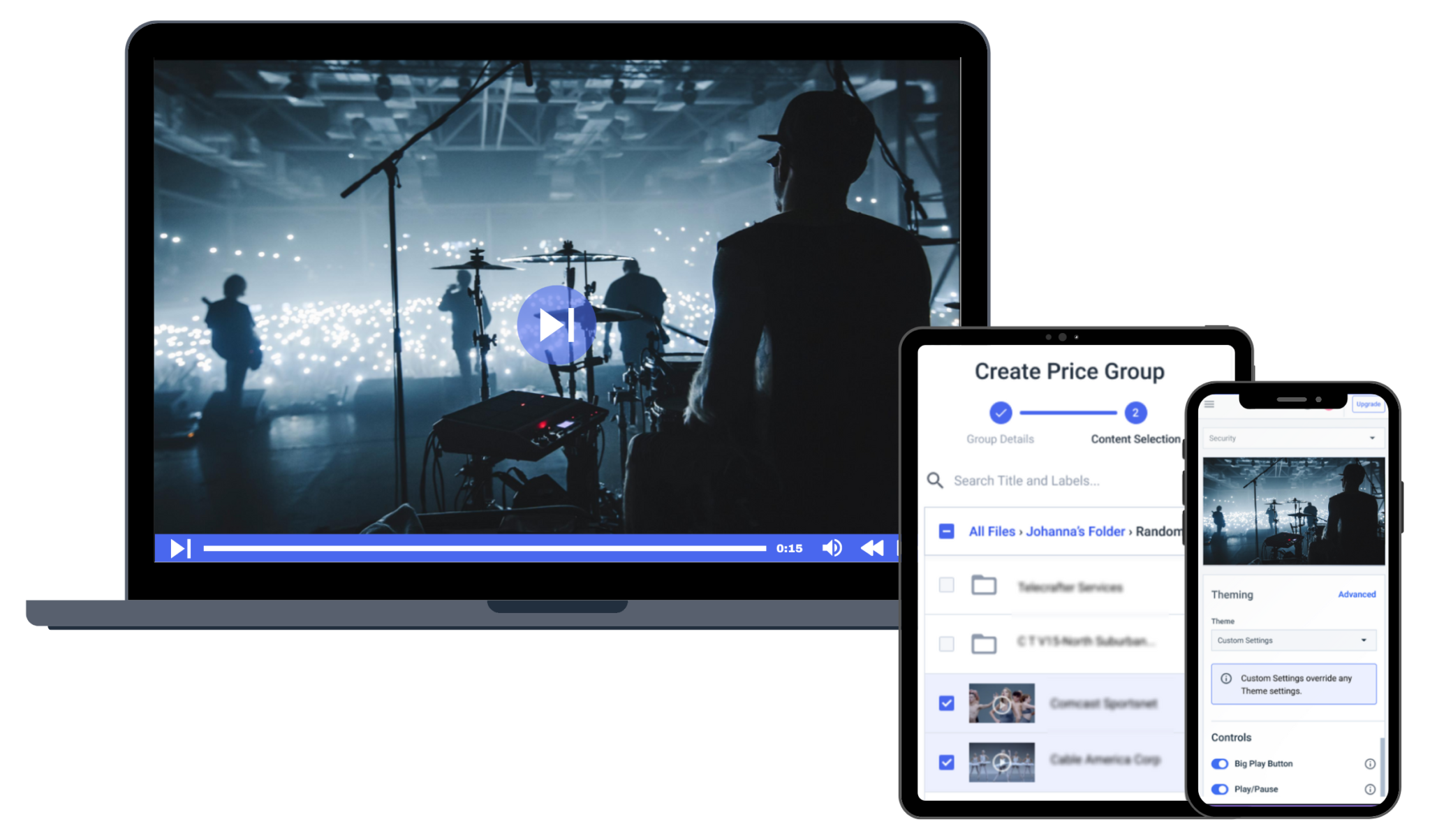
An encoder is a critical element of any live stream. It takes information from your camera and converts that information into a format that is compatible with embedding and streaming.
Typically, your camera captures footage in the RAW format, but digital files are required for live streaming over the internet.
Since an encoder is such an essential part of live streaming, you want to make sure to invest in one that is capable of performing with speed and accuracy.
There are both hardware encoders and software encoders. Hardware encoders are pieces of equipment that connect to your video-capturing device, and software encoders run on your computer. Each of these software encoders has a list of minimum system requirements to ensure compatibility with your live-streaming setup
Hardware encoders are a bigger investment, but they are dedicated devices built for reliability. Many software encoders can produce professional streams at a much lower price point.
The choice between a hardware and software encoder depends upon your budget and streaming needs. For the basics, see our guide to video encoding.
Encoding Software Compared
There are quite a few software encoders on the market. You should look for encoding software that fits your budget, suits your needs, and works with your live-streaming platform.
Here are three live streaming encoding software options compared.
Wirecast:
- Mac and Windows.
- Paid, from $35/month (or $24.92/month billed annually) for Studio.
- Supports NDI, multiple sources, and built-in production tools.
vMix:
- Windows only.
- Paid, from $60 to $1,200 as a one-time purchase, or $50/month for the MAX subscription.
- Supports NDI, SRT output on higher editions, and instant replay.
OBS Studio:
- Windows, Mac, and Linux.
- Free and open source, expandable with plugins.
- Does not natively support multiple bitrates.
For full feature lists and pricing, see our live streaming encoder comparison.
Want to learn how to live stream on Kick with OBS Studio? See our guide to streaming on Kick with OBS.
Wirecast vs OBS
When comparing Wirecast vs OBS, both offer great solutions for live streaming. However, they cater to slightly different needs.
OBS is a popular, open-source streaming platform known for its flexibility and robust feature set. Many streamers use it as a customizable, free option with support for external encoders and plugins. OBS can use your computer’s hardware to help with encoding, so how well it performs depends on your system’s capabilities. It’s a flexible alternative to hardware encoders when you need to broadcast high-quality streams on a budget.
Alternatively, Wirecast is a professional-grade solution with a user-friendly interface. This makes it a good choice for businesses or larger productions. Wirecast has more advanced features out-of-the-box, such as multi-camera support, built-in transitions, and professional-level graphics. While Wirecast isn’t free, it is an OBS alternative for those needing more advanced capabilities.
If you’re looking for Wirecast alternatives, OBS might be suitable if you don’t require high-end features. But for those who want an alternative to OBS with additional production features, vMix or XSplit could be viable options. All in all, deciding what encoder to use for streaming largely depends on your specific needs, budget, and technical requirements.
vMix Alternatives
If you’re seeking vMix alternatives, there are several streaming and live production tools that offer similar functionality. vMix software is known for its advanced live production features such as multi-camera support, professional-level mixing, and real-time effects. But depending on your platform, budget, and specific needs, you may want to consider the following alternatives:
1. Wirecast
In the debate of vMix vs Wirecast, Wirecast is a paid alternative. Its user-friendly interface and built-in production tools make it a good vMix alternative for those who favor ease of use. It supports both Mac and Windows, making it a strong vMix alternative for Mac users.
2. OBS
For those looking for a free solution, vMix vs OBS is a common comparison. OBS is an open-source platform with support for plugins and flexibility for encoding. It’s a good choice for users who need a cost-effective option.
3. XSplit
A more beginner-friendly alternative, XSplit provides an intuitive interface and features ideal for streamers looking for vMix similar software without the complexity of advanced tools.
4. Ecamm Live
Exclusive to Mac users, Ecamm Live is a strong vMix alternative for Mac users. It offers an easy-to-use interface with seamless integration for social media platforms. It’s a good alternative for streamers.
vMix Alternatives for Mac
vMix runs on Windows only and does not run natively on Mac. If you work on a Mac, these alternatives run on macOS: Wirecast (Mac and Windows), OBS Studio (Windows, Mac, and Linux), Ecamm Live (Mac only), and Streamlabs (Windows and Mac).
Free vMix Alternatives
The most common free vMix alternative is OBS Studio, which is free and open source and offers plugins for extra features. Streamlabs is built on OBS Studio and has a free plan, with paid features on its Ultra plan. Both run on Windows and Mac.
Wirecast Alternatives
If you want a Wirecast alternative, the closest choices are vMix on Windows and OBS Studio if you want a free option. XSplit is easier to learn for beginners, and Ecamm Live is built for Mac. Wirecast stands out for its built-in production tools and its support for both Mac and Windows, so check which of those features matter to you before switching.
Hardware Encoder Alternatives
While encoding software for live streaming is great for beginner to mid-level broadcasters, there is another way to go: hardware encoders.
Hardware encoders can be a solid alternative to using Wirecast or vMix for your encoding needs.
The advantage of using a hardware encoder is that they are single-purpose devices dedicated to encoding media streams. This makes them a bit more effective than their software counterparts.
Hardware encoders come in a variety of shapes and sizes. The smallest mounts directly on cameras. These devices allow mobile live streaming by connecting to Wi-Fi and cell networks.
The most robust of these models allows you to “bond” multiple cell networks together. This helps to create a stronger internet connection in congested or remote areas.
You can mount larger hardware encoders on racks in broadcast studios. These units are extremely fast and reliable, with a professional-grade price to match.
Let’s take a look at two different hardware encoder options.
1. Teradek Prism Series
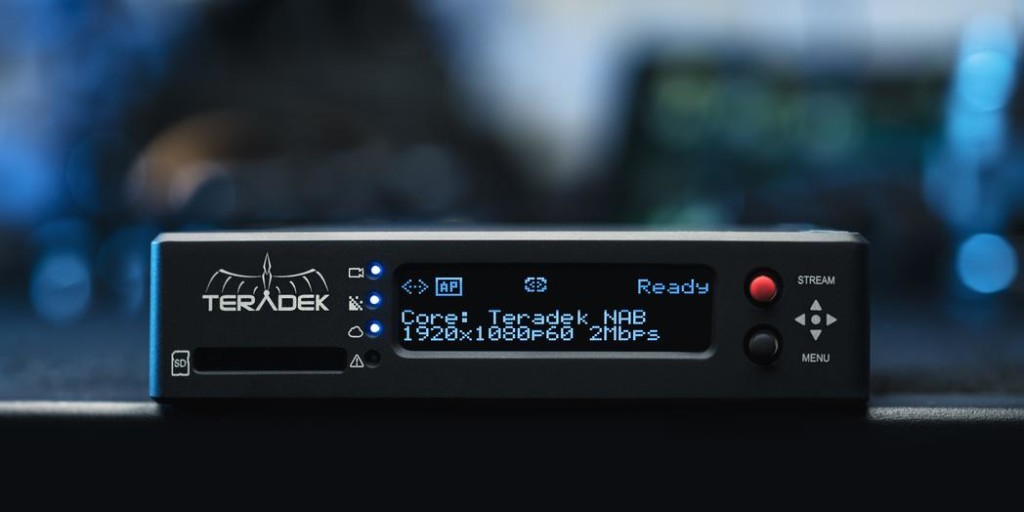
Teradek is a longtime supplier of audio-visual equipment. Its lineup includes the Prism series of hardware encoders.
Teradek Recap:
- Compact and portable
- Designed to live stream on the go
- High video quality
If you want a Wirecast alternative that is robust and can provide you with high-quality streams, Teradek is a good hardware encoder alternative.
2. Videon Hardware Encoder
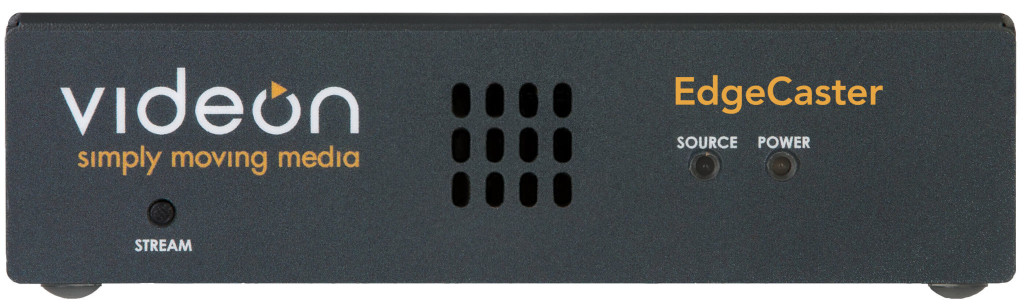
Videon is an audiovisual services company that offers a wide range of products and services, which includes several hardware encoders.
Their offerings include the Verastreamer and the Edgecaster. These professional-grade encoders accept the HDMI source. They also deliver highly reliable live streams at up to 4k full HD resolution and 60 frames per second.
Videon encoders integrate with Dacast via our API, which simplifies setup when you use the Dacast online video platform.
Videon Features Recap:
- Higher price point
- Hardware encoder for professional productions
- Direct integration with Dacast
- High resolution
For more on choosing a device, see our guide to hardware encoders for RTMP, HLS, and SRT.
FAQs
Is there a vMix alternative for Mac?
vMix runs on Windows only. Mac users can use Wirecast, OBS Studio, Ecamm Live (Mac only), or Streamlabs.
Is there a free vMix alternative?
Yes. OBS Studio is free and open source, and Streamlabs has a free plan. Both run on Windows and Mac.
What can I use instead of Wirecast?
vMix on Windows, OBS Studio if you want a free option, XSplit for a beginner-friendly interface, or Ecamm Live if you work on a Mac.
Which encoders work with Dacast?
Any encoder that supports RTMP, SRT, or WHIP can send a stream to Dacast, including OBS Studio, vMix, and Wirecast. For adaptive bitrate, your encoder needs to send multiple bitrates.
Conclusion
Shopping around for encoding software for live streaming can be a daunting task. There are so many great options to choose from with such a wide variety of features. Our advice is to outline your broadcasting goals, identify the features you need, set your budget, and work from there.
Haven’t tested your encoder with Dacast yet?
You can try Dacast and all its features free for a full 14 days.
