



Live Streaming for Auctions: How to Run a Hybrid or Online Auction with Professional Video (2026)

By Dacast Editorial Team | Reviewed by Jon Whitehead, COO at Dacast | Updated August 2026
Live streaming for auctions reaches bidders who can’t be in the room: remote collectors, out-of-state donors, and buyers who simply prefer bidding from a laptop. But an auction stream has different requirements than a typical live event: bidders need a stable, professional-quality feed, some auctions need to restrict viewing to registered bidders only, and everyone involved needs to understand that a few seconds of delay is normal and doesn’t affect the outcome of the sale.
This guide covers the full setup for an online auction streaming platform: what equipment and platforms you need, how the video layer and the bidding layer work together, a step-by-step Dacast setup, how to price and monetize a livestream with PPV, running a hybrid auction with in-room and remote bidders together, and how to manage latency expectations so bidders aren’t confused by the delay between the auctioneer’s voice and what they see on screen.
One accuracy note up front: Dacast handles the video streaming layer: reliable delivery, access control, and professional video quality. It does not run the bidding interface itself. Real-time bidding requires a dedicated auction platform alongside it, covered in the two-layer section below.
TL;DR
- A professional auction stream has two separate layers: a video streaming platform (Dacast) for the live feed, and a dedicated bidding platform for the bidding interface.
- Dacast provides reliable CDN delivery, a white-label embeddable player, and password protection or PPV gating for registered-bidder-only access.
- Standard HLS latency of 15 to 30 seconds is normal for auction streaming and doesn’t disrupt the bidding process when communicated to bidders in advance.
- High-value or curated sales can charge a one-time PPV access fee for the livestream itself; charity and community auctions typically stay open to maximize donor reach.
- The same setup supports fully online auctions and hybrid auctions with in-room paddle bidders and remote online bidders sharing the same sale.
Table of Contents
- What You Need to Live Stream an Auction
- Understanding the Two-Layer Auction Streaming Setup
- Why Not Just Use Zoom or Facebook Live?
- How to Set Up Your Auction Stream on Dacast
- Managing Latency Expectations for Live Auctions
- Monetizing Your Auction Livestream with Pay-Per-View
- Running a Hybrid Auction: In-Room and Online Bidders Together
- Charity Auction Streaming: Reaching Remote Donors
- What Live Auction Streaming Costs
- FAQs on Auction Live Streaming
- Conclusion
What You Need to Live Stream an Auction

Four components make up a professional auction stream. Skipping any one of them is where most first-time auction streams run into trouble.
Video Streaming Platform
Dacast handles reliable CDN delivery, a white-label embeddable player for your auction page, and access control, so you are covered on password-protected channels for registered-bidder-only events, and open channels for public charity auctions. This is the layer viewers actually watch.
Bidding Platform
A dedicated third-party tool handles the bidding interface itself: live bid tracking, paddle numbers, increment rules, and payment processing. This is a separate product from your video platform and is embedded on the same page alongside the video player, not built into it. Which one fits depends on your auction format and audience.
| Bidding Platform | Model | Best For |
|---|---|---|
| Auction Mobility | White-label bidding software | Established auction houses wanting full site branding control |
| Invaluable | Marketplace + bidding software | Reaching Invaluable’s existing collector network in addition to your own site |
| Handbid | White-label, mobile-first bidding | Charity and nonprofit auctions, text-to-bid and mobile bidding |
| LiveAuctioneers | Marketplace + bidding software | Smaller houses wanting broad buyer reach beyond their own list |
Marketplace-style platforms like Invaluable and LiveAuctioneers list your sale to their own existing buyer network, in addition to your website. This helps smaller houses reach bidders they don’t already have. White-label platforms like Auction Mobility and Handbid keep the bidding experience fully under your own branding. This suits houses and charities that already have an established bidder list. They want the video, the bidding interface, and the page itself to all look like one product, not three.
Camera and Audio Setup
A basic single-camera setup with a dedicated microphone on the auctioneer covers most needs. Clear audio matters more than cinematic video for auction content. Bidders are listening for the current price and increment as much as watching. Larger auction houses running multiple simultaneous lots, or a large room, benefit from a multi-camera setup. It can cut between the auctioneer, the lot, and the room.
Encoder and Internet Connection
A basic stream can run from a laptop with free encoder software like OBS Studio, connected over a wired (not Wi-Fi) internet connection for stability. Professional auction houses running multi-camera setups typically use a hardware encoder like the Blackmagic ATEM Mini to switch between camera angles and produce a single clean feed. Dacast accepts both RTMP and SRT ingest from any standard encoder. SRT is worth using over an unreliable network, since it recovers from packet loss more gracefully than RTMP. See Dacast’s guide to RTMP encoders for live video streaming for encoder-specific setup.
Understanding the Two-Layer Auction Streaming Setup
The most common mistake in planning an auction stream is assuming one platform handles everything. It doesn’t, and no single-vendor product genuinely covers both video delivery and real-time bidding at a professional standard. The setup that works is two layers running side by side on the same web page:
- Video layer (Dacast): delivers the live feed of the auctioneer and the room, reliably, to however many remote viewers are watching.
- Bidding layer (Auction Mobility, Invaluable, Handbid, or LiveAuctioneers): handles the actual bid submission, paddle registration, current price display, and payment collection.
Both are embedded on the same auction page. A bidder sees the video feed and the bidding interface together, without switching tabs or apps. Configuring them is independent: your bidding platform vendor doesn’t need to touch your video setup, and vice versa. Still, they need to be tested together before the auction starts. The whole point is that a bidder can watch and bid at the same time, without confusion.
Why Not Just Use Zoom or Facebook Live?
It’s tempting to skip a dedicated platform and run the stream through Zoom or Facebook Live, as both are free and familiar. For a small, informal auction among people who already know each other, that can work. For anything with real money changing hands, the gaps show up fast.
Zoom is built for meetings, not broadcast. It caps attendee counts on lower tiers and offers no access control beyond a meeting password. The interface also looks like a video call, not a professional sale. Facebook Live reaches your existing Facebook audience for free. But you don’t control the delivery network, and the platform can interrupt the stream with its own recommendations and ads. There’s also no way to restrict viewing to registered bidders only. Anyone on Facebook can watch, which defeats the purpose of a registered-bidder sale.
A dedicated auction house video platform like Dacast solves the specific problems auctions have. It offers a white-label player that looks like part of your own site, not a third-party app. It also provides password protection or PPV gating for registered bidders. CDN delivery is built to hold up under a concurrent-viewer spike. A consumer platform works differently: it’s built to serve advertisers and keep users inside its own app. It isn’t built to broadcast a professional sale reliably to your bidders.
How to Set Up Your Auction Stream on Dacast
Step 1: Create a Live Channel in Dacast
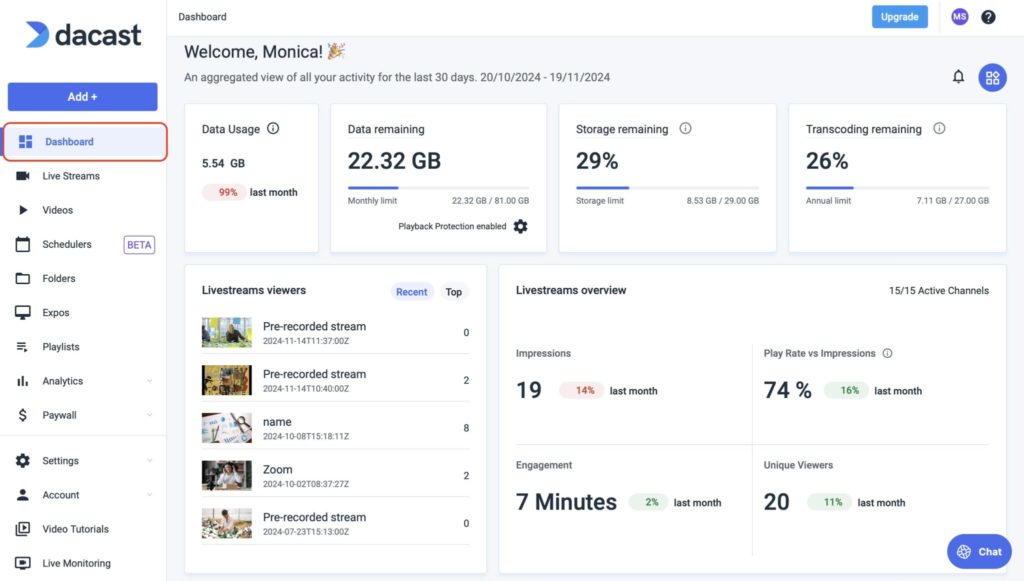
In your Dacast dashboard, create a new live channel dedicated to the auction. Name it clearly if you run recurring auctions, since each event should have its own channel rather than reusing one indefinitely.
Step 2: Set Up Access Control
Decide whether the auction is for registered bidders only or open to the public. For registered-bidder events, enable password protection and share the password only with verified registrants. For public charity auctions aiming to maximize reach, leave the channel open and embed it without restriction. Dacast also supports domain restrictions, so the player will only work when embedded on your own site. For more on the mechanics, see Dacast’s guide to password-protected live streaming for private events.
Step 3: Configure Your Encoder
Point your encoder (OBS Studio, vMix, or a hardware encoder like the Blackmagic ATEM Mini) at the RTMP or SRT ingest URL and stream key provided in your Dacast channel settings. Confirm the encoder is sending a stable bitrate before moving on; a bitrate that fluctuates wildly is the most common cause of buffering during the actual event.
Step 4: Embed the Video Player on Your Auction Page
Copy the embed code from your Dacast channel and place it on your auction webpage alongside your bidding platform’s widget. Both should sit close together in the page layout so bidders don’t have to scroll between watching and bidding. See Dacast’s general guide to embedding streaming video on your website if this is your first embed.
Step 5: Test Before the Auction Starts
Run a full end-to-end test at least a day before the event: start the encoder, confirm the stream appears on the embedded player, place a test bid through your bidding platform, and confirm both are visible together on the live page. Testing the day before, not the hour before, leaves time to fix an encoder or embed issue without pressure.
Managing Latency Expectations for Live Auctions
Standard HLS delivery (the protocol most professional streaming platforms, including Dacast, use for broad device compatibility) typically runs 15 to 30 seconds behind the live action. For most content that’s imperceptible. For an auction, it means a remote bidder sees and hears the auctioneer call a price about 15 to 30 seconds after it happens in the room.
This is manageable, not a flaw to engineer around. Two things make it work smoothly in practice:
- Tell bidders in advance. A single line on the registration page saying “the video feed runs a few seconds behind live for stability; your bid is time-stamped when we receive it, not when you see the price change”, removes almost all confusion.
- Build a small pause into the auctioneer’s pacing after each call. Many professional auctioneers already do this instinctively for in-room bidders; it also gives remote bidders on a several-second delay a fair window to respond.
Sub-second, ultra-low-latency streaming exists as a technology category, but it isn’t necessary for auction use and adds complexity most auction houses don’t need. A well-managed 5 to 10 second delay, communicated clearly, is the industry standard for a reason.
Monetizing Your Auction Livestream with Pay-Per-View
Not every auction stream needs to be free to watch. Some auction houses and estate sale companies charge a small access fee for remote viewing and bidding privileges (PPV auction livestream model) particularly for high-value single-owner sales or curated estate collections where the video feed itself has value to collectors who can’t attend in person.
On Dacast, this works the same way as any other PPV event: enable the paywall on the Event plan ($63/month billed annually) or above, set a one-time access price, and embed the gated player on your auction page next to your bidding platform. Bidders pay once for access to the full sale. Dacast’s transaction fee on paywall sales is 9.9% plus $0.40 per purchase, which covers payment processing, meaning there’s no separate payment gateway to set up or negotiate. See Dacast’s guide to how pay-per-view video hosting works for the full mechanics of a paywalled event.
This model isn’t for every auction. Most charity and community sales are better served by open, free access to maximize participation (see the charity section below). A PPV auction livestream fits best for specialized or high-value sales where remote bidders are paying for privileged access to inventory they can’t view in person, not for a sale where reach matters more than gatekeeping.
Running a Hybrid Auction: In-Room and Online Bidders Together
A hybrid auction streaming format runs in-room paddle bidding and remote online bidding at the same time, which is now the default format for most real estate auctions, art sales, and larger charity events. The in-room auctioneer calls the sale exactly as they would for a room-only event; the video stream and bidding platform extend that same sale to remote bidders in real time.
The practical setup is the same two-layer stack covered above, with one addition. Whoever is running the bidding platform needs a way to relay remote bids to the in-room auctioneer. This can happen verbally through an earpiece, or on a screen visible from the podium showing the current online high bid. This is a bidding-platform workflow question. Dacast’s job in a hybrid auction is the same as in a fully online one: deliver a stable feed of the room to remote bidders. It needs to be reliable enough that they trust the price they’re seeing is current.
For real estate auctions specifically, camera placement matters more than in a standard estate sale. A wide shot of the room, plus a dedicated camera on the property being sold, gives remote bidders context. An in-room bidder gets that same context simply by being there. Some sales use a secondary feed cutting to photos and video of the property instead. Art dealers running hybrid sales often add a close-up camera on each lot as it comes up. Condition and detail matter more to a remote bidder relying on video than to someone standing in front of the piece.
Charity Auction Streaming: Reaching Remote Donors
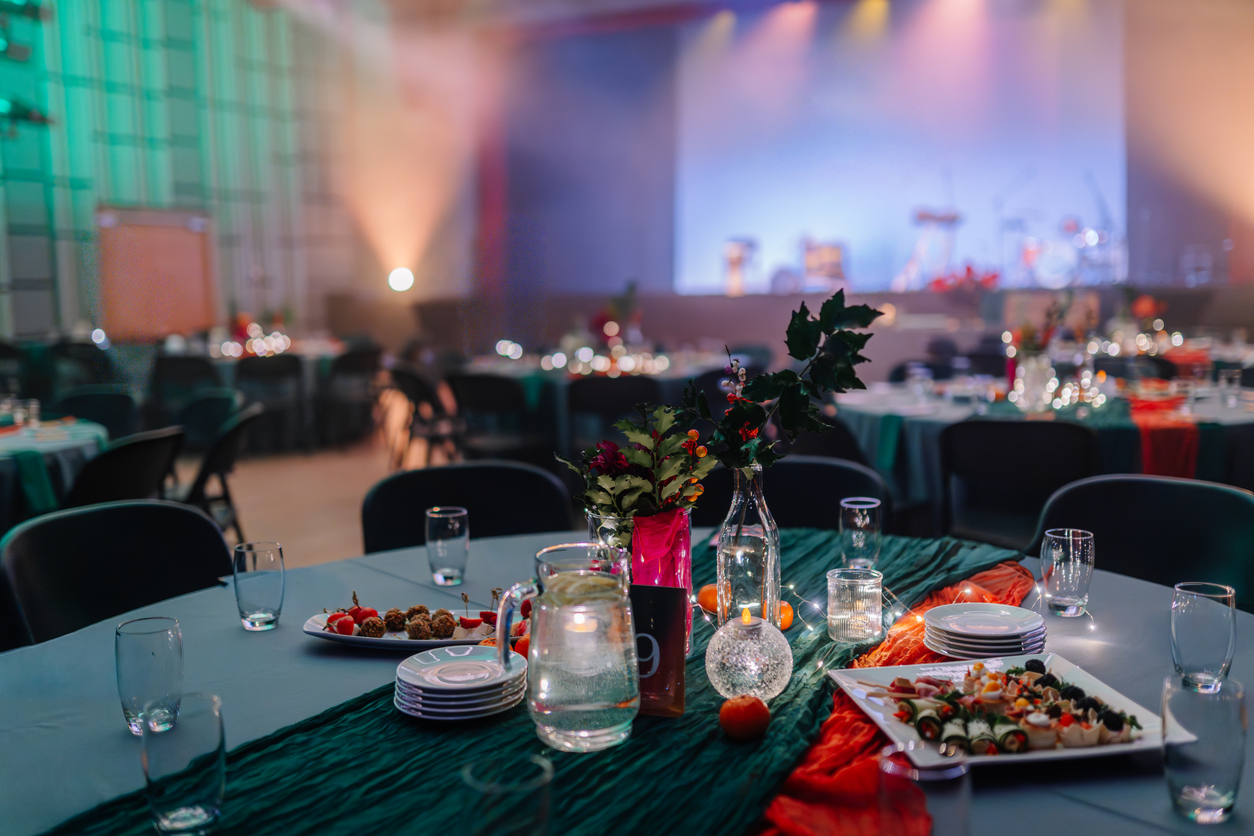
Charity auctions have a different goal than commercial auction houses: maximizing donor participation matters more than restricting access. Most charity auction streams run as open, unrestricted channels embedded directly on the event page: no password, no registration wall before watching, since every additional step between a potential donor and the stream is a donor lost.
Common setups for charity events: an open Dacast channel embedded next to a bidding platform (or a simple donate/bid button for smaller events), a hybrid audience where some bidders are physically in the room and others are remote, and a post-event replay. Dacast automatically archives every live stream to on-demand video, the auction recording can stay live on the event page afterward for donors who missed it, extending the fundraising window past the live event itself. For more on monetizing astreamed events generally, see Dacast’s guide to how to make money from live streaming, and for smaller private fundraising or estate events, the same setup used for live streaming weddings and private events applies directly.
What Live Auction Streaming Costs
Auction streaming doesn’t require an enterprise budget. Most single-location auction houses and charity events fit comfortably on Dacast’s entry-level plans, and the right tier depends mainly on whether you’re charging for access.
| Plan | Price (billed annually) | Fits |
|---|---|---|
| Starter | $39/month | Single-camera charity or estate sale auctions, open access, no PPV needed |
| Event | $63/month | Registered-bidder auctions needing a paywall or PPV access fee, multi-CDN reliability |
| Scale | $165/month | Auction houses running frequent high-value sales needing DRM-protected VOD replays and priority support |
A charity or estate sale streaming to an open audience with no access fee is well served by Starter. The jump to Event is worth it specifically for the native PPV paywall if you’re charging for access to a registered-bidder or high-value sale. Auction houses running frequent sales that also want to protect archived recordings with DRM, or need dedicated phone support during live events, should look at Scale or a custom enterprise agreement.
FAQs on Auction Live Streaming
Can you live stream an auction online?
Yes. Auction houses and charity organizations regularly live stream auctions to reach online bidders. The setup typically involves two components: a video streaming platform like Dacast for the live video feed, and a separate bidding platform for managing bids. Both can be embedded on the same webpage so online bidders can watch and bid simultaneously.
What platform is best for live auction streaming?
For the video layer, Dacast is a strong choice for professional auction streaming because it supports reliable CDN delivery, a white-label embeddable player, password protection for registered bidder access, and standard HLS delivery suited to the latency auction streams actually need. For the bidding layer, dedicated auction platforms like Auction Mobility, Invaluable, or Handbid integrate with the video stream on the same page.
How much latency is acceptable for a live auction stream?
For most live auctions, a latency of 15 to 30 seconds is acceptable. Online bidders experience this delay between what the auctioneer says in the room and what they see on screen. Most professional auction platforms account for this by building in a brief pause after the auctioneer calls the item, giving remote bidders time to place their bids.
How do I control who can watch my auction live stream?
You can use password-protected streaming to restrict access to registered bidders only. On Dacast, you create a password-protected live channel and share the password only with verified registrants. Alternatively, for public charity auctions, you can embed an open stream on your event page without access restrictions.
Do I need special equipment to stream an auction?
A basic auction stream can be set up with a single camera, a microphone, a computer running encoder software like OBS, and a wired internet connection. For professional auction houses with multiple auction stations or a large room, a multi-camera setup with a hardware encoder like the Blackmagic ATEM Mini is recommended.
How do I live stream a charity auction online?
Charity auctions are typically streamed as open, unrestricted channels to maximize donor reach. Embed a Dacast live channel directly on your event page alongside a bidding or donation platform, and skip password protection so anyone can watch and bid without registering first. Because Dacast automatically archives the stream to on-demand video, you can also keep the recording live after the event to extend the fundraising window.
Can I charge people to watch my auction livestream?
Yes. Dacast’s PPV paywall, available on the Event plan and above, lets you charge a one-time access fee for the live video feed. This is most common for high-value or curated sales where remote viewing access itself has value, rather than for community or charity auctions where open access is usually the better strategy for reach.
What’s the best platform for a hybrid in-person and online auction?
For the video layer of a hybrid auction, Dacast works the same way for a hybrid event as a fully online one: a reliable CDN feed of the in-room auctioneer, delivered to remote bidders alongside a separate bidding platform. The auctioneer runs the sale exactly as they would for an in-room-only event, with online bids relayed to them in real time by whoever is operating the bidding platform.
Conclusion
A professional auction stream comes down to two layers working together: Dacast for reliable, access-controlled video delivery, and a dedicated bidding platform for the
bidding interface itself. Get the encoder and internet connection right, set access control to match whether the event is registered-bidder or open-to-the-public, decide whether a PPV access fee fits your sale, and communicate the 5 to 10 second HLS delay to bidders up front. That combination covers the vast majority of hybrid and online auctions, from a single-lot charity fundraiser to a full auction house sale.
Set Up Your Auction Stream on Dacast
Reliable CDN delivery, a white-label player, and access control for registered bidders: go live in minutes.
