



Top 10 Live Streaming Solutions for Church Services in 2026

Did you know that 7% of churchgoers say they exclusively attend virtual church services, and 33% have found their current houses of worship online? Church live streaming brings their congregations together, no matter where they are, and ensures no churchgoer misses a service.
Church live streaming solutions help houses of worship services keep both old members and bring in new members who may not have physically entered a church. All this and more is possible for any religious organization with the best church live streaming software for church services.
We’ll highlight the benefits of live streaming church services and explore how any church can broadcast its services using church streaming platforms. Finally, we’ll compare some of the best church live streaming platforms on the market, including Dacast, exploring their features and considerations for holiday services.
TL;DR:
Church live streaming helps you reach people wherever they are, especially as 7% attend online-only and 33% discovered their church online. This guide covers a simple starter checklist, how to choose the right platform (reliability, captions, giving, and ease of use), and a side-by-side comparison of the 10 best church streaming solutions for 2026, including holiday-ready tips for Christmas and Easter.
Table of Contents
- Why Churches Choose Dacast For Professional Live Streaming
- Church Live Streaming Stats That Matter in 2026
- Church Live Streaming Starter Checklist
- How to Choose a Church Streaming Platform
- Top 10 Church Streaming Services for 2026
- Church Streaming Platform Comparison Matrix (2026)
- Church Tech Trends for 2026
- FAQs
- Conclusion
Why Churches Choose Dacast For Professional Live Streaming
Live streaming helps churches stay connected with members who can’t attend in person—and reach new people who discover worship online. With a professional platform like Dacast, churches can deliver a more reliable, branded viewing experience (especially during high-traffic services) while keeping sermons easy to watch live and on-demand.
Key benefits churches see with live streaming:
1. Inclusivity for the sick, elderly, and disabled.
Allow members who are sick or injured, too old to make it in person, or have a disability that makes it difficult to travel to watch your service.
Tina K. shared: “After my medical intervention, I couldn’t leave the apartment for days. But thanks to live-streaming church services, I continue to watch sermons from my bed and still feel part of the community.”
2. Connection for traveling or remote members.
Help members who are traveling or relocated and want to continue to participate in their own faith community.
Leah C. shared: “Members who cannot attend in person, for whatever reason, are able to tune in from wherever they are and not miss anything! The convenience also allows us to reach someone who may not be a regular attendee. This is a wonderful tool for our church, and I would recommend it to anyone.”
3. Expanded reach and evangelism.
Extend your reach beyond your local community and help people connect. Create a live stream of your sermon or broadcast a private event for members of your congregation who cannot attend.
Jane R. shared: “We used to serve just a small rural area. Today, we have viewers tuning in from 7 different places. It created opportunities we never imagined.”
4. Video on Demand for flexible access.
Record your live streams and make them available as video on demand. This is also a great way to lock in the experience of each event forever. It allows people who missed the live event to watch it later on in their own time.
Henry B. shared: “It was interesting and intense, while intriguing for me to transition from the old and outdated format that I was accustomed to. This feature helps members seamlessly adapt to a more modern, flexible viewing experience.”
5. Support for the community.
Mobilize your community for nonprofit causes such as helping victims of natural disasters or those less fortunate within your community.
Tim B. stated: “We used our Sunday stream to highlight a local family in crisis. Donations and volunteers came within minutes.”
6. Extend your holiday worship
Holiday services often bring bigger audiences and more remote viewers. Streaming makes it easy for families to participate from home, and for newcomers to discover your church during high-intent seasons. Common livestream formats include:
- Christmas plays and pageants
- Choir and music performances
- Youth programs
- Live nativity and special sermons
- Advent wreath lighting
- Charity events and community drives
- Online storytelling nights
Recording these moments also lets you share and replay them long after the service ends.
Church Live Streaming Stats That Matter in 2026
A few signals explain why streaming is now part of “normal church”:
- Virtual worship is still common. Pew found 27% of U.S. adults regularly watch religious services online or on TV, and 17% participate both in-person and virtually (hybrid).
- Streaming is a long-term strategy, not a pandemic leftover. Pushpay’s 2025 State of Church Tech reporting shows 87% of churches continue streaming, and leaders increasingly value higher-end viewer experiences.
- AI is now a church operations tool. The same report notes 45% of church leaders use AI (often for communications/content workflows), and livestreaming remains a key driver of engagement.
What this means for your platform choice: prioritize reliability + accessibility (captions), simple giving, and a workflow your volunteers can run every Sunday.
Church Live Streaming Starter Checklist (2026)
So you’ve decided to start live streaming for your church, but don’t know where to start or what equipment you need? We’ve created this quick-start guide to live streaming for churches.
Step 1: Make a Plan
- ✔ Define your goals for live streaming
- ✔ Take inventory of existing equipment
- ✔ Identify equipment you still need
- ✔ Decide where you want to stream:
- Church website
- Facebook / YouTube
- Multiple platforms
- ✔ Determine technical requirements:
- HTML5 player & embed code
- Multistreaming (simulcasting) capability
- Webpage or video gallery hosting
Step 2: Choose a Church Streaming Platform
Make a church streaming platform comparison and choose one that includes:
- ✔ Reliable, high-quality performance
- ✔ White-label HTML5 player
- ✔ Multi-destination streaming
- ✔ Custom branding options
- ✔ Advanced video analytics
- ✔ Security & content management tools
- ✔ Easy-to-use interface
- ✔ Fits your budget
Step 3: Prepare Your Setup
These are essential additions to your church video streaming software.
Video:
- ✔ Choose your camera(s) based on room size and angles
- ✔ Position the camera with a clear view of the pulpit
Audio:
- ✔ Set up external mics for clean sound
- ✔ Use an Aux mix output for a separate live mix
- ✔ Monitor and adjust remotely if needed
Encoding:
- ✔ Use a hardware encoder (preferred) or
- ✔ Use streaming software with encoding built in
Lighting:
- ✔ Add soft, even lighting to improve video clarity
Step 4: Test Everything
- ✔ Run a full dress rehearsal
- ✔ Check:
- Video quality
- Audio clarity
- Lighting setup
- Internet speed (upload speed = 2x your stream bitrate)
- ✔ Test backup equipment (if available)
- ✔ Confirm licensing for music and media (CCLI or similar)
Step 5: Go Live
- ✔ Set up and schedule your stream
- ✔ Notify your congregation with links and instructions
- ✔ Start your broadcast
- ✔ Monitor the stream and engage your online audience
- ✔ Record the session for later viewing
For more information, check out our series of videos dedicated to live-streaming your church services.
How to Choose a Church Streaming Platform

A. Viewer experience
- Adaptive bitrate playback (fewer buffers)
- Mobile-first player + easy casting to TV
- Captions (live or fast turnaround)
- Simple navigation to “Watch Live” + sermon library
B. Control + safety
- White-label / remove third-party branding
- Privacy controls (domain restriction, passwords, private links)
- Moderation tools (chat, comments, prayer requests)
- Secure delivery (especially for minors / sensitive ministries)
C. Growth tools
- Easy embedding on your website
- Simulcasting support (or integrations)
- Analytics that show what’s working
- Giving integrations (in-player button, QR, text-to-give)
D. Operational reality
- Can volunteers run it?
- Does support exist when you need it (weekends/holidays)?
- Does it simplify archiving to VOD?
Comparison of The 10 Best Church Streaming Services in 2026
With so many video hosting platforms for church services, which one best suits your church’s particular needs? The best way to determine how to livestream a church service using the right platform is by doing a short comparison of the top ten platforms and what they have to offer. For a detailed comparison of popular church livestreaming platforms, see our latest guide: Dacast vs Subsplash vs BoxCast vs ChurchStreaming.tv.
First up, we’ll take a look at our own online video platform, which offers professional video hosting for worship services.
1. Dacast
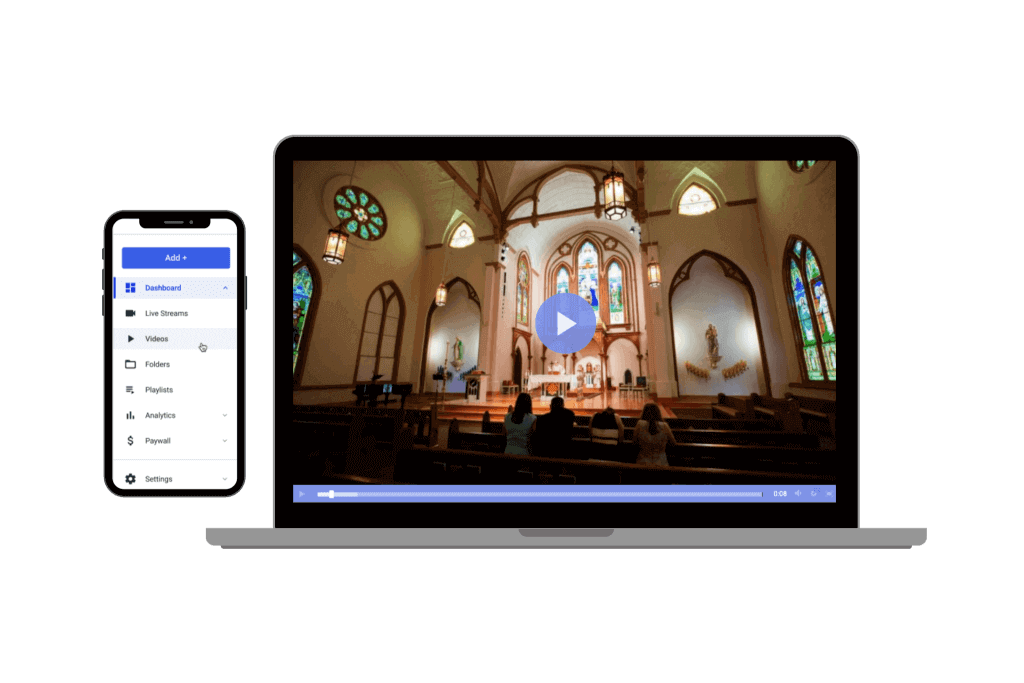
Best for: Churches that want a professional streaming platform with website embedding, branding control, and global delivery.
Why it stands out in 2026
- Professional live + VOD workflows with a white-label player
- Reliable delivery via Akamai (Dacast migrated customers due to Edgio changes)
- Strong fit for churches that want control (your website, your player, your audience rules)
Overview:
Dacast specializes in live streaming for churches with plans starting at $39 a month.
Set at a competitive price point, the Dacast streaming platform offers a feature-rich and comprehensive solution for small to larger congregations.
Smaller churches with smaller bandwidth needs may prefer the Starter Plan ($39/month). It includes the same great features as larger churches on the Event or Scale Plans. Please, note that not all online video platforms (OVPs) offer such a starting plan at lower rates.
Additionally, Dacast makes learning the ropes of broadcasting easy as you test, set up, and start streaming. We are helpful for first-time church broadcasters via 24/7 support, a knowledge base of articles to get you started, and video tutorials.
All Dacast plans include content delivery with top-tier CDNs. With the reliability of a content delivery network, your viewers can watch your stream from all over the world by connecting to a server closest to them.
Key Features:
Dacast offers many features to make the transition to live streaming easier. Dacast also offers features that will enhance your live streams, ensuring that you provide your viewers with quality content.
Live Streaming and Video on Demand (VOD) Packages
With Dacast, we support both live streams and video-on-demand with our plans. What that means for your church is that you can stream live services and create pre-recorded content to share with your church members.
Live Recording
When you host a live event, you will more than likely want to have that video to watch later! With live recording, all the congregants who can’t attend live holiday services can watch recorded versions at their convenience. You can use live recordings to create a video library of services, bible studies, and youth group meetings.
Branding Control
With your church’s videos, you don’t want to have a bunch of other businesses’ branding all over your content. With Dacast, we offer a white-label service, which means our brand is nowhere to be found. The churches can maintain their identity during special holiday services by customizing the video player with their own branding. You can customize the video player with colors and branding that make sense for your church.
Ad-Free Experience
With Dacast, you can offer your viewers an advertisement-free experience. The only way advertisements will end up on your videos is if you choose to monetize your content by using an advertising network. Otherwise, your content will always be ad-free.
Immersive Video Galleries
Need help displaying your content? With Dacast’s immersive video galleries, you can create immersive video galleries for displaying your church’s archived content. For example, you could make immersive video galleries for different types of content, such as:
- Sunday church services
- Wednesday church services
- Bible study groups
- Youth groups
- Child Ministry
You can give all your recorded live streams a home of their own with immersive video galleries.
24/7 Customer Support
At Dacast, we don’t expect you to be video experts, which is why we offer 24/7 support, so if you run into an issue, you can get the support you need in real-time.
A few additional noteworthy features that Dacast offers include:
- Top-tier content delivery networks (CDNs) help get your video files to your viewers quickly and efficiently.
- Multi-user access is available with our Scale and Custom plans, so the different church members who manage your video content can all have their own access.
- Video analytics dashboard so you can see how many people are watching and how long they are watching for, among other metrics. These analytics can help you shape how you promote and conduct your services.
- Privacy and security features so you can keep your content secure and control who sees it and how it is shared.
- Zoom live streaming allows you to enjoy its compatibility with all the extra features of Dacast.
- In-stream donations are facilitated, especially during holiday services, through integrated donation features.
Compatibility with all devices allows people to watch your church’s content on computers and mobile devices.
Pricing:
- Starter Plan: $39/month billed annually (includes 2.4 TB of bandwidth & 500 GB of storage)
- Event Plan: $63/month billed annually (includes 6 TB of bandwidth upfront and 250 GB of storage)
- Scale Plan: $165/month billed annually and $250 monthly (includes 24 TB of bandwidth per year and 2000 GB of storage)
- Custom Plan: Please contact Dacast for customized pricing plans
For more details, please visit our pricing page
User Experience:
Dacast offers a solid in terms of live stream church services of all kinds. If you’re not very tech-savvy, you can still use the platform to record and stream videos successfully. Dacast offers premium features and unparalleled service at comparable rates. Its adaptability across devices of all types and constant support means any issues you might run into will be handled quickly and without disrupting the service.
2. Streamingchurch.TV
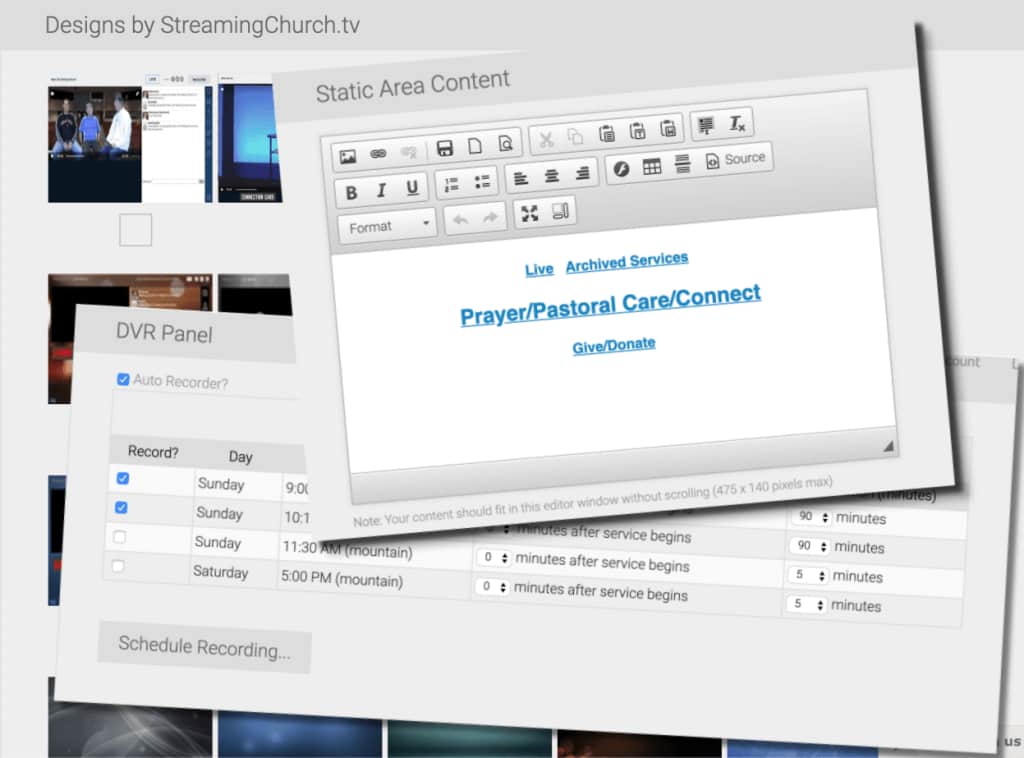
Best for: Churches wanting church-specific features (sermon notes, engagement tools) in a dedicated environment.
Overview:
StreamingChurch.TV is a church live streaming service designed for church-related streaming alone.
This platform offers many “church-specific” features, including sermon notes, a map of church attendees simulating a live service, and more.
Features:
- Live stream support
- Ad-free streaming
- Unlimited Tech Support
- Unlimited Bandwidth
- Connect with Viewers
- Interactive map of attendance
- Integrated sermon notes
Pricing:
- Basic Unlimited Plan: $79/month
- Premium Unlimited Plan: $127/month
- Platinum Unlimited Plan: $179/month
After accessing the one-month free trial, all plans come with free activation and unlimited bandwidth (except for 24/7 broadcast ministries).
User Experience:
A solid service designed specifically for churches and other religious institutions. It’s a no-frills, reliable platform with good video quality and scalability potential to stream live church services. One issue some users report is its lack of compatibility with CND. Its web page is also somewhat tricky to set up and operate.
3. BoxCast (Previously SundayStreams)
Best for: Churches that want an easier, volunteer-friendly workflow with strong support and add-ons.
Overview:
Another unique feature this platform offers is automatic scheduling. With BoxCast’s automated technology, you can plan church live streams and broadcasts ahead of time. This platform also has a viewer chat function. This means that you can interact with your viewers during live streams to keep them more engaged.
You can also upload important documents during live streams. This could be bulletins, sermon notes, or important announcements.
Some of the add-on features for BoxCast include automated live captioning, concurrent broadcasts, multi-site streaming, and ticketing functionality.
This option does offer a 90-day money-back guarantee, which you can learn more about here
The greatest strength of BoxCast is its simplicity and ability to reach novice broadcasters.
Features:
- Easy embedding (stream from your website)
- Phone and email support
- Facebook and Twitter compatible
- Broadcast 24/7
- Mobile compatibility and customizable phone apps
- Analytics dashboards
Pricing:
Streaming Plans:
- Standard: $109/mo. billed annually or
- $119 billed monthly, stream to any destination, stream up to 1080p video at 30fps, and more
- Deluxe: $169/mo. billed annually or
- $189 billed monthly, includes Standard, plus: rebroadcast past live streams (Simulated Live) and more
- Advanced: $249/mo. billed annually or $279 billed monthly, includes Deluxe, plus: stream up to 1080p video at 60fps, broadcast three streams simultaneously, and more
- Premium: custom pricing, includes Advanced, plus: unlimited viewers, unlimited concurrent broadcasts, and more
OTT Apps plans:
- Starter: $25/mo. billed annually or $35 billed monthly. Web app, Live stream integration, 50 hours of video storage, 1 admin user, and more
- Growth: $75/mo. billed annually or $100 billed monthly. Includes Starter, plus: 100 hours of video storage, 2 admin users, and more
- Pro: $200/mo. billed annually or $250 billed monthly. Includes Growth, plus: Mobile apps (iOS + Android), TV apps (Apple TV + Roku), 150 hours of video storage, 10 admin users
- Enterprise: Custom pricing. Includes Pro, plus: fully custom apps, tailored modifications, unlimited video storage, unlimited admin users
User Experience:
BoxCast is a good service with outstanding customer support for streaming live church services. Their analytics offer great insight and feedback. It can handle large viewership during major holiday events without compromising stream quality and simplifies the process of streaming holiday services so churches with limited technical expertise can use it.
4. Altar Live
Best for: Churches that want a high-interaction online congregation feel (tables, lobbies, face-to-face moments).
Overview:
Altar Live is a comprehensive platform launched in 2020 and designed to broaden online church services with its interactive virtual congregations. It combines live streaming church services with video conferencing to recreate the feeling of attending a church in person.
Altar Live blurs the lines between physical and virtual church experiences with tools that support real-time interaction among churchgoers. It enables churches to host services, small groups, and meetings so congregants can communicate and engage more during and after the livestream.
Its stand-out feature is the virtual seating arrangements of rows or tables, where congregants can interact face-to-face at any time. Also, Altar Live helps your church replicate the atmosphere of in-person worship with other features like chat, group and private messaging, polls, and announcements. You can send custom messages and private notes and manage the attendees. You get immediate insights into congregants’ attendance and engagement so you can understand them and their needs better.
The platform supports integration with existing live streams from other providers so your church can broadcast services directly through Altar Live. It also allows you to stream the services simultaneously to multiple platforms.
Features:
- Interactive seating
- Integrated live streaming
- Private video conferencing
- Event analytics
- Custom branding
Pricing:
Altar Live offers flexible pricing plans based on the number of Monthly Active Users (MAUs):
- Engagement Basic: Starts at $9 per month, basic Platform Access, interaction features, no contracts
- Engagement Plus: Priced at $69 per month, Everything in the Basic Plan, plus: Auditorium and Lobby Spaces, Rows, Tables, and Room Features, live Support
A 30-day free trial is available.
User Experience:
Altar Live is devised for live streaming church services and promoting interaction among congregants. It can accommodate a large audience, and the virtual seating arrangements, integrated chat, and meeting rooms engage churchgoers long after the service has finished. This makes Altar Live a suitable choice for churches aiming to deliver engaging holiday services to their congregations.
5. TruthCasting
Best for: Churches that want simple pricing tied to attendance and a straightforward church streaming approach.
Overview:
In terms of live streaming solutions for churches, TruthCasting offers many features for broadcasting all of your church-related events. The pricing stems from how many members you have on-site, rather than the features you need. No matter how many members, as long as you do not exceed your number limit, you have access to all of TruthCasting’s available features.
With TruthCasting, you can easily embed your live streams and on-demand video content onto your website. This can help you drive more inbound traffic from search engines.
This platform also provides an interactive bible feature and live chat function. These are great tools you can use to boost audience engagement during your livestreams.
Unfortunately, TruthCasting only supports churches with less than 2000 members.
However, this OVP does offer good quality support. In addition, they host their services with Amazon’s Web Services. If you have questions about their CDN, check out our live streaming CDN comparison
Features:
- Ad-free streaming
- Unlimited bandwidth and storage
- Embed code to stream live video on your website
- Reliable content delivery for church service streaming
- Phone support
- Live recording
- Compatible with all platforms, including iPhones and iPads
Pricing:
TruthCasting offers three plans for live streaming, VOD, and multicasting. They include:
- Livestreaming: $14.99/month
- Video on Demand: $29.99/month
- Multicasting: $9.99/month
There is an option to add Facebook Live or YouTube Live for $9.99 per month.
User Experience:
TrueCasting offers a virtual church service at a very affordable price point. Many of the features it offers are up to mark, with other platforms charging a much higher fee. Its easy-to-use interface means even people with limited skills can record and upload decent-quality videos.
6. Subsplash
Best for: Churches that want an all-in-one church platform (media, apps, engagement) with streaming as part of a broader digital campus.
Overview:
Subsplash is an all-in-one church engagement platform that bundles custom mobile + TV apps, websites, media hosting, live streaming, and digital giving into one ecosystem—so your “Watch Live” experience, sermon library, notifications, and giving can all live in the same place.
Features:
- Live streaming to everywhere: stream to your mobile + TV apps, website, media library, and syndicate to Facebook & YouTube from one dashboard.
- Integrated engagement + giving: Live Stream Chat + giving interactions (prompts to donate without leaving the player).
- Simulated Live (pre-record now, “premiere” later) + live trimming and automatic VOD archiving into your library.
- Reliability options: supports SRT and RTMP; Subsplash also markets Live RS as SRT-based “reliable streaming,” including their claim of higher resilience on unstable networks.
- Ops tools: push notifications for upcoming streams, analytics/insights, stream health reports, broad encoder support (OBS/vMix/Wirecast + hardware encoders).
Pricing:
7. Vimeo
Best for: Churches that want a well-known video platform for live + VOD, especially for teams already using Vimeo tools.
Overview:
Vimeo is another solution available to live stream church services and other houses of worship. Only Vimeo’s Premium plan comes with live streaming capabilities, so that would be the most suitable plan for live streaming church services. However, Vimeo also offers more advanced plans through their subsidiary, Livestream, which would also be suitable for faith-based streams.
That said, Livestream targets those with larger budgets, offering high-end features and customization options for churches that are willing and able to pay. The price point and limited plan options, however, don’t make it ideal for most churches.
Vimeo does offer streaming over a CDN, which is important for large-scale broadcasts streaming around the world. A global CDN can provide quality live streaming for churches to large audiences viewing the broadcast simultaneously.
Vimeo also offers a full suite of video tools that allow you to edit and customize your videos according to your preferences. You can also get access to advanced analytics that give you insights into how responsive your audiences are to your live streams.
When it comes to access management, Vimeo provides you with domain whitelisting, SSO, and other features to help you manage granular user permissions. Plus, you can integrate Vimeo with a wide range of platforms, including Zoom, TikTok, and Asana.
Features:
Vimeo’s Premium plan includes the following professional features:
- Player customization
- Privacy controls
- Social distribution
- Review and approval
- Private team projects
- Customizable Showcase sites
- Video creation with custom branding
- Calls-to-action and lead generation
- Google Analytics
- Unlimited live events
- Live stream to multiple destinations
- Live Q&A, graphics, and polls
- Audience chat
Pricing:
Vimeo offers basic video streaming pricing plans for broadcasters with different needs. These plans include:
- Starter: $12/month, billed annually or $20 billed monthly, 1 user, 100 GB storage, custom URLs, auto closed captioning, and review and collaboration tools
- Standard: $25 per month, billed annually or $41 billed monthly, 5 users, 2 TB storage, teleprompter, AI script generator, brand kit, and engagement analytics
- Advanced: $75 per month, billed annually or $125 billed monthly, 10 users, 7 TB storage, AI-generated chapters, text summaries, live broadcast hosting, webinars, live chat, and reminder emails
- Enterprise: Please reach out to Vimeo sales to get more information
Vimeo’s church streaming with mobile and OTT support works differently. The OTT solution is priced separately from the regular Vimeo packages. There are two plans: Starter and Enterprise.
- Starter Pricing: $1/subscriber per month
- Enterprise Pricing: Please contact Vimeo for custom pricing information
User Experience:
Perhaps one of the most well-known hosting services out there, Vimeo has a lot to offer in terms of hosting a church’s online services. Although the platform is not exclusive to live stream church services, the features offered under its Premium plan can help make any live stream more professional. Vimeo offers a very competitive price range for members interested in using the service for streaming of any kind.
8. Resi

Best for: Churches prioritizing broadcast-grade reliability and a managed ecosystem (often used by mid-to-large churches).
Overview:
Resi is a church-focused livestreaming platform built around its patented Resilient Streaming Protocol (RSP)—marketed to keep streams stable even with packet loss or brief internet interruptions. It’s especially popular for “high-stakes Sundays” and multi-campus delivery, with automation and support designed for volunteer teams.
Features:
- RSP reliability + “set-and-forget” automated scheduling
- Simulcasting to YouTube/Facebook + streaming to your website (and, on higher plans, to apps via HLS/DASH)
- Cloud transcoding + adaptive bitrate (more ABR levels on higher tiers)
- Proactive monitoring/alerts + live support (including weekends)
- White-labeled web embed player, Real-time analytics, Simulated Live rebroadcasts, QRclick (tier-dependent)
- Add-ons: extra RTMP destinations (Twitch/LinkedIn/TikTok, etc.) + automated subtitles
Pricing:
Resi publicly lists live-streaming plans with annual billing shown (and a toggle for monthly + nonprofit pricing)
9. SermonCast
Best for: Churches wanting a straightforward church media host for sermon libraries + streaming.
Overview:
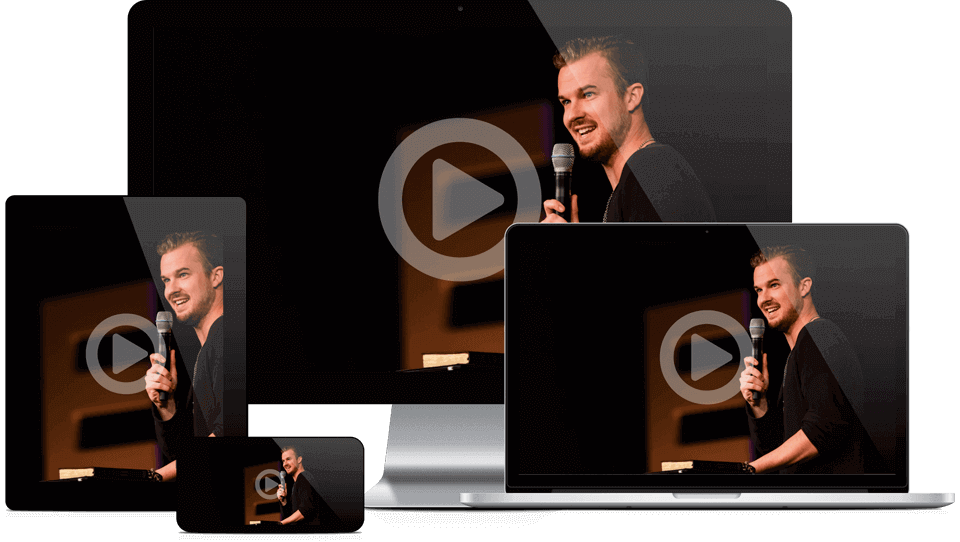
SermonCast has been serving the religious industry since 2006 as a live streaming solution. This platform offers support for both on-demand video hosting and live streaming. This is great for churches that create libraries of past sermons to share with their congregation.
This live church streaming service uses an HTML5 video player for its virtual church service to reach members of the community on all different types of devices.
SermonCast is also another good platform to try because it offers powerful video analytics and a HD video player. With These features, you can embed tour church live streams to your website in order to drive more traffic.
This platform’s HTML5 video player works on a wide range of devices, including Android devices and iOS-supported devices such as iPhones and iPads. It is also worth mentioning the turnkey video encoding function and hosting. Combined, these features enable you to deliver ad-free videos of high quality.
Features:
- Live streaming and VOD
- Ad-free streaming
- All-device video player
- Easy video upload
Pricing:
- SermonCast Pro: $29/month; VOD, Media management system, admin dashboard, 30 GB of Video Hosting, 40 GB Bandwidth Data Transfer
- SermonCast Premium: $49/month; Everything in Pro +, Video Podcast, Audio Podcast, 50 GB of Hosting, 100 GB Bandwidth Data Transfer
- SermonCast live: Custom; Live Streaming, vLife Global CDN, Sunday Morning Support
User Experience:
SermonCast offers a good combination of great features and a very affordable price tag. Add to that in-depth analytics and a user-friendly interface, and you’ve got a solid, reliable streaming platform for all your church services needs.
10. ChurchStreaming.TV
Best for: Churches that want a templated, church-oriented platform with support for multi-destination streaming and archives.
Overview:
Not to be confused with ChurchStreaming.TV that we reviewed earlier, ChrchStreaming.TV is another great live streaming solution for broadcasting liturgical services in real time.
This is one of the live streaming services for churches that offers a robust suite of features. It also comes with a complimentary setup without any heft activation fees.
ChurchStreaming.TV stands out from the crowd because you can use it to broadcast to multiple sources simultaneously. This includes platforms like Facebook, YouTube, and AppleTV.
With this platform, you can also customize the viewer layout for your live streams and embed navigation links that make it easy for viewers to navigate through your content.
You have access to advanced management tools for live stream scheduling, post-live trimming, and automated archive posting. Plus, if you’re a small church with plans to grow in the future, you can easily scale with ChurchStreamingTV. It is designed to handle both small crowds of 10K to large crowds of 100K. Therefore, regardless of your viewer’s internet connection, device, or screen size, this platform will consistently provide a seamless streaming experience using adaptive bitrates.
Features:
- Easy embedding (on your website, app, and beyond)
- Reliable tech support
- Simulcasting to YouTube, Facebook, and more
- Support for Apple TV and Roku channels
- Auto-archiving
- Viewer analytics
Pricing:
- Basic: $79/month paid annually;; 10 streaming hours/month and 100 GB of storage
- Standard: $99/month paid annually; 20 streaming hours/month and 200 GB of storage
- Premium: $139/month; unlimited streaming and 500 GB of storage
User Experience:
ChurchStreaming.TV offers a one-stop solution for all your church organizing, scheduling, and streaming needs. The platform comes with easy-to-use preloaded templates taking out the guesswork from streaming worship services. Its professional quality features and easy, interactive dashboard justify the price tag.
Church Streaming Platform Comparison Matrix (2026)
To help you select the best platform for your church’s live streaming needs, we’ve created a detailed live church streaming software comparison featuring the ten popular options:
| Platform | Best for | Website embed + white-label | Live + VOD | Captions / accessibility | Apps / OTT | Notes |
|---|---|---|---|---|---|---|
| Dacast | Pro control + reliability | Yes | Yes | Workflow-based | Via API/integrations | Akamai delivery; strong control (Dacast) |
| Resi | Broadcast-grade church stack | Yes | Yes | Strong focus | Yes (ecosystem) | Usually quote-based (saasadviser.co) |
| Subsplash | All-in-one church platform | Yes | Yes | Varies by package | Yes | Best for “digital campus” (streamingchurch.tv) |
| BoxCast | Volunteer-friendly ops | Yes (tier-dependent) | Yes | Yes (plan/add-on) | Yes | Captions + OTT options (boxcast.com) |
| StreamingChurch.tv | Church-specific features | Yes | Yes (tier-dependent) | Varies | Yes (options) | Church-first tools (Dacast) |
| ChurchStreaming.tv | Church templates + guided setup | Yes | Yes | Varies | Yes | Verify hours/storage limits (help.tithe.ly) |
| Vimeo | Strong video platform | Varies by tier | Yes | Strong tooling | Add-on | Live often higher-tier (Vimeo) |
| Altar Live | High interaction online congregation | Yes | Integrates | Varies | Browser-first | Engagement layer (CDN Handbook) |
| SermonCast | Simple sermon library | Yes | Yes | Varies | Limited | Compare customization |
| TruthCasting | Attendance-based pricing | Yes | Yes | Basic | Limited | Tier pricing by attendance (help.tithe.ly) |
Church Tech Trends 2026
In 2026, the church tech trends have shifted into hybrid models, AI features, mobile streaming, and online donations.
1. Accessibility is no longer optional
Captions help everyone: seniors, non-native speakers, people watching in noisy environments. Platforms are investing more here, including live and multilingual captions.
Action: Add captions (live if you can, otherwise same-day) and publish a consistent archive.
2. AI assists the ops team (not the sermon)
AI is now mainstream in church operations—especially for communications and content workflows.
Action: Use AI for: titles/descriptions, clips, summaries, email drafts, translations—keep theological content human-led unless your leadership explicitly approves a review process.
3. “Online community” needs design, not just a chat box
Many online viewers watch alone (Pew reports about half do), so connection must be intentional.
Action: Add hosts, moderated chat, prayer requests, and a clear “next step” (new visitor form, small groups, giving, counseling resources).
4. Holidays require scaling + rights checks
Christmas/Easter traffic is where weak setups fail. Run a capacity test, plan a backup uplink, and confirm music streaming rights.
Licensing note: If you stream worship music, make sure you’re covered for online use (e.g., CCLI Streaming licences are designed to extend coverage for online worship; pricing starts from stated annual amounts depending on your licensing situation).
FAQs
1. How do I live stream to multiple platforms like YouTube and Facebook?
You can simulcast your church services to Facebook, YouTube, or any other RTMP destination from Dacast to ensure they reach everyone, no matter where they are. To do that, log in to your Dacast account, choose a live stream channel, and follow the steps provided here.
2. What are the equipment requirements to stream a church service?
To set up your streaming church services online, you’ll need the following equipment:
- Camera or webcam
- Accessories like capture cards, tripod stands, and camera batteries
- Switcher
- Microphone
- Encoder(software or hardware)
- Video streaming platform
- Stable internet connection
3. Which platform uses the best church streaming software and is the overall best platform for churches in 2026?
Dacast has the best church streaming software for your church live streaming needs. We enable you to broadcast your religious services and events. Our practical live streaming solutions are equipped with management, customization, and privacy features you need to bring Faith to followers.
4. How do I record and archive church live streams for on-demand viewing?
To record and archive church live streams, you’ll need the right church live-streaming software from Dacast that will capture and save the stream locally. Upload it to a platform or the website of your church for on-demand viewing, and double-check the file name for easy access.
5. Can small churches afford professional streaming services?
No need to wonder how to stream church services online when you’re on a budget. You’re better off contacting some affordable live streaming services for small churches, such as Dacast. We can offer you a wallet-friendly live streaming option for your church.
6. How can my church accept donations during live streams?
In-chat donations help your church accept tithes in real time during live sermons and maintain steady financial support. Just pick one of the streaming platforms for churches with donation support, choose a payment processor, encourage donations, and thank contributors in real time. Or you can leave the job to professional streaming service providers who know how to live-stream a church service with donation support.
7. How do we avoid buffering?
Use wired internet, keep bitrate reasonable, enable adaptive playback (ABR), and maintain a backup uplink for Sundays and holidays.
Conclusion
In 2026, the “best church live streaming solution” is the one your team can run consistently, and your congregation can watch anywhere with clear audio, stable playback, captions, and simple giving.
If your priority is a professional, controlled experience embedded on your website (with reliable global delivery), shortlist a platform like Dacast.
If you want a church-first ecosystem, compare Resi, Subsplash, and BoxCast based on how your ministry operates and how much you want to bundle (apps, giving, engagement).
Dacast is a complete streaming solution. It has all the features a church needs for live-streaming church services with professional quality. Dacast specializes in live-streaming specifically for churches with plans starting at just $39/month. All Dacast plans include content delivery with top-tier CDNs and a reliable content delivery network.
The good news is you can try Dacast with our 14-day free trial.
You can also join our LinkedIn group for exclusive offers and regular tips on church live streaming.
