



Church Live Streaming Software: What It Is, What to Look For, and How to Choose (2026)

By Dacast Editorial Team | Reviewed by Jon Whitehead, COO at Dacast | Updated April 2026
Choosing the right church live streaming software is one of the most consequential technology decisions a ministry can make. Your platform determines how your congregation experiences online worship, whether services are distraction-free and branded, or interrupted by third-party ads and competitor content that you never approved.
According to Pew Research Center’s October 2024 survey, 27% of Americans watched religious services online or on TV in the prior month, up from pre-pandemic levels.Your broadcast is not a secondary channel, it is a primary ministry touchpoint for a meaningful portion of your congregation.
In addition to making services more accessible, increasing your online presence with video content can help extend your church’s reach. This guide covers what church live streaming software is, how it differs from encoders and consumer platforms, the seven features that matter most in 2026, and how to match the right solution to your congregation’s size and goals.
Table of Contents:
- What is Church Live Streaming Software?
- Church Live Streaming Software vs. Encoders – What’s the Difference?
- 7 Features Your Church Live Streaming Software Must Have in 2026
- How Dacast Fits Each Church Size
- CCLI and Copyright Compliance for Church Live Streaming
- Why Dacast Is the Preferred Platform for Professional Church Streaming
- FAQs
- Conclusion
What is Church Live Streaming Software?
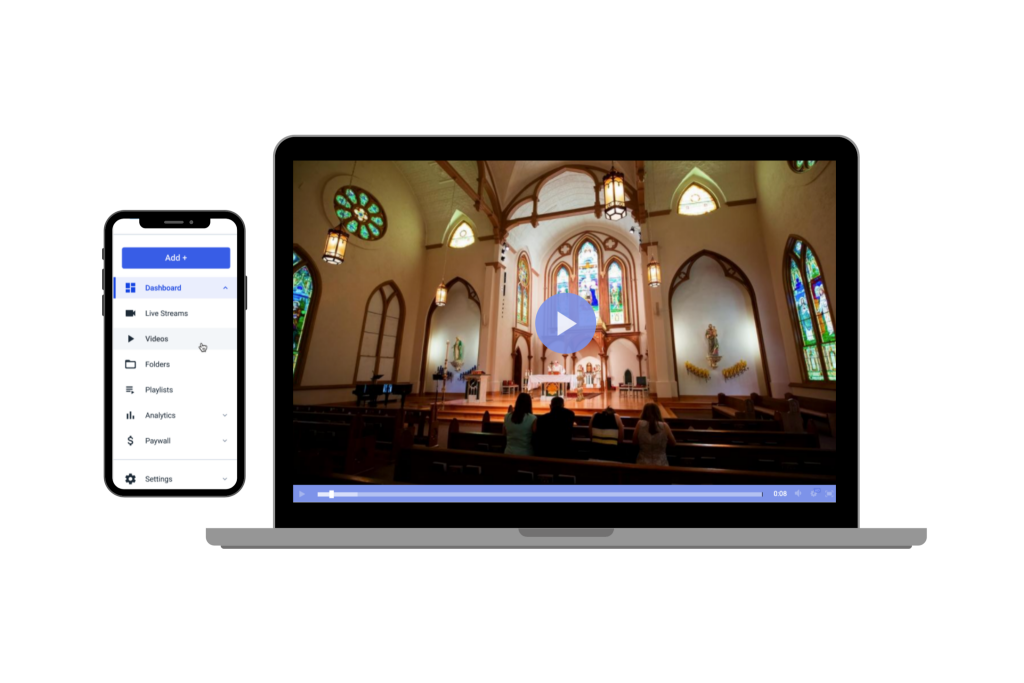
Church live streaming software is a professional online video platform (OVP) that enables religious organizations to broadcast live services, host sermon archives, and deliver on-demand video, all through a secure, branded environment they fully control.
Before we dive into the ins and outs of how to live stream your church services, we’re going to cover what exactly a church live streaming software is.
In order to live stream your church services and events, you’re going to need a professional live streaming solution. Live streaming solutions give you a place to host and manage your video content.
You’re likely familiar with YouTube. This is a very basic, consumer-grade live streaming platform that many businesses are tempted to use since it is free. However, this platform and others like it are relatively limited in terms of functionality.
Professional broadcasting software has the same general structure of YouTube, but it comes with advanced features that create an all-around more professional experience.
For example, if you stream on YouTube, your video is subject to third-party ads and logos. You cannot control what pops up on the screen, which can be extremely detrimental if your viewers are coming for a wholesome, spiritual experience.
With professional streaming solutions, you can completely customize your video player and add your own branding. This video player can be added directly to your website to avoid any off-brand distractions.
Additionally, when you stream with a professional solution, you own all of the rights to your content. When you post something on YouTube, they automatically have equal ownership to your content so they can use it however they want.
Other features that good live streaming software offers include advanced security, monetization options, VOD hosting, live video recording, and advanced analytics, all covered in detail in the sections below.
Church Live Streaming Software vs. Encoders – What’s the Difference?
A common point of confusion for church media teams is the distinction between an encoder and a streaming platform.
| Component | What It Does | Examples |
|---|---|---|
| Encoder (software) | Captures your camera feed, compresses it, and sends it to a platform via RTMP | OBS Studio (free), vMix, Wirecast |
| Streaming Platform / OVP | Receives the stream, transcodes it, delivers it via CDN, and archives recordings | Dacast, BoxCast, Vimeo |
| Consumer Platform | Broadcasts publicly but adds ads, removes branding control, and owns your content | YouTube Live, Facebook Live |
Your church needs both. OBS Studio is free and works for most volunteer-run media teams. Dacast is the platform that receives your OBS stream and delivers it to your congregation with the security, branding, and archiving tools a ministry requires.
7 Features Your Church Live Streaming Software Must Have in 2026
Online video platforms come with a wide variety of features, but some of them are more important to church live streaming than others. Here are the features you should look for and what to verify before committing to a platform.
1. VOD and Live Streaming Support
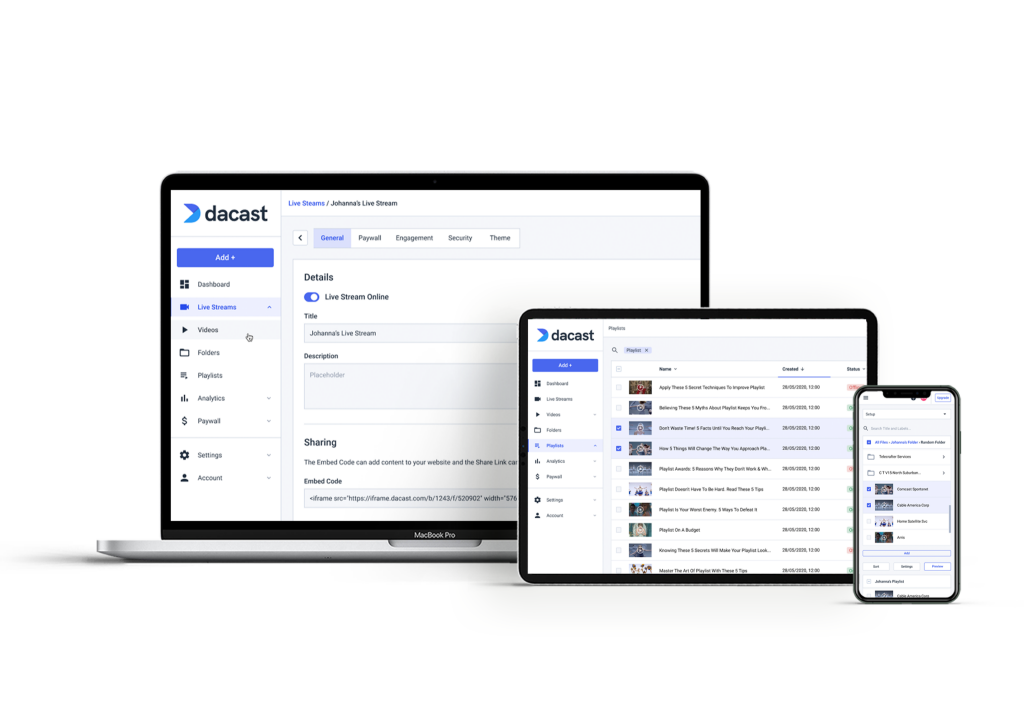
Having the ability to support video on demand and live streams is very valuable because it allows you to broadcast services in real-time and then make them available for playback at your viewers’ leisure.
Live stream recording is another valuable tool that is related to VOD and live streaming. This is when your live streams are recorded as you broadcast and automatically made available on-demand after the service ends.
For growing churches, sermon archive management matters as much as live delivery. Look for a platform that lets you organize recordings by series, speaker, or date, and makes them searchable. Dacast supports bulk video upload, metadata tagging, and scalable cloud storage, making it practical for ministries managing hundreds of recordings.
2. Privacy and Security
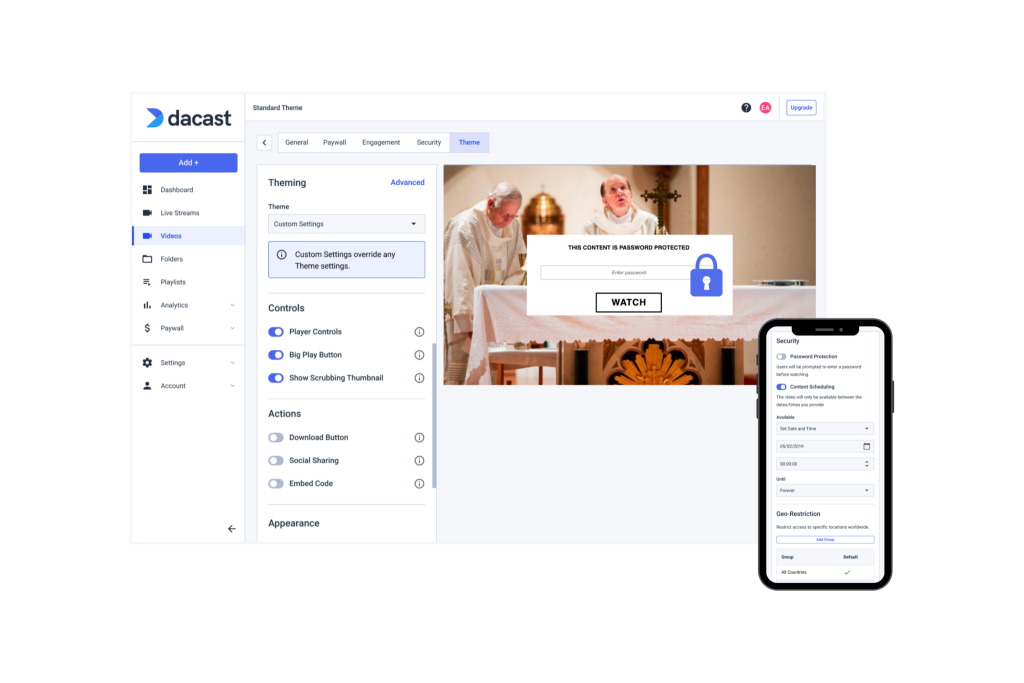
There is a fine line between available and vulnerable. You want your sermons to be available to a wide group of people, but you don’t want any intervention from people with ill intentions. Look for a secure streaming solution that offers security features like referrer restrictions, geo-restrictions, password protection, AES encryption, and tokenized security.
In practice: password protection gates member-only streams (small groups, pastoral care sessions) to verified attendees. AES-128 encryption secures the stream in transit. Tokenized security generates unique, time-limited access links per viewer, preventing unauthorized link-sharing. Dacast includes all three on all paid plans.
3. White-Label Video Player
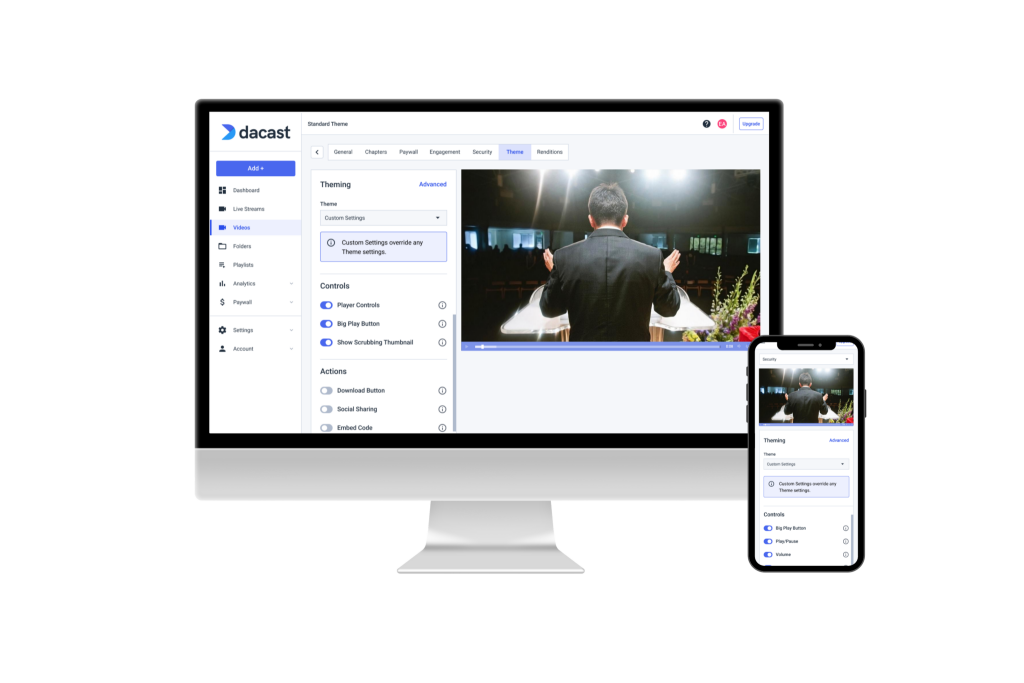
We briefly mentioned before that third-party ads and logos are not great when you’re trying to create a focused, distraction-free viewing experience.
Choose a solution with a video player with white-label features that allows you to customize it with your own branding, logos, and colors.
Dacast’s HTML5 player is fully white-label : your congregation sees only your church’s identity, embedded directly on your website. No Dacast watermark, no third-party ads, no off-brand content around your sermons.
4. Mobile Streaming with HTML5
In addition to your video player being customizable, you’re going to want to aim for maximum compatibility. The best type of video player for all-device streaming is HTML5.
HTML5 video players work on computers, tablets, laptops, smart TVs, and more. Streaming everywhere (in terms of devices) allows you to reach a wider audience.
To take this a step further, you may want to choose a streaming solution that offers support for mobile SDKs. These are tools that are designed to help you build your own mobile app around your video player.
5. Video Monetization and Donation Tools
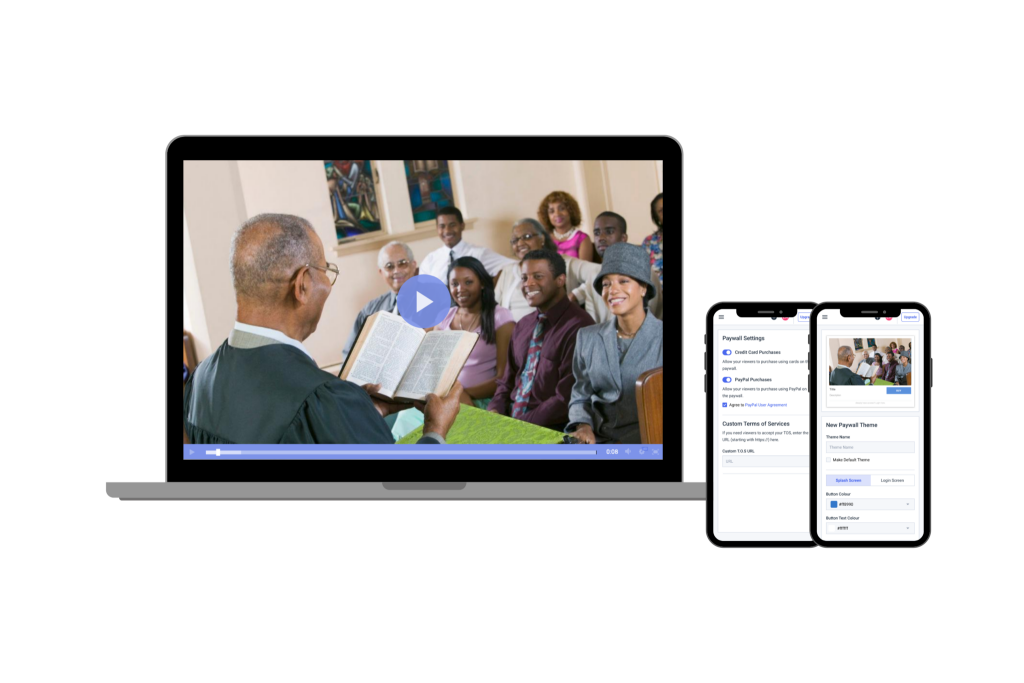
Some churches choose to monetize their video content as a way to collect donations online. This could be done in the form of pay-per-view or subscriptions.
With pay-per-view, viewers would likely pay for access to one virtual service at a time, but with subscriptions, they’d pay for unlimited access for a month or year at a time.
Dacast’s built-in paywall supports pay-per-view, subscriptions, and promo codes. According to church revenue data reported by EnterpriseAppsToday, online church donations in a single reported year surpassed $2.2 billion, making secure, integrated donation tools a non-negotiable feature for any church streaming platform in 2026.
6. Simulcasting to Social Platforms
Simulcasting, broadcasting your service simultaneously to your church website, YouTube, and Facebook from a single stream, lets you maintain a professional owned-media presence while reaching your existing social following. Dacast integrates with multistreaming tools so your primary stream stays on your branded player, while social channels serve as reach and discovery channels. This is particularly useful for holiday services and community outreach events.
7. Accessibility : Captions, Multi-Language, and Inclusive Playback
One of the most significant 2026 shifts in church streaming is the growing expectation of accessibility. AI-powered auto-captions now make real-time subtitles practical for any church serving members with hearing impairment, non-native speakers, and anyone watching in a noisy environment. When evaluating software, verify that the player supports caption display and that the platform integrates with live captioning services.
How Dacast Fits Each Church Size
Not every church has the same requirements. Feature priorities shift significantly based on congregation size:
| Size | Primary Need | Key Features | Starting Point |
|---|---|---|---|
| Small (under 200) | Simple, reliable weekly stream | Free encoder + basic live/VOD + social simulcast | Dacast Starter ($39/mo) + OBS (free) |
| Mid-size (200–2,000) | Branded experience + sermon library | White-label player, archive management, security | Dacast Event plan ($63/mo) |
| Large (2,000+) | High concurrency + monetization | Multi-CDN, paywall, analytics, API access | Dacast Scale ($165) or custom |
| Multi-campus | Unified delivery across locations | Multi-stream, API integration, sub-accounts | Dacast Scale + API |
Comparing platforms before deciding? Our top 10 church streaming solutions guide covers full feature breakdowns, pricing, and pros and cons for each platform
CCLI and Copyright Compliance for Church Live Streaming
One of the most overlooked considerations when choosing church live streaming software is worship music copyright compliance. The Christian Copyright Licensing International (CCLI) Streaming License covers reproduction rights for songs used in services broadcast online. Without a valid streaming license, your church risks copyright violations every time you include licensed worship music in a broadcast.
Consumer platforms like YouTube automatically apply Content ID audio fingerprinting to live streams, meaning worship songs can trigger automatic muting, monetization claims, or stream takedowns mid-service. Professional platforms like Dacast do not impose automatic content detection systems. Your church retains full responsibility for CCLI compliance, and your stream remains on your own infrastructure rather than a public platform subject to algorithmic enforcement.
Why Dacast Is the Preferred Platform for Professional Church Streaming
Dacast is a professional live streaming and VOD hosting platform used by businesses, media companies, and religious organizations worldwide. For churches, Dacast brings together broadcast-quality infrastructure, white-label branding, enterprise-grade security, and built-in monetization in a single platform at a price point accessible to mid-size and large congregations.
| Feature | Dacast | YouTube Live |
|---|---|---|
| White-label player (no third-party branding) | Yes | No |
| Password-protected streams | Yes | No |
| Built-in paywall / donation tools | Yes | No |
| Sermon archive with metadata control | Yes, full VOD management | Limited |
| Content ownership | Full, you own everything | Shared, YouTube ToS apply |
| CCLI-safe (no auto content ID) | Yes | No, Content ID active on live streams |
| 24/7 technical support | Yes (chat + phone) | No dedicated support |
| Pricing | From $39/month | Free (with above limitations) |
See how Dacast compares to Subsplash, BoxCast, and ChurchStreaming in our full platform comparison guide
FAQs – Church Live Streaming Software
What is the best live streaming software for a small church?
For small congregations, the most cost-effective setup combines OBS Studio (free encoder) with Dacast’s Starter plan ($39/month). This delivers broadcast-quality streaming, a white-label player, and basic security without production complexity.
Can I use YouTube for church live streaming?
YouTube works for basic public streaming, but introduces significant limitations for church use: ads appear on your content, Content ID flags worship music, there is no paywall or donation tools, and YouTube’s terms grant them usage rights over your content. Churches that prioritize branding, security, and content ownership need a dedicated platform.
How much does church live streaming software cost?
Entry-level professional platforms start at $30–$100 per month. Full-featured platforms with white-label player, monetization, and API access typically range from $100–$300/month. Dacast starts at $39/month (Starter) and $165/month (Scale), which includes API access, advanced monetization, and higher bandwidth.
Can I accept donations through my church live stream?
Yes. Dacast’s built-in paywall supports pay-per-view access, monthly subscriptions, and promo codes. Free weekly services remain ungated while optional giving mechanisms are layered on top for special events or conferences.
What is the difference between a streaming encoder and a streaming platform?
An encoder (OBS Studio, vMix, Wirecast) captures and compresses your camera feed and sends it via RTMP. A streaming platform (Dacast) receives that stream, transcodes it into multiple quality levels, delivers it via CDN, and stores recordings for on-demand playback. You need both.
Conclusion
Although this may seem like a lot to digest, when you take it one step at a time, choosing the right church live streaming software really is manageable. Each feature covered in this guide maps directly to a real ministry need and the right platform addresses them all from a single dashboard.
Now that you know what this process looks like and what steps you should take for choosing a church live streaming software, we’re confident that you’re ready to start your search.
Start your 14-day free trial today — no credit card required. You’ll have immediate access to Dacast’s full feature set, including the white-label player, security tools, and monetization options.
