



The 20 Best OTT Platforms for Businesses in 2026 : Broadcaster-Grade Criteria and Reviews
By Dacast Editorial Team | Reviewed by Jon Whitehead, COO at Dacast | Updated July 2026
An OTT platform is a technology solution that lets businesses deliver video directly over the internet, without cable, satellite, or traditional broadcast infrastructure. If you are building a subscription streaming service, a pay-per-view sports channel, a corporate video portal, or an eLearning platform, an OTT platform is the infrastructure layer that makes it possible. Choosing the right one is an infrastructure decision, not a software subscription. The platform you select determines your monetization ceiling, your content security posture, your global delivery architecture, and your ability to scale without renegotiating contracts every year.
This guide approaches that decision the way a broadcast engineer or IT director would: by establishing the criteria that matter for professional video delivery, then evaluating 20 platforms against them. Platforms are compared on DRM coverage, multi-CDN architecture, monetization model flexibility, SLA commitments, API depth, and QoE analytics, not feature marketing language.
According to Mordor Intelligence (2025), the global OTT market is projected to reach $476 billion by 2027, growing at a CAGR of approximately 14%. The $1 trillion figure cited in some projections covers total streaming media including music and gaming; the video-specific OTT market is typically cited in the $300–500 billion range depending on scope. Whether you are new to OTT or already shortlisting vendors, the structure is the same: definition and context first, then criteria, then platform reviews. Jump to the section that matches where you are in your decision process.
TL;DR – Choosing an OTT Platform in 2026:
The best OTT platforms for businesses in 2026 include Dacast, Brightcove, Muvi, Vimeo OTT, Kaltura, and Wowza, each suited to different use cases and budgets. If you are new to OTT, start with the definition section and the use case matrix below to identify what you need. If you are already evaluating platforms, jump directly to the broadcaster-grade criteria and the comparison table. Quick guide by use case: for sports PPV or live events, evaluate Dacast, Brightcove, or Muvi. For enterprise internal comms, evaluate Dacast or Kaltura. For FAST channel launch, evaluate Muvi or Castr. For marketing and sales video, evaluate Vidyard or Wistia. For creator-led subscriptions, evaluate Vimeo OTT or Gudsho.
Please note that OTT platform technology and pricing change regularly, and this post now reflects the most accurate information as of May 2026.
Table of Contents:
- What Is an OTT Platform? Definition, Architecture & Business Use Cases
- OTT Platforms vs Consumer Streaming Services
- OTT Market Trends & Growth (2026)
- Broadcaster-Grade OTT Evaluation Criteria
- OTT Platform Selection Matrix by Use Case
- The 20 Best OTT Platforms for Businesses in 2026
- OTT Platform Comparison Tables (2026)
- Dacast OTT Platform Use Cases: Sports, Education & Enterprise Streaming
- OTT Platform FAQs: Pricing, Monetization, Security & Migration
- Conclusion: How to Choose the Best OTT Platform to Build Your Streaming Service
What Is an OTT Platform? Definition, Architecture & Business Use Cases
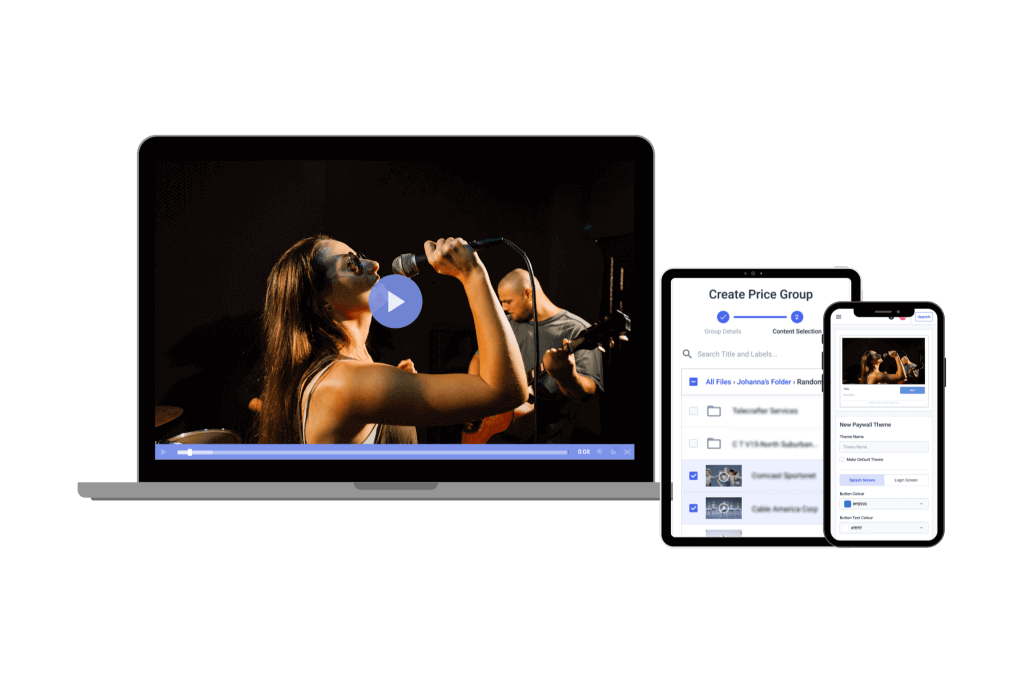 An over-the-top (OTT) streaming service helps content creators bring their content to viewers via the Internet.
An OTT platform (Over-The-Top platform) is a technology solution that allows businesses to deliver video content directly over the internet without traditional cable or satellite distribution.
Instead of relying on broadcasters, companies can use OTT platforms to host, manage, and distribute their own streaming services.
OTT platforms power:
- Streaming apps
- Subscription video platforms
- Live event streaming
- Corporate video portals
- Online learning platforms
Typical OTT platform components include:
| Component | Function |
|---|---|
| Video CMS | Manage video libraries and metadata |
| Encoding & Transcoding | Prepare videos for multiple devices |
| CDN Delivery | Global video distribution |
| Video Player | Web and mobile playback |
| Monetization | SVOD, AVOD, TVOD, FAST |
| Analytics | Viewer behavior insights |
| APIs | Custom app development |
These platforms enable businesses to build Netflix-style streaming services for their own content.
OTT Platforms vs Consumer Streaming Services
One of the biggest points of confusion is the difference between consumer OTT services and OTT platforms for businesses.
Consumer OTT Platforms
Examples:
- Netflix
- Disney+
- Hulu
- Apple TV+
These are content libraries designed for viewers.
You cannot launch your own service using them.
B2B OTT Platforms
Examples:
- Dacast
- Brightcove
- Vimeo OTT
- Muvi
These provide the technology infrastructure to create your own streaming service.
Designed for scalability, OTT infrastructure supports multi-device delivery, global reach, and flexible deployment, making it the backbone for modern video delivery across sports, entertainment, enterprise, and education sectors.
OTT Market Trends & Growth (2026)
Key statistics shaping the industry:
- The global OTT market reached $383.52 billion in 2026 and is projected to grow to $626.69 billion by 2031 (Mordor Intelligence, 2026).
- The OTT video market reached an estimated 5.27 billion users globally in 2025, with user penetration projected to reach 63% by 2030 (Statista, 2025).
- According to Nielsen’s December 2025 The Gauge report, streaming accounted for 47.5% of total U.S. television viewing time, the highest share recorded to date.
- OTT video advertising represented $214.76 billion of the $351.06 billion global OTT video market in 2025, approximately 61% of total OTT revenue (Statista, 2025).
Major OTT trends in 2026 include:
1. Hybrid Monetization Is the New Standard
OTT platforms increasingly combine multiple revenue models:
- SVOD : subscriptions
- AVOD : ad-supported streaming
- TVOD : pay-per-view
- FAST channels
This hybrid strategy helps maximize revenue and reach.
2. FAST channels are expanding
FAST (Free Ad-Supported Streaming TV) is one of the fastest-growing distribution models in 2026, driven by platforms like Pluto TV, Tubi, and Samsung TV Plus. For broadcasters evaluating OTT platforms, it is important to distinguish between two different levels of FAST support: platforms that offer managed ad monetization with built-in ad aggregator relationships (Muvi, Castr, Brightcove), and platforms that provide the delivery infrastructure for customers to build their own FAST-style channels and manage their own advertising relationships independently. The right model depends on whether you need a turnkey ad revenue service or flexible infrastructure you control.
3. AI Is Transforming OTT Workflows
AI tools are now integrated across OTT platforms.
Common use cases include:
- Automated subtitles and translations
- AI content tagging and metadata
- Smart content recommendations
- Dynamic ad targeting
- Automated highlights for sports
4. Connected TV (CTV) Is Dominating
More viewers now watch streaming on:
- Smart TVs
- Roku
- Apple TV
- Fire TV
- Android TV
OTT platforms must support multi-device delivery across CTV ecosystems.
Broadcaster-Grade OTT Evaluation Criteria
Before shortlisting any platform, define your minimum requirements across these six dimensions. A platform that fails any one of them is not ready for professional broadcast deployment.
| Criterion | Minimum threshold | What to evaluate | Why it matters |
| DRM & content protection | Widevine L1 + FairPlay + tokenized playback | Does the platform support Widevine, FairPlay, and PlayReady? Are playback links tokenized to prevent unauthorized sharing? Is forensic watermarking available for piracy detection? | Without DRM, premium content is unprotectable. Studios, sports leagues, and enterprise clients require it as a baseline. |
| Multi-CDN delivery | 2+ CDN partners with automatic failover | Does the platform use a single CDN or multiple? Is failover automatic or manual? Can traffic be routed by geography? What is the documented uptime SLA? | Single-CDN platforms have a single point of failure. Multi-CDN is the minimum for SLA-backed delivery at scale.* |
| Monetization architecture | SVOD + TVOD support as independent options; SSAI or custom ad insertion for ad-supported models | Does the platform support SVOD, AVOD, TVOD, and FAST independently and as hybrid models? Does it support SSAI (server-side ad insertion) natively, or does it allow customers to manage their own ad insertion? Clarify whether the platform operates a managed ad monetization service or provides infrastructure for customer-managed advertising. | Revenue model flexibility determines your commercial ceiling. Platforms locked to one monetization model limit growth options. |
| SLA and uptime commitment | 99.9% uptime SLA with documented incident response | Is there a documented uptime SLA? What is the incident response process and escalation path? Is there a public status page? Is SLA backed by service credits? | A failed stream during a PPV event or executive briefing carries reputational and financial consequences. Best-effort uptime is not sufficient. |
| API depth | REST API with public documentation + active SDK maintenance | Is the API documented publicly? Can you automate publishing, user management, analytics retrieval, and access control via API? Are SDKs actively maintained and version-tracked? | Platforms without deep API access force manual workflows at scale. API maturity is a proxy for overall platform reliability and vendor investment. |
| QoE analytics | Real-time QoE metrics with export capability | Does the platform expose startup time, buffering rate, bitrate distribution, error rate by geography, and concurrent viewer trends? Is data exportable for BI tools? | Without QoE visibility, you cannot diagnose delivery failures, justify platform cost to stakeholders, or optimize for viewer experience. |
*For organizations streaming to mainland China, verify whether the platform holds a licensed ICP filing or CDN partnership with in-country infrastructure. Most B2B OTT platforms do not support China delivery natively, this requires specific verification.
OTT Platform Selection Matrix by Use Case
Use this matrix to identify which evaluation criteria are most critical for your use case before comparing individual vendors.
| Use case | DRM | Multi-CDN | Monetization | SLA | API | QoE | Platforms to evaluate first |
| Sports / PPV | Critical | Critical | Critical(TVOD + SVOD + ad insertion) | Critical | High | Critical | Dacast, Brightcove, Muvi |
| Enterpriseinternal comms | High | High | Low(internal, no paywall) | Critical | Medium | High | Dacast, Kaltura |
| Education /eLearning | High | Medium | High(SVOD + TVOD) | High | High | Medium | Kaltura, Dacast, Vimeo OTT |
| FAST channel /media publisher | Medium | Critical | Critical(AVOD + FAST + managed SSAI) | High | High | Critical | Muvi, Brightcove, Castr |
| Creator /subscription | Medium | Medium | High(SVOD + PPV) | Medium | Low-Med | Medium | Vimeo OTT, Dacast, Gudsho |
| Marketing /sales video | Low | Medium | Low(lead gen, no paywall) | Medium | Medium | Medium | Vidyard, Wistia |
The 20 Best OTT Platforms for Businesses in 2026
Before we look at some of the top OTT platforms and streaming services available to professional broadcasters, it is important to note that different features are required to reach different broadcasting goals For example, monetization tools are a must if you are building a live streaming software service to generate revenue. However, monetization tools aren’t a deal-breaker if you’re using your OTT platform to host and deliver internal content. With that in mind, let’s look at the best OTT platforms for businesses:
1. Dacast

Dacast is a unified live streaming platform for broadcasters that offers VOD and live streaming services. It has a wide spread of powerful, full OTT content and technology features that are well-suited for professional broadcasters. This platform is password protected and easy to use to distribute video content to viewers around the world securely.
Best for: Businesses that need an all-in-one live + VOD OTT platform with built-in monetization, strong security, APIs, and predictable pricing.
Key Features
- Monetization tools (SVOD, AVOD), and pay-per-view (TVOD)
- White label and branding control
- Adaptive bitrate streaming to allow multiple streams with varying bitrates
- RTMP Encoder for ingesting HLS streaming
- Low latency HTML5 channels for video streaming
- HTML5 video player
- Live encoding support for the top video encoders
- Zoom live streaming integration
- Expo galleries video portal
- Unlimited viewers and live channels
- Video security tools for secure streaming
- Global content delivery with strategic CDN partnerships
- Multi-bitrate streaming
- Player API and Video API access
- 24/7 tech support
- M3U8 file creation capability to enable adaptive streaming delivery of OTT video content across various devices
- Multistreaming capabilities for simulcasting to multiple platforms at once
- Fully integrated RTMP streaming platform features
- AES encryption for secure video streaming
- Multi-user access on Scale and Custom plans
- Zoom live streaming integration for meetings and live events in real-time
- Expo 2.0 galleries video portal for immersive video experiences
Pros
- VOD and live stream video hosting
- Real-time analytics
- Ad-free streaming
- Wide range of privacy and security tools
- Mobile device support
- Live stream recording
- China Video Hosting
- Plans for every budget
Cons
- A large range of features require a bit of an initial learning curve
Pricing Dacast’s live streaming pricing plans begin with the Starter Plan, and include the following:
- Starter plan – $39/month: Ideal for newcomers with 2.4 TB of bandwidth and 500GB of storage per month, billed annually at just $39 per month.
- Event plan – $63/month: For organizations who’d rather not sign a contract and want to purchase bandwidth separately. It offers 6 TB of bandwidth upfront, 250 GB of storage, and costs just $63 per month (or $750/year). Additional data and storage can be added as needed.
- Scale plan – $165/month: Includes 24 TB of bandwidth per year, with 2000 GB of storage for $165 per month billed annually. These Scale pricing plans add phone support, a monetization paywall, an M3U8 link tool for live channels, ad insertion, white-label Cnames, and video API access.
However, Event and Scale users can also purchase custom plans for greater bandwidth needs. Dacast is one of the leading OTT live streaming media services platforms globally.
2. Brightcove

Brightcove is a trusted solution in the OTT video platform, primarily geared towards business video hosting use. Its cloud video hosting suite is equipped with everything broadcasters need to succeed over the top and in online video hosting. See our full Dacast vs Brightcove comparison.
Best for: Large organizations that need enterprise-grade video hosting, governance, integrations, and scalability across business units.
Key Features
- Access to top-tier CDNs
- Multi-bitrate and adaptive bitrate streaming
- Video API access
- Basic tech support
- security features
- Monetization tools
Pros
- Custom video player landing pages
- CRM integration
- professional broadcasting features
Cons
- High pricing
- No multi-CDN OTT delivery / China video hosting
Pricing Brightcove builds custom pricing plans to suit enterprise streaming needs.
- Basic Plan: Starts at $99 per user per month, which includes core video hosting and management functionalities.
- Enterprise-Level Plans: These plans are highly customizable and include advanced features.
- Customization Costs: These costs can range from a few thousand dollars to significantly more.
- Free Trial: Brightcove offers a free trial for prospective users to test its features before committing to a subscription.
3. Kaltura
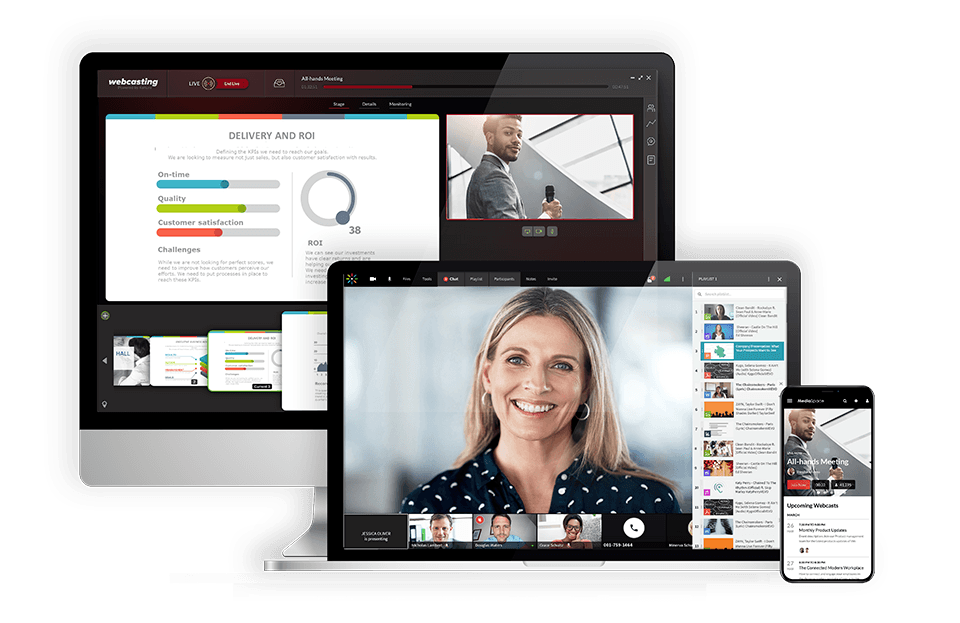
Kaltura is an open-source software that offers a unique OTT streaming technology platform that focuses on educational institutions. It is perfect for hosting large content libraries and delivering it with a branded video player. Best for: Universities, government, and large institutions needing extensible video workflows, integrations, and complex deployment options. Key Features
- Developer tools
- Video content management system
- Live and VOD hosting
- Quality video playback
Pros
- customizable
- Very few limits on features
- Well-suited for advanced broadcasters
Cons
- Expensive
- Complicated
- Not suitable for beginners
- Slow-to-respond tech support
Pricing Webinars:
- Business: $250/month
- billed annually
- Enterprise: Custom pricing
- Free trial: 14 days; up to 25 participants per session
- Basic: $17/month, up to 8 participants per session and 8 hrs of cloud recording
- Pro: $50/month, up to 25 participants per session and 15 hrs of cloud recording
- Business: $115/month, up to 100 participants per session and up to 25 hrs of cloud recording
- Business Plus: Custom pricing for up to 300 participants per session, unlimited sessions and custom storage needs
4. Wowza

Wowza is an OTT platform geared toward professional broadcasting. It allows broadcasters to build highly customized streaming workflows using third-party integrations, APIs, and other advanced OTT features. See our full Dacast vs Wowza comparison.
Best for: Teams that want developer-friendly streaming infrastructure (custom workflows, integrations, and control) and can assemble monetization/analytics via partners.
Key Features
- Cloud transcoding
- Support for live streaming and VOD
- White-label video player
- All-device streaming
- API access
Pros
- Brand customization tools
- Auto-archiving
- Powerful video CMS
- Ultra HD streaming (4K)
Cons
- No simulcasting tools
- No support for video monetization
- No reliable video analytics tools
Pricing
2 tiers: Wowza Video and Streaming Engine.
The Wowza Streaming Cloud offers four pricing plans and services. Live Event Pricing, monthly plans include:
- Pay As You Go: $0 per month only pay for usage at a rate of $2.50 per streaming hour and $0.10 per viewer hour
- One Month of Streaming: $295 one-time purchase
- Plans built for your needs
The Wowza Streaming Engine has its own professional-grade streaming plans billed annually and includes:
- Basic Monthly: $195/month
- One Month Streaming: $295/month
- Enterprise Plans built for your needs
5. Muvi

Muvi makes it easy for businesses to launch their own branded video and audio streaming services. It caters to industries like entertainment, education, and enterprise. Centering on OTT media businesses, it offers end-to-end live and on-demand solutions. See our full Dacast vs Muvi comparison.
Best for: Businesses that want a no-code/low-code OTT platform + apps (live + VOD) with multiple monetization models and fast time-to-market.
Key Features
- monetization options
- HTML5 all-device video player
- Dashboard management CMS
- 24/7 support
- White-label platform
- Multi-device streaming options
Pros
- Comprehensive monetization options
- High scalability
- No coding required
- User-friendly interface
- Strong security features
Cons
- Advanced features come at a higher price
- Limited third-party integrations
- Steep learning curve for beginners
Pricing Muvi has a very wide spectrum of pricing plans divided in 7 categories:
- Standard: $399/month
- Professional: $1,499/month
- Enterprise: $3,315/month
- Custom starts from $10,000/month (Billed Annually)
- Standard: $84/month
- Professional: $254/month
- Enterprise: $679/month
- Standard: $169/month
- Professional: $764/month
- Enterprise: $2,464/month
- Standard: $99/month + $0.001/view
- Professional: $299/month plus $0.001/view
- Enterprise: $799/month + $0.001 per view (first 100,000 views are free each month)
- Standard: $169/month
- Professional: $424/month
- Enterprise: $1,699/month
- Standard: $9/month + 9% commission on content sales.
- Standard: $169/month
- Professional: $764/month
- Enterprise: $1,274/month
6. Vimeo OTT
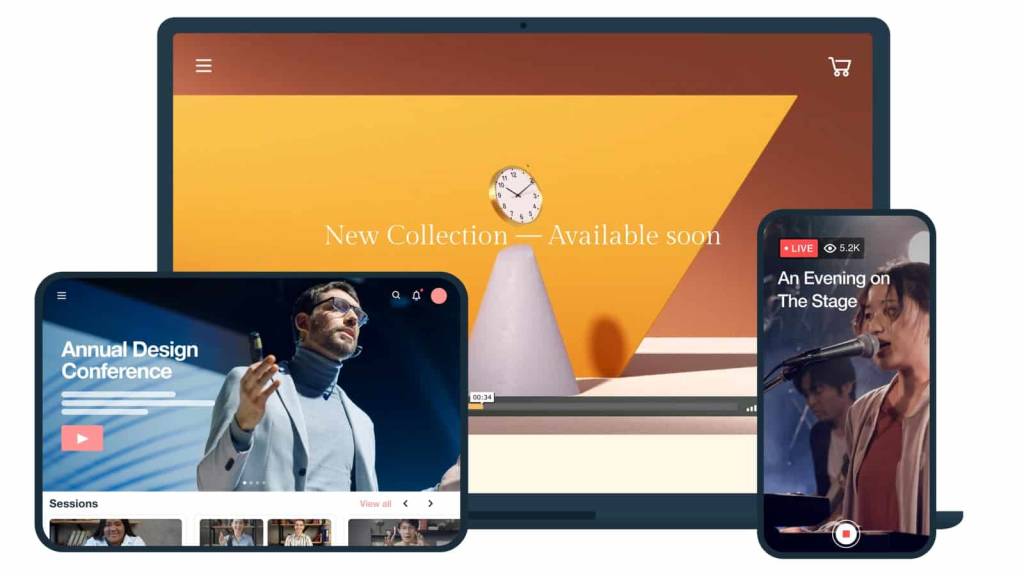
After many years as a streaming service, Livestream was acquired by Vimeo in late 2017. Today, both businesses operate OTT video streaming services under Vimeo’s name. Vimeo has integrated an OTT solution into its services. Let’s take a closer look at Vimeo’s OTT services. See our full Dacast vs Vimeo comparison.
Best for: Creators and businesses launching a subscription-based (SVOD) streaming service quickly with polished user experience and brand control.
Key Features
- Simulcasting and multistreaming
- Viewer engagement tools Powerful security tools
- Custom video gallery pages
- White-label video player
Pros
- Global content delivery
- Customization for on-brand streaming
- Tools for promoting interaction and engagement
Cons
- Support required to access some features
Pricing Vimeo OTT
- Starter Pricing: $1/subscriber per month
- Enterprise Pricing: Please contact Vimeo for custom pricing information
Vimeo also diversifies its offering with video hosting plans that are suitable for content creators and startups.
- Starter: $12 per month, billed annually or $20 billed monthly
- Standard: $25 per month, billed annually or $41 billed monthly
- Advanced: $75 per month, billed annually or $125 billed monthly
- Enterprise: Custom pricing.
7. Uscreen

Uscreen is an all-in-one membership platform built specifically for video creators who want to turn their content library into a recurring revenue business. Unlike general-purpose OTT platforms, Uscreen is designed around the creator workflow: upload a video library, build a branded website, launch native apps across iOS, Android, Roku, Apple TV, and Fire TV, and manage subscribers, all from a single dashboard. The platform has helped creators generate over $150 million annually across more than 9.7 million end-users, with well-known clients including Yoga with Adrienne, Filmmakers Academy, and Art of Jiujitsu.
Best for: Creators, coaches, and membership businesses launching a branded subscription platform with native iOS, Android, and CTV apps, without custom development.
Key features:
- Native branded OTT apps (iOS, Android, Roku, Apple TV, Fire TV), built and maintained by Uscreen under your developer account
- SVOD and membership monetization with tiered pricing, gift cards, and abandoned cart recovery
- Live streaming with VOD library integration
- Built-in community features (forums, member spaces)
- Email automation and marketing tools built in
- Video analytics and engagement tracking
Pros:
- Fastest path to a fully branded multi-platform subscription service
- Includes marketing and community tools that other platforms charge separately for
- Strong customer support reputation with dedicated onboarding
Cons:
- Not designed for enterprise internal comms, sports broadcasting, or FAST channels
- DRM support is basic compared to Brightcove or Dacast, not suitable for premium licensed content
- Monetization is SVOD/membership-focused, limited TVOD and no AVOD/FAST
Pricing: Plans from $0 to $499/month. Native app packages available at an additional cost. Custom enterprise pricing available.
8. JW Player

JW Player is most well-known for its popular video player. The code for this video player was used as part of the first YouTube video player code. However, they recently launched a live streaming service as well. Best for: Publishers and media brands focused on AVOD and advertising performance, using a proven player + ad stack. Key Features
- Global content delivery
- Video API access with all plans
- Ad-based monetization
- Multi-bitrate and adaptive streaming
- Some technical support is available
Pros
- High-quality video player
- Clean user-interface
Cons
- Only supports AVOD
- Limited tech support
- No China delivery
Pricing JW Player offers four custom pricing plans:
- Stream: video delivery, asset management, instant and broadcast live
- Play: cloud hosting, HTML5 Player, OTT apps, and mobile SDKs
- Engage: real-time analytics, recommendations, article matching, and custom reports
- Monetize: ad insertion, player bidding, outstream ads, and studio DRM
9. Castr

Castr finds itself on our list as an OTT platform geared toward content creators looking to deliver high-quality video streams and zero-code. It’s used for hosting live events, streaming videos, and delivering high-quality content to a global audience. This OTT platform offers users full customization freedom, white-labeling, and fantastic monetization options.
Best for: Creators and businesses wanting simple OTT + fast branded app delivery with live streaming and straightforward setup.
Key Features
- Possibility to offer exclusive videos and premium content
- Customized, white-label OTT mobile app
- Monitor traffic and performance metrics in real-time
- Quick app development (develop within 24 hours and release on app store within a week)
Pros
- Ease of Use
- Flexible Multistreaming
- No Branding
- 24/7 Support
Cons
- Limited free trial to 7 days
- Advanced features are available only in higher-tier plans
Pricing Castr has a wider selection of plans than its competitors, offering the following plans when billed monthly:
- Starter: $12.5/month with a free trial period
- Standard: $33.5/month
- Professional: $62.5/month
- Premium: $104.5/month
- Ultra: $250/month
10. Vidyard
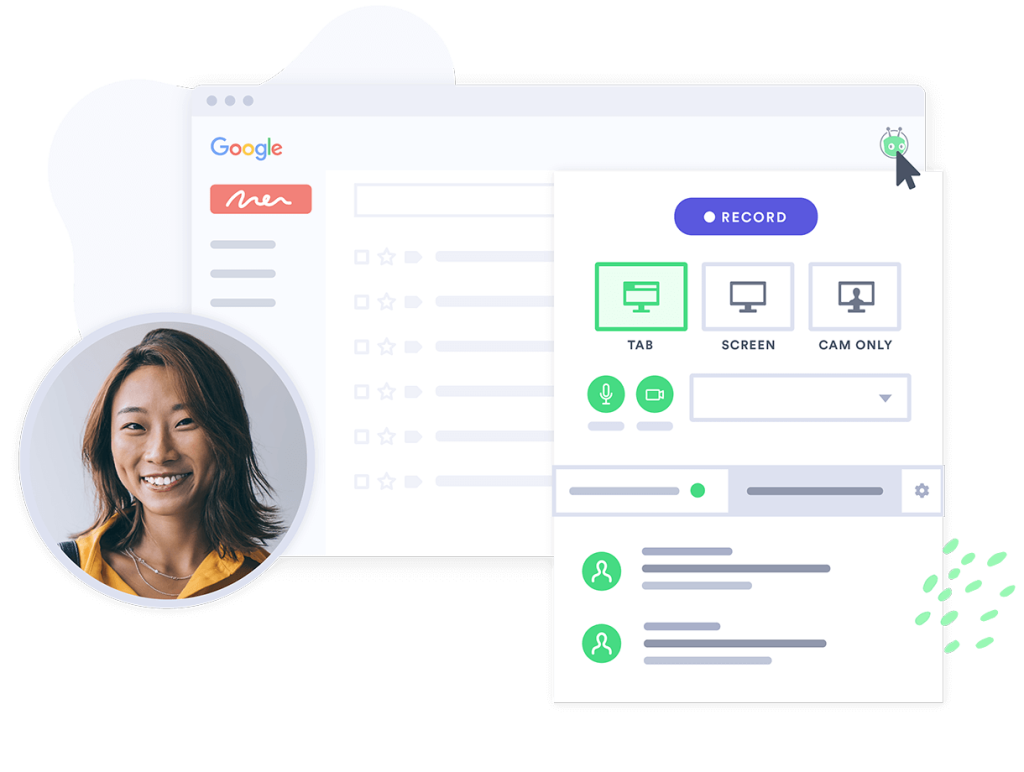
Vidyard is a top OTT platform for businesses that provides users with many unique tools and features. This video streaming platform is geared towards marketing and sales since its features are designed to turn viewers into customers.
Best for: Marketing, sales, and customer success teams using video for pipeline—personalization, lead capture, and CRM integrations.
Key Features
- Marketing tools (SEO, lead generation, email capture)
- Tools that promote viewer engagement
- Advanced video content management
- Gold-standard security
Pros
- Tools for an advanced broadcasting experience
- Powerful video analytics
- Reliable technical support
Cons
- Inconsistent positive user reviews
- No support for China video delivery
Pricing Vidyard prices its platform based on the use case and includes the following packages: Packages for Individuals and Teams:
- Free: Video sharing; video editing; video sharing; stock AI avatars
- Starter: $59/month; team performance analytics, password-protected videos, and customizable branding
- Teams: everything in Starter + CRM/MAP integrations for seamless workflows, folder management, video captions, and advanced analytics
- Enterprise: Custom pricing; AI avatars, SSO user management and secure playback, unlimited integrations, custom permissions and security options, Add-On Video Agent, Unlimited AI videos, 3 custom avatars per seat, Unlimited automated video creation and delivery
11. Gudsho

Small and medium content creators and video business owners will find Gudsho to be an excellent OTT platform for them. They can use it to host, market, and monetize their video content across numerous platforms and devices.
Best for: Small-to-mid creators who want a simple OTT launch with monetization options, basic analytics, and scheduling—without heavy technical setup.
Key Features
- Allows import of large video content at once
- Built-in video analytics
- A variety of monetization options
- Synchronize content distribution with the video scheduling feature
- 4K video streaming
Pros
- Wide audience reach
- An extensive range of content monetization options
- Embedding videos on other platforms to grow viewership
Cons
- Limited customization options
- Users report some software glitches
Pricing They are revamping their pricing plan. Contact their team today.
12. Hippo Video

As a video engagement platform, Hippo Video allows marketing and sales teams to connect via hyper-video and DIY in-video personalization. Teams can easily record, edit, and share marketing videos and implement custom workflows for email campaigns, marketing, sales, and customer support processes.
Best for: Teams creating personalized sales/marketing/support videos (AI + personalization workflows) rather than a pure OTT “Netflix-style” service.
Key Features
- Video creation and editing
- Screen recording and teleprompter
- Integrations
- Video personalization
- Hosting and sharing
Pros
- Intuitive and user-friendly interface
- Comprehensive video tools
- Seamless sales integration
- AI-driven tools
- Versatile use case
- Detailed analytics
Cons
- Not the most affordable option
- Limited advanced editing features
- Limited storage capacity
- Learning curve for some features
Pricing Hippo Video’s pricing structure offers a variety of solutions for different use cases. Here’s a breakdown of their pricing:
- Free: $0
- Pro: $20/month
- Teams: $60/month
- Enterprise: $80/month
Text-to-Video is the second pricing category offered by Hippo Video that includes the following plans:
- Free
- Starter: $24/month/user. Creator: For $69/month/user,
- Enterprise
Hippo Video also has special pricing plans for Personalization and Education.
13. Accedo

Accedo TV is among the many platforms that offer subscription-based streaming options. It allows media companies and operators to deliver next-generation content and video experiences directly to viewers. It is the maker of Accedo One, a platform that allows instant building of OTT user-friendly streaming apps.
Best for: Media companies needing premium CTV app experiences and device reach (Roku/Fire TV/Apple TV/Smart TVs) with modular OTT building blocks.
Key Features
- Multi-device streaming options
- Video playback with analytics and reporting
- Customization user interface
- OTT content management system
- OTT app builder
Pros
- White-label OTT platform
- Easy to scale video services across multiple platforms
- Flexible integrations and customizable user interfaces
- Support for live streaming, offline viewing, and monetization
Cons
- Complex setups may require technical expertise
- Rather high cost for smaller businesses or startups
Pricing The subscription costs for streaming that you can choose include the following:
- Starter: $3,000/month for 20,000 monthly active devices
- Growth: $5,000/month for 50,000 monthly active devices
- Enterprise: Contact the sales team for custom pricing
14. TwentyThree

TwentyThree allows businesses to manage, distribute, and analyze their video content across multiple channels. It gears towards enhancing audience engagement, brand awareness, and lead generation through video content.
Best for: Businesses that rely on webinars + video marketing together—interactive events, lead gen, and strong analytics in one platform.
Key Features
- Webinar Hosting
- Interactive Video Tools
- Advanced Analytics
- Live Streaming
- Lead Generation Tools
- SEO Optimization
Pros
- Large collection of enterprise-grade streaming tools
- Scalable streaming plans
- Reliable customer support
- Interactive tools
- Long time player in the streaming space
Cons
- Some issues with integrations
- Issues with the chat feature
- Requires a bit of a learning curve
Pricing Here’s how pricing plans are broken down: Video Library and Personal Video:
- Pro: €19/month/per user
- Enterprise: €39/month (minimum 50 users)
- Video Marketing Platform: €499/month
- Enterprise: 2,500/month/workspace
- Pro: €499/month
- Complete: €1,499/month
- Enterprise: €2500/month/workspace
The TwentyThree Bundle includes the following:
- Growth: $2,499/month/workspace
- Enterprise: $7,500/month/workspace
15. Wistia
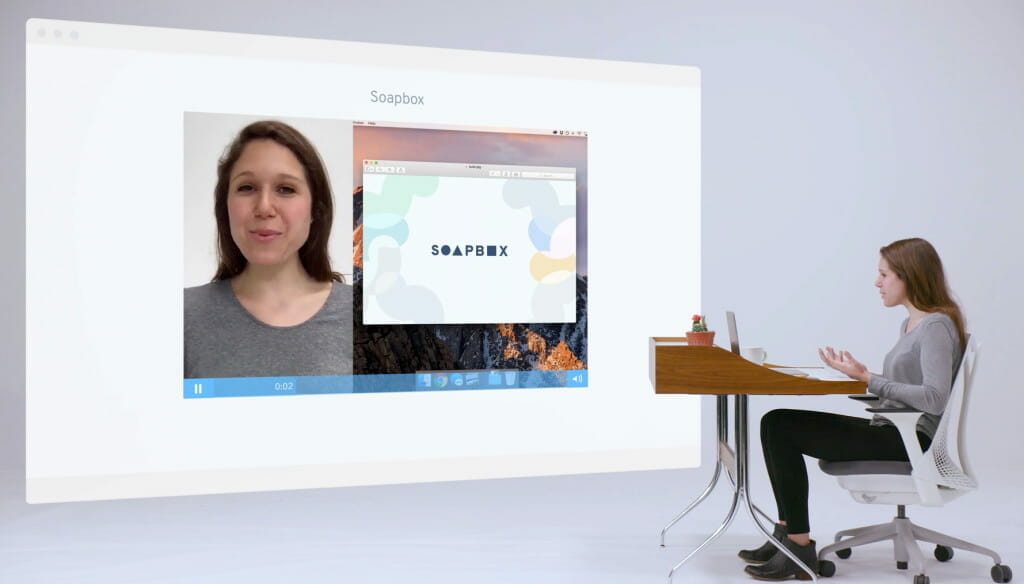
Wistia is a video hosting solution and excellent OTT platform for businesses serving the streaming video hosting and media distribution industry for over a decade. Students created it to primarily serve educational institutions and businesses. See our full Dacast vs Wistia comparison.
Best for: Brands focused on marketing video hosting (site embeds, conversions, analytics) rather than full OTT apps and deep monetization.
Key Features
- Support for marketing
- Top-tier customer service
- CRM integrations for a streamlined broadcasting experience
Pros
- Insightful video analytics
- Marketing team collaboration is possible thanks to CRM integrations
- Professional-looking video player
Cons
- Limitations on brand customization
- No China delivery
Pricing Wistia has five pricing plan tiers:
- Free
- Starter: $10/month
- Pro: $80/month
- Advanced: $370/month
- Premium: custom
16. Contus Tech

Best for: Companies that want end-to-end OTT app/platform development with high customization and are comfortable with custom quotes and implementation.
Key Features
- Live and on-demand streaming
- Supports various monetization models
- End-to-end OTT services
- Fully customizable white-labeling for custom branding
- Advanced analytics to track performance and user engagement
- Compatibility with a wide range of video formats and devices
Pros
- Highly customizable and scalable, fitting businesses of all sizes
- Comprehensive monetization tools that support multiple revenue models
- Strong security features to protect content
- Allowing businesses full control over branding and design
Cons
- Not transparent about pricing
- Steep learning curve due to complex setup
Pricing To learn more about the pricing they charge for OTT platform development, you’ll need to contact the Contus Tech sales team.
17. Synamedia

Synamedia is a leading international platform for video delivery, protection, and monetization solutions. The purpose of this flexible and modular platform is to simplify the OTT management process. Synamedia Go – This cloud-based SaaS platform fully integrates with Synamedia to ensure businesses have a comprehensive streaming experience.
Best for: Operators and large broadcasters who need high-security, high-scale OTT delivery, anti-piracy, and carrier-grade video infrastructure.
Key Features
- Synamedia Go: A modular OTT platform for flexible and scalable content delivery
- Quortex PowerVu: Secure SaaS solution for managing global content distribution
- Fluid EdgeCDN: Optimizes content delivery with low latency and smart traffic management
- ContentArmor: Forensic watermarking for enhanced content security and anti-piracy
- Iris Advertising Platform: Targeted advertising for delivering relevant ads across multiple screens
Pros
- Highly scalable solutions for live and on-demand video streaming
- Advanced content protection features, including forensic watermarking
- Modular and flexible platform for OTT services, improving agility for broadcasters
- Strong focus on optimizing latency and bandwidth usage
Cons
- Pricing and complexity can be a concern for smaller businesses
- High-end features may require additional technical expertise for integration
Pricing Contact their sales team to get information on the exact pricing.
18. Restream
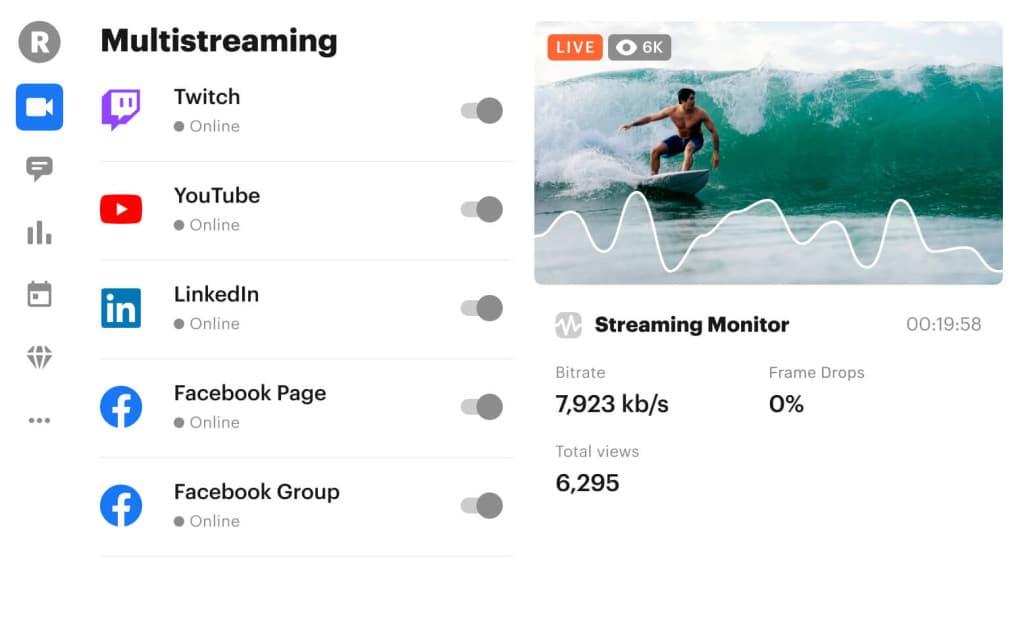
Best for: Brands that prioritize multistreaming (going live on multiple social platforms at once) with easy production tools, less ideal as a full OTT “owned platform.”
Key Features
- In-browser streaming
- Multistreaming capabilities
- Features for boosting engagement
- Peer-to-peer streaming support
- Tools for audience interaction
- Brand customization
- Scheduled events
Pros
- Easy to use
- Tools for collaboration
- On-brand streaming
- Tools for audience engagement
Cons
- Not a dedicated streaming platform
- In-browser streaming is secondary to live-stream hosting
Pricing Restream has several pricing plans for both individuals and businesses. These include the following plans:
- Free: $0/month (for individuals) with 2-channel multistreaming
- Standard: $16/month (for individuals) with 3-channel multistreaming
- Professional: $39/month (for individuals) with 5-channel multistreaming
- Business: $199/month (for businesses) with 8-channel multistreaming
- Enterprise: Custom pricing and solutions for media and corporate teams
19. Target Video
 If you are a video advertiser or a digital publisher, then Target Video is your premium one-stop solution for video production, content management, and monetization. Based on user reviews of OTT platforms, it is a very customer-centric platform that offers transparency and ease of use. It is the place for specialized video distribution and monetization.
Best for: Digital publishers and advertisers needing video monetization and ad-centric workflows (ad formats, overlays, analytics) for content networks.
Key Features
- Possibility for bulk uploading, facilitating content management and distribution for publishers
- Track content performance and audience behavior with video analytic tools
- Closed captioning support for viewers with hearing impairments
- Improved brand visibility and recognition with brand overlays
Pros
- Supports various ad formats and offers competitive revenue sharing
- Easily handles high volumes of traffic, making it reliable for large publishers
- Integrates well with existing ecosystems, minimizing disruptions
- Tools to boost viewer retention and interaction
Cons
- Customization limitations may appear
- Not transparent about pricing
Pricing The Target Video website gives no information about pricing, so it’s best to contact their sales team for more information.
20. SproutVideo
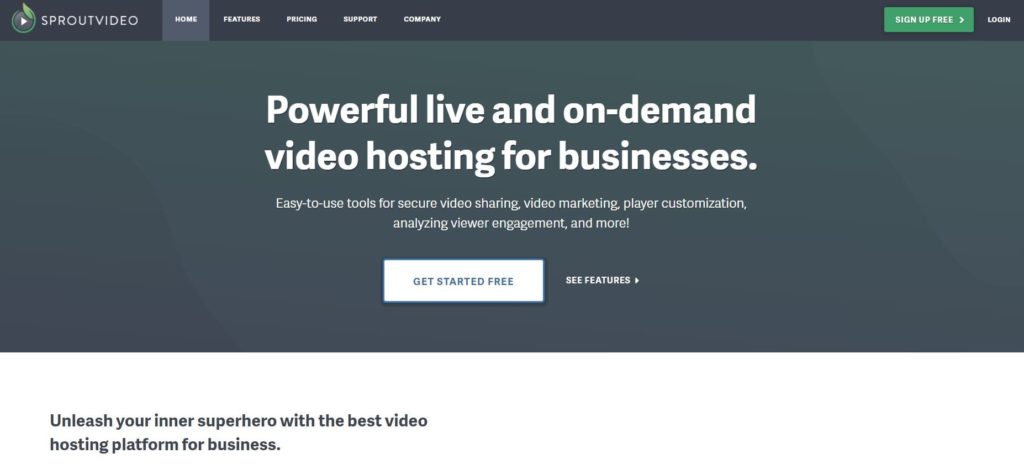
SproutVideo is a Brooklyn-based business OTT platform equipped with top-tier marketing tools. It supports both the top five OTT content providers and business apps for live streaming and on-demand video hosting.
Best for: Businesses needing secure video hosting + strong APIs and branded portals, especially for product demos, internal libraries, and customer training.
Key Features
- Total API access
- White-label HTML5 video player
- Support for both VOD and live stream hosting
- A full suite of marketing tools
- Custom video portals for an on-brand viewing experience
Pros
- Customizable video player
- Video analytics
Cons
- Premium support on expensive plans only
- Effective security only available with top-tier plans
Pricing SproutVideo offers four pricing plans:
- Seed: $10/month; 100 GB each of storage and bandwidth; best suited for broadcasters who don’t need many tools or functions
- Sprout: $35/month; 350 GB each of storage and bandwidth; comes with additional privacy tools
- Tree: $75/month; 1 TB each of storage and bandwidth; great for teams, offers advanced video site options
- Forest: $295/month; 2 TB each of storage and bandwidth; fully loaded with the features an advanced broadcaster would need
OTT Platform Comparison Table (2026)
| Platform | Live + VOD | DRM | Multi-CDN | AVOD / FAST | SLA doc. | API | China delivery | Pricing model | Best for |
|---|---|---|---|---|---|---|---|---|---|
| Dacast | ✓ Both | ✓ | ✓ Multi | ✓ AVOD (paywall) — no managed FAST | ✓ Scale+ | ✓ | ✓ | Bandwidth + SaaS | Sports, enterprise, creators |
| Brightcove | ✓ Both | ✓ | ✓ Multi | ✓ AVOD + FAST | ✓ | ✓ | — | Enterprise (custom) | Large orgs, media publishers |
| Kaltura | ✓ Both | ✓ | ✓ Multi | — | ✓ | ✓ | — | Enterprise (custom) | Education, gov, institutions |
| Wowza | ✓ Both | ✓ | ✓ Multi | — | ✓ | ✓ | — | SaaS | Developer workflows |
| Muvi | ✓ Both | ✓ | ✓ Multi | ✓ AVOD + FAST (managed) | ✓ | ✓ | — | SaaS | FAST, no-code OTT launch |
| Vimeo OTT | ✓ Both | ✓ | — | — | — | ✓ | — | SaaS | SVOD creators |
| Uscreen | ✓ Both | ✗ Partial | — | — | — | ✗ Partial | — | SaaS | Creator SVOD + branded apps |
| JW Player | ✓ Both | ✓ | — | ✓ AVOD only | ✗ | ✓ | — | Custom | AVOD publishers |
| Castr | ✓ Both | — | — | ✓ AVOD-adjacent | — | ✓ | — | SaaS | Creators, FAST-adjacent |
| Vidyard | VOD only | ✓ | — | — | ✗ | ✓ | — | SaaS | Marketing / sales teams |
Dacast OTT Platform Use Cases: Sports, Education & Enterprise Streaming
Sports Broadcasting
Architecture: Multi-CDN delivery, low-latency ingest (sub-5s), rights management, geo-blocking.
Use Case: Regional and international leagues streaming live games with SVOD, AVOD, and PPV models, ensuring scalability during peak traffic while monetizing effectively.
Education & Training (EDU)
Architecture: Cloud + CDN hybrid, LMS integration, white-label portals, VOD libraries.
Use Case: Universities and online schools delivering live interactive classes with on-demand replays, while retaining data ownership for student performance analytics.
Enterprise Communications
Architecture: Secure delivery with SSO, encrypted streams, redundant ingest + CDN failover.
Use Case: Corporations hosting global town halls, trainings, and internal broadcasts with interactive features (polls, Q&A) and multi-device accessibility for employees.
FAQs
Consumer OTT apps like Netflix or Disney+ provide finished content libraries. In contrast, a over-the-top video platform / B2B online video platform (OVP) such as Dacast gives you the tools to build your own OTT streaming service, manage infrastructure, integrate with apps, and monetize directly. It’s the difference between using a finished product versus licensing a live & VOD streaming solution / streaming SaaS for custom business needs.
For athletics, the best OTT platform for sports streaming in 2026 should handle high-traffic live events, replay rights, and latency-sensitive delivery. Education platforms benefit from interactive features and compliance, while enterprise comms increasingly demand OTT AI features (personalization, captions, translation) for enterprises to enhance accessibility and engagement.
OTT FAST channel setup and SSAI best practices allow 24/7 scheduled channels with dynamic ad-supported streaming / server-side ad insertion. Hybrid models combine SVOD (subscriptions), AVOD (ads), and TVOD/PPV (transactional). This maximizes ARPU while respecting diverse user preferences.
Enterprises should expect DRM and SSO for OTT, granular access control with SSO/SAML, watermarking, tokenized playback, and proof of OTT security compliance (SOC 2, GDPR). These ensure trust, copyright protection, and regulatory alignment.
Yes. Dacast is an OTT platform with China delivery and DRM, enabling businesses to reach audiences even behind the Great Firewall with licensed, secure infrastructure.
Success today requires OTT analytics and QoE metrics such as startup delay, rebuffer ratio, bitrate shifts, latency optimization, ABR, QoE, viewer retention, ad-fill rates, and ultimately customer LTV/churn.
Yes, providers like Dacast support how to migrate from Vimeo/Brightcove to an OTT platform without downtime through API-driven ingestion, synchronized publishing, and seamless CDN mapping.
Dacast differentiates on three dimensions that matter for professional broadcasters: predictable bandwidth-based pricing (no per-viewer fees at scale), multi-CDN delivery with China support (one of the few B2B OTT platforms with licensed in-country China delivery), and a unified live + VOD architecture with DRM, custom ad insertion, and REST API access available from a single platform without third-party integrations for core functionality.
The best OTT platform depends on the use case, but leading platforms include Dacast, Brightcove, Vimeo OTT, and Muvi.
Ask for the SLA document before committing. A credible OTT platform SLA should specify: documented uptime percentage (99.9% minimum), measurement methodology (how uptime is calculated and what counts as downtime), service credit structure (what compensation you receive for SLA breaches), incident response and escalation path, and a public status page URL. Platforms that offer only ‘best effort’ uptime or cannot produce a written SLA are not suitable for professional broadcast deployments where downtime carries financial or reputational consequences.
Conclusion: How to Choose the Best OTT Platform to Build Your Streaming Service
Choosing an OTT platform is a long-term infrastructure commitment. The broadcaster-grade criteria in this guide : DRM, multi-CDN delivery, monetization architecture, SLA, API depth, and QoE analytics, provide a stable evaluation framework regardless of how the market evolves or which platforms enter and exit the space.
The 20 platform reviews above apply those criteria consistently. Use the selection matrix to identify which criteria are most critical for your use case, then shortlist two or three platforms that satisfy your minimum thresholds. Free trials allow you to validate ingest stability, delivery performance, and workflow fit before committing.
The best way to choose an OTT platform provider is by taking advantage of free trials. That way, you can test out all the features and ensure that the platform is equipped with everything you need to reach your OTT streaming goals. If you are still deciding between OTT platforms and want to try Dacast, we recommend signing up for our 14-day free trial. That way, you can test out all of our features before committing.
Lastly, did you find this article helpful, or do you have other comments or feedback? Let us know what you think via the chatbot below. We love to hear from our readers! For exclusive offers and regular live streaming tips, you can also join our LinkedIn group. Thanks for reading and, as always, good luck with your broadcasts!
