



Video Resolution – The Ultimate 2026 Guide for Broadcasters

Video resolution remains one of the most important factors in delivering a professional streaming experience. Whether you are running a live sports broadcast, an enterprise webinar, a hybrid event, or an OTT channel, choosing the right video resolution for streaming directly impacts viewer satisfaction, bandwidth costs, and overall content quality.
However, in 2026, streaming workflows are far more complex than simply deciding between 720p, 1080p, or 4K video resolution. Professional broadcasters must balance several technical variables at once: bitrate, frame rate, codec efficiency, dynamic range (HDR vs SDR), device compatibility, and network conditions. Together, these elements form what streaming engineers call the “quality budget”, the set of trade-offs that determines how your video looks and performs across different platforms and devices.
At Dacast, broadcasters regularly face questions like: Is 1080p enough? When is 4K worth the extra bandwidth? Should frame rate be prioritized over resolution for sports content? These are practical decisions that can significantly affect viewer experience and streaming costs. This guide distills those decisions into a clear, actionable framework.
For example, a 1080p stream with a higher bitrate and HDR color depth may deliver a better viewer experience than a poorly compressed 4K stream. Similarly, 720p at 60 frames per second is often the best resolution for streaming sports, while 1080p at 30 fps is ideal for webinars or corporate presentations. Two concrete quality budget examples:
- Sports OTT channel: 1080p60 HDR with HEVC or AV1 at 8–12 Mbps for CTV audiences
- Corporate webinars: 720p30 SDR with H.264 at 2.5–4 Mbps for global mobile audiences
As a result, professional broadcasters rarely rely on a single resolution. Instead, they use adaptive bitrate streaming and multi-bitrate ladders to deliver multiple renditions of the same stream, ensuring every viewer receives the best possible quality for their connection and device mix.
This video resolution guide for broadcasters takes a practical approach. Rather than explaining what “HD” or “Ultra HD” means in abstract terms, it explores how resolution fits into the broader streaming workflow — codecs, bitrate settings, adaptive streaming strategies, OTT delivery, and device optimization.
In this guide you will learn:
- What video resolution means in modern streaming workflows
- How bitrate, frame rate, HDR, and codecs influence perceived video quality
- The most common video resolution sizes and streaming resolution settings used today
- How to choose the best resolution for live streaming based on your audience and content type
- How adaptive bitrate streaming allows platforms to deliver multiple resolutions automatically
- Practical video resolution and bitrate settings for OTT, CTV, sports, webinars, and more
Table of Contents:
- What is Video Resolution?
- Core Concepts: Aspect Ratio, Bitrate, Frame Rate, and Dynamic Range
- Common Video Resolutions and Where They Are Used in 2026
- Resolution vs Perceived Quality: Bitrate, HDR, and Human Vision
- Choosing the Best Resolution: The Broadcaster Playbook
- Multi-Bitrate and Adaptive Streaming with Dacast
- Platform Notes: YouTube, Social Media, and Simulcasting
- How to Check Video Resolution and Streaming Quality
- FAQs
- Conlclusion
What is Video Resolution? (Spatial vs Temporal)

Video resolution refers to the number of pixels used to display a video image, typically expressed as width × height — for example, 1920 × 1080. The higher the pixel count per frame, the more visual detail the video can display. This is why higher resolutions such as Full HD, 4K, or 8K generally appear sharper than lower-resolution formats.
For broadcasters, understanding video resolution is an important part of building a reliable streaming workflow. Resolution affects how video appears on different screens, how much bandwidth is required for delivery, and how efficiently a stream can be encoded and distributed.
In practice, there are two main ways to think about resolution in video streaming:
Spatial Resolution
Spatial resolution refers to the number of pixels that make up each frame of a video, what most people mean when they say “1080p” or “4K video resolution.” A 1920 × 1080 video contains just over two million pixels per frame, while a 3840 × 2160 video contains more than eight million.
Temporal Resolution
Temporal resolution refers to how many frames are displayed per second — the frame rate. A video at 30 fps shows 30 individual images every second; a video at 60 fps shows twice as many. Higher temporal resolution generally produces smoother motion, which is particularly important for fast-moving content such as sports or esports streams.
In shorthand, resolution is often abbreviated by vertical pixel count. A 1920 × 1080 video is called “1080p,” where the “p” stands for progressive scanning — each frame is drawn in one pass from top to bottom. Older broadcast formats used interlaced scanning (marked “i”), where alternating lines were displayed in sequence. Progressive scanning has become the standard for modern streaming.
Although resolution is important, it does not determine quality on its own. Bitrate, compression, frame rate, and dynamic range also play major roles, which is why a well-encoded 1080p stream can sometimes look better than a poorly compressed 4K stream. Platforms like Dacast manage resolution as part of a broader adaptive bitrate streaming workflow to ensure every viewer gets the best quality for their connection.
Core Concepts: Aspect Ratio, Bitrate, Frame Rate, and Dynamic Range
Resolution does not operate in isolation. Professional broadcasters must consider several related technical factors that directly influence how video looks and performs across different devices and networks.
Aspect Ratio
Aspect ratio describes the relationship between the width and height of a video frame, usually expressed as a ratio such as 16:9 or 9:16.
The most common aspect ratio for modern video streaming is 16:9. This is the standard for televisions, laptops, monitors, and most video players. Resolutions like 1920 × 1080 and 3840 × 2160 both follow the 16:9 aspect ratio.
Vertical video (9:16) has become common on mobile-first platforms such as TikTok, Instagram Reels, and YouTube Shorts. Ultrawide video (21:9) is used in cinematic productions and gaming for an immersive, wider field of view.
Mismatched aspect ratios cause stretching, cropping, or black bars, so verifying the ratio before encoding is an important step in any streaming resolution workflow.
Video Bitrate
Video bitrate measures how much data is transmitted per second of video, expressed in kilobits per second (kbps) or megabits per second (Mbps). It is one of the biggest determinants of perceived video quality.
A higher bitrate preserves more visual detail during compression. A lower bitrate forces more aggressive compression, which reduces clarity and introduces artifacts such as blocking or banding. A practical illustration: a 1080p video at 400 kbps will look blurry and compressed, while a 720p stream at 2500 kbps may look significantly sharper.
Bitrate requirements scale sharply with resolution, which is why broadcasters use adaptive bitrate streaming to serve different quality levels based on each viewer’s connection speed.
Frame Rate
Frame rate, measured in frames per second (fps), controls motion smoothness. Common streaming frame rates are 24 fps, 30 fps, and 60 fps.
Higher frame rates produce smoother motion. This matters most for fast-moving content: sports broadcasts, esports, action-heavy events. A stream at 60 fps will look noticeably smoother than one at 30 fps when showing rapid movement.
For slower-paced content: webinars, lectures, corporate presentations, 30 fps is typically sufficient and consumes less bandwidth.
When bandwidth is limited, broadcasters often trade resolution for frame rate. For sports content, a 720p60 stream frequently delivers a better viewer experience than a 1080p30 stream because smooth motion registers more visibly than added pixel count.
Dynamic Range: HDR vs SDR
Dynamic range refers to the difference between the darkest and brightest parts of a video image. Standard dynamic range (SDR) has been the broadcast standard for decades. High dynamic range (HDR) expands that range significantly, supporting brighter highlights, deeper shadows, and a wider color gamut.
HDR formats such as HDR10, HLG, and Dolby Vision can make images appear more vivid and lifelike, even at the same resolution. In fact, a 1080p HDR video can look more visually impressive than a 4K SDR video because the expanded color depth and contrast produce richer, more realistic images.
HDR content (Rec.2100 color space) requires compatible cameras, encoding pipelines, and playback devices. For most live streaming scenarios — corporate events, webinars, entry-level sports — SDR with Rec.709 color space remains the practical standard. For premium OTT and CTV content where viewers have modern displays, HDR is worth the investment.
Common Video Resolutions and Where They Are Used in 2026
Understanding the most common video resolution sizes is essential when designing a professional streaming workflow. Different resolutions serve different purposes depending on device, content type, and available bandwidth. The chart below includes an honest “when it may be overkill” note for each level — helping broadcasters avoid over-engineering their delivery.
| Resolution | Pixel Dimensions | Aspect Ratio | Typical Use Cases | Rec. Streaming Bitrate | When It May Be Overkill |
| SD (480p) | 720 × 480 | 4:3 or 16:9 | Legacy content, very low-bandwidth environments | 1–2 Mbps | Most modern devices support HD or higher |
| HD (720p) | 1280 × 720 | 16:9 | Mobile streaming, webinars, entry-level live streaming | 2.5–5 Mbps | May look soft on large TV screens |
| Full HD (1080p) | 1920 × 1080 | 16:9 | Standard professional streaming, OTT, YouTube, webinars | 5–8 Mbps | Overkill only for very small screens on very slow connections |
| Quad HD (1440p) | 2560 × 1440 | 16:9 | Gaming streams, high-end YouTube content | 10–16 Mbps | Many viewers cannot distinguish it from 1080p on most screens |
| 4K Ultra HD | 3840 × 2160 | 16:9 | Premium OTT content, cinematic productions, large CTV displays | 16–30 Mbps | Requires high bandwidth and capable devices; not visible on phones |
| 8K Ultra HD | 7680 × 4320 | 16:9 | Experimental broadcasting, archival capture | 50–100+ Mbps | Rarely necessary; benefits not visible below about 80″ at normal viewing distances |
Vertical and Ultrawide Formats
Mobile-first platforms have established vertical video as a standard format for short-form content. Ultrawide formats remain niche but are relevant for gaming and cinematic productions.
| Format | Pixel Dimensions | Aspect Ratio | Typical Use Case |
| Vertical HD | 1080 × 1920 | 9:16 | TikTok, Instagram Reels, YouTube Shorts |
| Vertical 4K | 2160 × 3840 | 9:16 | High-quality mobile-first content and digital signage |
| Ultra-Wide QHD | 3440 × 1440 | 21:9 | Gaming streams and immersive displays |
| Ultra-Wide 4K | 5120 × 2160 | 21:9 | Cinematic and high-end visual production |
How Broadcasters Use These Resolutions in Practice
In practice, professional broadcasters rarely deliver a single resolution. Instead, they build adaptive bitrate ladders, multiple renditions of the same stream, so the player can select the best version for each viewer. A typical ladder includes 1080p for fast broadband connections, 720p for standard internet speeds, and 480p or 360p for mobile or slower networks.
Platforms such as Dacast support adaptive bitrate streaming through HTML5 video players that automatically switch between renditions based on viewer bandwidth and device capability. Higher resolutions do not always translate to better viewing experiences: the difference between 1080p and 4K is often invisible on a smartphone screen. Many broadcasters capture at a higher resolution and distribute at multiple optimized resolutions.
Resolution vs Perceived Quality: Bitrate, HDR, and Human Vision
Many broadcasters assume higher resolution automatically means better video quality. In practice, perceived quality depends on resolution, bitrate, frame rate, dynamic range, compression efficiency, and the viewer’s device. Understanding these interactions helps you choose the best resolution for streaming without inflating bandwidth or CDN costs.
Bitrate and Compression
Bitrate determines how much data is allocated to each second of video. A stream can have high resolution and still look poor if the bitrate is too low for that resolution — compression artifacts like blocking, banding, or blurring will appear.
A useful mental model: 1080p at 400 kbps looks worse than 720p at 2500 kbps. The 720p stream retains far more visual information per pixel. For this reason, professional broadcasters set bitrate targets appropriate to the chosen resolution rather than maximizing resolution alone.
HDR and Dynamic Range
A well-configured HDR workflow can improve perceived quality more than a resolution bump. An HDR10 1080p stream, with its wider color gamut, stronger contrast, and brighter highlights, can look significantly more vivid than a flat SDR 4K stream, especially on modern televisions and CTV devices.
HDR is worth considering when the audience primarily watches on HDR-compatible displays (modern smart TVs, high-end monitors). For corporate streaming, webinars, or mixed-device audiences, SDR workflows remain more practical.
Frame Rate and Motion Clarity
Frame rate affects perceived quality most visibly in fast-moving content. A 60 fps sports stream feels dramatically smoother than a 30 fps version of the same content. When bandwidth is constrained, trading resolution for frame rate is often the right call for sports: 720p60 will typically score higher on viewer satisfaction than 1080p30.
Viewing Distance and Pixel Density
Human visual acuity sets a ceiling on the detail viewers can perceive. The benefit of 4K vs 1080p is most visible on large displays, a 55″ or 65″ television viewed at 6–8 feet. On a smartphone screen, the two resolutions are virtually indistinguishable. Similarly, 8K is only perceptible on very large displays viewed at close range — well outside the experience of most streaming audiences.
This is the central argument against defaulting to the highest resolution: it increases bandwidth and CDN costs without improving viewer experience for a significant portion of the audience.
Measuring Perceived Quality: VMAF and SSIMplus
Engineers and streaming platforms use objective quality metrics like VMAF (Video Multi-Method Assessment Fusion) and SSIMplus to evaluate how viewers perceive video quality. These tools analyze compression artifacts, motion handling, and visual characteristics to predict perceptual quality scores. They are increasingly used in per-title encoding and content-aware workflows to optimize resolution-bitrate pairs for specific content types.
Codec and Resolution Strategy for 2026
Codec selection is one of the highest-leverage decisions in a streaming workflow. In other words, a more efficient codec delivers the same visual quality at a lower bitrate, directly reducing bandwidth usage and CDN expenses. For broadcasters designing resolution ladders, codec choice determines which resolutions are practical at a given bitrate budget.
The Four Codecs Broadcasters Need to Know
H.264 (AVC): The dominant codec for live streaming. Excellent compatibility across every browser, device, and player. Efficient up to 1080p. Dacast and virtually every streaming platform support H.264 as the baseline encoding format. Best for: webinars, corporate live streams, live events, mobile-first environments.
HEVC (H.265): Delivers similar visual quality to H.264 at roughly half the bitrate, making it practical for 4K delivery. Used by major OTT platforms for premium content. Licensing considerations have slowed adoption in some environments, but it is widely supported on modern smart TVs and CTV devices. Best for: 4K OTT streaming, premium cinematic content, high-end broadcast workflows.
AV1: An open-source codec from the Alliance for Open Media. Offers better compression efficiency than both H.264 and HEVC with no licensing fees. YouTube, Netflix, and Meta have all adopted AV1 at scale. Hardware decode support is now widespread on modern devices. AV1 adoption increased roughly 40% across OTT platforms between 2024 and 2025. Best for: web-based streaming, CTV, bandwidth-sensitive delivery.
VVC (H.266): The next generation codec, designed to reduce bitrate by approximately 50% compared to HEVC while maintaining equivalent quality. Designed for 4K, 8K, and immersive media. Currently in early OTT trials; consumer device support is still emerging. Best for: future-proof archives, high-resolution experimental workflows.
Codec Decision Grid
| Codec | Best For | Practical Resolution | Key Trade-off |
| H.264 | Maximum compatibility, live streaming | SD–1080p | Higher bitrate vs. HEVC/AV1 for same quality |
| HEVC / H.265 | 4K OTT, CTV, premium content | 1080p–4K | Licensing overhead; some browser gaps |
| AV1 | Web streaming, CTV, bandwidth savings | 1080p–4K | Encoding is more compute-intensive |
| VVC / H.266 | Future archives, 4K/8K trials | 4K–8K | Limited device support; early-adopter only |
AI-Assisted Encoding Workflows (2025–2026)
A growing number of platforms are using AI and machine learning to optimize how video is encoded, changing the economics of resolution ladders for broadcasters.
AI upscaling and super-resolution: YouTube, Netflix, and major CTV platforms are actively experimenting with AI-driven upscaling that sharpens lower-resolution content at playback. This means a well-encoded 1080p source can appear close to native 4K on supporting devices, reducing the bandwidth penalty of 4K distribution.
Per-title and content-aware encoding: Rather than applying the same bitrate to every piece of content, per-title encoding (used by Bitmovin, AWS Elemental, and others) analyzes the complexity of each video and assigns optimal resolution-bitrate pairs. A static talking-head webinar needs far less bitrate per pixel than a high-motion stadium broadcast. This approach reduces CDN costs while maintaining or improving perceived quality.
The practical implication for broadcasters designing resolution ladders: as AI-assisted encoding becomes more accessible, the traditional “safe” bitrate buffer at each resolution rung can often be reduced. Capture and archive at the highest feasible resolution so you can re-encode more efficiently as codec and AI tooling matures.
Choosing the Best Resolution: The Broadcaster Playbook
Selecting the best resolution for streaming is not a single decision — it is a framework that accounts for content type, viewer device mix, available bandwidth, and monetization model. Here is a practical decision framework used by professional broadcasters.
Step 1: Content Type
Different content types benefit from different resolution and frame rate combinations. Fast-moving content needs frame rate; static or slow-moving content can prioritize resolution and bitrate.
- Sports events: 720p60 or 1080p60 — smooth motion matters more than pixel count
- Webinars and corporate events: 1080p30 — high clarity for slides and faces; 30 fps is sufficient
- Online education: 720p30 or 1080p30 — accessibility for global mobile audiences is key
- Church live streaming: 720p30 or 1080p30 — broad device reach and reliable connection handling
- Gaming streams: 1080p60 or 1440p60 — high detail and smooth motion both matter
- OTT premium content: 1080p or 4K24–60 fps depending on production quality and target device
Step 2: Primary Device Mix
The audience’s device mix determines how much resolution will actually be visible.
- Mobile-first audiences (smartphones, tablets): 720p or 1080p is usually sufficient; 4K has no visible benefit on small screens
- CTV-first audiences (smart TVs, streaming sticks): 1080p or 4K is appropriate; larger screens benefit from higher resolution
- Mixed audiences: Use a full adaptive bitrate ladder (1080p down to 360p) to serve all device types automatically
Step 3: Bandwidth and Network Constraints
Higher resolutions require higher bitrates. For global audiences with mixed internet speeds, adaptive bitrate streaming is essential. Broadcasters should also verify their own upload capacity, a stable upload connection is the foundation of consistent streaming quality.
Step 4: Monetization Model
Resolution choices have direct cost implications for OTT platforms and subscription services.
- AVOD (ad-supported): Prioritize efficient bitrate settings to minimize CDN data costs while maintaining acceptable quality
- SVOD / PPV (subscription / pay-per-view): Premium viewers expect premium quality, 1080p or 4K with appropriate bitrate is justified
- Free community streaming: 720p with a lean ABR ladder keeps costs manageable without sacrificing viewer experience
Use Case Matrix: Resolution, Bitrate, and Codec by Content Type
| Content Type | Platform | Recommended Resolution | Frame Rate | Codec | Notes |
| Sports events | OTT / live sports | 720p or 1080p | 60 fps | H.264 or HEVC | Smooth motion > pixel count |
| Webinars & corporate | Enterprise platforms | 1080p | 30 fps | H.264 | H.264 maximizes device reach |
| Online education | LMS / webinar tools | 720p–1080p | 30 fps | H.264 | Global mobile audience; keep bitrate lean |
| Church live streaming | Community platforms | 720p–1080p | 30 fps | H.264 | Broad device compatibility key |
| Gaming streams | Streaming platforms | 1080p–1440p | 60 fps | H.264 or AV1 | AV1 where hardware support exists |
| OTT premium content | CTV platforms | 1080p or 4K | 24–60 fps | HEVC or AV1 | HDR adds more value than 4K on mobile |
Dacast in the wild — A mid-size sports league using Dacast delivers 1080p as the main rendition with 720p and 480p fallbacks, ensuring smooth playback on both CTV and mobile without over-engineering their CDN costs. A hybrid events producer on Dacast uses 1080p30 for the main-stage keynote and 720p30 for breakout rooms via separate channels, a practical way to balance quality and bandwidth across a multi-room event.
Multi-Bitrate and Adaptive Streaming with Dacast
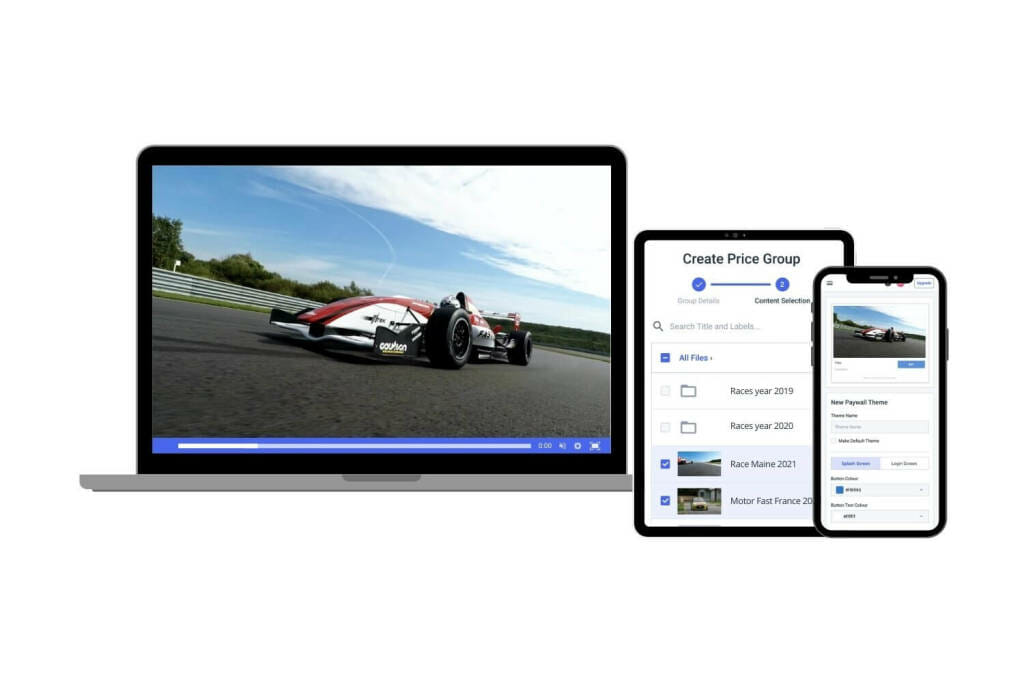
Delivering a single resolution is rarely the right strategy for professional broadcasting. Viewers access streams from mobile networks, home broadband, corporate Wi-Fi, and CTV devices — each with different bandwidth and playback capabilities. Adaptive bitrate streaming (ABR) solves this by delivering multiple renditions of the same stream at different resolutions and bitrates, letting the player automatically select the best version for each viewer.
Platforms such as Dacast support adaptive bitrate streaming through HTML5 video players that switch between renditions dynamically during playback. This reduces buffering, supports viewers with slower connections, and ensures consistent quality across different devices, without requiring viewers to manually change a quality setting.
Dacast 2026 Recommended ABR Ladder
| Resolution | Bitrate Range | Codec | Typical Viewer Context |
| 1080p | 5–8 Mbps | H.264 or HEVC | Fast broadband, large screens, CTV |
| 720p | 3–5 Mbps | H.264 | Standard home broadband, tablets |
| 480p | 1.5–3 Mbps | H.264 | Mobile connections, moderate bandwidth |
| 360p | 800–1200 kbps | H.264 | Slower internet connections, low-bandwidth mobile |
| 240p | 400–800 kbps | H.264 | Very limited bandwidth, emergency fallback |
OTT and CTV-Specific Considerations
Designing a resolution ladder for an OTT platform or CTV channel is different from designing one for a social live stream. CTV audiences typically have fast home broadband and large displays, so the ladder’s top rung should be 1080p or 4K. The floor rung matters less because very low bandwidth viewers are rare on CTV platforms.
For mobile-heavy OTT audiences, common in developing markets or sports apps, aggressive capping at 720p or 1080p can meaningfully reduce CDN costs while delivering excellent quality on the screens viewers actually use.
Higher resolutions increase CDN data transfer volume and costs. Studies on OTT delivery show that a 4K stream can cost two to four times as much to deliver per minute as a 1080p stream. This directly affects viewer acquisition economics on AVOD platforms. Dacast’s CDN infrastructure and analytics help broadcasters track which resolutions viewers actually consume, making it easier to optimize the ladder over time.
Recommended Encoder Settings for Dacast Streams in 2026
| Setting | Recommended Value |
| Video Codec | H.264 (AVC) |
| Frame Rate | 25 or 30 fps (60 fps for sports) |
| Keyframe Interval | 2 seconds |
| Scanning | Progressive |
| Rate Control | Constant Bitrate (CBR) |
| Audio Codec | AAC-LC |
| Audio Bitrate | 128 kbps |
| Audio Channels | Stereo |
| Audio Sample Rate | 48 kHz |
These settings are aligned with Dacast’s ABR ingest pipeline and work reliably across encoders including OBS, Wirecast, vMix, and hardware encoders from Haivision and Teradek.
Platform Notes: YouTube, Social Media, and Simulcasting
Understanding platform-specific resolution and bitrate requirements helps broadcasters prepare content that displays correctly across all distribution channels.
YouTube Live Streaming
YouTube supports live streaming at 720p through 4K. For most broadcasters, 1080p at 30 fps is the practical sweet spot. Note that 4K live streaming on YouTube currently disables “ultra-low latency” mode and requires significantly more bandwidth. YouTube’s 2026 recommendations for live bitrates:
| Resolution | Typical Bitrate Range |
| 720p | 2.5–5 Mbps |
| 1080p | 4.5–9 Mbps |
| 1440p | 9–18 Mbps |
| 4K | 13–34 Mbps (latency restrictions apply) |
Social Media and Vertical Video
Mobile-first platforms — TikTok, Instagram Reels, YouTube Shorts — use 9:16 vertical format at 1080 × 1920. Ensure key visual elements are centered so they are not cropped by interface overlays. For detailed vertical video specifications, refer to Dacast’s vertical video streaming guide.
Simulcasting
When streaming simultaneously to multiple platforms, select a resolution and bitrate that all receiving platforms can accept. For most simulcasting workflows, 1080p at 30 fps and 5–8 Mbps provides a solid balance between quality and broad platform compatibility. Dacast supports simulcasting workflows where a single encoded stream is distributed to multiple destinations, simplifying multi-platform delivery.
How to Check Video Resolution and Streaming Quality
Verifying resolution ensures that video is captured, encoded, and delivered at the intended quality level before publishing or broadcasting.
File-Level Tools
File Properties (Windows/macOS): Right-click any video file → Properties (Windows) or Get Info (macOS) to see the resolution listed as width × height.
VLC Media Player: Navigate to Tools → Codec Information to see full technical metadata including resolution, bitrate, frame rate, and codec profile.
MediaInfo: A dedicated analysis application that provides detailed technical metadata : codec profiles, color format, bitrate per stream, and more. Standard tool for professional encoding troubleshooting.
In-Stream and Analytics Tools
Most video players display the active resolution during playback. With adaptive bitrate streaming enabled, the player switches between resolutions automatically, you can monitor which rendition is active in real time using player developer tools.
Streaming platforms such as Dacast provide analytics that show viewer playback performance and device usage patterns. These insights reveal which resolutions your audience actually watches, helping you refine your ABR ladder and encoder settings for future broadcasts. If analytics show that most viewers are watching in 720p rather than 1080p, it may indicate bandwidth constraints that warrant a different ladder configuration.
Pre-Broadcast Resolution Smoke Test
Before going live, run through this checklist:
- Confirm the resolution of the camera or source file output
- Verify encoder settings: bitrate, frame rate, codec, keyframe interval
- Run a 2–3 minute test stream and verify playback on at least two device types
- Check stream using a mobile connection and a broadband connection
- Review encoder stats for packet loss or bitrate instability
- Confirm adaptive bitrate switching is working if ABR is enabled
Frequently Asked Questions
Do I really need 4K or 8K for my live stream?
For most live streaming scenarios, no. 4K requires significantly higher bitrates, stronger upload connections, and capable viewer devices. The visual improvement over 1080p is often invisible on smartphones and only noticeable on large televisions at close viewing distances. 4K is most appropriate for premium OTT content, cinematic productions, or archival recording. For most professional live broadcasts, 1080p delivers the best balance of quality and accessibility.
What resolution is best for streaming to mixed audiences on mobile and TV?
The best approach is adaptive bitrate streaming with a full resolution ladder — typically 1080p, 720p, 480p, and 360p renditions. This lets the player automatically deliver the highest quality each viewer can receive without buffering, regardless of whether they are on a smartphone or a connected TV.
Is higher resolution always better for my viewers?
No. If a high-resolution stream is heavily compressed at a low bitrate, it can look worse than a lower-resolution stream with a higher bitrate. A 1080p stream at 400 kbps will appear blurry and pixelated; a properly encoded 720p stream may look sharper. Codec efficiency, dynamic range, and frame rate all contribute to perceived quality alongside resolution.
When does HDR matter more than resolution?
HDR improves perceived quality on any compatible display by expanding brightness range, contrast, and color depth. A 1080p HDR stream can look more visually impressive than a 4K SDR stream because richer colors and stronger contrast register more prominently to viewers than additional pixels. HDR is most valuable when your audience primarily watches on HDR-compatible smart TVs or CTV devices and your production workflow can support it end-to-end.
What is the difference between 1080p and 4K in real-world viewing?
4K (3840 × 2160) contains four times as many pixels as 1080p (1920 × 1080). The extra detail is most visible on large displays : 55″ televisions and above, viewed at normal seating distances. On smartphones and tablets, the difference is minimal. For most streaming audiences on mixed devices, the incremental visual benefit of 4K does not justify the bandwidth increase.
Is AV1 worth it for my audience?
AV1 offers measurable bandwidth savings over H.264 and HEVC with no licensing fees. If your audience primarily uses modern browsers and CTV devices, AV1 is worth evaluating – it can reduce CDN costs while maintaining quality. However, H.264 still offers broader compatibility for live streaming workflows that need to reach older or mixed-device audiences. A practical approach: use H.264 as the baseline and add AV1 renditions for platforms where hardware support is confirmed.
How many renditions should I include in my ABR ladder?
Most professional streaming workflows include four to six renditions. A typical ladder covers 1080p, 720p, 480p, 360p, and 240p. The right number depends on your audience’s bandwidth distribution and content type. OTT platforms with CTV-heavy audiences may use a higher floor (720p minimum) while mobile-heavy platforms benefit from lower-bandwidth fallback renditions. Dacast analytics help broadcasters understand which renditions their viewers actually use, enabling ongoing ladder optimization.
How can I see which resolution my viewers actually watch on Dacast?
Dacast’s analytics dashboard provides playback data including device types, viewer locations, and quality metrics. By reviewing these reports after broadcasts, you can see whether viewers are primarily watching at 1080p, 720p, or lower resolutions. This data is directly actionable: if most viewers are on mobile and watching at 720p, you can optimize your ladder and encoder settings accordingly, reducing unnecessary bandwidth usage while maintaining quality where it matters.
Conclusion
Video resolution is a foundational decision in any streaming workflow, but it is just one variable in a broader quality budget. Bitrate, frame rate, codec efficiency, and dynamic range all determine how your stream looks and performs. Getting these trade-offs right allows you to deliver professional-quality video to every viewer, whether they are on a smartphone in a remote location or a 65″ smart TV at home.
The key principles to carry forward:
- Resolution alone does not determine quality. Pair it with the right bitrate and codec
- Use adaptive bitrate streaming to serve all viewers optimally, not just your median viewer
- 720p60 often beats 1080p30 for sports; 1080p30 often beats 4K for mixed-device webinars
- HDR can deliver more perceived improvement per dollar than a resolution upgrade
- Capture and archive at higher resolutions than you stream today, future codecs will let you re-encode more efficiently
- Track what viewers actually watch, not what you assume they can receive
Dacast provides the tools broadcasters need to implement these principles in production: adaptive bitrate streaming, flexible encoder configuration, global CDN delivery, and analytics that reveal how viewers actually experience your streams. To learn more, explore Dacast’s live streaming platform, HLS streaming, and video on demand offerings.
You can try Dacast and all its features with our 14-day free trial.
For exclusive offers and regular tips on live streaming, join our LinkedIn group.
In the meantime, check out the Knowledgebase area on our website. It features a wide variety of documentation on video resolution, multi-bitrate streaming, and Dacast-specific functions. Browse topics or search for keywords. Either way, you’ll find a ton of useful broadcasting information.
