



The 13 Best Video Training Platforms for Corporate L&D in 2026

By Dacast Editorial Team | Reviewed by Jon Whitehead, COO at Dacast | Updated September 2026
For corporate L&D teams, the best video training platforms have become core infrastructure rather than a nice-to-have. They provide a reliable and interactive learning experience for onboarding, compliance, and enablement content. Leveraging educational video hosting and video-on-demand (VOD) capabilities, they deliver high-quality training content at scale. Integration with an LMS keeps content delivery, completion tracking, and reporting in one place, which matters for monitoring progress and proving training effectiveness to leadership.The market reflects that shift: the global e-learning services market was valued at $353.0 billion in 2025 and is projected to reach $417.1 billion in 2026, growing at a 19.9% compound annual rate through 2033, according to Grand View Research.
TL;DR:
- The strongest video training platforms for corporate L&D handle LMS integration, completion tracking, and compliance recording, not just video playback.
- Dacast, Kaltura, and Panopto are the three platforms in this list with the clearest corporate training fit; the rest range from academic-only tools to general-purpose OTT platforms that can be adapted for training.
- For a shorter, curated comparison of four providers built specifically for corporate training decisions, see our guide to the best video streaming provider for corporate training.
- Pricing ranges widely: Dacast starts at $39/month, Kaltura’s Virtual Classroom starts at $19/month per organizer, and enterprise-tier platforms like IBM Video Streaming and Muvi’s enterprise plans run into the thousands per month.
Table of Contents:
- An Exploding Market: Online Video Training
- Why Use Video Hosting for Online Courses?
- Who Uses Video Learning Platforms?
- What Makes a Good Training Video?
- How to Create a Video Training Platform
- Best Features for Hosting Video Training Platforms
- The 13 Best Video Training Platform Hosting Providers
- FAQ
- Conclusion
An Exploding Market: Online Video Training

As we mentioned, the market for online learning is growing rapidly. In recent years, many studies have shown that video use in education and training can be “highly effective.“
An article in The Journal explains that “video is becoming as ubiquitous in classrooms as laminated periodic tables and whiteboards.”
However, educational videos don’t only belong in the classroom. There are many broad benefits of video learning platforms in various contexts. Enterprise businesses can use video on demand platform for education and video learning to standardize and streamline company training.
Educators can use a dedicated training video hosting platform and live streaming platforms to host and manage training videos and online courses to reach students beyond the classroom or training center. Online learning platforms can be used to train an internal audience or they can be used to generate revenue from paying students. That is why there is such a large demand for online class hosting platforms.
Why Use Video Hosting for Online Courses?
There are many reasons to use video hosting for online courses. According to research by Education Videos, the benefits of using video to facilitate learning include:
- Enhanced “comprehension and retention of information”
- Support for “multi-modal” learning
- Accessibility to multiple learning preferences
- Helps students understand complex information
- Fosters the development of digital literacies
- Opens opportunities for distance learning
With these benefits of e-learning in mind, adding courses to an online library seems to be the way to go.
Building and managing video learning platforms is relatively easy with the support of a dedicated video hosting management tool, which makes it possible for educators and course creators of all types to get in on the action.
Who Uses Video Learning Platforms?
Video learning platforms are valuable for businesses of any size that need to share consistent information with a distributed workforce, and for independent trainers who operate outside a formal institution. This applies equally to materials built for internal enablement or compliance and to training content meant to generate revenue.
Video also makes training scalable in a way live instruction cannot match: a subject matter expert can spend an hour recording a module that gets rewatched hundreds or thousands of times, at a fraction of the cost of repeating that session live. It also removes the constraint of physical location, letting a single training asset reach distributed teams anywhere with an internet connection.
What Makes a Good Training Video?
Creating training videos, online courses, and other videos for educational purposes is pretty straightforward.
However, there are some specific boxes you can check to ensure that you’re creating great training videos that will effectively convey your message.
Here are a few things that make a good training video, and what to pay attention to when producing compliance training specifically.
High-Quality Video and Audio
The quality of your video content will make or break the students’ experience.
In the instance of a corporate training platform, you don’t have to worry about paying customers to be happy with their purchase, but it is nice to present your brand in a professional nature to your new team members. However, if you’re teaching an online course, the student is likely paying for those materials, so you’ll want to produce something impressive.
Either way, you can create high-quality content by filming your videos with professional video and audio capture equipment. Take a look at our Guide to Professional Broadcasting Equipment to learn more about our recommended tools for producing professional-grade video content.
A Well-Written Script
Every good training video starts with a well-written script that is organized, straightforward, and concise. Visuals are important, but your script is where your information shines.
An effective script starts as an outline of important information on the topic you’re teaching and ends with engaging dialogue that brings your video to life.
We’ll talk more about scriptwriting in the “How to Create a Video Training Platform” section of this post.
Clear Objectives
Your educational videos should include clear objectives for every video or module because it is important to remind the viewer of the “Why.”
Your objectives should focus less on what the training videos are teaching and more on the purpose of teaching it. The reason for this is that some tasks seem so easy and simple solution that having a training video feels unnecessary, but once the content is attached to a purpose, it feels more valuable.
For example, a video on how to greet customers should have objectives such as “Learn how to greet customers with brand-specific lingo” or “Learn how to break the ice to make a sale.”
Taking this sort of approach will make the entire training presentation easier to follow and it will help keep the viewer engaged. Also, as you list objectives for each piece of content, it will help you, as the creator, remain more focused and intentional.
Easy to Access
Of course, you’re going to want to keep your video safe from unauthorized viewers, but your team members who have the appropriate credentials shouldn’t have to jump through hoops to get to the content.
Your videos should be laid out in a way that is easy to access. They could be added to a playlist so that they automatically play chronologically. Sorting them in a way that is easy to browse also helps to improve accessibility. You want to create an easy-to-navigate online video training platform.
How to Create a Video Training Platform

Creating a video training or course platform is not complicated, but it does take quite a bit of planning, preparation, and execution. Luckily, you’ll likely only have to create the entire platform once and then swap out small video clips as your live training sessions or courses are updated.
Here’s how to create your website, video training, e-learning platform corporate training, or online course in 7 simple steps.
1. Plan Your Content
Outline every aspect of the training program or courses that you’re going to launch. Organize it in a sequence that makes sense. Your content should be “stackable” in the sense that information in video #1 prepares viewers for what they’re going to learn in video #2.
As you plan, decide how your training videos will be broken up. Some educators use a series of short 2 to 5-minute videos in each module just to keep the viewer attentive. Others want to knock it all out at once and create one long video.
Figure out what works best for the type of students you’re training and the materials you’re teaching them about. When hosting online classes, you want to keep students engaged in the material.
2. Write Your Scripts
Writing scripts for your videos is very important. To get started, you’re going to take the outlines you created in your previous step and break them into smaller outlines for individual videos.
Once you’ve decided which content will be in each video, fill in additional information as subcategories until you have all of the pertinent information down on paper. At this stage, you’ll have to decide how to present the information so that you can craft the script accordingly.
As you craft your script, ask yourself:
- What level of understanding does my audience have before watching this video?
- Does my audience understand any technical lingo, or does that need to be broken down?
- What sort of tone is appropriate for my audience (and my brand)?
- Will there be on-screen dialogue or will one person be rattling off information to the camera?
- Will there be diagrams and other visuals with voiceovers?
You must do what makes the most sense for the specific materials you’re sharing.
It may be wise to call on a writer who is well-versed in scriptwriting so that you don’t have to learn the technicalities of the craft. As long as you provide the information that needs to be conveyed, hiring a professional will make this process pretty straightforward.
3. Create Your Videos
Once your scripts are in place, it is time to produce your videos. This step involves filming and editing your training, lectures, or tutorials. You can incorporate videos, slides, images, voiceovers, and more to get your point across.
If you don’t have an in-house team that is skilled in video production, it is a good idea to hire one so that your result is presentable and professional.
4. Build Your Website
Next, you’re going to need to build a live streaming website where your video players will live. You should create a site that is easy to navigate, works on both desktop and mobile and looks professional.
The site can be basic because it should be dedicated solely to training new employees. There is no need to worry about the sales marketing elements that you’d put into your regular business site, like calls to action, email captures SEO elements, etc.
This step is not necessary if you’re using a platform like Dacast that offers custom-branded video galleries as one of its features. Our Expo video portals make it easy to create playlists of videos that your teammates can access in just a few clicks. You can even add password protection so that no unauthorized viewers gain access.
5. Choose an Online Video Platform
You will need an online video platform (OVP) to host your training videos and courses. This is not the viewer-facing gallery that presents your training videos. It is the platform that stores the video files behind the scenes.
Live video hosting is a plus, especially if you plan on hosting live training sessions or live lectures. However, VOD stream hosting is an absolute must for creating an online video training platform.
We will discuss what features to look for in a video hosting platform a little further down the line.
6. Upload Your Videos
Once you’ve found an online video platform and made the investment, it is time to upload your videos. If your OVP has bulk upload capabilities, take advantage of that function. This approach will save you so much time and hassle.
After you upload your videos, you’re going to want to organize them into playlists according to the order you’d like them to play. You can also group them into modules. This is important for the next step.
7. Embed Videos
Embedding your videos into your video training platform is usually as simple as copying and pasting a snippet of code from your online video platform
You’ll have to choose which embed code you’ll use, JS or iFrame
The JS embed code is the default embed code for Dacast, and it supports the most features. This includes being responsive if the elements inside are different sizes and working with the referrer restriction feature.
On the other hand, the iframe embed code is the most universally compatible option. The caveat is that some features do not work with it. This embed code is not responsive, which means it’s a fixed size. The full-screen feature is also sometimes removed. This usually happens only if you are using iFrames within iFrames.
Check out our dedicated guide to embedding for more information on how to embed a video player.
Best Features for Hosting Video Training Platforms
A professional platform is the best option for video hosting for online courses. Of course, each offers different features and capabilities.
In short, no two online video platforms are created equally. As a result, the process of choosing the right streaming solutions for your business can be difficult and time-consuming.
Luckily we’ve done the hard work for you by identifying and putting together a list of considerations educators and educational establishments should take note of when comparing different video platforms. Having worked with hundreds of educators over the years, Dacast has a pretty good idea of what elements are most important to ensuring video success.
Let’s look at some essential online video platform features for online video courses and video training.
1. Simplicity
Whether your organization has a collection of 100 videos or 1,000 videos, the right platform should make it straightforward to manage that video content.
A professional OVP enables easy categorization and organization familiarly and intuitively. It is important to choose a video hosting platform that is easy to set up and customize to your needs.
The takeaway: not all streaming solutions offer platform simplicity, so take the time to compare before making a decision.
2. Support
When it comes to streaming, technical issues can be difficult to avoid. So when an issue does arise, you want to feel confident that your chosen video hosting platform will support you in real-time.
You don’t have time to wait days for email responses or crawl through support forums. holding up the learning process. Instead, you need a video streaming solution with 24/7 support
The takeaway: choose a platform with access to a personal account representative and 24/7 customer support.
3. Security
Your video content is very important for both you and your viewers. Without privacy and security features, your valuable content is left vulnerable to unauthorized access, piracy, and illegal downloads.
Of course, each platform provides different security options that may or may not fit your needs. For example, some common security measures include domain control, encrypted streaming, password protection, watermarking, and video scheduling.
The takeaway: choose a professional OVP that offers functional security features to protect your video content.
4. Robust Delivery Infrastructure
Content delivery is another important component of video hosting for online courses. A content delivery network (CDN) refers to a geographically distributed group of servers that work together to provide fast delivery of internet content.
Ideally, a platform should have servers around the world. That way, your videos stream from whichever server is closest to each viewer’s device. A top-tier, global CDN ensures that your content reaches viewers at the highest possible speed and video quality.
If you’re trying to reach viewers in China, the Great Firewall can make delivering video streams particularly challenging. To effectively deliver video in China, websites need to be licensed and all content has to adhere to Chinese regulations.
As a result, working with a video hosting platform with existing relationships with Chinese agencies and authorities, as well as deep knowledge of the country’s unique rules, is essential to both understand and comply with government regulations.
The takeaway: look for a video hosting platform with top-tier CDN access for reliable, global content delivery.
5. Video API
Last but not least, let’s consider the value of a video API when comparing platforms for video hosting for online courses.
Let’s say you’re trying to create a new course. First, you have to set up that course in your video Content Management System (CMS). Then, you head to your preferred video platform to upload your content and customize your settings. Finally, you return to your CMS to add that video to the course. Now, imagine doing this for 10 new courses, each with 20 videos.
It sounds complicated, right? Well, the good news is that there is a better approach. When carrying out your video platform comparison, check for a robust streaming API that allows you to incorporate the platform directly into your existing systems.
It’s also a good idea to seek out platforms that have built-in integrations and partnerships. For example, Dacast has a Zoom integration that allows educators to livestream their classes. This sort of partnership could be very valuable for your streaming setup
The takeaway: a functional video API can eliminate the need for staff to learn how to use a new product or switch up their workflow.
The 13 Best Video Training Platform Hosting Providers
Now that you have a good idea of what features are valuable for video hosting for online courses and enterprise training, it’s time to look at the best video hosting platforms for online courses.
Specifically, we’ll compare these platforms based on their features and streaming pricing.
1. Dacast
Dacast is a unified streaming solution that offers live and on-demand video hosting for educators and enterprises that need support for online and live training sessions and courses. Our platform is equipped with all of the tools you need to make your online streams a success.
Our integration with real-time latency makes peer-to-peer streaming possible, which means that our platform is well-suited for conference-style virtual classes.
Key Features:
Dacast offers a variety of professional hosting features, including monetization, privacy tools, secure upload, and more.
Monetization features such as ad insertions are supported on our platform. It is also important to note that every plan on Dacast is fully white-label.
Dacast also supports batch, optimized CMS, reliable security, powerful content delivery, and
Our unified streaming solution is ideal for institutions and schools with a large video-on-demand library. This is perfect if you have large numbers of instructors creating content for different subjects and courses.
Detailed Features:
- Monetization tools (SVOD, AVOD), and pay-per-view (TVOD)
- White label and branding control
- Adaptive bitrate streaming to allow multiple streams with varying bitrates
- RTMP Encoder for ingesting HLS streaming
- Low latency HTML5 channels for video streaming
- Live encoding support for the top video encoders
- Zoom live streaming integration
- Expo galleries video portal
- Unlimited viewers and live channels
- Video security tools for secure streaming
- Global content delivery with strategic CDN partnerships
- Multi-bitrate streaming
- Player API and Video API access
- 24/7 tech support
- M3U8 file creation capability to enable adaptive streaming delivery of OTT video content across various devices
- Multistreaming capabilities for simulcasting to multiple platforms at once
- Fully integrated RTMP streaming platform features
- AES encryption for secure video streaming
- Multi-user access on Scale and Custom plans
- Zoom live streaming integration for meetings and live events in real-time
- Expo galleries video portal for immersive video experiences
- SRT ingest
- WebRTC Ingest with WHIP
Upload Guidelines and Specs:
- Minimum dimension: none (but 240p is the recommended minimum)
- Maximum dimension: 1080p or 4K (depends on the user’s hardware and internet)
- Video aspect ratio: no restrictions (but 16:9 is the default)
- Max file size: none
- Max video length: none
- Total file storage: 10-1000GB (depends on plan)
- Compatible video formats: MP4 (preferred), MOV, M4V, M2V, AVI, MPG, FLV, WMV, MKV, WEBM, OGV, MXF, ASF, VOB, MT
Pricing:
- Starter: $39/month billed annually (includes 2.4 TB bandwidth and 500 GB storage)
- Event: $63/month billed annually (includes 6 TB bandwidth and 250 GB storage)
- Scale: $165/month billed annually (includes 24 TB bandwidth and 2 TB storage)
- Custom plan: if your enterprise business has high-volume streaming needs, you can contact Dacast for a custom plan tailored to your needs.
Dacast offers a great video course hosting platform for both on-demand and live classes. It offers the simplicity needed for newbies and the complicity that large enterprises and educational institutions need.
2. Panopto

Pantopto is another leading platform that supports video hosting for online courses. With a focus on online education, Panopto provides tools similar to YouTube and with integrations.
Overall, Panopto is more narrowly focused on organizing and hosting course content than the other platforms considered here.That means it’s easy to create a library of course for your students to access.
Key Features:
Panopto has a wide range of professional streaming platforms.
Security features include the ability to make live and event content private. Additionally, users can integrate with existing authentication systems. All plans are white-label, and API is available. This solution includes dedicated software for lecture capture and video search.
Unfortunately, the Panopto platform doesn’t include video monetization.
Detailed Features:
- Auto-archiving for an easy library building
- Video privacy and security
- White-label streaming and branding customization
- Integration with LMS systems
- API access for customizing your experience
- Powerful video analytics
- Document Indexing
- Asset Categorization for improved viewer accessibility
Pricing:
Please contact Panopto for their custom pricing plans as these are not included in the company website. You can also schedule a demo before committing.
After establishing a contract, you have access to unlimited streaming and storage. However, this aspect may represent a potential downside for some streamers as Panopto does not handle any external-facing video content.
Panopto understands the needs of educational institutions, making it a great platform for educational institutions.
3. Muvi
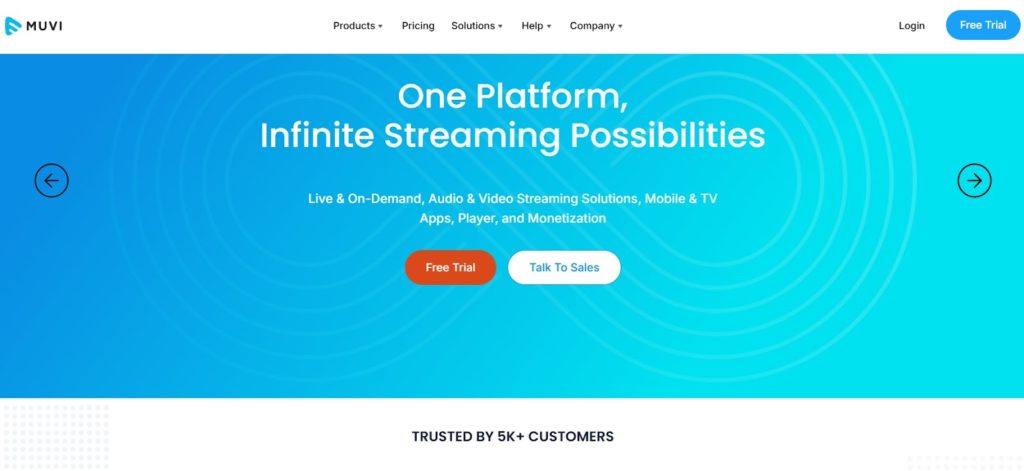
Muvi is another great option for hosting video training platforms and online courses. Muvi’s education streaming solution has a wide range of features to help educators stream with success.
Muvi offers five different streaming packages that are suited for businesses and schools with a wide range of budgets.
This platform supports multiple video monetization methods. Muvi also provides access to API and white-label video players. The platform also supports on-demand video and audio streaming.
Key Features:
Muvi makes it possible to create a multi-screen education platform relatively quickly. This streaming solution comes with a wide range of functionalities and capabilities. They also provide VOD and audio streaming.
All of these features are managed and controlled from a single CMS.
Detailed Features:
- White-label HTML5 video player
- Insightful video analytics
- Multiple video monetization options
- DRM and security features
- Live and on-demand hosting
- Reliable content delivery
- Easy-to-use video CMS
- Video privacy and security
- Streaming for Mobile and TV
Pricing:
Muvi has 7 pricing plan categories, namely One, Live, Flex, Player SDK, Playout, TV and Alie.
1. The pricing for Muvi One includes the following plans:
- Standard: $399/month
- Professional: $1,499/month
- Enterprise: $3,900/month
- Ultimate: ask sales for price
Each plan has different features, such as the number of concurrent users, hosting options, and add-ons like the Alie recommendation engine. You can visit Muvi One Pricing for more details.
2. The pricing breakdown for the Muvi Live plans is as followed:
- Standard: $99/month
- Professional: $299/month
- Enterprise: $799/month
Each plan includes unlimited events and meetings, mobile live streaming, Ad-free high quality Streaming and custom branding and more. You can visit Muvi Live Pricing for more details.
3. Muvi Flex includes the following plans :
- Standard: $199/month
- Professional: $899/month
- Enterprise: $2,899/month
Each plan includes unlimited content and views, with varying features like the number of concurrent users, hosting options, and customization availability. Visit Muvi Flex Pricing for full details.
4. Here is the summary for the Muvi Player SDK pricing:
- Pay as You Go: $0/month + $0.001 per view (first 100 views are free)
- Enterprise: $499/month + $0.001 per view (first 100,000 views are free each month)
Visit the Muvi Player Pricing page for more detailed information.
5. Muvi Playout includes the following plans:
- Standard: $199/month
- Professional: $499/month
- Enterprise: $1,999/month
These plans differ in features such as the number of concurrent viewers, channels, and customization options. The Enterprise plan also offers dedicated servers. For more detailed features, visit the Muvi Playout Pricing page.
6. The pricing breakdown for Muvi TV is:
- Standard: $9/month + 9% commission on content sales.
This plan supports global distribution, and features include unlimited content, views, and the ability to publish and monetize quickly. For more details, visit the Muvi TV Pricing page.
7. The pricing details for Muvi Alie is:
- Standard: $199/month
- Professional: $899/month
- Enterprise: $1,499/month
These plans differ in features such as ingestion features, training and recommendation requests. Visit the Muvi Alie Pricing page for more details.
Muvi is more than a streaming platform. It offers businesses the tools to create their own OTT video or audio experience simply and easily, without coding or advanced IT knowledge.
4. Hippo Video
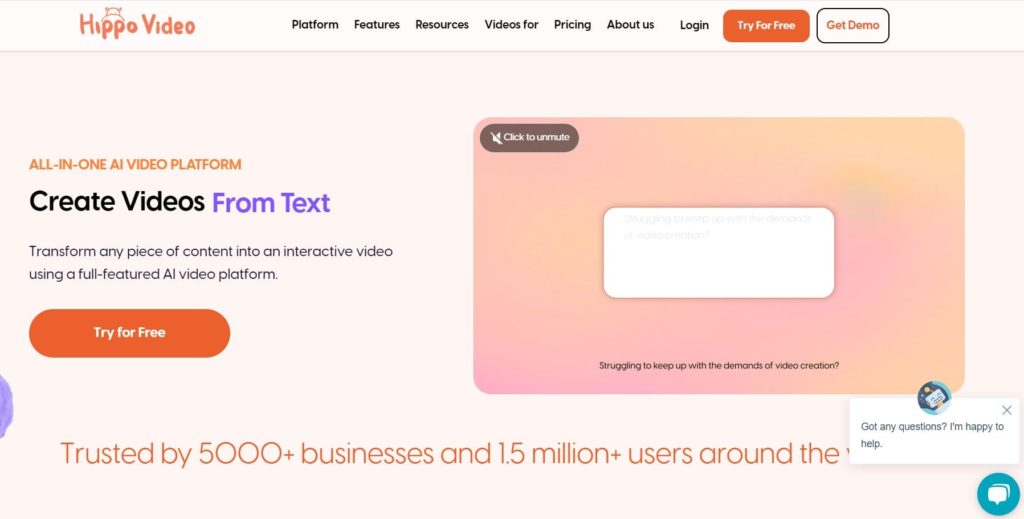
Hippo Video is a professional video streaming solution that offers video hosting for online courses and live corporate training sessions. It also offers solutions for marketing and sales, as well. This company was founded in 2016 by Lyceum Technologies.
Key Features:
In addition to hosting videos for virtual classes, Hippo Video is equipped with tools for video editing and creation. This makes it easy for educators to create engaging online learning videos.
Hippo Video has tools for video hosting, social learning management systems, screen capture, and more.
Detailed Features:
- Video editing and enhancing features
- Tools for customization
- Screen recording for capturing lectures or presentations
- Video hosting and management
- Support for teamwork and collaboration
Pricing:
Hippo Video has a complex pricing structure since it offers a variety of solutions for different use cases. Here’s a breakdown of pricing for the most popular categories:
- Free: $0 and includes 2 video flows, 10 mins of closed captions and 50 videos per month
- Pro: $20/month/user/annually and includes 5 video flows, 30 mins of closed captions and unlimited full HD recordings
- Teams: $60/month/user/annually and includes 15+ video flows, 200 mins of closed captions and 50 personalised videos
- Enterprise: $80/month/user/annually and includes unlimited custom videos, unlimited closed captions, 100 personalized videos and salesforce integration
Text-to-Video is the second pricing category offered by Hippo Video that includes the following plans:
- Free: For $0 you get 3 video downloads, single-user workspace, AI trust and safety, and Pay-as-you-go ($5 for each video creation).
- Starter: $24/month/user. It’s designed for individuals creating videos and includes 10 video downloads, single-user workspace, AI trust and safety, and Pay-as-you-go ($5 for each video creation).
- Creator: For $69/month/user, individuals and teams scaling video content creation will get unlimited video downloads, multi-user workspace, and video translation.
- Enterprise: Users of this plan can produce studio-quality content with enterprise-grade security. Contact the Hippo sales team to get a customized plan and price.
Check out the Hippo site for more information on quarterly and monthly pricing options.
If you need a video hosting and editing solution for your online course hosting provider, check out Hippo.
5. Cincopa
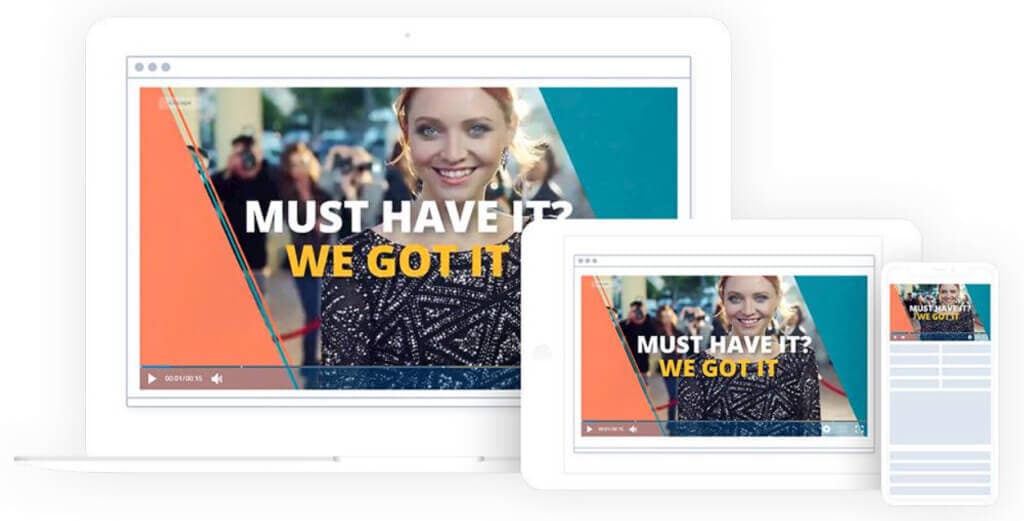
This platform offers plans for institutions with a wide range of budgets, which makes Cincopa a great option for enterprises and educational organizations of all sizes.
Key Features:
Cincopa is a multimedia hosting platform that is capable of hosting video, audio (podcasts and music), photos, and more. This makes it possible for teachers and trainers to create a well-rounded learning and compliance training experience.
Cincopa’s online training platform hosting tools provide educators with instant access to analytics that demonstrate how specific videos are performing.
Detailed Features:
- High-ticket packages
- Support for scalability
- Collaborative video CMS
- Video monetization
- Support for mobile app building
- Bulk uploading tools
Pricing:
Cincopa offers four pricing plans for multimedia hosting:
- Plus: $25/month; 50 videos, 75 audio/podcast files, 1 TB monthly traffic
- Corporate: $99/month; 250 videos, 300 audio/podcast files, 2 TB monthly traffic
- Enterprise: $350/month; unlimited videos, audio/podcast files, and monthly traffic
- Custom Enterprise: Custom pricing; dedicated account manager, SSO
Contact Cincopa’s sales team for detailed information on the Custom Enterprise plan where you can optimize your media strategy as per your business growth.
If your online course plan includes hosting photos and audio files as well, try out Cincopa.
6. Zype
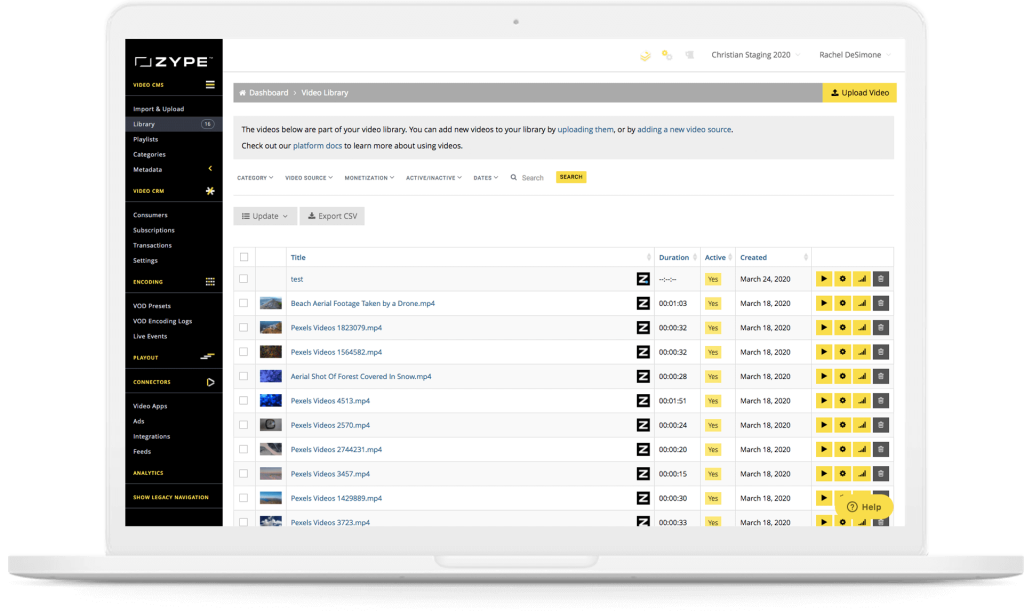
Zype is a streaming solution that is known for making it easy to manage content and subscriptions. Zype’s education streaming platform also offers tools for building apps to create virtual classrooms and video training platforms with live lectures and more.
Zype is suitable for managing, hosting, and delivering high-quality live streams, especially for online learning purposes.
Detailed Features:
- High-ticket packages
- Support for scalability
- Collaborative video CMS
- Video monetization
- Support for mobile app building
- Bulk uploading tools
Pricing:
Zype offers three pricing plans that cover the requirements of most businesses and educational institutions:
- Zype X: $500/month, and it’s the best option for new developers and customers.
- Premium: used by customers operating at scale. Contact sales to get a customized plan and pricing.
- Enterprise: used by customers operating multiple properties. Contact sales to get a customized plan and pricing.
The platform allows you to manage your videos across multiple platforms and supports building your educational learning app.
Zype is focused on the education market, making it one of the best video hosting for online course options for larger enterprises and educators with bigger budgets.
7. Kaltura
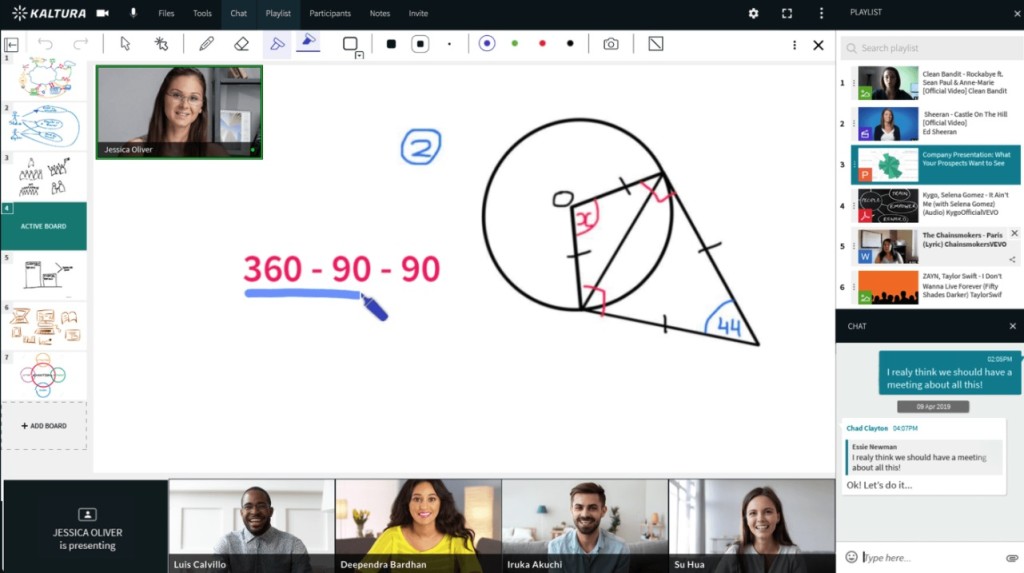
Kaltura is an open-source tool for hosting video learning platforms or training libraries. The company is geared towards large educational institutions, but enterprises can use Kaltura to host online training platforms.
Kaltura’s software supports live and on-demand learning experiences through its cloud-based video education platform. Since this platform is open-source, you can integrate quite a few different programs to customize your virtual teaching experience.
Key Features:
Kaltura is open-source software for hosting video training platforms, and the features are as expansive as the programs that you choose to integrate. Access security, monetization, and more, all in one solution: a fully white-label HTML5 video player.
Detailed Features:
- Open-source software
- Security features
- Closed captioning tools
- Tools for monetization: AVOD, SVOD, TVOD
- Video looping available
- Bulk video uploading
Pricing:
Kaltura is a great live broadcasting platform if you have a more technically advanced video production team that would thrive and enjoy all the additional user-generated features the platform offers.
Kaltura is another video hosting for online course option that caters specifically to large companies and educational institutions.
8. Vimeo

Vimeo was once a consumer-grade streaming platform. The company acquired Livestream in 2017, which opened the door to more premium offerings, and initially launched as a video-sharing platform similar to YouTube before evolving into a tool tailored for novice broadcasters. In 2025, Vimeo itself was acquired by Bending Spoons in a $1.38 billion deal, the same company that also owns Brightcove, referenced elsewhere in this cluster. Vimeo still offers affordable, budget-friendly plans but has limited advanced streaming capabilities.
Key Features:
Vimeo offers a versatile platform with key features, including high-quality video hosting, customizable video players, and privacy controls. It supports live streaming, on-demand video, and monetization options like subscriptions and pay-per-view.
Vimeo provides advanced analytics, integrations with marketing tools, and collaborative features for teams, making it ideal for creators, businesses, and educators looking for professional video solutions.
Detailed Features:
- Multiple security features
- Additional marketing capabilities
- Audience interaction tools
- Detailed video analytics
- Excellent security features
- Easy to use for both users and viewers
- Add call-to-action buttons in your video
- Engagement and social analytics
- Privacy controls
- Host live broadcasts and webinars
- Video management
- Custom permissions
- Auto-recording of screens for video creation
Pricing
Vimeo offers basic video hosting plans that are suitable for content creators and startups.
Pricing if billed monthly, is as follows:
- Free: $0/month; 1 GB storage, creation and editing, screen recording
- Starter: $20/month; 100 GB storage, auto closed captioning, custom URLs and video player, privacy tools
- Standard: $41/month; 2 TB storage, engagement and social analytics, AI script generator, teleprompter, brand kit
- Advanced: $108/month; 7 TB storage, stream to multiple destinations, host live broadcasts and webinars, AI-generated chapters and text summaries
- Enterprise: Custom pricing; more storage and bandwidth, advanced AI capabilities, quality events, dedicated support
Vimeo is great if you want to maximize the usage of your content by turning your live streams into VOD content.
Vimeo’s OTT solution is priced separately from the regular Vimeo packages. There are two plans: Starter and Enterprise.
- Starter Pricing: $1/subscriber per month
- Enterprise Pricing: Please contact Vimeo for custom pricing information
With Vimeo, you need to be willing to invest in a higher plan to access all the tools necessary to create an engaging online training platform.
9. Vplayed
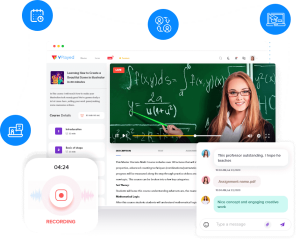
Vplayed is a unified streaming solution powered by Contus that supports both live and on-demand streaming for educational use.
This platform offers plans for everyone from organizations with small projects to large-scale operations, and it has all of the tools to support video hosting for online courses of any scale.
Key Features:
The Vplayed platform supports the hosting and management of live and on-demand content. It is a great option for organizations that have a great need for customization.
Detailed Features:
- OTT streaming
- All-device, white-label HTML5 video player
- Live streaming and VOD
- Support for video monetization
- DRM for advanced security
- Communication integrations
- 100% customizable experience
Pricing:
VPlayed uses a customized pricing structure. What you pay depends on what service you need and the features you want your platform to have. To find out more about their pricing plans, contact their sales team.
10. IBM Video Streaming

IBM Video Streaming, formerly known as IBM Cloud Video, is another platform that supports video training platform hosting thanks to its professional broadcasting tools. This platform is one of many offerings from the IBM technology empire.
IBM Video Streaming’s plans can be pretty costly. Its standard tiers run from $145 to $1,460 per month, and its Enterprise-grade tiers reach $5,300 per month at the Platinum level. With that considered, the software is a better fit for organizations with larger budgets.
Key Features:
Some of IBM Video Streaming’s professional features include webcasting, content management, password protection, worldwide delivery, cloud transcoding, and HD streaming.
Advanced streaming features include AI-based speech-to-text, automated closed captioning, live polling, real-time monitoring, and video analytics and insights. Video monetization is available through ad integration.
Detailed Features:
- Powerful platform
- Reliable customer support
- Internal content delivery network
- High-ticket plans
- AVOD monetization
- White-label video player
- Tools for interaction and engagement boosting
- Automatic closed captioning for improved accessibility
Pricing:
IBM pricing plans include the following:
- Start Trial – Video Streaming: Give it a free test drive for 30 days
- Silver: Affordable Essentials, 100 viewer hours, 5 channels, 1 TB video storage, starting at $145/month
- Gold: Standard business features, 2,000 viewer hours, 10 channels, 2 TB video storage, starting at $729/month
- Platinum: Premium Volume scale, 5,000 viewer hours, 20 channels, 5 TB video storage, starting at $1,460/month
- Custom: Please contact IBM Cloud video for custom plan pricing as well as payment plans
IBM Video Streaming also offers an SaaS streaming service with AI-driven deep search for security-rich video communications. Here are the IBM Enterprise Video Streaming pricing plans:
- Enterprise Silver: $847/month
- Enterprise Gold: $2,120/month
- Enterprise Platinum: $5,300/month
- Custom: Contact the sales team
30-day free trials are available for test-driving both the IBM Video Streaming and the IBM Enterprise Video Streaming services.
11. Uscreen
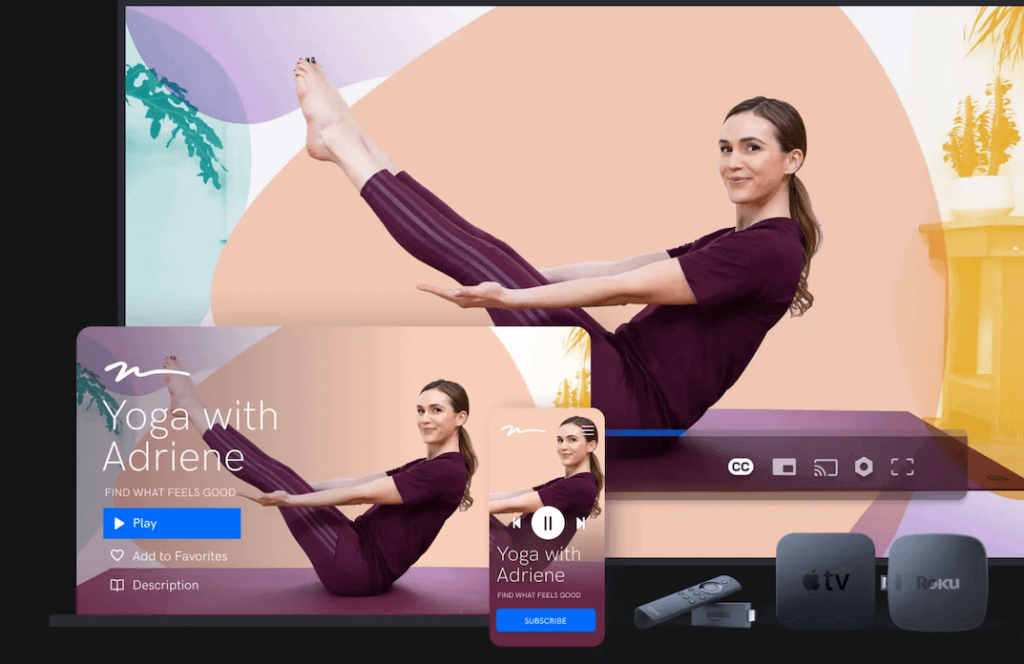
Uscreen is a unified streaming platform that supports both live and on-demand OTT streaming. This platform is equipped with all of the tools that organizations need to host and deliver educational content, whether it be training videos for enterprises or online courses for schools
Key Features:
Uscreen has streaming solutions for businesses that want to host an online training platform. Community-related tools are useful for internal use.
Detailed Features:
- OTT streaming
- Tools for marketing
- Powerful video analytics
- Community-building features
- Fee-based video monetization
- High-level privacy and security
Pricing:
Uscreen has three different pricing plans for broadcasting. The pricing above reflects rates when billed monthly and include:
- Growth: $199/month
- App Essentials: $499/month
- Build Your Own: Custom pricing
12. YuJa
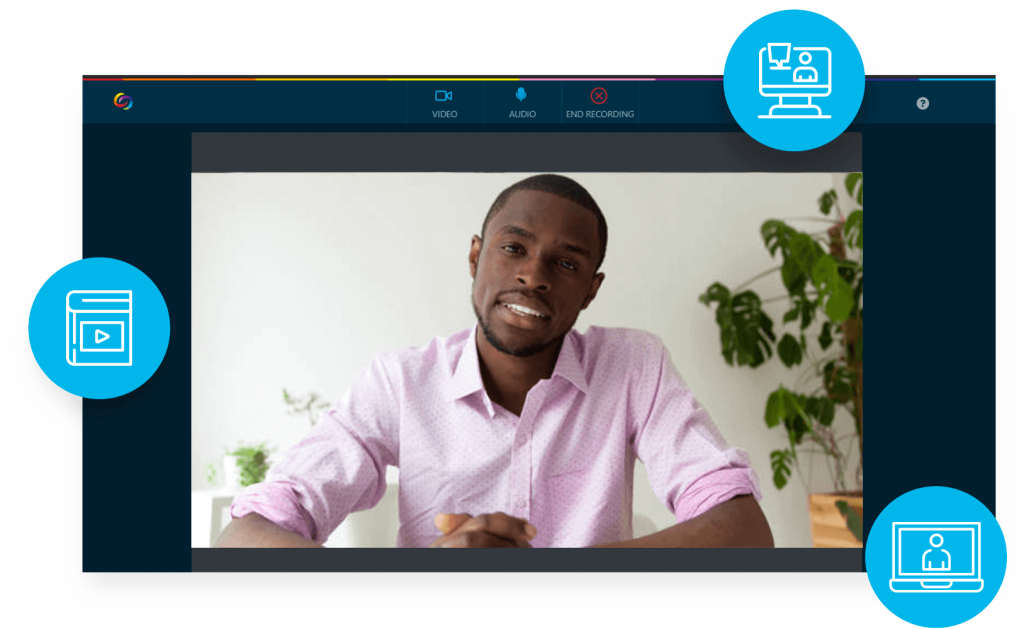
YuJa is an online video platform built for both corporate training and higher ed use cases, with the tools enterprises and educators need to create, host, and manage video training content.
Not only does the platform support live and on-demand content but supports real-time web conferencing for interactive lectures and events.
Key Features:
YuJa has all of the tools that enterprises and educators need to bring virtual lectures, corporate training and videos to life.
Detailed Features:
- Peer-to-peer web conferencing
- Education video CMS
- Screen recording and lecture capture
- Digital asset management
- Video proctoring
- Digital accessibility
Pricing:
YuJa does not have pricing published on its site.
If you want a video course hosting platform that allows for interactive online learning, try out YuJa.
13. VidGrid
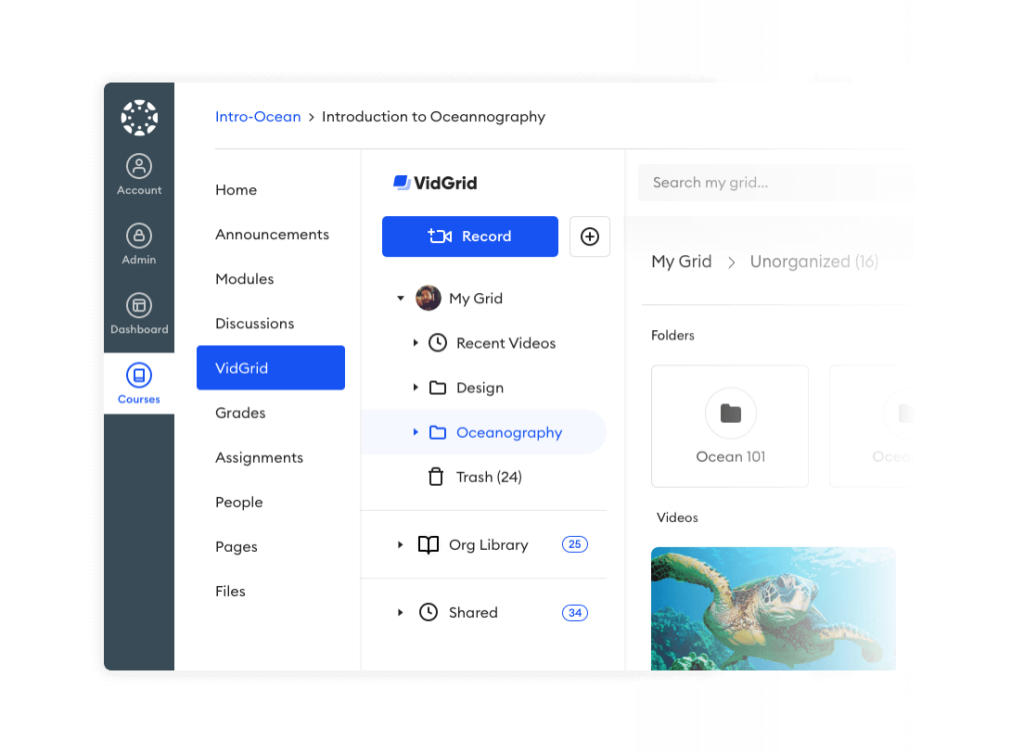
Last but not least, VidGrid is another capable platform for hosting online training platforms. This platform is relatively basic, but it includes tools for video hosting and audience interaction. In 2020, VidGrid was acquired by Paylocity, which now integrates its interactive video tools within its broader HR and training solutions ecosystem.
Key Features:
VidGrid has the standard video hosting features related to video capture and management.
Detailed Features:
- API access
- Video capture
- Tools for communication and interaction
- Video editing tools
- Easy video sharing
- Calls to action
- Video analytics tracking
Pricing:
VidGrid offers several plans for Education, Enterprise, and Training. Each has a standard plan and a customizable plan. The plans are billed annually and include: The plans are billed annually. For detailed and up-to-date pricing tailored to your organization’s needs, contact VidGrid, now part of Paylocity, directly.
If you don’t have a lot of technical experience, VidGrid has an easy-to-use platform for online course hosting.
FAQ
What is the best video training platform for corporate L&D?
It depends on what you need. Dacast fits teams that want transparent pricing and fast setup, Kaltura fits teams that already run an LMS, and Panopto fits teams that need lecture-style capture and searchable video for compliance review. See our guide to the best video streaming provider for corporate training for a shorter, curated comparison of four providers built specifically for training decisions.
Do I need a different platform for live training versus recorded training?
No. Most platforms on this list, including Dacast and Kaltura, handle both live and on-demand training from the same account, which avoids paying for and managing two separate tools.
What features matter most for compliance training specifically?
Recording retention tied to individual viewers, access control such as SSO or password protection, and a searchable transcript or spoken-word search feature so a reviewer can confirm what was covered without watching the full recording.
How is a corporate training platform different from a general video hosting platform?
A training-focused platform prioritizes LMS compatibility, viewer-level completion tracking, and compliance recording retention. A general-purpose video hosting platform may lack these even if its video quality and delivery are comparable.
Conclusion
Businesses today must use a high-quality video based training platform and educational video hosting platforms to stay competitive and ensure effective training. Using a video-based learning platform enhances engagement, making complex topics more accessible, understandable, and interesting. With video hosting for education, organizations can deliver consistent training content to employees worldwide. This helps maintain uniformity and quality.
Video-on-demand (VOD) platforms for education provide flexibility, allowing learners to access materials at their convenience. A video-on-demand platform for education improves retention and productivity. Furthermore, these video platforms for education support interactive learning experiences. This is crucial for fostering better communication and collaboration. By integrating these cutting-edge solutions by way of a video based learning platform, businesses can streamline their training processes, adapt to modern learning, and drive growth and success.
A VOD platform for education and video hosting for online courses should make your content simpler to manage. No matter which streaming video hosting solution you choose, we hope you feel confident in key features to consider and compare.
You can try Dacast and all its features free for 14 days, today.
For more in-depth and regular live streaming tips and exclusive offers, join our LinkedIn.
