



The 13 Best Private Streaming Platforms and Apps in 2026

In 2026, organizations across industries are rethinking how they deliver live and on-demand video. From internal town halls and shareholder meetings to paid OTT memberships and regulated healthcare broadcasts, the demand for secure private streaming has accelerated. At the same time, privacy regulations such as GDPR and CCPA, along with growing expectations around SOC 2, ISO 27001, and HIPAA compliance, have raised the bar for what a private streaming platform must provide.
The result? Not all “private streams” are truly private. Unlisted links and basic password protection are no longer sufficient for businesses handling sensitive communications, gated training libraries, or revenue-generating content.
What is a private streaming platform?
A private streaming platform is a video hosting and delivery system that restricts playback to verified viewers through token-based authentication, encrypted HLS delivery, and identity-controlled access — as opposed to public or unlisted links that anyone can share. In 2026, true private streaming combines identity management, DRM content protection, and governance tools in a single system.
Whether you’re looking for:
- a secure internal video streaming platform for enterprise communications,
- a white-label private OTT platform for memberships and courses,
- a private live streaming platform with DRM and paywall support,
- or private streaming apps for mobile and hybrid events,
Choosing the right solution requires more than comparing feature lists.
This 2026 buyer’s guide compares the best private streaming platforms and apps for business, education, and OTT use cases. We’ll break down security capabilities, compliance readiness, monetization models, latency options, and ideal use cases- so you can confidently shortlist the right platform for your organization.
You’ll also see how professional platforms such as Dacast approach secure private video hosting, encrypted HLS delivery, OTT monetization, and global multi-CDN distribution- without turning this guide into a sales pitch.
Let’s start by reframing why private streaming matters more than ever.
Table of Contents
- Why Private Streaming Matters in 2026
- What Is a Private Livestream? (Definition & Use Cases)
- How to Stream Privately in 2026 (Step-by-Step Guide)
- The 13 Best Private Streaming Platforms & Apps in 2026
- Security & Compliance Features to Look For in a Private Streaming Platform
- Private Streaming Platforms vs Free Streaming Sites
- 2026 Trends in Private Streaming & Security
- Checklist: How to Choose the Right Private Streaming Platform
- FAQs
- Conclusion & Next Steps
Why Private Live Streaming Matters in 2026
Live and on-demand video are now core infrastructure for modern organizations. Internal town halls, quarterly earnings calls, hybrid conferences, online training, telehealth consultations, gated OTT memberships, and investor briefings increasingly rely on video as the primary communication layer.
But as video adoption grows, so does risk.
In 2026, private streaming is no longer about simply hiding a link. It’s about protecting sensitive data, intellectual property, and regulated communications within a compliance-aware digital environment.
The Shift From “Unlisted” to Secure Private Streaming

For years, many organizations relied on unlisted links or basic password-protected video streaming. That approach may be sufficient for small informal gatherings, but it falls short for business and enterprise use cases.
Modern secure private streaming platforms for businesses must support:
- Identity-based access control (SSO, SAML, OIDC)
- Token-based authentication and short-lived URLs
- DRM-protected video for both live and VOD
- Encrypted HLS delivery (AES encryption over HTTPS/TLS)
- Domain and geographic restrictions
- Multi-CDN resilience for mission-critical events
This shift reflects a broader move toward zero-trust architectures, where access is verified continuously rather than assumed.
Audience & Engagement Context
Research from Cloudinary (2024) shows that 80% of consumers prefer live video over reading blogs, and 82% choose live streams over static posts. For viewers aged 18–34, more than 60% regularly watch live content. Live streams can hold attention 10–20 times longer than video-on-demand.
Compliance & Regulatory Pressure
Privacy expectations have intensified globally. Regulations such as GDPR in Europe and CCPA in California have made data protection a board-level priority. In regulated sectors, additional standards apply:
- Healthcare organizations must consider HIPAA-compliant private streaming platforms.
- Financial institutions face strict audit and data retention requirements.
- Educational institutions must address FERPA and LMS integration security.
- Enterprises increasingly require SOC 2 or ISO 27001 alignment from vendors.
For these organizations, a secure video hosting platform is not just about encryption- it’s about governance, auditability, and access control.
Choosing a private streaming service in 2026 means evaluating how the platform handles:
- Data residency and sovereignty (EU vs US storage regions)
- Access logging and audit trails
- Role-based permissions (RBAC)
- Multi-factor authentication
- Secure CDN distribution
Internal Communications & Enterprise Video
One of the fastest-growing use cases for private live streaming platforms for internal company meetings is enterprise communications.
All-hands meetings, HR updates, executive Q&A sessions, and global training programs are increasingly streamed to distributed teams. These sessions often contain confidential business information that cannot be exposed on public platforms.
An internal video streaming platform must balance:
- Ease of access for employees (SSO integration)
- Strict access control for external users
- Reliable low-latency delivery for live interaction
- Secure on-demand archiving for compliance
This is why many enterprises turn to professional platforms rather than relying solely on consumer social streaming tools.
Gated OTT & Monetized Private Video
Private streaming is not only about internal communication. It also powers revenue-generating OTT and membership platforms.
Creators, educators, SaaS companies, and fitness brands increasingly rely on:
- White-label private OTT platforms for memberships
- Subscription video platforms (SVOD)
- Pay-per-view streaming platforms (TVOD)
- Authenticated-only video portals
- DRM video streaming for premium content
In these scenarios, security directly impacts revenue. Weak access control can lead to piracy, unauthorized sharing, or subscription leakage.
A private live streaming platform with DRM and paywall support enables organizations to combine monetization with strong content protection.
Regulated & High-Sensitivity Use Cases
Beyond corporate and OTT use cases, private streaming solutions for corporate events are critical in highly sensitive sectors:
- Telehealth and medical education broadcasts
- Government briefings and closed-door sessions
- Legal and compliance training
- Investor or board meetings
- Financial earnings calls
In these contexts, encrypted live streaming and strict audience authentication are mandatory- not optional.
Private streaming in 2026 is about more than keeping content “hidden.” It’s about building a secure, compliant, scalable video environment that aligns with enterprise security standards and modern viewer expectations.
What Is a Private Livestream? (2026 Definition & Use Cases)
A private live stream is a broadcast that is restricted to a defined audience using controlled access mechanisms such as authentication, encryption, or gated distribution.
Unlike public streaming- where anyone can view the content- private live streaming ensures that only authorized viewers can access the video, whether it’s delivered live or on demand.
In 2026, the definition goes beyond “password protected.” A true private streaming platform typically combines:
- Encrypted live streaming over HTTPS/TLS
- Token-based authentication or signed URLs
- Role-based access control (RBAC)
- Single Sign-On (SSO) or SAML integration
- Domain, IP, or geographic restrictions
- DRM-protected video for premium content
This layered approach ensures secure private streaming for business, education, healthcare, and OTT use cases.
Private vs Public vs Unlisted Streaming
It’s important to distinguish between three common streaming models:
1. Public Streaming: Anyone can discover and view the content. Often supported by ad-based platforms such as social media or public video portals.
2. Unlisted Streaming: Content is not searchable but can be accessed by anyone with the link. This offers limited privacy and is not suitable for confidential or regulated content.
3. Private Streaming: Access is restricted through authentication, encryption, and policy controls. Viewers must be verified before playback is allowed.
For organizations handling sensitive communications, intellectual property, or gated memberships, only the third model qualifies as secure private streaming.
Core Use Cases for Private Streaming Platforms
Private streaming platforms serve a wide range of verticals. In 2026, the most common use cases fall into five primary categories.
1. Internal Communications & Town Halls
Enterprises increasingly use a secure internal video streaming platform for:
- Executive all-hands meetings
- HR updates and policy announcements
- Department-level briefings
- Global team training sessions
These broadcasts require controlled employee access, often via SSO integration, and secure on-demand archives for later viewing.
For example, some schools and institutions use professional platforms such as Dacast to broadcast internal announcements to closed campus networks- demonstrating how private live streaming platforms for internal company meetings extend beyond corporations into education.
2. Training, LMS & Education
Educational institutions and corporate learning teams rely on private live streaming platforms to deliver:
- Virtual classrooms
- Continuing education programs
- Certification courses
- Employee onboarding
In these cases, platforms must integrate with LMS systems (Moodle, Canvas, Blackboard), enforce access control, and support secure video hosting for archived sessions.
GDPR-compliant private video hosting and FERPA-aligned access management are often part of the evaluation criteria.
3. Paid OTT & Membership Platforms
Many organizations use private streaming platforms as the backbone of their OTT strategy.
Common examples include:
- Subscription-based online courses
- Fitness and wellness memberships
- Creator communities
- Paid webinars and virtual conferences
These use cases require a white-label live streaming platform with:
- DRM video streaming
- Integrated paywalls (SVOD, TVOD, AVOD)
- Tokenized access
- Gated live streams
- Secure OTT video hosting
Without proper DRM protection and session controls, monetized content can easily be shared beyond the intended audience.
4. Investor, Board & Shareholder Meetings
Private live streaming is increasingly used for:
- Earnings calls
- Investor briefings
- Board meetings
- Virtual shareholder events
These sessions often contain market-sensitive data and require strict authentication, encryption, and audit logging.
A secure enterprise video platform must ensure:
- Encrypted HLS delivery
- Controlled participant authentication
- Restricted embedding
- Real-time monitoring
Latency considerations also matter, especially when live Q&A or voting is involved.
5. Regulated Industries (Healthcare, Finance, Government)
Highly regulated sectors depend on secure live video streaming that aligns with compliance requirements.
Examples include:
- HIPAA-compliant private streaming for telehealth
- Financial compliance training
- Government briefings
- Legal proceedings
In these environments, data residency, retention policies, audit logs, and encryption standards are essential.
A private streaming service that lacks compliance transparency or identity controls may not meet organizational requirements.
Private Streaming in Practice
At its core, private streaming in 2026 combines three pillars:
- Access Control – Who can watch?
- Encryption & Protection – How is the stream secured?
- Governance & Monitoring – How is access logged and managed?
The best private streaming platforms integrate all three seamlessly- whether for internal video communications, gated OTT platforms, or hybrid events with mixed public and private audiences.
How to Stream Privately in 2026 (Step-by-Step Guide)
Private live streaming in 2026 requires more than pressing “Go Live.”
It requires intentional decisions about security, access control, compliance, and viewer experience.
Whether you’re hosting a private virtual event, internal town hall, gated OTT broadcast, or regulated industry session, the workflow follows a clear structure.
Below is a modern, security-first approach to launching a secure private stream.
Step 1: Define Your Privacy & Access Level
Before choosing a platform or encoder, clarify the type of privacy your event requires.
Ask yourself:
- Is this internal-only (employees via SSO)?
- Is this paid access (subscription or pay-per-view)?
- Is this regulated content (healthcare, finance, government)?
- Is part of the event public and part private (hybrid model)?
This decision influences everything that follows- including authentication method, encryption level, DRM requirements, and latency mode.
A secure internal video streaming platform for enterprises will prioritize SSO and RBAC.
A white-label private OTT platform for memberships will prioritize DRM and paywalls.
Define the security posture first. Build around it.
Step 2: Choose the Right Private Streaming Platform
Not all private streaming platforms offer the same level of protection.
When evaluating platforms, focus on:
- Identity management (SSO, SAML, OIDC support)
- Token-based authentication
- AES-encrypted HLS delivery
- DRM video streaming for VOD and live
- Geo/IP and domain restrictions
- Data residency options
- Multi-CDN reliability
- Integrated monetization (if applicable)
For example, professional platforms such as Dacast combine encrypted live streaming, tokenized access, white-label HTML5 delivery, OTT monetization, and global CDN distribution- making them suitable for both enterprise internal communications and gated OTT use cases.
Avoid relying solely on unlisted links or simple passwords for sensitive broadcasts.
Step 3: Configure Your Production & Delivery Infrastructure
Once your platform is selected, configure your streaming setup.
This includes:
- Camera and audio equipment
- Encoder software (OBS, vMix, hardware encoder)
- Internet upload bandwidth
- Backup recording strategy
For most private live streaming platforms, delivery is handled via HLS over HTTPS. RTMP is typically used for ingest from your encoder into the platform.
If your event is mission-critical (e.g., earnings call, investor briefing), consider:
- Wired Ethernet connection
- Redundant internet source
- Local recording backup
- Multi-CDN failover support
Stability is part of security. A failed internal stream can damage trust just as much as a data leak.
Step 4: Align Security & Compliance Settings
This is where private streaming differs from standard live streaming.
Before going live, configure:
Access Controls
- Password protection (if appropriate)
- Tokenized URLs
- Domain/referrer whitelisting
- Geographic/IP restrictions
Identity Management
- SSO (SAML/OIDC) integratio
- Role-based access control (RBAC)
- Two-factor authentication for admins
Compliance Settings
- Data region selection (EU, US, APAC)
- Retention policies for recordings
- Audit logging (if required)
Organizations seeking GDPR-compliant private video hosting or HIPAA-compliant private streaming platforms must validate these configurations before launch.
Step 5: Choose the Right Latency Mode
Latency- the delay between live capture and viewer playback- matters for private streaming.
Different use cases require different protocols.
Standard HLS (10–30 seconds latency)
Ideal for webinars, corporate broadcasts, training sessions, OTT events.
Low-Latency HLS (LL-HLS)
Useful for interactive Q&A, town halls, moderated discussions.
WebRTC (sub-second latency)
Best for auctions, betting environments, real-time collaboration.
SRT (Secure Reliable Transport)
Often used for contribution feeds and professional broadcast workflows.
A private live streaming platform that supports multiple latency modes provides flexibility across event types.
Choose based on interactivity requirements- not just lowest delay.
Step 6: Protect Against Piracy & Unauthorized Sharing
For monetized or sensitive content, enable:
- DRM-protected video
- Session limits
- Watermarking
- Download restrictions
- Short-lived tokenized access
Private streaming platforms with DRM and paywall integration significantly reduce content leakage risk for subscription-based OTT platforms.
Even internal corporate content benefits from anti-piracy safeguards when intellectual property is involved.
Step 7: Test Before Going Live
Run a private test broadcast and validate:
- Playback across devices (desktop, mobile)
- Authentication flow
- Access restrictions
- Video and audio quality
- Latency expectations
- Analytics tracking
Monitor in real time during the event to detect unusual traffic patterns or unauthorized access attempts.
Real-time analytics are part of modern secure private streaming governance.
Step 8: Repurpose & Archive Securely
After the live event ends, maximize value by:
- Publishing as gated VOD
- Adding to an internal video portal
- Clipping highlights
- Restricting replay access based on roles
Many organizations build an “internal Netflix”- a private enterprise video portal where live events automatically populate into an authenticated on-demand library.
For OTT businesses, recorded live streams can be added to a subscription catalog or offered as pay-per-view replays. Secure private streaming extends beyond the live moment. Governance continues into archiving. Streaming privately in 2026 requires intentional design around security, compliance, identity, and delivery resilience.
The 13 Best Private Streaming Platforms in 2026
In the list below, each platform follows the same format so you can compare them quickly: positioning, private streaming features, security and compliance tooling, pros and cons, pricing direction, and best-fit use cases.
We’ll start with a professional platform used for secure live streaming, private VOD hosting, and OTT-style delivery.
1. Dacast

Dacast is one of the leading online video platforms with a full-featured, self-service solution for live streaming and private video hosting.
Dacast’s acquisition of Vzaar, a video hosting, and distribution platform, has made our platform even more powerful and useful to broadcasters.
When it comes to security and privacy controls, Dacast gets an A+. This streaming platform makes broadcasting private live streams a breeze.
Basic Functionality
Dacast is known for its easy-to-use platform and custom white-label streaming solution. Brand new broadcasters can create a live channel, stream in minutes, and maintain 100% content ownership.
The platform was designed for professional broadcasters with security in mind and featured a robust video solution that meets their business requirements. Dacast offers many advanced features for private live streams, including top-notch AES encryption, a video paywall for monetization, password protection, referrer restriction, and an analytics dashboard to track user events.
Key Features
Dacast offers high-end features with competitive pricing plans. These include ad-free broadcasting, white-label service, and secure CDN video delivery.
It is also one of the few streaming solutions of its caliber that offer video delivery to China.
Detailed Features
- Multi-CDN streaming
- WebRTC browser streaming
- DRM with AES-256 encryption for VOD and live content
- JSON-LD video SEO for discoverable yet protected streams
- Secure, global content delivery, including industry-best video hosting
- 24/7 tech support with all plans, including email and live chat
- Secure video upload features, including content management, library migration, and video replacement
- RTMP Encoder for ingesting HLS
- Player API access for 3rd party player integration
- Video API access on premium plans (scale and event)
- Best-in-class private RTMP server
- Adaptive multi-bitrate streaming
- Cloud-based video transcoding
- Real-time video analytics
- Ad-free streaming
- Multi-user access on Scale and Custom plans
- Zoom live streaming integration for meetings and live events in real-time
- Expo 2.0 galleries video portal for immersive video experiences
- AES video encryption for advanced streaming security
New!
- M3U8 file creation capability to enable adaptive streaming delivery of OTT video content across various devices
- Fully integrated RTMP streaming platform features
- Advanced API to build your own video CMS
- AES video encryption for advanced streaming security
- Multi-user access (MUA) on Scale and Custom plans
- Zoom live streaming integration for meetings and live events in real-time
- Expo 2.0 galleries video portal for immersive video experiences
- Authenticate-only paywall for no payment content gating
- Plays by Location geographical insight
- Chinese streaming platform support
- Digital Rights Management (DRM) for VOD
- Multi-CDN streaming for high-quality broadcasts
- Browser-based live streaming with WebRTC
Pros
- Live streaming and VOD packages on all pricing plans
- Unlimited viewers and live channels
- White label and branding control
- Embeddable HTML5 video player
- SVOD, AVOD, and TVOD monetization options
- An integrated video paywall
- Mobile device support
- Live stream recording
- China Video Hosting
- Plans for every budget
Cons
- Requires a bit of a learning curve
Pricing
Dacast includes four packages in their streaming pricing plans:
| Plan | Price (annual) | Bandwidth | Storage |
| Starter | $39/mo | 2.4 TB/yr | 500 GB |
| Event | $63/mo | 6 TB upfront | 250 GB |
| Scale | $165/mo | 24 TB/yr | 2 TB |
| Custom | Contact sales | High-volume | Custom |
Dacast has all the tools you need to securely host private live streaming, making it one of the best platforms you can work with.
Best for: Dacast is best for organizations that need a private streaming platform with professional delivery, secure embedding, controlled access, and optional monetization- especially for corporate communications, training content, paid webinars, and branded OTT-style libraries.
2. Vimeo
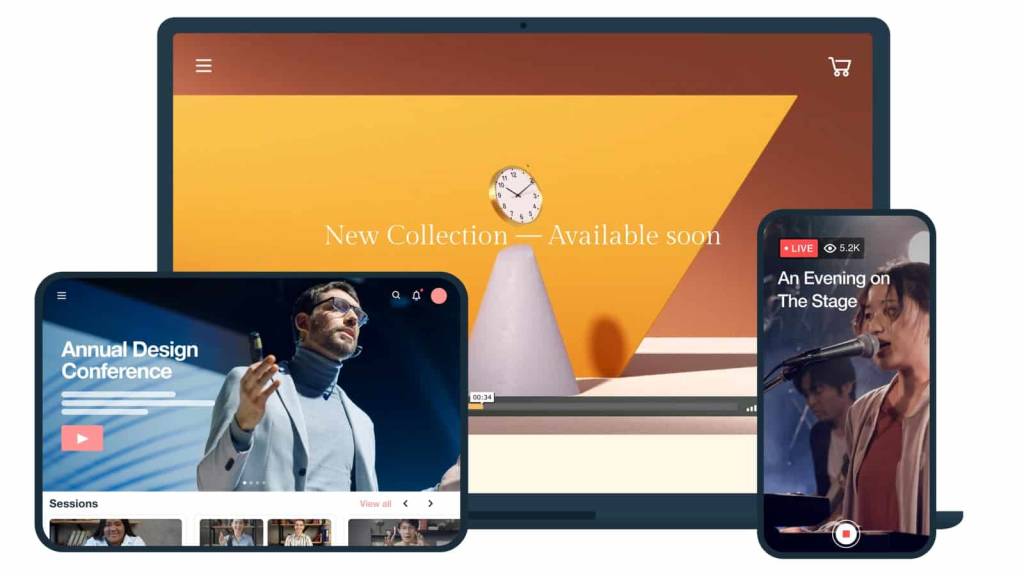
Since its founding in 2004, Vimeo has grown to be one of the most well-known video platforms on the internet.
Originally, Vimeo made its mark by offering an ad-free experience for video sharing, which made it an instant hit with creators and audiences. Now, it offers live streaming and enterprise video hosting space, with a range of services targeting businesses of all sizes.
The platform emphasizes quality over quantity, which is appealing to many professional creators and businesses. Vimeo offers a cleaner user experience and a vast array of customization options.
Basic Functionality
Vimeo is a AI-powered cloud-based video streaming platform with comprehensive video hosting and live streaming functionality. Vimeo has a simplified live streaming interface with features like text and graphic overlays and social share options. It also has plenty of tools that help with greater audience interaction. Live support comes with Premium and Vimeo OTT custom plans.
Key Features
- Cloud-based video hosting
- Small-scale streaming solution
- Text and graphic overlay
- Collaboration and interaction tools
- Social share options
- Flexible storage options
Detailed Features
- Video management platform
- Insightful analytics
- High-quality streaming capabilities
- Great storage capacity
- Privacy and security controls
Pros
- User-friendly interface with simple navigation
- Great in-class security and privacy settings
- Good video playback quality
- No limitations on the number of events and viewers
- No advertisements
- Visually appealing portal
- Powerful analytics
- Pay-per-view option
Cons
- Some issues with connection to an internal server
- No China video delivery
- Limited live streaming and video hosting capabilities
- Requires you to be tech-savvy to take full advantage of its features and have everything running smoothly
- The live event management system is pricier than other services and lacks robust features you’ll find on other platforms
- Buffering times are longer than other cloud video services
- You can’t convert the text in English to other languages.
Pricing
Vimeo offers basic video hosting plans that are suitable for content creators and startups.
Pricing if billed monthly, is as follows:
- Free: $0/month; 1 GB storage, creation and editing, screen recording
- Starter: $20/month; 100 GB storage, auto closed captioning, custom URLs and video player, privacy tools
- Standard: $41/month; 1 TB storage, engagement and social analytics, AI script generator, teleprompter, brand kit
- Advanced: $108/month; 5 TB storage, stream to multiple destinations, host live broadcasts and webinars, AI-generated chapters and text summaries
- Enterprise: Custom pricing; more storage and bandwidth, advanced AI capabilities, quality events, dedicated support
Vimeo is great if you want to maximize the usage of your content by turning your live streams into VOD content.
Best for: Vimeo is best for creative professionals, marketing teams, and mid-sized organizations seeking a polished private streaming service with branding control and moderate access restrictions- especially when the priority is ease of use over deep enterprise governance.
3. JW Player

JW Player is a private video streaming service that originated in 2005. The technology used in this platform’s video player was originally a part of the open-source code that eventually contributed to the original YouTube video player.
JW Player was originally known for its HTML5 video player for VOD platforms. In recent years, JW expanded its platform to include live-streaming capabilities.
Basic Functionality
One of the most valuable aspects of JW Player is that it supports MPEG-DASH playback, CSS skinning, DRM, and other advanced features that other OVPs do not have.
Key Features
- Live streaming and video-on-demand (VOD) hosting
- Cloud-based content management platform
- Custom video galleries
- Up to 1080p HD streaming
- Support for monetization via advertising
- Multi-bitrate and adaptive streaming
- Email support through the $100/month plan level
- Video API access on all plans
- Only custom-priced Enterprise plans offer DRM
- Monetization via advertising
Detailed Features
- Multi-bitrate and adaptive streaming features
- Global content delivery
- Tech support with the most inclusive plans
- Video API access
- DRM with Enterprise Plans
- Monetization
Pros:
- HD streaming
- Video recommendations engine to generate custom “watch next” recommendations for increased viewership
- Global content delivery
Cons:
- No China video delivery
- Only basic security features
- Only ad-based monetization
Pricing
The JW Player pricing structure is based on custom needs. Contact their sales team to discuss your requirements and get a bespoke price.
You can choose between the following plans:
- Stream: This plan offers video delivery, asset management, instant and broadcast live
- Play: This plan offers cloud hosting, HTML5 Player, OTT apps, and mobile SDKs
- Engage: Take advantage of real-time analytics, recommendations, article matching, and custom reports
- Monetize: Use tools like ad insertion, player bidding, outstream ads, and studio DRM
Publishers and broadcasters should contact JW Player directly for pricing and features.
Best for: JW Player is best for publishers and media companies that need a customizable private streaming solution with strong player technology and advertising monetization- particularly when developer control is a priority.
4. Wowza
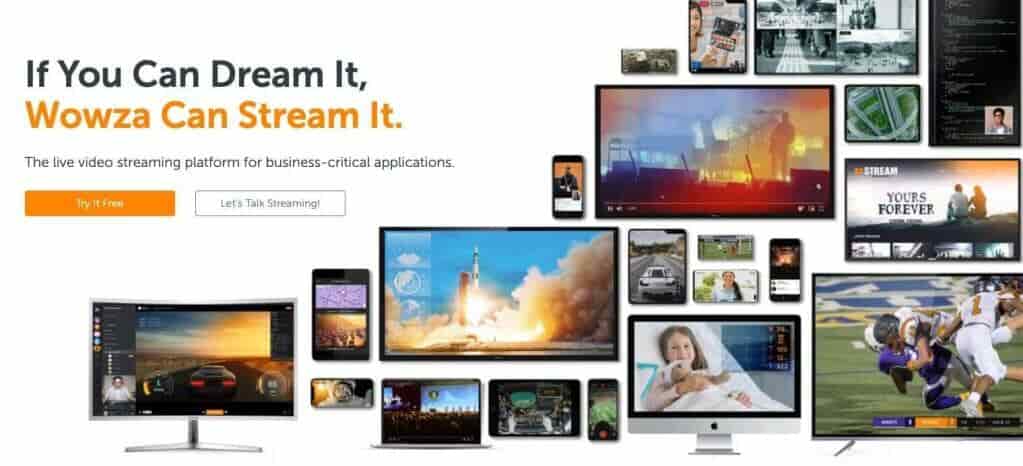
Wowza is a private video streaming service founded in 2005 as a bootstrap start-up. It offers private live streaming and on-demand video hosting. Wowza is also known for its top-notch security features.
Wowza offers two main products. The first is the Wowza Streaming Engine. This product is widely used in the industry for self-hosted streaming. The second is the Wowza Streaming Cloud offering.
Basic Functionality
This functionality includes various features aimed at providing low-latency content access to global audiences.
Key Features:
- Video content management
- Supports high-definition streaming
- Robust security features
- Video API
- Simulcasting capabilities
Detailed Features
- Cloud management services
- High-def streaming (up to 4K)
- Powerful security and privacy features
- Access to APIs
Pros:
- Powerful security
- Supports streaming on most devices
- Live streaming and video-on-demand
- Connects with Google Analytics
- China video delivery
Cons:
- Monetization through integrations only
Pricing
Wowza recently overhauled its pricing plans and added several options. These are split into 2 main tiers: Streaming Video Cloud Streaming and Streaming Engine.
The Wowza Video Streaming Cloud offers distinct pricing plans and services. Live Event Pricing, monthly plans include:
- One Month Event: $149 one-time purchase; includes 15 hours of live streaming and 500 viewing hours
- Pay as you go: $0/month; $2.50/hour of streaming, all usage billed separately
- Enterprise: Plans built for your needs; contact sales for custom pricing
The Wowza Streaming Engine has its own pricing plan packages. These professional-grade streaming plans are billed annually and include:
- Basic: $175/month + $195/month for each additional instance and $125/month for each additional prepaid instance
- One Month Event: $295/month + $295month for each additional instance
- Enterprise: Please contact Wowza directly for access to their custom-tailored high-volume enterprise solutions
If you need a budget-friendly video hosting platform with streaming security, try Wowza.
Best for:
Developers and IT teams building custom encrypted live streaming platforms with API flexibility.
5. IBM Video Streaming

IBM Video Streaming, previously IBM Cloud Video, was founded over a decade ago to connect military personnel overseas with loved ones back home. The private video streaming service was formerly UStream, but IBM acquired it in 2016.
Basic Functionality
IBM Video Streaming is primarily a live-streaming company but also has VOD capabilities. This OVP offers two main packages: free, paid, and enterprise. Most features are available with paid packages, but the enterprise packages are all-inclusive.
Key Features:
- Live and on-demand video streaming
- Secure sharing of online content
- Enterprise content delivery network
- Video distribution and workflow
- OTT video management
- Video monetization
Detailed Features
- Video Marketing
- Live streaming and live event coverage
- Enterprise video streaming
- Video distribution and workflow
- OTT video management
- Monetization capabilities
Pros:
- One of the best-streaming cloud storage set-ups, with reliable cloud streaming.
- Responsive customer support, helping you if you ever run into issues.
- Enterprise-grade video capabilities for large organizations, r
- Hong Kong (China) video hosting.
- Impressive analytics feature where you can monitor various KPIs of live streaming.
- You can easily upload video files and media for your audience during the live broadcast.
Cons:
- Uses an internal content delivery system
- General plans don’t offer APIs
- The chat feature isn’t the best given that this supports a large audience
- Users report issues with data synchronization and upload when there’s heavy traffic on the platform.
- The file management system isn’t good if you have many files because it gets challenging to find what you’re looking for.
- Although it allows non-hosts to interact with the broadcast and share files, the permission-granting process is tricky and requires a learning curve.
Pricing
The pricing plans for the IBM Cloud Video include:
- Start Trial – Video Streaming: Give it a free test drive for 30 days
- Silver: Affordable Essentials, 100 viewer hours, 5 channels, 1 TB video storage, starting at $145/month
- Gold: Standard business features, 2,000 viewer hours, 10 channels, 2 TB video storage, starting at $729/month
- Platinum: Premium Volume scale, 5,000 viewer hours, 20 channels, 5 TB video storage, starting at $1,460/month
- Custom: Please contact IBM Cloud video for custom plan pricing as well as payment plans
Best for: IBM Video Streaming is best for large enterprises and institutions that need a confidential live video solution with structured governance and scalable audience management- particularly when enterprise alignment and brand trust are important factors.
6. Brightcove
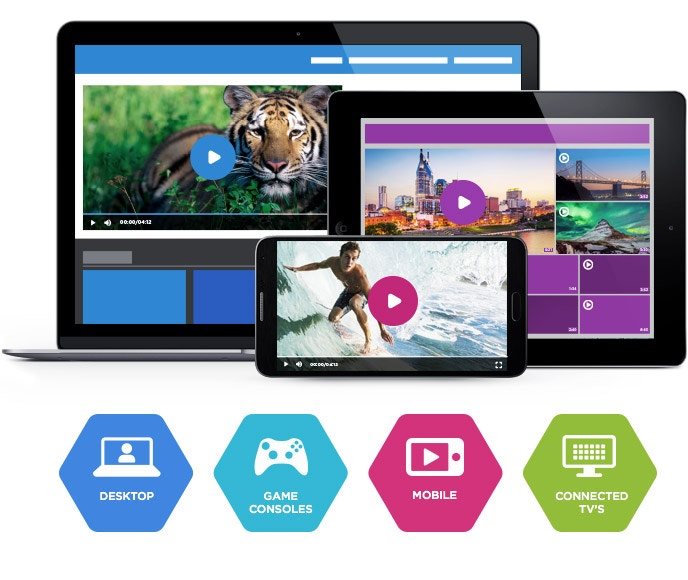
Founded way back in 2004, Brightcove is among the market’s oldest private live-streaming platforms. Brightcove supports both live streaming and VOD hosting.
Brightcove’s custom plans have outstanding security features, but its more basic plans do not.
Basic Functionality
Brightcove provides a few different services. These include Video Cloud hosting, a video player, server-side ad insertion, video streaming capabilities, OTT streaming tools, cloud transcoding, and tools for monetization.
Key Features:
- Live streaming through Video Cloud
- Over-the-top (OTT) streaming
- Advertising and monetization
- Numerous cloud app integrations
- Offers customizable branding features
- On top of the video analytics and reporting feature, it has the option to track your ROI.
Detailed Features
- Global content delivery
- Multi-bitrate and adaptive streaming
- Basic tech support
- Limited API access
- Limited security features
- Limited monetization options
- Best for clients with large budgets
Pros:
- A straightforward cloud interface that’s easy for people to use.
- Offers built-in integrations for other cloud apps, allowing you to integrate your video content with other business tools easily.
- High-quality privacy and security.
- Share your live streams in private groups and with the public through your social media channels.
- One of the best cloud storage for video production, so you can neatly categorize your videos and save them in various playlists.
- All the essential editing tools you need to make small changes to your videos, which is especially beneficial if you often repurpose your live streams.
Cons:
- Lack of fine-grain analytics or reporting
- No China video delivery
- 24/7 support isn’t free
- Although the analytics feature is present, you have to go through some manual workarounds to compare the reports of different videos.
- You can’t find data on the number of unique viewers on your videos or track the number of users at specific time markers.
Pricing:
Brightcove builds custom pricing plans to suit enterprise streaming needs. Here is what we currently know about their pricing structure:
- Basic Plan: Starts at $99 per user per month, which includes core video hosting and management functionalities. This plan is well-suited for businesses with basic video needs, such as small content libraries or internal communications.
- Enterprise-Level Plans: These plans are highly customizable and include advanced features such as live streaming, in-depth analytics, security options, and robust integrations. Pricing is tailored depending on the specific needs of the business, including audience size, storage requirements, and additional services like video monetization and support.
- Customization Costs: Enterprises may face additional expenses for features like platform customization, data migration, employee training, and ongoing maintenance. These costs can range from a few thousand dollars to significantly more, depending on the complexity of the requirements.
- Free Trial: Brightcove offers a free trial for prospective users to test its features before committing to a subscription, which is a helpful option for evaluating its capabilities in real-world scenarios.
Interested broadcasters can contact their sales department to receive a quote or sign up for a 30-day free trial. When you need something simple with complex tools, Brightcove is a good choice.
Best for: Brightcove is best for global brands and large enterprises seeking a mature enterprise video platform for private live streaming, branded VOD libraries, and integrated monetization- particularly when scalability and corporate-level infrastructure are priorities.
7. Kaltura
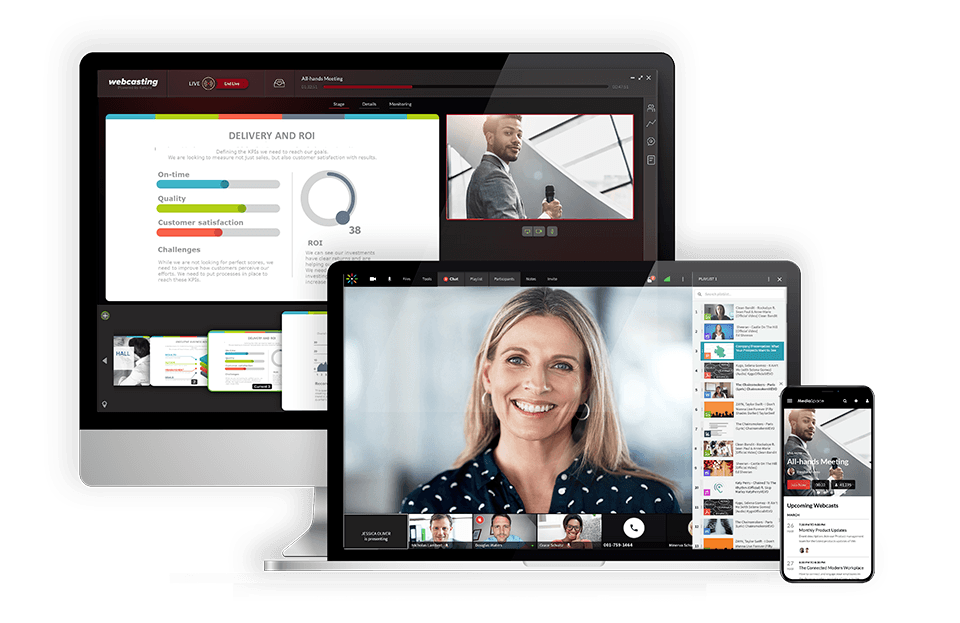
Kaltura is one of the leaders in the private live-streaming space. This platform was initially geared toward meeting the needs of educational institutions, but now it serves organizations in several realms.
Kaltura has a broad range of security features that make it great for private live streaming.
Basic Functionality
Kaltura is a cloud-based video hosting and distribution service. It has both VOD hosting and private live-streaming capabilities.
Kaltura is considered an “open-source” platform instead of a traditional self-hosting platform.
Key Features:
- Cloud video hosting and streaming
- Cloud TV service
- Advanced Security in the Cloud
- Highly customizable
- Integrations for any feature imaginable
Detailed Features
- Multi-bitrate and adaptive streaming options
- Bring your own CDN capabilities
- Top-notch security
- Ticket-based tech support
- API access
- Monetization capabilities
Pros:
It is designed specifically for education and large enterprise uses. They offer various monetization options, making it a great choice if you want to earn money through your content.
Cons:
- Many options for customization may get complex for beginners
- Slow uploads to the cloud
- No China video delivery
- Users complain about the lack of sufficient customer support
Upload Guidelines and Specs:
- Minimum dimension: 180p (320 x 180)
- Maximum dimension: 1080p (1920x 1080)
- Aspect ratio: 16:9, 4:3
- Max file size: 2GB
- Max video length: Not available
- Total file storage: 10GB to Unlimited (depends on the plan)
- Compatible video formats: MOV, MP4
Pricing
Prices are based on the solutions you’re looking for. These include but are not limited to:
- Limited Trial: $1 for two webinars
- Business: $199/month (or $150/month when billed annually)
- Enterprise: Custom pricing
- Free trial: 14 days; up to 25 participants per session
- Basic: $19/month (or $17/month when billed annually); up to 8 participants per session and 8 hrs of cloud recording
- Pro: $55/month (or $50/month when billed annually); up to 25 participants per session and 15 hrs of cloud recording
- Business: $125/month (or $115/month when billed annually); up to 100 participants per session and up to 25 hrs of cloud recording
- Business Plus: Custom pricing for up to 300 participants per session, unlimited sessions and custom storage needs
- Annual discounts: Discounted pricing packages available for any scale and use-case, enterprise SLA, and developer support
- Limited trial account: $1 for $100 worth of credits for 30 days for testing and experimentation, with no commitments
- Pay as you go – You pay only for what you use at these credit levels:
- Base plan: $20 one-time annual fee + monthly usage fees
Other services include virtual events, video portal town halls, video messaging, meetings and more.
Best for: Kaltura is best for universities, large enterprises, and institutions that need a deeply integrated private streaming platform tied to identity management, LMS systems, and structured internal video governance.
8. Muvi
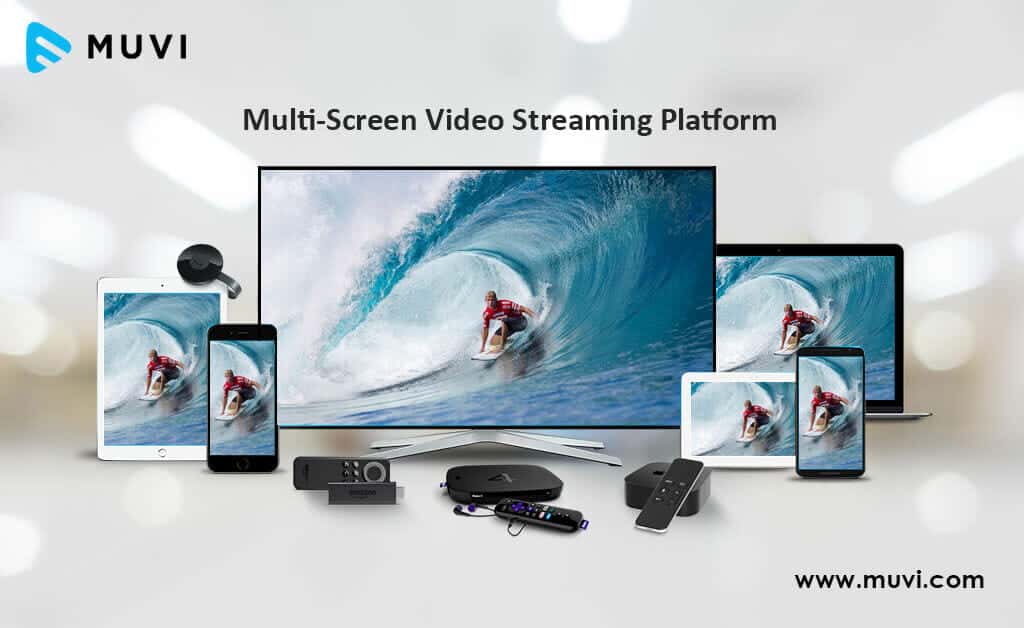
Muvi is a private on-demand video hosting platform that offers specialized support for OTT media businesses. Regarding OTT media distribution, privacy and security are a must for limiting access to paying customers only and avoiding piracy.
Overall, Muvi aims to provide a “turnkey” service to broadcasters. In short, Muvi focuses on OTT services that quickly get up and running. They say their model empowers users to launch their video or audio strategy quickly and easily.
Basic Functionality
Muvi’s OTT multi-screen video streaming solution helps businesses launch white-label multi-device streams. They also provide VOD and audio streaming. It’s fully managed and all controlled from a single CMS.
Key Features
- White-label platform: Customizable branding for a unique user experience.
- Multi-device support: Accessible on web, mobile, smart TVs, and gaming consoles.
- Monetization options: Subscriptions, pay-per-view, and ad-based models.
- Advanced security: DRM, encryption, and secure video player for content protection.
- Analytics: Detailed insights into viewer behavior and performance metrics.
- Content management: Easy upload, organization, and distribution of media.
Detailed Features
- Custom branding
- HTML5 video player
- Analytics
- Monetization options
- DRM and security features
Pros
- User-friendly interface
- Robust security features
- Comprehensive monetization options
- High scalability and reliability
- 24/7 customer support
Cons
- Higher pricing for advanced features
- Steeper learning curve for beginners
- Limited third-party integrations
Pricing
Muvi has 7 pricing plan categories, namely One, Live, Flex, Player SDK, Playout, TV and Alie.
1. The pricing for Muvi One includes the following plans:
- Standard: $399/month
- Professional: $1,499/month
- Enterprise: $3,900/month
- Ultimate: ask sales for price
Each plan has different features, such as the number of concurrent users, hosting options, and add-ons like the Alie recommendation engine. You can visit Muvi One Pricing for more details.
2. The pricing breakdown for the Muvi Live plans is as followed:
- Standard: $99/month
- Professional: $299/month
- Enterprise: $799/month
Each plan includes unlimited events and meetings, mobile live streaming, Ad-free high quality Streaming and custom branding and more. You can visit Muvi Live Pricing for more details.
3. Muvi Flex includes the following plans :
- Standard: $199/month
- Professional: $899/month
- Enterprise: $2,899/month
Each plan includes unlimited content and views, with varying features like the number of concurrent users, hosting options, and customization availability. Visit Muvi Flex Pricing for full details.
4. Here is the summary for the Muvi Player SDK pricing:
- Pay as You Go: $0/month + $0.001 per view (first 100 views are free)
- Enterprise: $499/month + $0.001 per view (first 100,000 views are free each month)
Visit the Muvi Player Pricing page for more detailed information.
5. Muvi Playout includes the following plans:
- Standard: $199/month
- Professional: $499/month
- Enterprise: $1,999/month
These plans differ in features such as the number of concurrent viewers, channels, and customization options. The Enterprise plan also offers dedicated servers. For more detailed features, visit the Muvi Playout Pricing page.
6. The pricing breakdown for Muvi TV is:
- Standard: $9/month + 9% commission on content sales.
This plan supports global distribution, and features include unlimited content, views, and the ability to publish and monetize quickly. For more details, visit the Muvi TV Pricing page.t
7. The pricing details for Muvi Alie is:
- Standard: $199/month
- Professional: $899/month
- Enterprise: $1,499/month
These plans differ in features such as ingestion features, training and recommendation requests. Visit the Muvi Alie Pricing page for more details.
Best for: Muvi is best for businesses launching subscription-based OTT platforms or gated streaming services that require white-label branding, integrated monetization, and account-based access control.
9. StreamShark
StreamShark is another great private live-streaming platform. It was founded in 2011 and provided multi-faceted online video functionality.
This platform is a product of MetaCDN, an Australian content delivery company. In addition to powerful content delivery, StreamShark is known for its innovative features in the live streaming space. The most notable features are 360 live streaming, peer-to-peer streaming, and enhanced streaming security.
Basic Functionality
StreamShark is an online video platform specializing in secure live streaming.
Key Features
- Manage different phases of an event’s stream
- Multi-vendor approach
- HLS ingests
- Provides global video CDN services
- Innovative live streaming tools
- Enhanced security for private streaming
Detailed Features
- Mobile compatibility
- Peer-to-peer streaming
- 360 live streaming
- Detailed viewer reports
- Customizable live-streaming video player
- Global coverage via a multi-CDN network
- Privacy controls
- Advertising and customer support
Pros
- Localized media ingestion
- monetization options
- Video Encoding
- Redistribution
- Increased storage space
Cons
- No live tech support
- No embeddable playlists
- Fair to no video analytics
- No China video delivery
Pricing:
Monthly live streaming plans with StreamShark begin at $199 per month and include the following:
- Standard: $199/month; includes 1,000 GB of bandwidth; 500 GB of VOD storage an additional overage of $0.10 per GB
- Team: $499/month; includes 4,000 GB of bandwidth; 2,000 GB of storage, and lowers per GB overage prices to $0.09 per GB
- Business: $999/month; includes 9,000 GB of bandwidth; 5,000 GB of storage, and reduces the overage to $0.08 per GB
- Enterprise: Please contact StreamShark for their custom enterprise solutions and plans
Best for: StreamShark is best for enterprises and organizations hosting high-attendance private live events, corporate broadcasts, or controlled virtual conferences where reliability and audience restriction are priorities.
10. Panopto
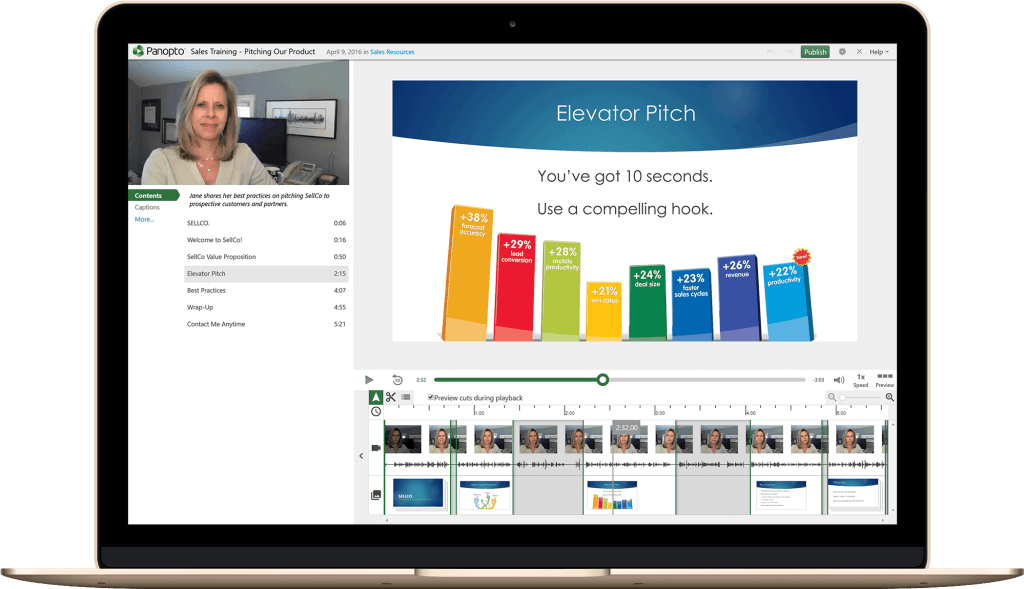
Panopto is a private live-streaming platform that is geared toward educational and institutional users. This platform aims to deliver an “internal YouTube” experience for training and more.
It was founded in 2007 in Pittsburgh at Carnegie Mellon University as a tech project. This online video streaming solution enables streaming, sharing, recording, and managing of video content.
Panopto has more than 100 employees in 6 offices around the world. The streaming solution serves an audience of over 5 million end-users in e-learning.
Basic Functionality
With a focus on online education, it provides tools similar to YouTube and integrates with Learning Management Systems. Panopto is a more focused online video organization than the other private live streaming platforms we’ve considered.
Key Features
- Secure portal for management
- Includes software for live streaming and auto-archiving using webcams
- Keyword search inside videos
- Tools for API access and LMS/CMS integration
Detailed Features
- Lecture-capture and video-search software
- Access control & security features
- White-label streaming
- Integration with LMS systems
- API for further integrations.
Pros
- Audio Content
- Analytics
- Document Indexing
- Customizable Branding
- Full-Text Search
- Video Content
- Asset Categorization
- China video delivery
Cons
- No customizable templates
- No image editor
- No SEO management
- No version control
Pricing
Panopto no longer offers pricing information on its website, so you have to get in touch with their team to find out custom pricing for your requirements. For specific plans and pricing, contact sales.
After establishing a contract, you have access to unlimited streaming and storage. However, this aspect may represent a potential downside for some streamers as Panopto does not handle any external-facing video content.
Panopto understands the needs of educational institutions, making it a great platform for educational institutions.
Best for: Panopto is best for universities, corporate training departments, and enterprises that require a secure internal video streaming platform tightly integrated with identity management and learning systems.
11. Uscreen

Uscreen is one of the most popular private video hosting solutions for creators, coaches, and educators who want to offer on-demand courses or subscription-based streaming.
This white-label live streaming platform allows users to launch branded OTT apps for web, mobile, and TV, making it ideal for professional private video streaming in 2026. Uscreen combines easy-to-use tools with enterprise-level security, ensuring content is accessible only to authorized viewers through password protected video streaming and DRM support.
Basic Functionality
Uscreen’s core focus is helping businesses and creators monetize video content securely. You can create a private live stream, sell subscriptions, or set up pay-per-view events. The platform supports both live and on-demand video, with flexible OTT app deployment across iOS, Android, Roku, and more.
Key Features
- White-label OTT apps for multiple platforms
- Secure OTT video hosting with DRM
- Integrated subscription billing and pay-per-view
- Encrypted live streaming platforms for premium events
- Video access control tools including geo-blocking and password protection
- Analytics dashboard for viewer insights
Pros
- Excellent for e-learning and membership-based streaming
- Mobile-friendly private streaming apps
- Flexible monetization options
- Strong branding customization
Cons
- Pricing is higher than some competitors for small creators
Pricing
Uscreen pricing starts at $149/month plus a per-subscriber fee, with higher tiers for advanced app development and API integrations.
Best for: Uscreen is best for creators, educators, and businesses launching subscription-based private streaming platforms where monetization and member access are the primary focus.
12. Zype

Zype is a secure OTT video hosting platform built for developers, media companies, and enterprises that need advanced control over their streaming workflows.
It stands out among the best private streaming platforms 2026 for its developer-friendly API, token-based authentication, and encrypted video delivery platforms. Zype is ideal for organizations that want to integrate secure private streaming into existing apps or websites.
Basic Functionality
Zype offers a cloud-based video CMS, automated transcoding, and flexible content distribution. It’s a powerful choice for professional private video streaming with custom integrations.
Key Features
- API-first design for custom video apps
- Secure live video streaming with DRM
- Advanced analytics and audience segmentation
- Multiple monetization models (AVOD, SVOD, TVOD)
- Encrypted live streaming and OTT app publishing
- White-label live streaming platform branding
Pros
- Highly customizable for developers
- Enterprise-grade security
- Flexible monetization options
Cons
- Requires technical expertise for setup
Pricing
Zype pricing is quote-based depending on bandwidth, storage, and API usage.
Best for: Developers building custom OTT apps with enterprise-level encrypted video delivery.
13. Restream Business
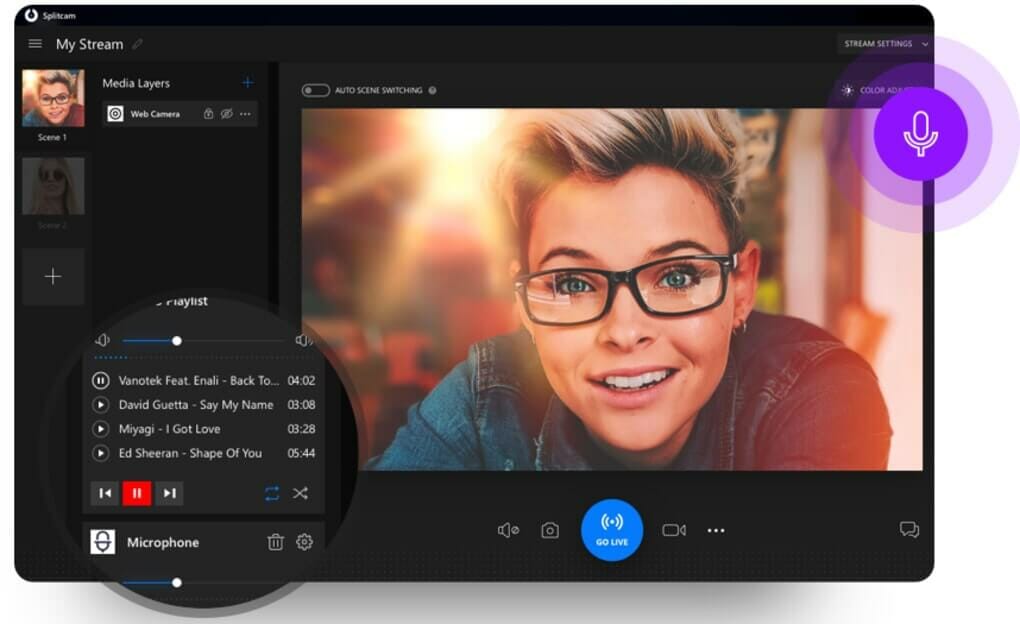
Restream Business is designed for companies that need to stream both internal and public events securely, making it one of the top private video platforms with DRM and token protection.
This private broadcasting platform allows you to stream a secure internal meeting while simultaneously broadcasting a public version to social platforms. It’s perfect for corporate communications, hybrid events, and secure live video streaming for teams.
Basic Functionality
Restream Business supports multi-destination streaming, private access links, and video access control tools for confidential live video solutions. It integrates easily with professional encoders and platforms like Dacast for enterprise video platform workflows.
Key Features
- Private and public streaming from the same event
- Password protected video streaming
- Enterprise SSO for secure employee access
- Detailed analytics and engagement tools
- Supports hybrid streaming for internal and external audiences
Pros
- Ideal for internal company meetings and virtual events
- Flexible integrations with secure OTT video hosting
- User-friendly interface
Cons
- Limited branding options compared to full OTT platforms
Pricing
Restream Business pricing starts at $249/month, with higher tiers for enterprise-level streaming and API access.
Best for: Companies running hybrid internal and public streams with centralized control over private broadcasting platforms.
Top Platforms at a Glance
| Platform | Security | Monetization | Mobile App | China Delivery | Starting Price | Best For |
| Dacast | AES-256, DRM, tokens | TVOD, SVOD, AVOD | OBS/Larix | Yes | $39/mo | Business, Enterprise |
| Vimeo | Password, domain restrict | PPV, Subs | Yes | No | $20/mo | Creators, Marketing |
| JW Player | DRM (enterprise only) | Ads, PPV | Via SDK | No | Custom | Publishers, Media |
| Wowza | AES, DRM, IP restrict | Via integrations | No | Limited | $149 event | Developers, IT |
| IBM Video | Tokens, DRM, encrypt | PPV, Subs, Ads | No | HK/China | $145/mo | Large Enterprise |
| Brightcove | DRM, IP restrict | Subs, Ads | No | No | Custom | Global Enterprise |
| Kaltura | API-level DRM, tokens | PPV, Subs | No | No | Custom | Universities |
| Muvi | DRM, encryption | SVOD, TVOD, AVOD | Yes | No | $99/mo | OTT Businesses |
| StreamShark | Encrypted CDN | Monetization tools | No | No | $199/mo | Event Organizers |
| Panopto | SSO, access ctrl | No | No | Yes | Custom | Education, Training |
| Uscreen | DRM, password gate | SVOD, PPV | Uscreen Go | No | $149/mo | Creators, Educators |
| Zype | DRM, tokens | SVOD, TVOD, AVOD | Via API | No | Custom | Developers |
| Restream | Basic (link-based) | Donations, Subs | Yes | No | $249/mo | Multistreaming only |
Security & Compliance Features to Look For in a Private Streaming Platform
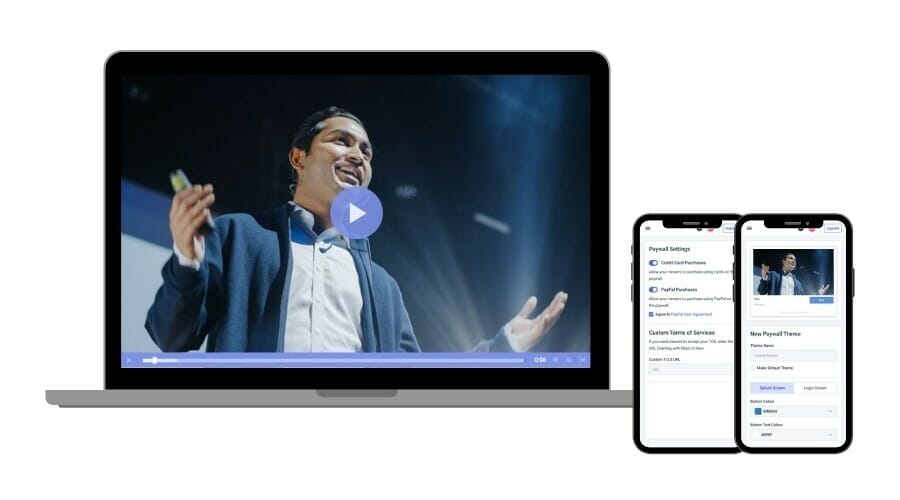
Choosing a private streaming platform in 2026 is no longer about comparing bandwidth limits or basic password protection. It’s about understanding how the platform enforces identity, protects content in transit and at rest, and supports compliance obligations.
Security in private streaming can be divided into five core categories: identity and access control, encryption and DRM, delivery controls, anti-piracy protection, and governance visibility.
Understanding these pillars makes it easier to evaluate any platform on the list above.
1. Identity & Access Control
The first and most important question is simple: Who is allowed to watch?
Modern secure private streaming platforms go beyond password-protected video. They integrate identity directly into playback permissions.
Key mechanisms include:
- Single Sign-On (SSO) via SAML or OIDC
- Role-Based Access Control (RBAC)
- Token-based authentication with expiration
- Account-level session limits
For enterprise internal communications, SSO integration is critical. Employees should be authenticated through the organization’s identity provider rather than through a generic video password.
For OTT and membership platforms, account-based authentication ensures that only paying subscribers can access content. A private streaming service without identity integration is limited in regulated environments.
2. Encryption & DRM Protection
Encryption protects content while it is being delivered over the internet. DRM protects content from being downloaded, copied, or redistributed.
Encrypted streaming typically involves:
- HTTPS/TLS delivery
- AES-128 encrypted HLS
- Secure ingest protocols
For monetized or sensitive content, DRM (Digital Rights Management) adds another layer of protection. DRM ensures that even if someone intercepts a stream URL, they cannot easily reuse or download the content.
Platforms offering DRM-protected video streaming are particularly relevant for:
- Paid OTT subscriptions
- Premium webinars
- Corporate intellectual property
- Educational course libraries
In 2026, DRM is increasingly expected for serious monetization strategies.
3. Delivery & Perimeter Controls
Even with authentication and encryption, distribution boundaries must be enforced.
This is where delivery controls come in.
Private streaming platforms should allow:
- Domain or referrer restrictions (embed only on approved sites)
- Geographic blocking (geo restrictions)
- IP allowlists or denylists
- Short-lived signed playback URLs
These controls prevent unauthorized embedding and link sharing.
For example, a company hosting a private virtual event may want to ensure that playback is restricted to its internal portal only. Domain restrictions make that possible.
Organizations operating internationally may also require region-specific restrictions to align with licensing agreements or data governance requirements.
4. Anti-Piracy & Content Protection
For monetized platforms, security failures directly impact revenue.
Anti-piracy mechanisms may include:
- Watermarking
- Session concurrency limits
- Download prevention
- Token expiration enforcement
A private live streaming platform with DRM and access enforcement significantly reduces subscription sharing and unauthorized rebroadcasting.
While no system is completely piracy-proof, layered security dramatically reduces risk.
5. Governance, Logging & Compliance Visibility
Finally, enterprise-grade private streaming platforms must support governance and oversight.
This includes:
- Playback analytics and usage tracking
- Access logs and audit trails
- Admin role segmentation
- Retention management policies
For organizations operating under GDPR, HIPAA, or SOC 2 requirements, visibility into who accessed content and when can be essential.
Data residency options- allowing storage and delivery from specific regions- are also becoming increasingly important, particularly in the EU.
In 2026, data sovereignty is no longer optional for multinational organizations.
Bringing It Together
When evaluating private streaming platforms, avoid focusing on marketing language alone. Instead, assess whether the platform offers layered protection across:
- Identity
- Encryption
- Delivery control
- Anti-piracy enforcement
- Governance visibility
The strongest platforms combine all five. This is what separates enterprise-ready secure private streaming solutions from lightweight private video apps designed for casual use.
Private Streaming Platforms vs Free Streaming Sites
Many organizations begin their video journey on free platforms. Social media streaming tools and public video hosting sites are accessible, familiar, and easy to use. For informal broadcasts or public marketing events, they can be sufficient.
However, free streaming sites are not built for secure private streaming at scale.
Understanding the difference is critical before choosing a platform for internal communications, regulated content, or monetized OTT distribution.
The Illusion of “Private” on Free Platforms
Free streaming platforms typically offer privacy settings such as:
- Unlisted links
- Basic password protection
- Limited audience restrictions
At first glance, this may appear adequate. But these mechanisms are often link-based rather than identity-based. Anyone with the link can potentially access the content.
For organizations handling confidential information, intellectual property, or paid content, link-based privacy is not equivalent to secure private streaming.
Free platforms are primarily designed for engagement and discoverability, not enterprise governance.
Ownership & Brand Control
On public platforms, your content exists within someone else’s ecosystem. Branding, player customization, and audience data ownership are often limited.
Professional private streaming platforms, by contrast, allow:
- White-label HTML5 playback
- Custom domain embedding
- Removal of third-party branding
- Direct viewer data control
For businesses building gated portals or subscription services, brand control and data ownership are essential.
Compliance & Governance Gaps
Free streaming platforms rarely provide the compliance features required in regulated environments.
Advanced capabilities such as: SSO or SAML integration, role-based access control, detailed audit logs, data residency selection & DRM enforcement – are typically unavailable or limited.
Organizations in healthcare, finance, education, or government sectors cannot rely on consumer-grade privacy controls to meet regulatory obligations.
Monetization & Revenue Protection
While some free platforms support advertising or limited subscription models, they are not optimized for secure, gated monetization. A private live streaming platform with integrated paywalls, tokenized access, and DRM protection offers far greater control over revenue streams.
Subscription leakage and unauthorized redistribution are far more likely on platforms that prioritize open sharing.
Reliability & Scalability
Free streaming platforms may experience content moderation interruptions, automated flagging, or platform policy changes that affect distribution.
Professional private streaming platforms typically operate on predictable subscription models and dedicated CDN delivery. This ensures that internal events, earnings calls, or paid conferences are not disrupted by unrelated platform policy enforcement.
When Free Platforms Make Sense
Free streaming tools still have a place.
They are appropriate for:
- Public marketing broadcasts
- Brand awareness campaigns
- Informal community engagement
- Social media live sessions
But once privacy, compliance, monetization, or enterprise control becomes important, organizations typically transition to dedicated private streaming platforms.
2026 Trends in Private Streaming & Security
Private streaming is evolving quickly. What was considered advanced security just a few years ago is now baseline functionality. In 2026, organizations are moving toward identity-driven architectures, AI-enhanced workflows, and globally resilient delivery models.
Understanding these trends helps future-proof your platform decision.
Zero-Trust, Identity-First Streaming
One of the most significant shifts is the adoption of zero-trust principles in video delivery.
In a zero-trust streaming model, access is never assumed. Every viewer request must be authenticated and authorized before playback begins. Identity becomes the central control layer rather than a secondary add-on.
This trend has accelerated demand for:
- SSO integration via SAML or OIDC
- Granular role-based access control
- Token-based session validation
- Short-lived signed URLs
Rather than relying on static passwords or private links, modern secure private streaming platforms tie access directly to verified user identities. For enterprises, this aligns video delivery with broader cybersecurity frameworks.
Data Residency & Sovereignty
Data governance is no longer optional for global organizations.
In 2026, many companies require clarity around where video data is stored and delivered. Data residency requirements- particularly within the EU- have influenced platform selection.
Private streaming platforms that offer regional storage options or CDN routing transparency are increasingly favored by multinational businesses. For regulated industries, sovereignty concerns extend beyond storage. They include access logging, retention policies, and contractual data handling guarantees.
AI-Powered Video Workflows
Artificial intelligence is now deeply embedded in video workflows.
Private streaming platforms increasingly offer:
- Automated transcription
- Real-time captioning
- AI-based content indexing
- Searchable video libraries
- Automated moderation alerts
For internal video portals, AI-driven indexing improves discoverability across large content libraries. For live events, real-time transcription enhances accessibility and compliance.
In monetized OTT environments, AI tools can also help identify engagement patterns and optimize content distribution strategies.
Multi-CDN Resilience
As video becomes mission-critical infrastructure, downtime is unacceptable.
Organizations hosting shareholder meetings, earnings calls, or large-scale virtual events increasingly look for platforms with multi-CDN strategies. This approach distributes traffic across multiple content delivery networks to improve redundancy and performance.
Multi-CDN resilience reduces the risk of outages and helps maintain consistent playback quality globally. For enterprises, streaming reliability is as important as security.
Hybrid Events & Private OTT Portals
The distinction between live events and OTT platforms is blurring.
Many organizations now operate hybrid models:
- A live event is streamed privately.
- The recording is automatically archived.
- Clips are added to a gated portal.
- Subscribers or employees access replays on demand.
This “private OTT portal” model is increasingly common for:
- Corporate internal communication hubs
- Educational institutions
- Paid membership communities
- Professional associations
Rather than treating live streaming and video hosting as separate tools, businesses now seek unified platforms that support both.
The Bigger Picture
Private streaming in 2026 is shaped by three forces:
- Security expectations
- Compliance pressure
- Content monetization strategies
Platforms that combine identity-first access control, encrypted delivery, AI-enhanced workflows, and resilient global distribution are best positioned for long-term relevance.
Selecting a private streaming platform is no longer just about today’s feature list- it’s about future scalability and governance alignment.
Checklist: How to Choose the Right Private Streaming Platform
After reviewing features, trends, and platform comparisons, the final step is structured evaluation.
Choosing a private streaming platform in 2026 should not be based on surface-level feature lists. It should be based on operational fit, security posture, compliance alignment, and long-term scalability.
Below is a strategic evaluation framework to guide your decision.
1. What Level of Privacy Do You Actually Need?
Start by clarifying whether your use case requires:
- Basic gated access
- Identity-based authentication (SSO)
- DRM-protected premium content
- Regulatory compliance alignment
- Hybrid public/private segmentation
A marketing webinar may require simple gated access. A board meeting or telehealth session requires identity-driven authentication and encryption.
Platform selection should match risk level.
2. Does the Platform Support Identity & Access Management?
Modern secure private streaming platforms should integrate with your existing identity infrastructure.
Ask:
- Can it integrate with SSO providers (SAML/OIDC)?
- Does it support role-based access control?
- Can you enforce token expiration or session limits?
- Is access tied to verified user accounts?
If video is part of your broader cybersecurity architecture, identity integration is non-negotiable.
3. What Security Certifications or Compliance Standards Apply?
Different industries require different assurances.
Determine whether your organization needs:
- GDPR-compliant private video hosting
- HIPAA-aligned security practices
- SOC 2 or ISO 27001 certifications
- Audit logs and retention controls
Not all platforms publicly advertise certifications, so verification may require direct inquiry.
Compliance readiness should be confirmed before procurement- not after deployment.
4. How Is Content Delivered & Protected?
Evaluate how the platform handles encryption and distribution.
- Does it use HTTPS and encrypted HLS?
- Is DRM available for live and VOD?
- Can you restrict embedding by domain?
- Are geo/IP controls supported?
- Does it support multi-CDN redundancy?
Secure private streaming is a layered system, not a single feature.
5. What Latency Options Are Available?
Latency matters depending on your event type.
Does the platform support:
- Standard HLS for stable enterprise events?
- Low-Latency HLS for interactive sessions?
- WebRTC for near-real-time collaboration?
- SRT for contribution feeds?
Selecting the wrong latency model can negatively affect viewer experience or infrastructure load.
6. Does the Platform Support Monetization (If Needed)?
If you plan to generate revenue from private streaming, confirm:
- Are subscriptions (SVOD) supported?
- Is pay-per-view (TVOD) available?
- Is advertising (AVOD) integrated?
- Can you control pricing and payment workflows?
Monetization capabilities vary widely across platforms.
Even if monetization is not immediate, choosing a platform that supports it can future-proof your strategy.
7. How Scalable Is the Infrastructure?
Private live streaming platforms for corporate events must handle peak traffic without failure.
Ask:
- Is global CDN distribution included?
- Are bandwidth overages predictable?
- Is auto-scaling supported?
- Are there uptime guarantees (SLA)?
Reliability is critical for high-stakes internal or investor-facing events.
8. What Analytics & Monitoring Tools Are Provided?
Governance includes visibility.
Evaluate whether the platform offers:
- Playback analytics
- User-level access logs
- Real-time monitoring dashboards
- Exportable data for reporting
For enterprise video governance, insight is as important as delivery.
9. How Future-Proof Is the Platform?
Consider whether the platform supports:
- AI-driven transcription and indexing
- Data residency options
- Hybrid live-to-OTT workflows
- Mobile and app-based viewing
- API integrations for automation
Private streaming in 2026 is dynamic. Your platform should evolve with you.
Final Decision Framework
A strong private streaming platform should align with:
- Your risk profile
- Your audience size
- Your compliance requirements
- Your monetization goals
- Your long-term content strategy
Rather than choosing based on popularity or price alone, evaluate how the platform integrates into your broader digital infrastructure. The right choice should reduce risk, increase control, and scale with your organization’s needs.
FAQs
What is a private live stream?
A private live stream is a broadcast restricted to a specific, authorized audience through controlled access mechanisms such as authentication, encryption, or gated portals. Unlike public streams, viewers must verify identity or meet predefined access criteria before playback begins. In 2026, this typically involves encrypted HLS delivery, token-based authentication, and identity integration rather than simple unlisted links.
What is the difference between private, unlisted, and public streaming?
Public streaming is open to anyone. Unlisted streaming restricts discoverability but allows anyone with the link to watch — offering limited real privacy. Private streaming enforces identity verification, encryption, and access control policies. For confidential, regulated, or monetized content, only private streaming provides adequate protection.
What security features should a private streaming platform have in 2026?
Modern secure private streaming platforms should include: identity-based access control (SSO/SAML/OIDC), encrypted HLS delivery over HTTPS, tokenized or signed playback URLs, domain and geo restrictions, DRM protection for premium content, and audit logging and access monitoring.
Can private streaming platforms be GDPR or HIPAA compliant?
A platform itself does not automatically make your organization compliant, but it can support compliance efforts. Confirm whether it provides data processing agreements, data residency options, encrypted delivery and storage, access logging, and administrative controls. Organizations in healthcare, finance, or education should verify HIPAA, GDPR, FERPA, or SOC 2 alignment before deployment.
Can I monetize private live streams?
Yes. Many private streaming platforms support subscription (SVOD), pay-per-view (TVOD), and advertising (AVOD) models. For monetized content, DRM protection and tokenized access are strongly recommended to reduce unauthorized sharing.
What latency options are available for private streaming?
Standard HLS (10–30 seconds): suitable for most webinars and corporate broadcasts. Low-Latency HLS: reduces delay for interactive events. WebRTC: achieves near real-time delivery for collaborative use cases. SRT: used for secure contribution feeds and professional broadcast workflows.
Which private streaming platform is best for enterprises?
For enterprise use, Dacast, IBM Video Streaming, Brightcove, and Kaltura offer the strongest combination of DRM, SSO integration, audit logging, and compliance features. Dacast is the most accessible entry point with transparent pricing starting at $39/month.
What is the difference between private streaming and a private OTT portal?
A private live stream is a single gated broadcast event. A private OTT portal is a persistent, authenticated environment where subscribers access both live and on-demand content — similar to a branded internal Netflix. Many organizations now use platforms like Dacast to run both from a single system.
Conclusion
Choosing the right private streaming platform is crucial to live streaming events successfully. Privacy and security are vital features if you want to control who has access to your meetings and video content.
Using this article, you’re now armed with the fundamental knowledge of how to choose the right private streaming platform for your live private stream. We’ve laid out the features, prices and security capabilities of the leading live-streaming platforms available.
As we’ve mentioned, Dacast is a professional-grade, flexible and ultra-secure streaming platform. With Dacast, you’ll have access to all the features you need to host high-quality and secure private live-streaming events. What’s more, with a wide range of pricing options you’ll find the perfect plan for your budget.
You can try Dacast and all its features right now, free for 14 days.
For exclusive offers and regular live broadcasting tips, you’re also welcome to join our LinkedIn group. We’d love to connect with you!
